
 Chrome Web Extension
 Edge Web Extension
 Android App


Are you aware that a vast majority of websites around the world employ web tracking tools? Astonishingly, a study reveals that 90% of websites incorporate at least one tracking script. Have you ever considered the implications these tools have on your online privacy?
The Unseen Observer in Your Online World
Imagine browsing for a new book on a website, and then, as you visit other sites, ads for similar books start appearing everywhere. It’s like someone’s watching your every move online. This is web tracking in action, a common yet often misunderstood aspect of our digital lives.
These statistics provide a glimpse into the prevalence and impact of web tracking in the digital landscape:
| Statistic | Source |
| Over 90% of websites include at least one tracking script | All About Cookies |
| Google trackers are present on 74% of the web traffic | WhoTracks.me |
What is Website Tracking?
Web tracking is a method used by websites to collect data about your online behavior. This data helps in understanding user preferences and tailoring online experiences. Here are the key types of web tracking:
- Cookies: Small data files stored on your device to remember your website visits and preferences. Take note that there are various types of web cookies.
- IP Address Tracking: Identifies your location and internet usage patterns based on your device’s IP address.
- Browser Fingerprinting: Compiles a unique profile using your browser and device settings.
- Pixel Tracking: Uses tiny, invisible images to track your interactions, especially in emails and online ads.
- Behavioral Tracking: Monitors and analyzes your actions on a website, like clicks and page views, to understand user behavior.
How Do Websites Track User Activity?
Websites employ various kinds of techniques to monitor and understand how users interact with their content. These techniques offer websites a different lens through which to view and understand user activity, helping them tailor their content and services more effectively.
Why Are Websites Tracking You?
Understanding the motives behind web tracking can be eye-opening. Here’s a breakdown of the primary reasons websites keep tabs on your online activities:
- Personalized Advertising: By tracking your browsing habits, websites gather data to show you ads tailored to your interests. It’s like a billboard that changes based on who’s looking at it.
- Enhancing User Experience: Websites analyze your interactions to improve their layout and content, aiming to make your visit as seamless and enjoyable as possible.
- Analyzing Website Performance: Tracking helps websites understand how visitors use their site, which pages are popular, and how to optimize their performance.
- Market Research: Websites collect data to understand market trends and user preferences, helping them stay competitive and relevant in their industry.
- Customized Content: Based on your past interactions, websites present content that aligns with your interests, creating a more engaging and relevant browsing experience.
How to Stop Websites Tracking You?
Protecting your online privacy from web tracking involves several strategies:
1. Poper Blocker’s Cookie Blocker: Your Privacy Guardian
Maintaining your privacy online can often feel like an uphill battle. Poper Blocker’s Cookie Blocker emerges as a steadfast guardian of your online privacy. This browser extension is a powerful tool designed to put you back in control of your browsing experience.
To enhance your privacy with Poper Blocker, simply follow these steps:
Install the Poper Blocker Extension: Begin by adding the Poper Blocker extension to your browser. This can be done quickly and easily through your browser’s extension store (Chrome or Edge).
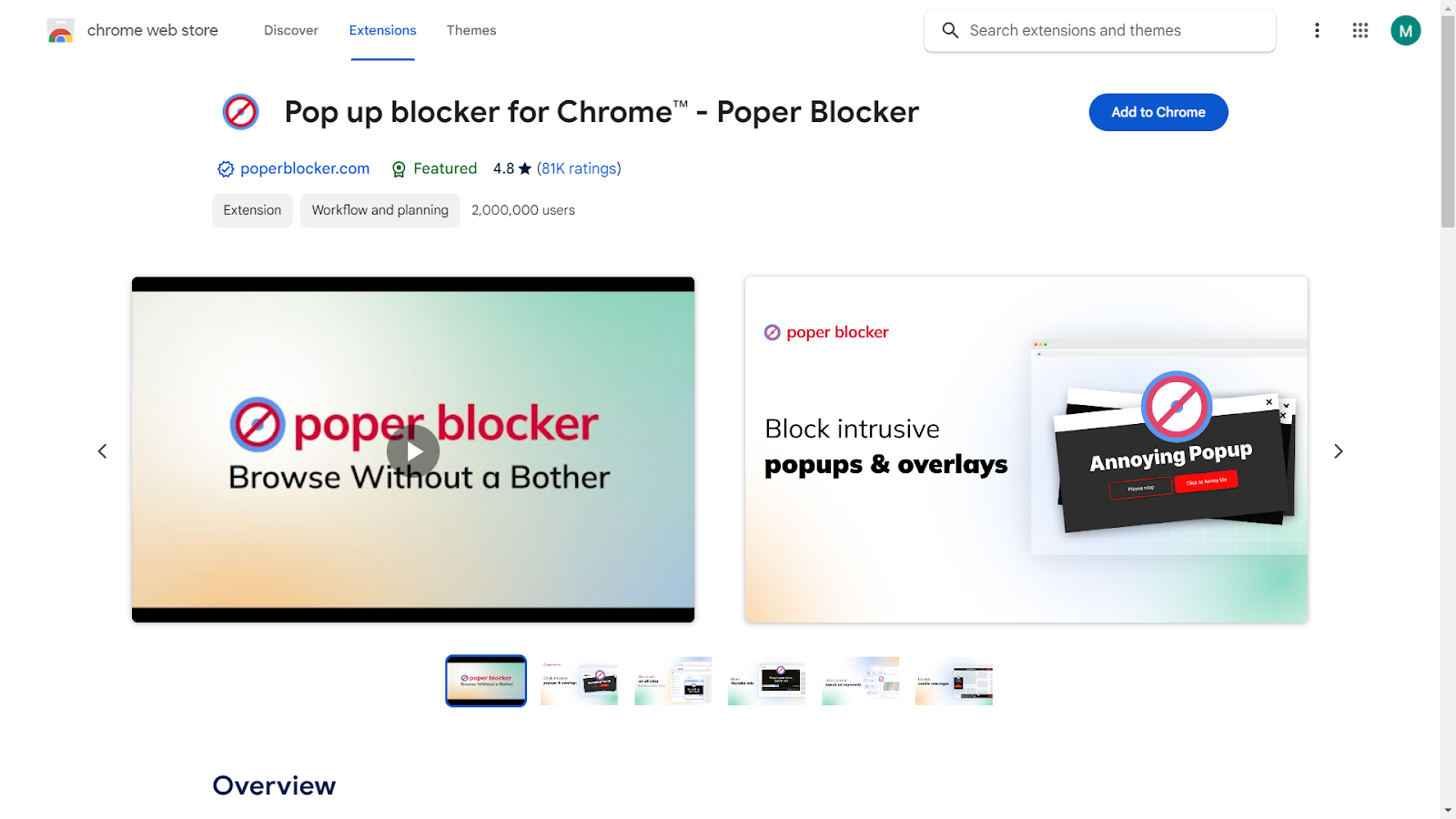
Navigate to Settings: Once the extension is installed, click on the Poper Blocker icon in your browser’s toolbar to access its settings.
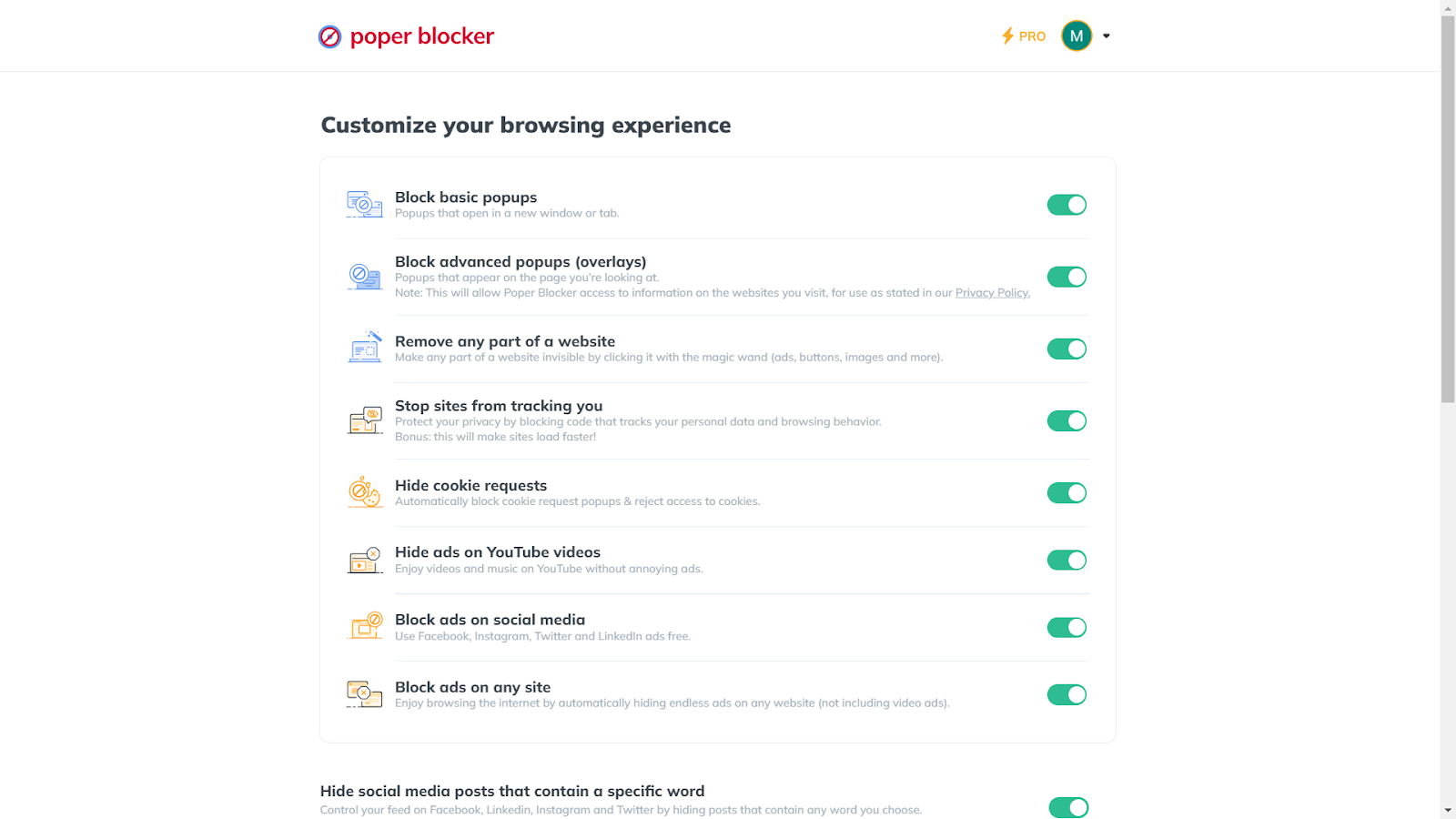
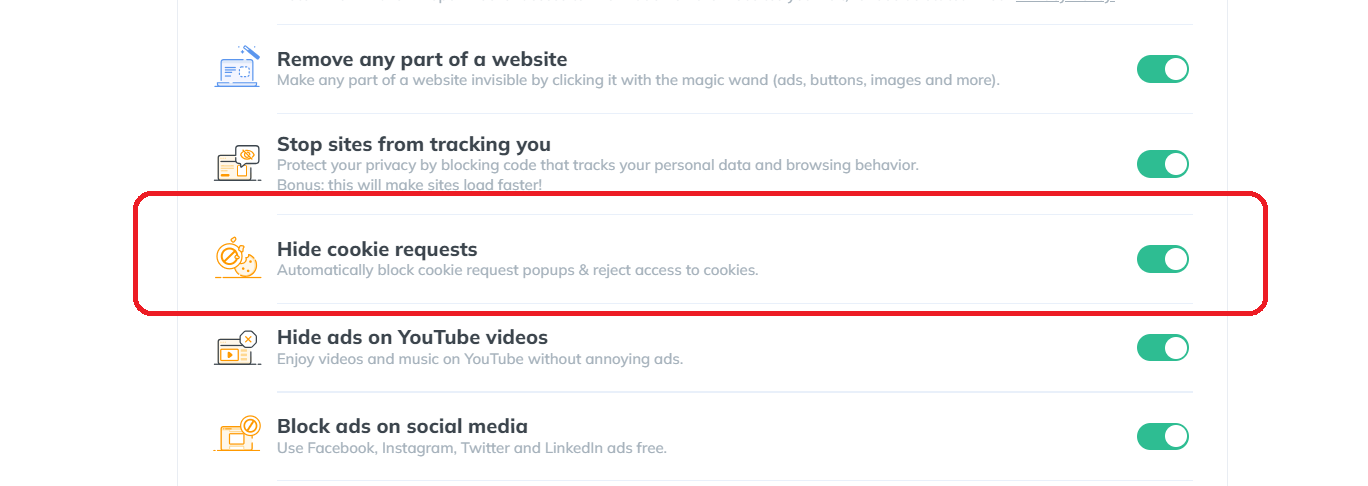
Enable ‘Hide Cookie Requests’: In the settings menu, look for the option labeled “Hide cookie requests.” Click to turn this feature on.
Start Browsing: With “Hide cookie requests” enabled, you’re all set. Enjoy a browsing experience that’s free from intrusive cookie popups and automatic tracking.
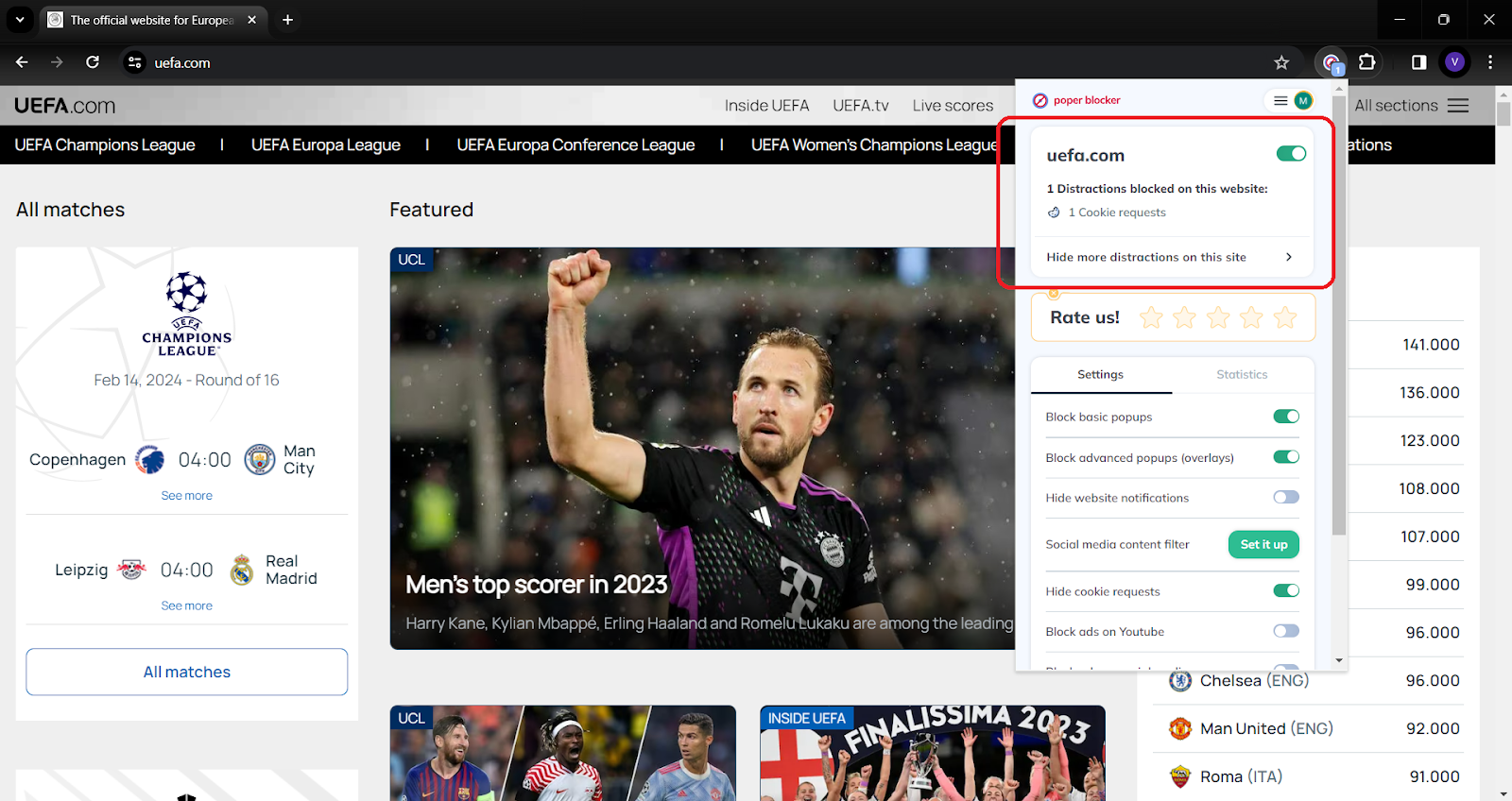
With Poper Blocker activated, you can start browsing with confidence, knowing that your online activities are shielded from unwanted tracking. It’s a simple yet effective solution for anyone looking to protect their online data and enjoy a more secure internet experience.
Don’t let trackers win – empower your browsing with Poper Blocker!
2. Use a VPN to Mask Your IP Address
A Virtual Private Network (VPN) is like a cloak for your online identity. It hides your IP address, making your online actions less traceable. By routing your internet connection through a remote server, a VPN masks your actual location, offering an added layer of privacy. This is especially useful when using public Wi-Fi networks, where your online activities could be more vulnerable to snooping.
3. Regularly Clear Your Browser History and Cookies
Think of this as a digital cleanup. Regularly clearing your browser history and cookies wipes away the trails you leave behind on the internet. It’s like erasing your footprints in the sand.
Did you know? This simple habit prevents accumulation of data that websites use to learn about your preferences, ensuring that your past online activities don’t influence your future browsing.
4. Utilize Privacy-Focused Browsers
Switching to a browser that prioritizes privacy can significantly reduce your online visibility. These browsers often come with built-in features like tracker blocking and automatic cookie deletion. They are designed to minimize data collection, ensuring that your browsing habits remain your own business. It’s like choosing a path less traveled, away from the prying eyes of data collectors.
Here are the top browsers known for their strong privacy features:
- Mozilla Firefox: Known for its strong privacy controls, Firefox offers tracking protection, regular privacy updates, and a range of customizable settings to enhance user security.
- Brave: Brave is designed with privacy as a primary feature, automatically blocking trackers and ads. It also offers features like private browsing with Tor for enhanced anonymity.
- Tor Browser: Tor is focused on anonymous browsing. It routes your web traffic through multiple servers to obscure your location and usage from surveillance and tracking.
- DuckDuckGo Privacy Browser: While primarily known as a search engine that respects privacy, DuckDuckGo also offers a mobile browser app focused on keeping your browsing history and personal information private.
5. Adjust Your Social Media Privacy Settings
Social media platforms can be a goldmine of personal information. You can take control by diving into your privacy settings and this can be done by customizing the following:
- Who can see your posts
- Who can tag you
- How your data is used for advertising purposes
It’s like setting boundaries in your digital social circle, allowing you to share moments with friends and family while keeping your personal information under wraps.
Take Charge of Your Online Privacy
Your online privacy is a valuable asset in today’s interconnected world. Every click, search, and website visit contributes to the digital footprint that defines your virtual identity. While web tracking can offer personalized experiences, it often comes at the cost of your privacy. It’s essential to be proactive and take steps to safeguard your personal information.
Tools like Poper Blocker’s cookie blocker are instrumental in this fight, offering a straightforward and effective solution to keep your browsing habits private. Remember, the power to control your online presence is in your hands. By utilizing the right tools and staying informed about web tracking practices, you can enjoy the vast resources of the internet while maintaining control over your personal data.
Embrace these strategies and tools to ensure that your online adventures are secure, private, and tailored to your comfort and safety.
FAQs
What is web tracking?
Web tracking is a technique websites use to gather information about your online behavior. This includes the pages you visit, the time you spend on specific content, and your interactions with various site elements. It’s a widespread practice aimed at understanding user preferences and habits for various purposes, including marketing and website optimization.
How do websites track user activity?
Websites employ several methods to monitor your online activities. The most common include cookies, which are small data files stored on your device. IP tracking is another method, where websites identify your location and internet usage based on your IP address. Browser fingerprinting compiles a unique profile based on your device and browser settings. Lastly, pixel tracking uses tiny images to track your interactions, especially in emails and online advertising.
Why do websites track users?
The primary reason for web tracking is to personalize user experience and advertising. By understanding your preferences and browsing habits, websites can tailor their content, suggest relevant products, and show ads that align with your interests. Additionally, tracking helps websites gather valuable analytics to improve their services and understand user engagement patterns.
How can I stop websites from tracking me?
To reduce web tracking, consider using privacy tools like Poper Blocker’s cookie blocker, which effectively blocks cookie requests and denies access to tracking cookies. Additionally, using a VPN can mask your IP address, making it harder for websites to track your location. Regularly clearing your browser history and cookies, adjusting privacy settings on social media, and using browsers focused on privacy can also significantly reduce tracking.
Is web tracking legal?
Web tracking is legal in many parts of the world, but there are growing concerns and regulations regarding user privacy. Laws like the GDPR in Europe and CCPA in California provide guidelines and restrictions on how personal data can be collected and used. These regulations require websites to obtain user consent for tracking and ensure transparency about data collection practices. However, the legality and extent of web tracking vary by region, and it’s crucial for users to stay informed about their rights and the privacy policies of the websites they visit.
Say goodbye to unwanted tracking – install Poper Blocker in just one click!
Did you know that Google processes over 8.5 billion searches per day? (Source: HubSpot) But what implications does this have for your personal data? Exactly how much does Google know about you?
In this guide, we’ll explore in detail what this search engine can track from your online activities and offer insights on how to secure your online data and privacy.
How Does Google Collect Data on Me?
Google employs the data it gathers in a multifaceted manner, focusing on both user experience enhancement and its strategic business objectives:
- Targeted Advertising: Utilizing your data to tailor ads that match your interests and online activities.
- Personalizing Services: Customizing search results and recommendations, particularly on platforms like YouTube, based on your preferences and behavior.
- Service Improvement: Analyzing user behavior and preferences to enhance existing services and develop new, user-centric features.
- Security Measures: Using the data to identify and protect against potential security threats, fraud, and other malicious activities.
How Much Data Does Google Collect on Me?
Curious about how much data Google collects on you? It’s a comprehensive process, covering a broad spectrum of information that often remains unknown to many users. This data is integral to how Google tailors its services and advertising to individual users.
Here’s a closer look at the types of data Google collects:
| Type of Data | Description |
| Personal Information | Basic details such as your name, email address, and phone number, are typically gathered when you sign up for Google services. |
| Search Queries | Every search you perform on Google is logged, including the time of the search and the links you click on. |
| Location Data | If you use Google Maps or have location services enabled on your device, Google tracks and stores your location history. |
| Device Information | Data about the devices you use, including model, operating system, and unique identifiers, to optimize its services for different devices. |
| Usage Data | How you interact with Google’s products and services, such as the apps you use, the duration of usage, and your interactions with content. |
| Cookies and Tracking Data | Google employs cookies and similar technologies to understand your online behavior, primarily used for targeted advertising. |
| Email Data | If you use Gmail, Google has access to your email content and metadata, including information about your email interactions. |
| Voice and Video Data | Interactions with Google Assistant and your YouTube viewing history, including likes and comments, are tracked. |
| Ad Interaction Data | Google monitors how you interact with ads across its network, including which ads you click on and your engagement with them. |
How to Stop Google from Tracking Me
1. Use Poper Blocker’s Cookie Blocker
Poper Blocker’s Cookie Blocker stands as a robust line of defense in your quest for online privacy. This tool, available as a browser extension for Chrome and Edge, is specifically designed to tackle the ubiquitous cookie requests that track your online activities. By automatically blocking these cookie requests and rejecting access to any types of internet cookies, it ensures a more private and uninterrupted browsing experience.
Here’s how to set it up:
A. Install the Extension: Begin by adding Poper Blocker to your browser. It’s a straightforward process similar to adding any other extension or add-on.
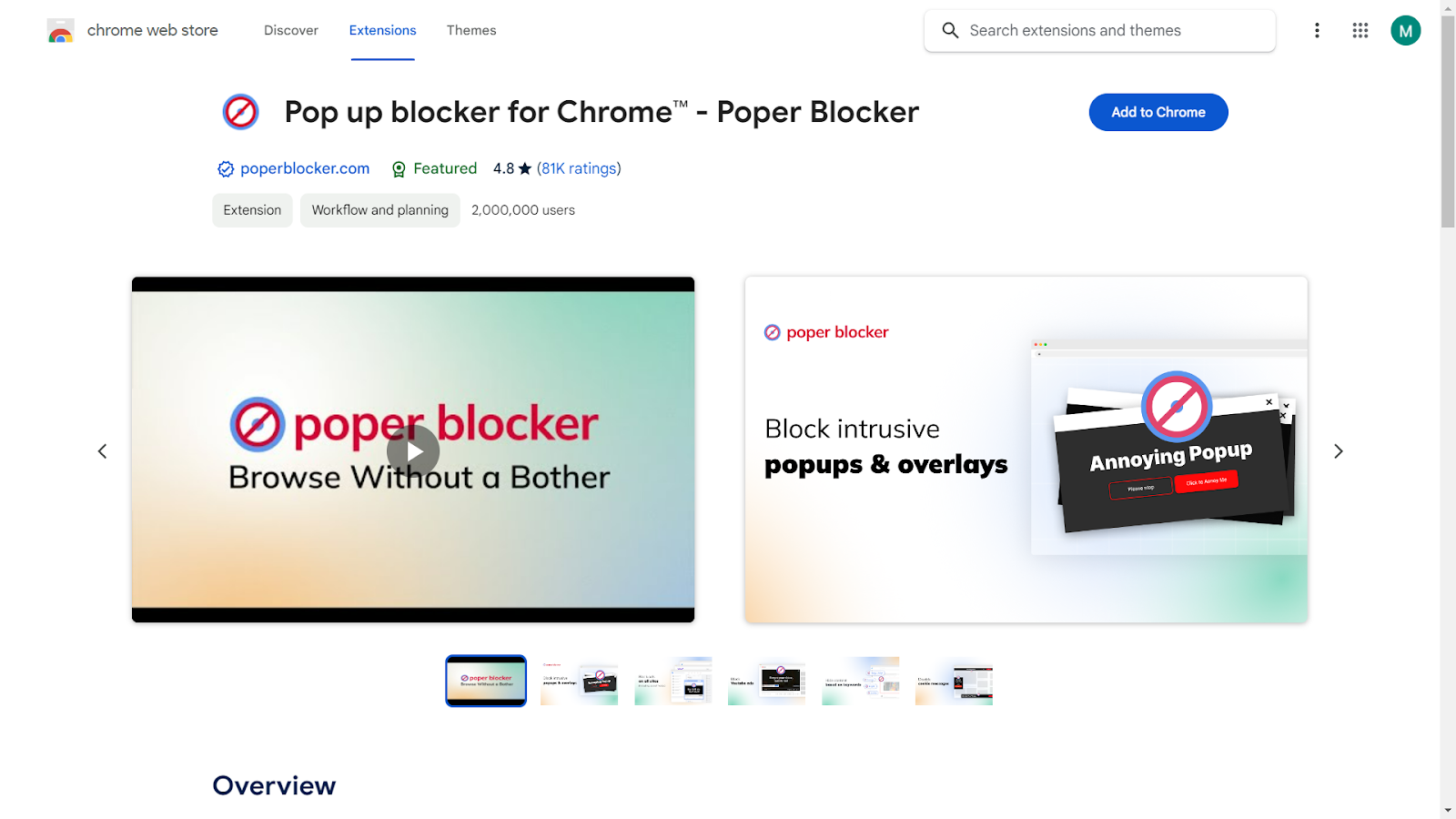
B. Access Settings: Once installed, click on the Poper Blocker icon in your browser’s toolbar to open the settings menu.
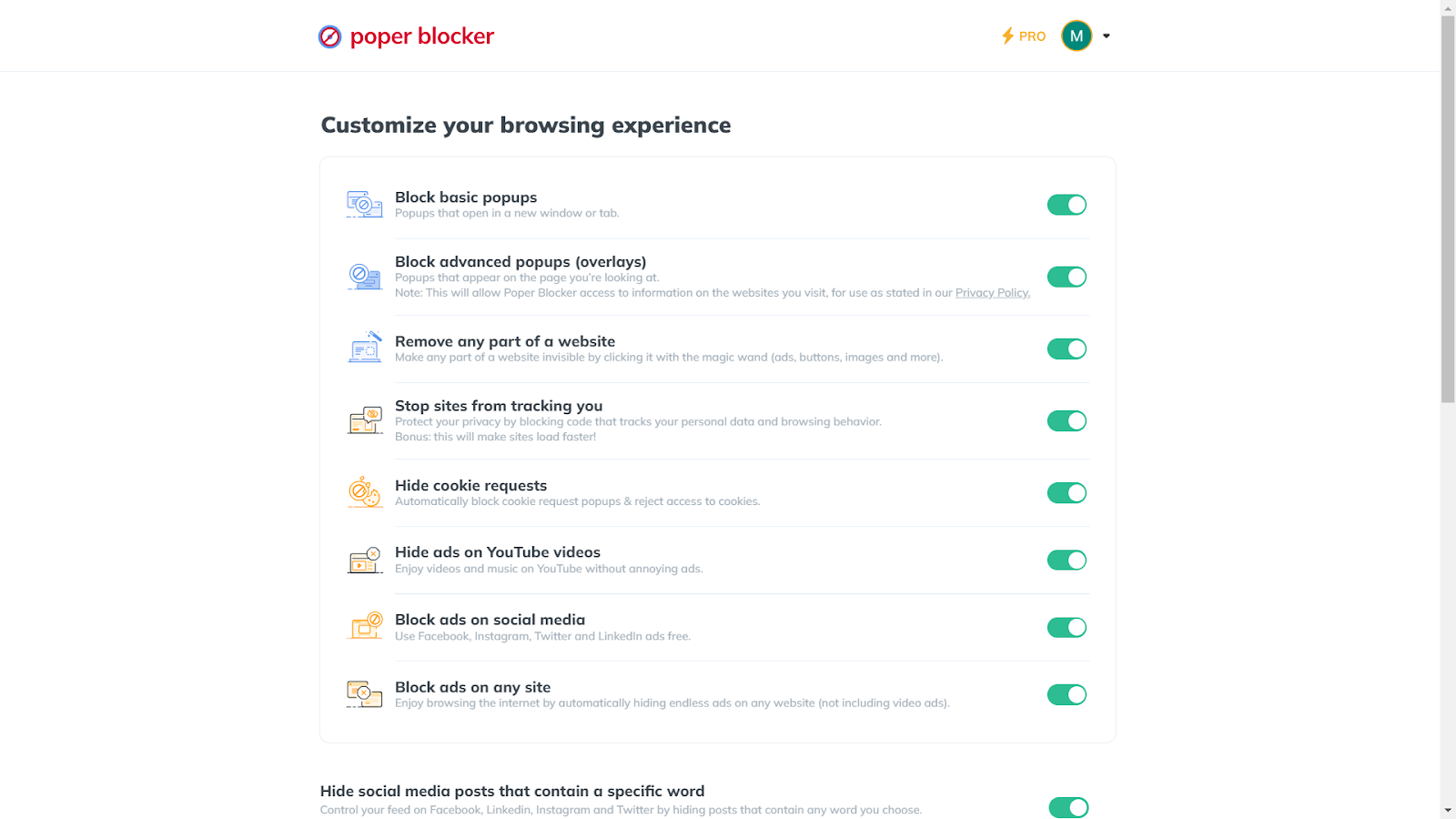
C. Enable ‘Hide Cookie Requests’: In the settings menu, find and turn on the “Hide cookie requests” option. This action activates the cookie blocking feature.
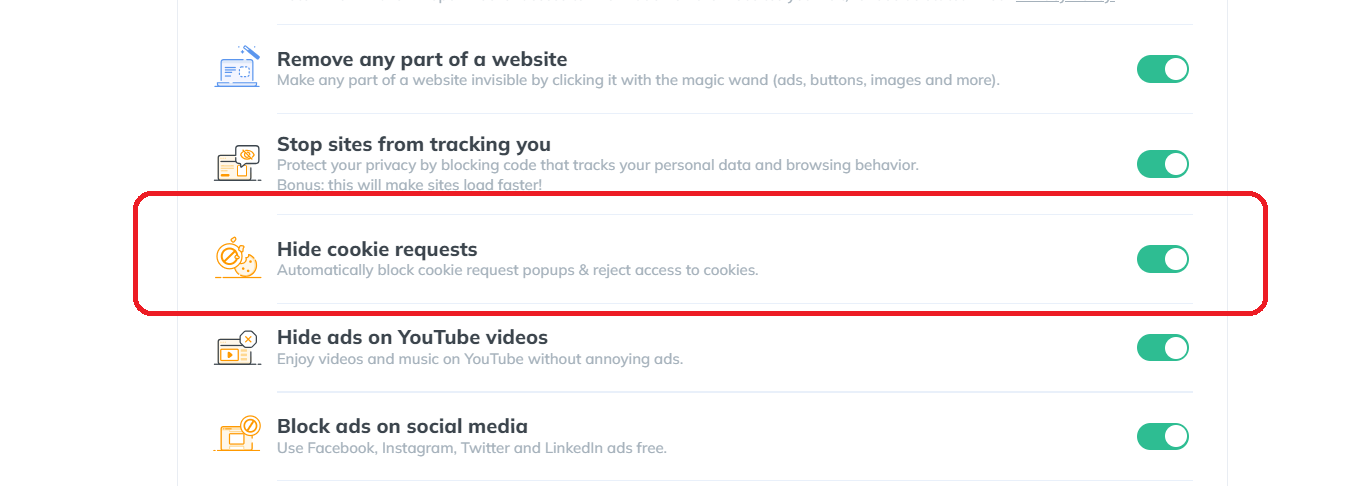
D. Start Browsing: With Poper Blocker active, you can now browse the web with an added layer of privacy. The tool works in the background, seamlessly blocking cookie requests and protecting your data from trackers.
Enhance your privacy – Get Poper Blocker and hide from Google’s gaze.
2. Adjust Your Google Account Settings
To further safeguard your privacy, adjusting your Google Account settings is a key step. Here’s how to do it:
A. Access Your Account: Log into your Google Account.
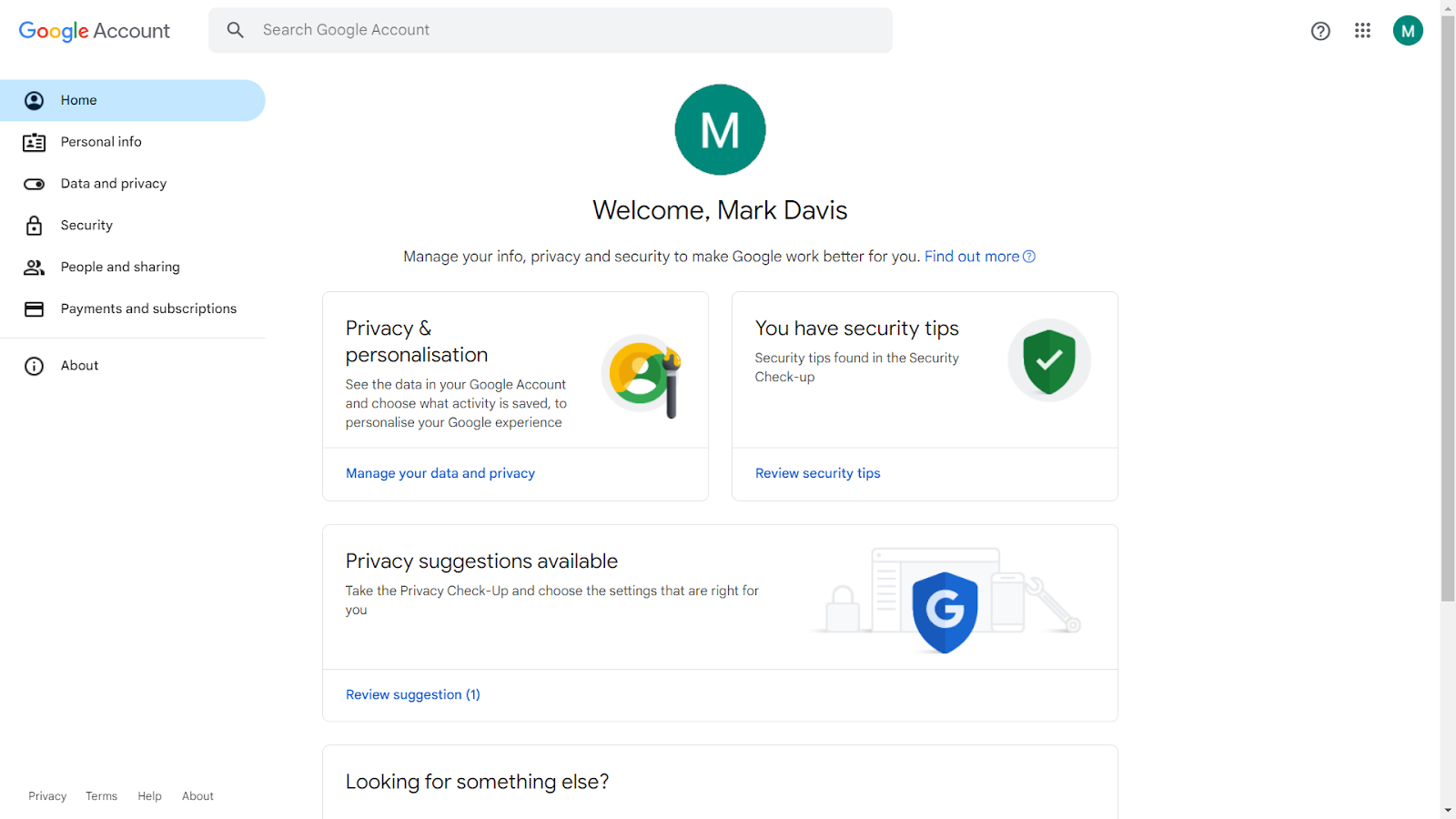
B. Navigate to Privacy Settings: Go to the ‘Data & Privacy’ tab.
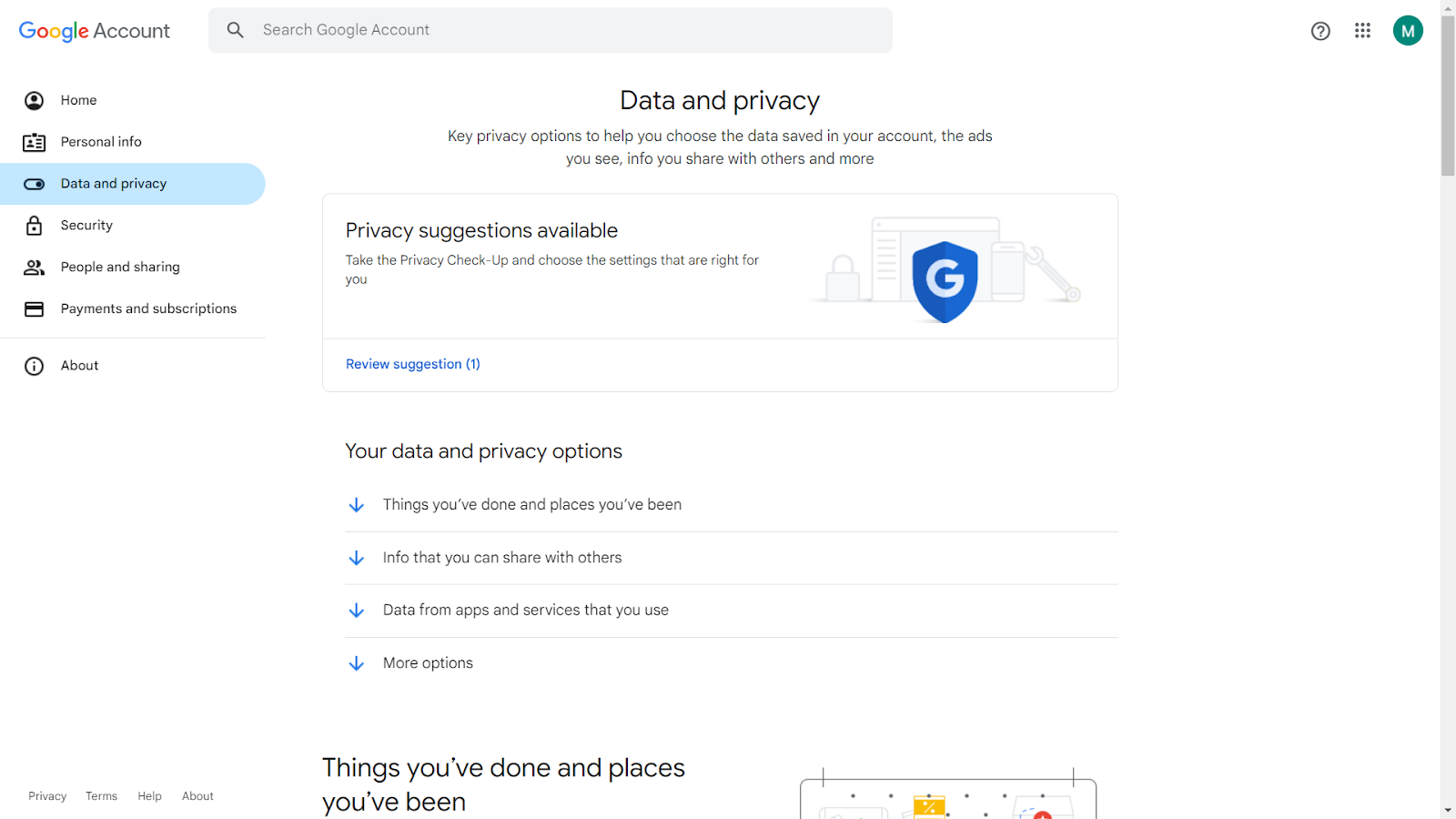
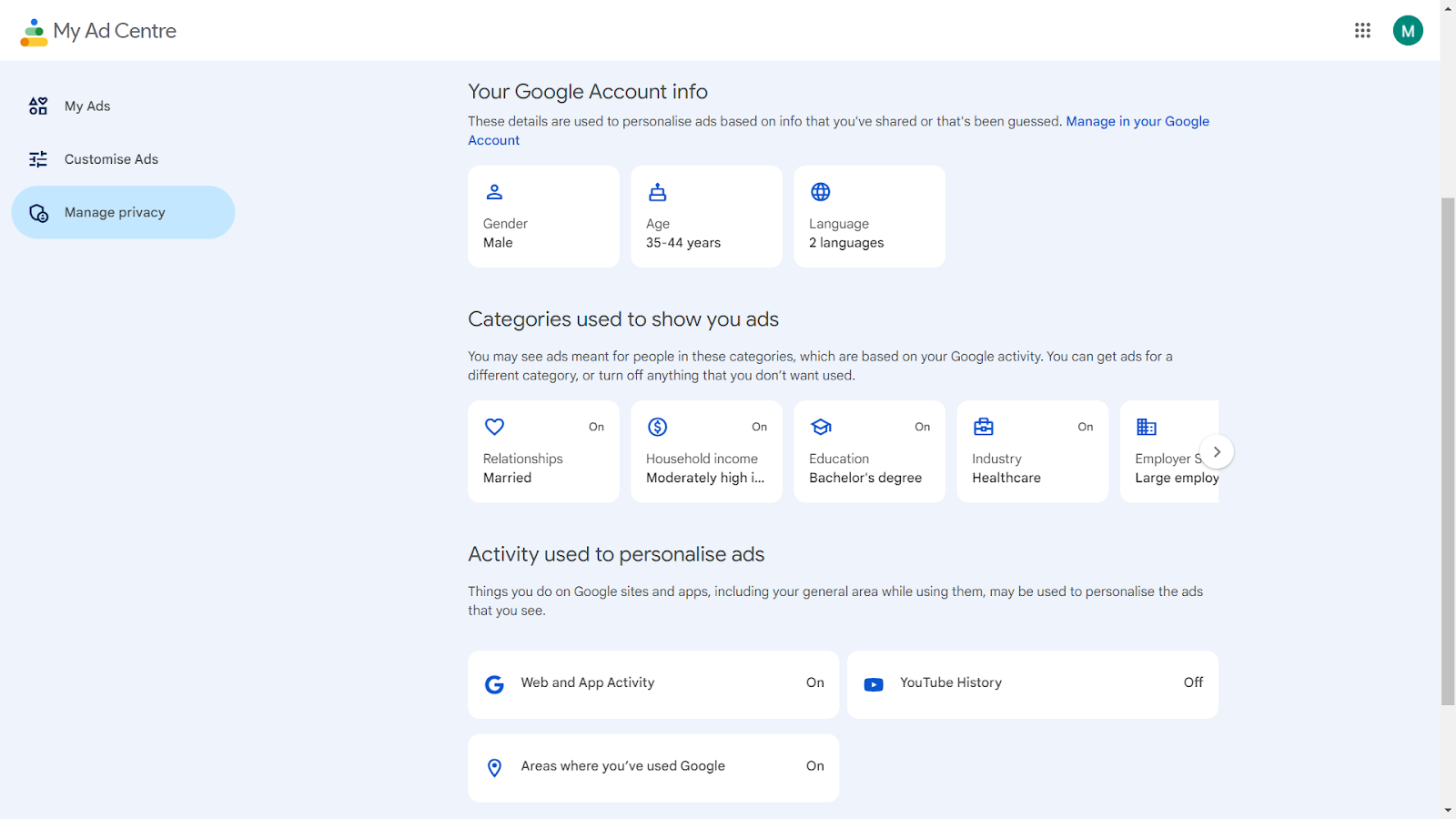
C. Review Activity Controls: Here, you can manage settings for web and app activity, location history, and ad personalization.
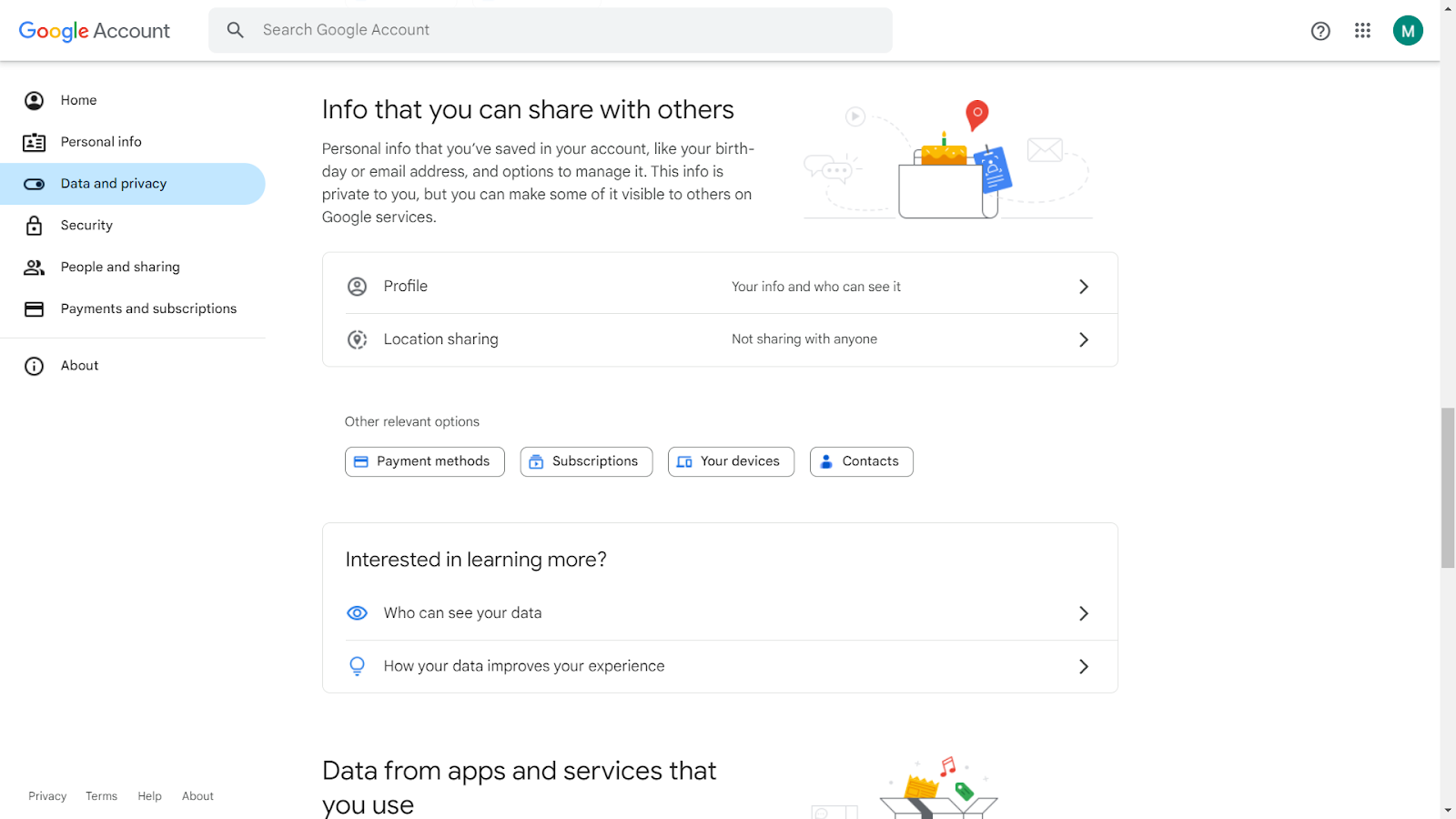
D. Make Necessary Adjustments: Turn off or pause settings that you are not comfortable with to limit data collection.
3. Browse in Incognito Mode
Browsing in Incognito Mode is a simple yet effective way to enhance your online privacy. When you open an incognito window, your browsing history, cookies, and site data are not saved. This means that your activities during that session are not recorded, offering a layer of privacy.
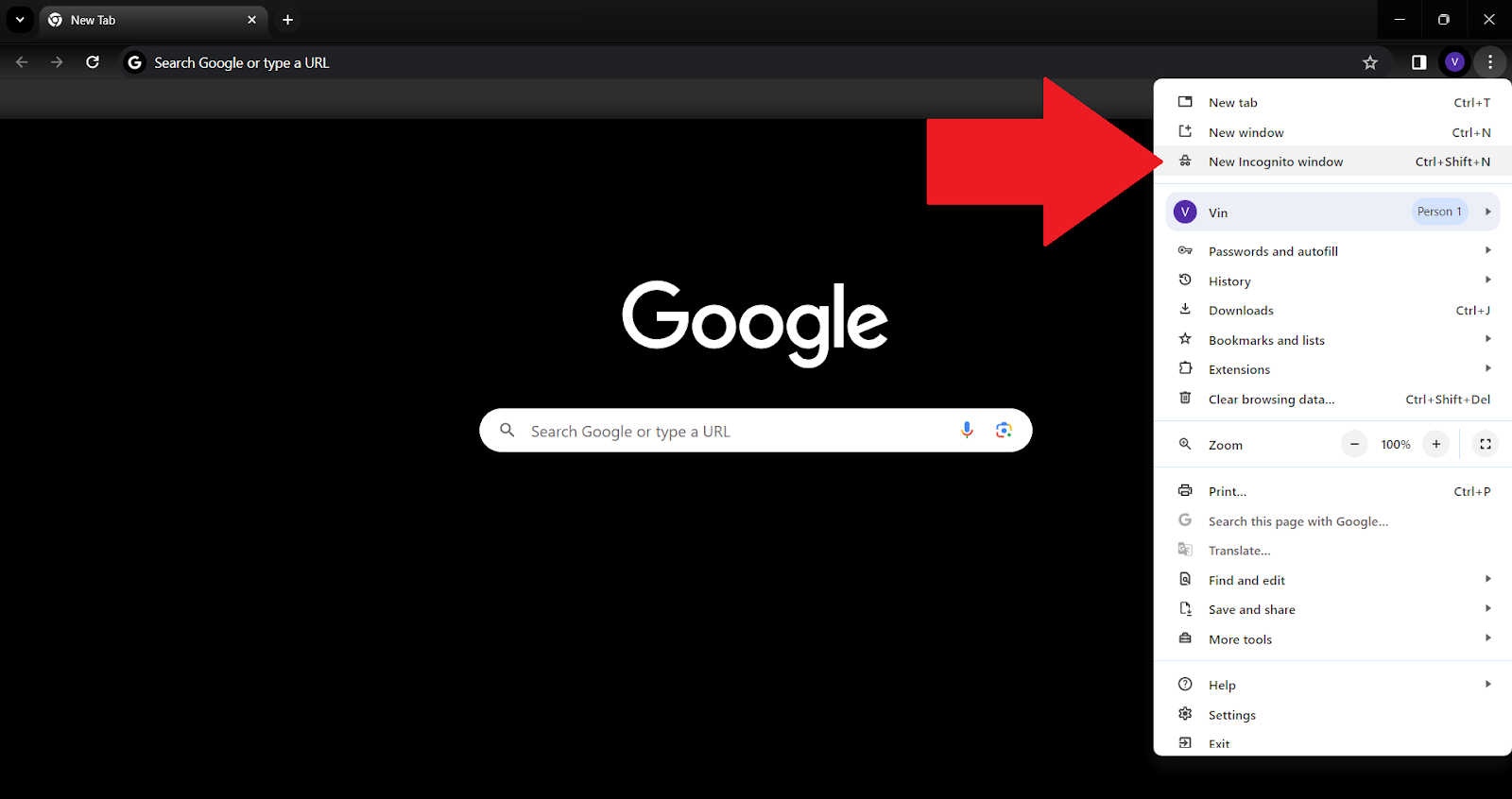
To use this feature, simply follow these basic steps:
A. Open your browser.
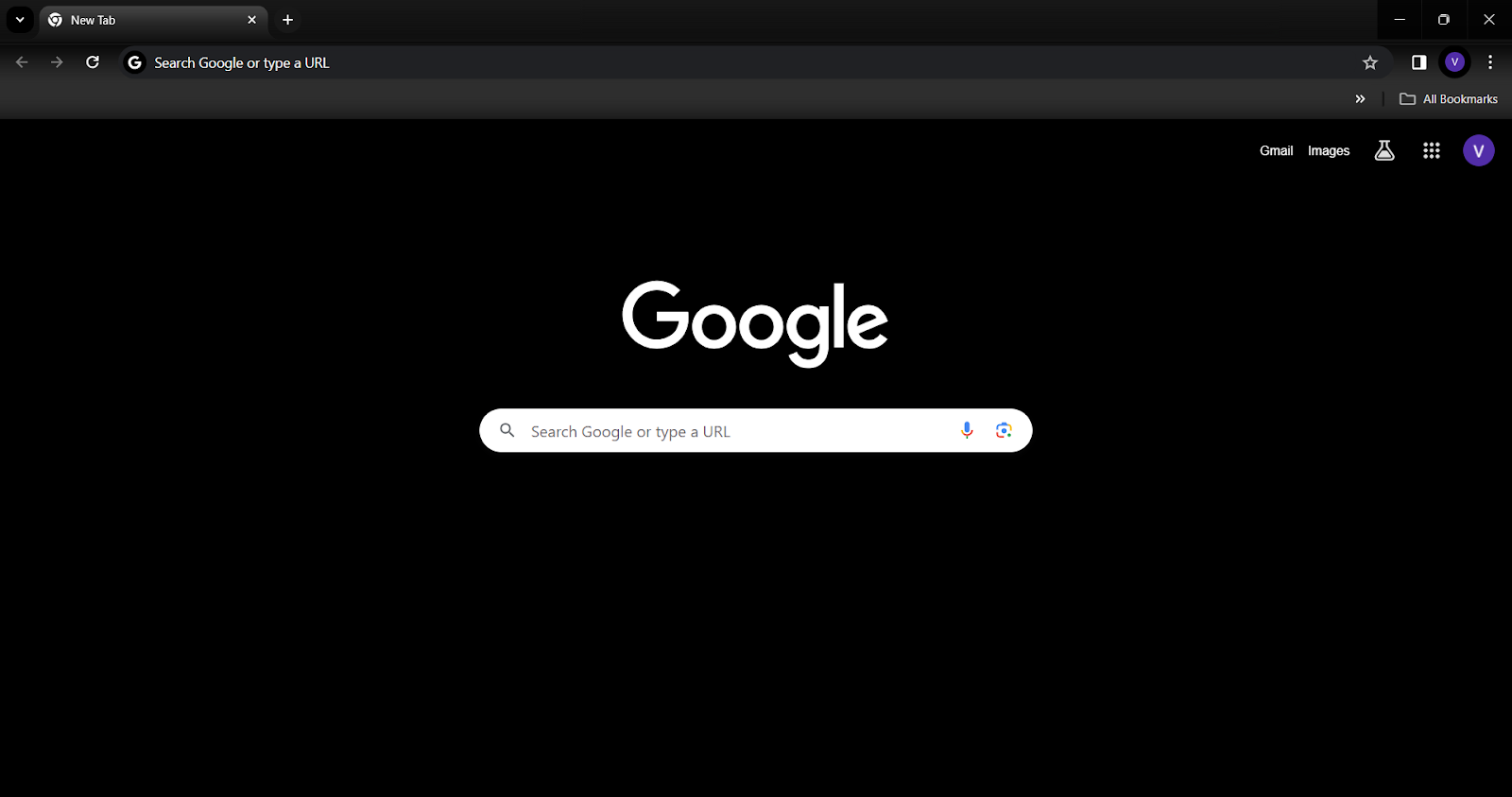
B. Select the menu.
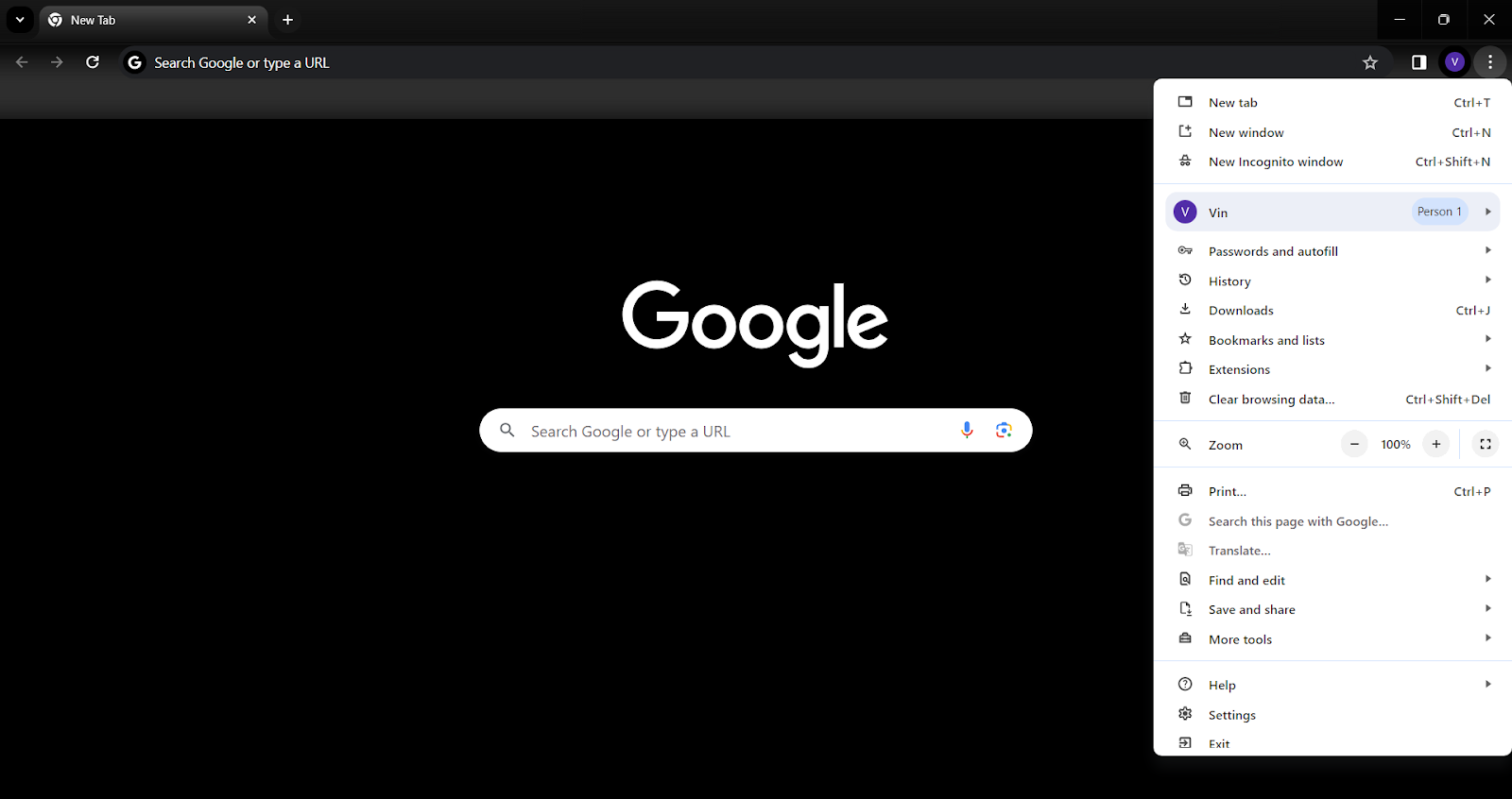
C. Choose ‘New Incognito Window’.
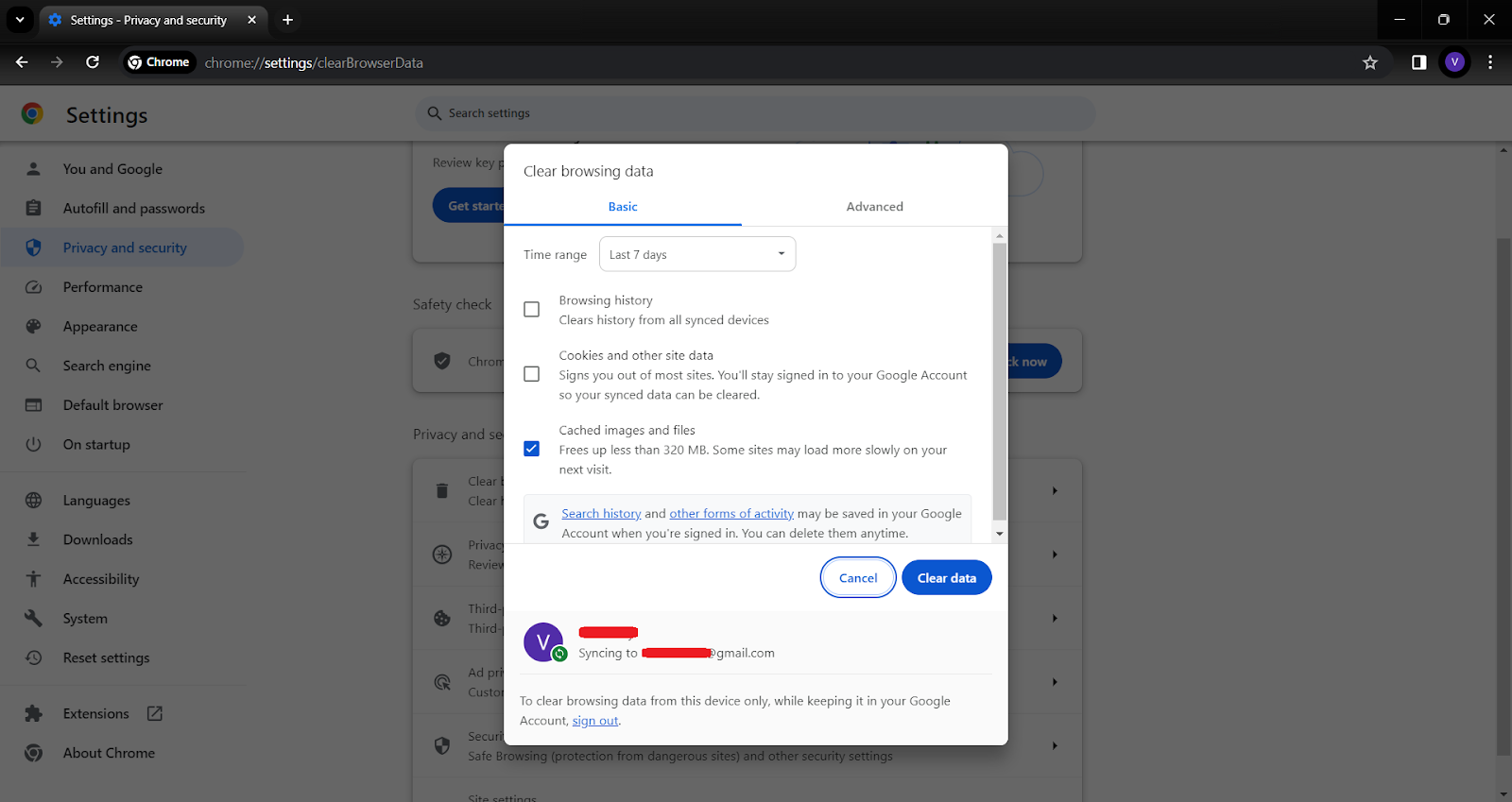
4. Regularly Clear Your Browser History and Cookies
Regular maintenance of your browser is crucial for privacy. Clearing your history and cookies prevents the accumulation of data that can be used to track your online behavior. Doing this regularly helps in minimizing the digital traces left behind from your internet sessions.
To do this, follow these steps:
A. Go to your browser settings.
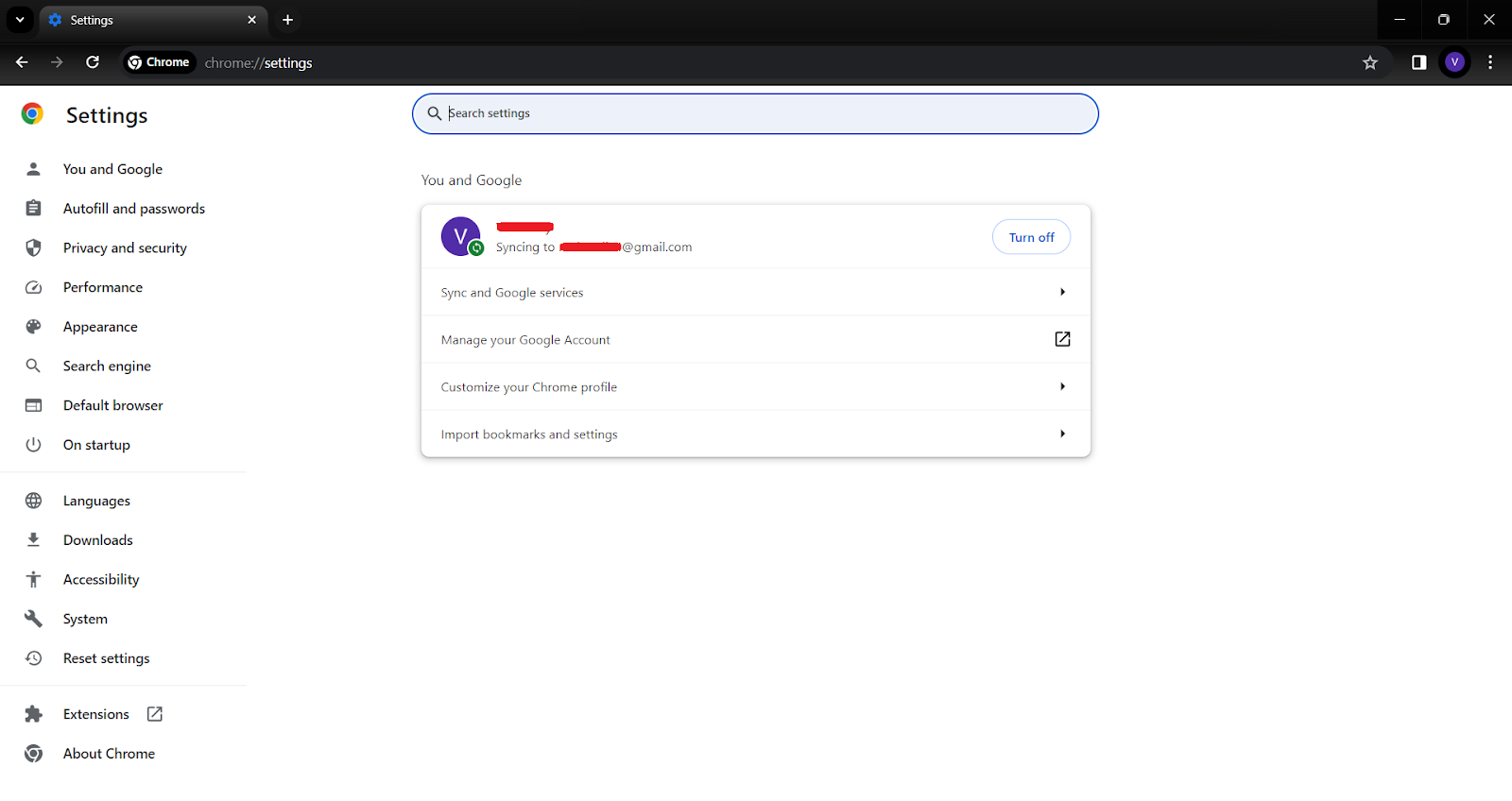
B. Find the privacy or history section.
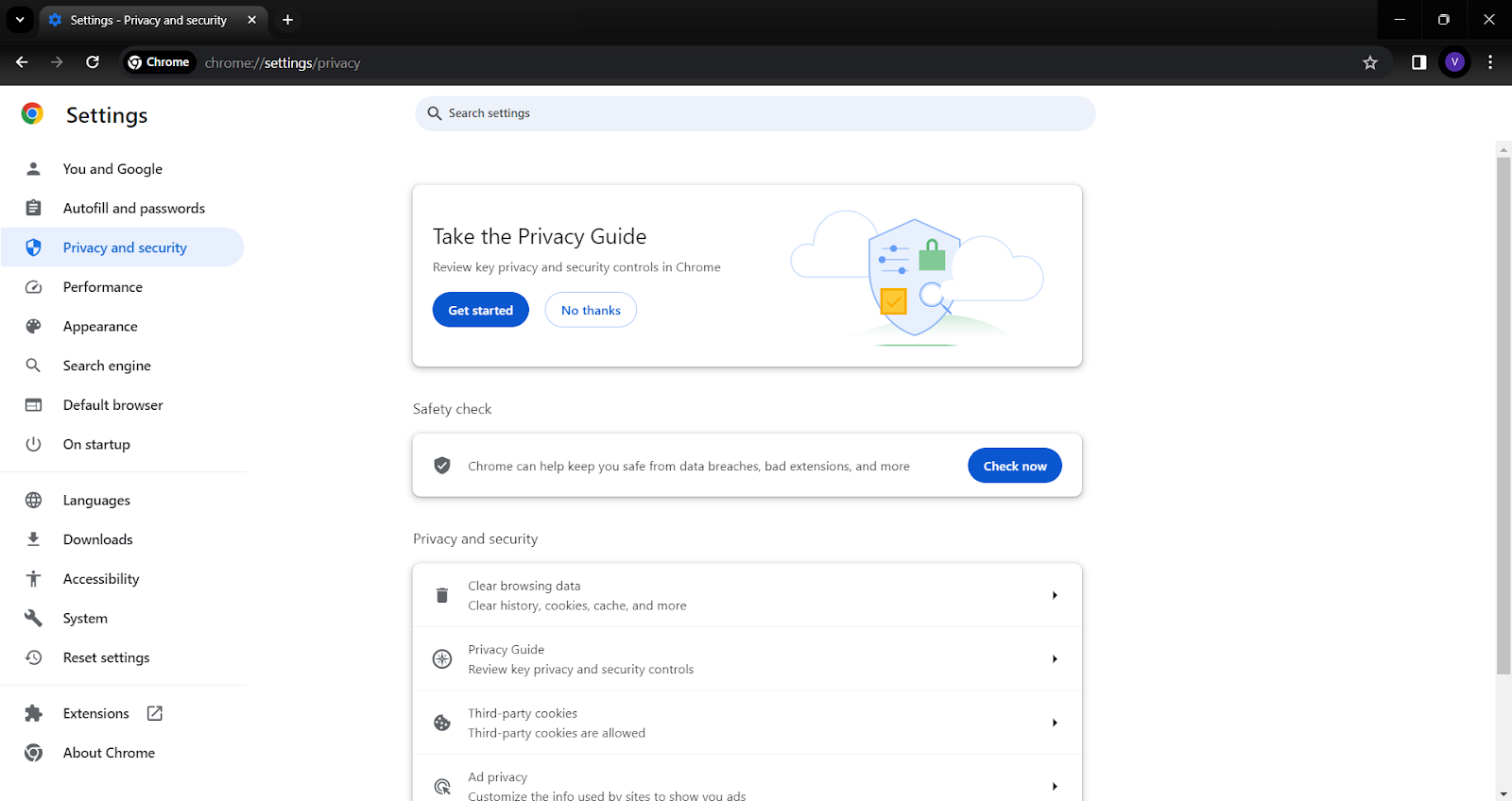
C. Choose the option to clear browsing data. You can select what data to clear, including cookies, cached images, and files.
Read more on our guide: How to Delete Cookies from your Browser
5. Use Alternative Services
Opting for alternative services that prioritize privacy can significantly reduce your digital footprint:
- For search engines, consider using DuckDuckGo or Startpage, which don’t track your searches.
- For browsing, Firefox and Brave are excellent choices, offering enhanced privacy features.
- When it comes to email, providers like ProtonMail and Tutanota offer encrypted email services.
These alternatives often have privacy as a core feature, ensuring that your data isn’t used for advertising or other purposes without your consent.
Take Control of Your Digital Footprint
Securing your digital footprint in the vast landscape of the internet is more crucial now than ever. While Google’s services offer convenience and efficiency, they come with the cost of extensive data collection. Understanding what data Google collects and how it’s used is the first step in reclaiming your online privacy.
Tools like Poper Blocker play a pivotal role in this endeavor, offering a straightforward solution to block cookie requests and limit tracking. By adjusting your Google account settings, using privacy-focused browsers, and being mindful of your online activities, you can significantly reduce the amount of data you share.
And we can’t emphasize this enough: Every small step towards enhancing your privacy contributes to a larger impact on protecting your personal information. Embrace these practices and tools to ensure your online activities remain yours and yours alone.
FAQs
What Kind of Data Does Google Collect?
Google’s data collection is extensive, encompassing various aspects of your online and offline activities. This includes personal details like your name, email, and phone number, which are collected when you sign up for Google services. Your search queries, the videos you watch on YouTube, and your interactions with Google Assistant are also tracked. Google Maps monitors your location history, providing insights into your travel patterns. Additionally, Google gathers information about the devices you use, including hardware models and operating systems, as well as your behavior on websites that use Google services, like ads clicked and websites visited.
Can I See What Data Google Has About Me?
Yes, Google provides transparency and control over the data it collects. You can view this data by accessing your Google Account settings. Here, you can find detailed information under the ‘Data & Personalization’ tab. This section allows you to review various types of data that Google has collected, including your search history, location history, and information from other Google services like YouTube and Gmail.
How Can I Stop Google from Tracking Me?
To reduce Google’s tracking, start by adjusting the privacy settings in your Google Account. You can turn off web and app activity tracking, disable location history, and opt-out of ad personalization. Using privacy-focused tools like Poper Blocker can also help, as it blocks cookie requests and denies access to cookies. Additionally, consider using browsers with enhanced privacy features and search engines that do not track your online activities.
Is It Possible to Completely Stop Google from Collecting My Data?
Completely stopping Google from collecting your data is challenging, especially if you continue to use its services. However, you can significantly minimize the amount of data collected. Using tools like Poper Blocker, employing privacy-focused browsers and search engines, and regularly clearing your browser history and cookies are effective strategies. Be mindful of the permissions you grant to Google apps and services on your devices.
Does Google Use My Data for Anything Other than Advertising?
Apart from advertising, Google uses your data to enhance its services and personalize your experience. This includes improving search algorithms, recommending videos on YouTube, and providing traffic updates on Google Maps. Google also uses this data for security purposes, like protecting against fraud and abuse, and for developing new services. Understanding these uses can help you make informed decisions about the data you share with Google.
Don’t let Google watch you – Download Poper Blocker for ultimate online privacy.
