Chrome Web Extension
 Edge Web Extension
 Android App
 iOS App


You open a tab for something quick, a recipe, a headline, a bit of research for work. Before the page even settles, a banner slides in, a pop-up wipes out the text, and a video auto-plays at full volume. You close one, another appears. A few minutes later your phone feels warm, the page drags, and whatever you meant to do has slipped away. That scene is painfully familiar for almost anyone who spends time online. Too many ads turn simple tasks into noisy, slow, frustrating chores.
This kind of overload hits on two fronts. It chips away at your focus with constant interruptions, and it quietly breaks the basics that should feel effortless: a page that loads in seconds, a short clip that plays without stuttering, a calm scroll through your feed, or a work tab that stays usable instead of lagging. Attention fatigue sets in quickly and it is hard to shake.
Here, you will see what is going on behind that clutter, what it costs you in time, energy, and privacy, and what you can do about it. Near the end, I will walk through a reliable fix many people rely on: Poper Blocker.
What is ad overload?
The term ad overload describes what happens when advertising takes center stage and the actual content gets pushed to the edges. Instead of calmly reading, watching, or scrolling, you feel dragged from one prompt to the next, with the thing you came for turning into background noise.
This did not appear out of thin air. Most of the content people use every day is “free” because ads pay for hosting, writers, creators, and platforms. That financial setup creates a strong incentive to squeeze in more placements per page, per scroll, and per minute of video. Data monetization adds another layer. Every view, pause, and tap can feed into an auction system that decides which message you see next. On top of that, platforms compete for attention, so they roll out formats designed to keep you tapping and scrolling for longer.
Algorithmic targeting plays a big part as well. Many systems are built to make ads feel relevant, which is where personalized ads come from. Then you have commercial partnerships that blur the line between content and promotion. Influencer deals, creator sponsorships, and “native” formats weave marketing into posts that look like regular updates. On mobile, the pressure is even more obvious. Smaller screens leave less room for the actual content, and many apps lean heavily on ads instead of charging you a subscription fee.
The end result is a stack of interruptions that often arrive in sequence. You close a cookie banner, a newsletter wall appears, then a sticky video player follows you down the page. Streaming platforms and short-form video apps add their own layer, with ad breaks at the start, in the middle, and at the end of what you watch.
Here are common types of ads people run into every day:
- Pop-ups and pop-unders that open new tabs or block the page
- Video ads such as pre-roll, mid-roll, and post-roll
- Overlays that sit on top of a post or video player
- Auto-playing ads that start without a clear tap
- Sponsored posts that mix into social feeds
When the experience starts to feel like a hurdle course, it crosses into excessive advertising.
The hidden costs of too much advertising
Slow page performance and data usage
Every extra ad unit is one more script, image, or video competing with the page you actually came for. On mobile, that often shows up as delayed taps, choppy scrolling, frozen frames, and faster battery drain.
Pop-unders and overlays do more than annoy you. They can slow down play speed, add extra load time to the browser, and make a simple session feel heavy. Now add volume to that experience: people are exposed to an estimated 4,000 to 10,000 ads a day. You are not imagining it if your phone feels tired before you do.
Reduced focus and increased stress
Interruptions cut straight through your concentration. In one study summary, four in 10 consumers said they check their phone once “every few minutes.” The same research found that website ads were most often described as excessive (32%), distracting (31%), and intrusive (27%).
If you are trying to finish a report, revise for an exam, or simply unwind after work, that constant stream of visual and audio nudges adds friction. Over time, it raises stress levels, makes tasks drag on, and turns basic browsing into mental clutter you did not ask for.
Negative effects on user trust
When a page is packed with banners, pop-ups, and animated boxes, people instinctively pull back. It becomes harder to tell which element belongs to the site and which one might be misleading or unsafe.
Trust also drops when ads miss the mark. In the same survey, 37% of consumers said they receive ads they believe are irrelevant. That frustration only grows with ads on news sites, where you are actively looking for clear information, not random pitches that hijack the layout.
Blocked content and frustrating interruptions
Some overlays lock the article until you accept cookies, hand over your email, or agree to push notifications. Video sessions suffer too. In that same survey, 53% of people said they skipped a video ad in the past week.
Once or twice, it feels like a small interruption. When it happens on almost every page or clip, it stops feeling like a short break and starts to feel like a wall between you and what you wanted to see.
Higher bounce rates for websites
Users leave fast when a page is slow, cluttered, or blocked. That hurts genuinely interested readers, and it hurts publishers who rely on repeat visits. Creators lose out as well because annoyed viewers are less likely to stick around for the content that matters.
Over time, this can turn into a brand issue. More than half (52%) of surveyed consumers said overexposure to ads was most likely to negatively impact their perception of a brand.
How Poper Blocker solves the ad overload
If your browser feels crowded with popups, overlays, and random prompts, Poper Blocker acts as a quiet doorman. This ad blocker’s main job is simple: keep the most disruptive formats away from your screen so you can scroll, read, and watch in peace. Instead of spreading itself thin across every type of ad, it concentrates on the usual culprits that ruin articles and streams: popups, popunders, and full-page overlays.
Once installed, it keeps a low profile. You will see a small, discreet notification only when something has been blocked. No constant alerts or long status messages.
Ad blocker (desktop Chrome and Edge)
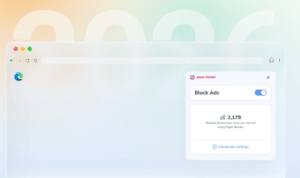
On desktop, Poper Blocker is a free extension for Chrome and Edge that targets intrusive pop-ups and overlays and cleans up cookie prompts and similar clutter. You do not have to build complex rule lists or study filter syntax. Add it to your browser, pin the icon, and let it handle the annoying stuff while you work, browse the news, or compare prices.
If a site throws multiple popups at you or stacks consent banners on top of the page, Poper Blocker steps in, clears them away, and leaves the content in view.
Block ads on YouTube (desktop and Android)
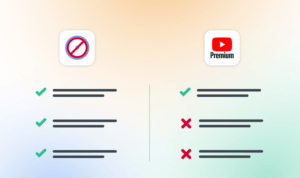
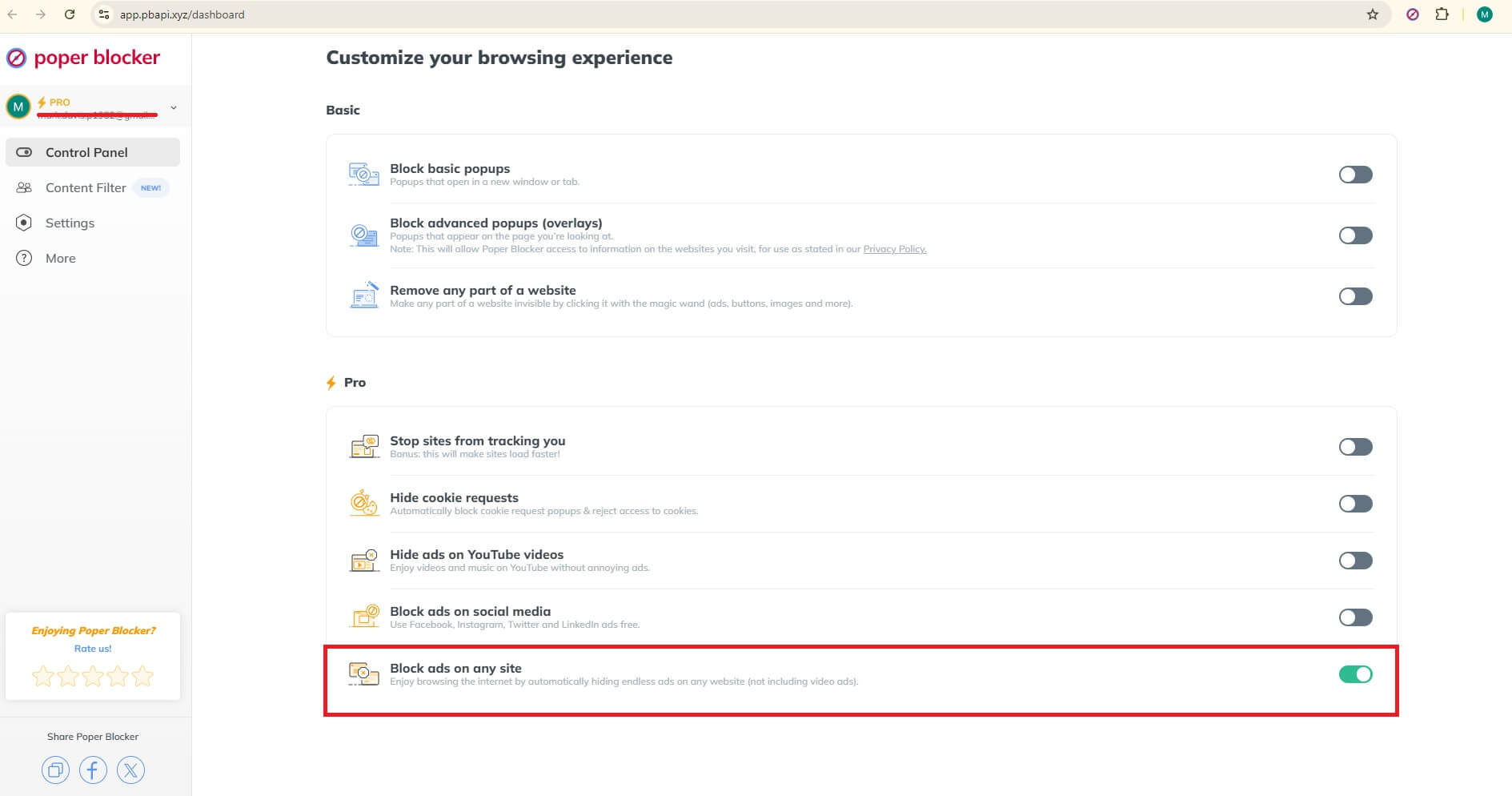
If you watch a lot of YouTube on a desktop, our YouTube ad blocker gives you specific control for that. From the menu, you can turn on the “Hide ads on YouTube videos” option. The setup of Blocking YouTube ads takes a few clicks: install, pin, open the menu, flip the switch.
On Mobile, simply find a video you want to watch on YouTube, tap the share button, and select the Poper Blocker app. The video will launch in our built-in YouTube player, where most ads are blocked, so you can watch with fewer interruptions. Plus, you can keep listening to videos while using other apps or when your screen is off.
Social media filters
Poper Blocker also offers a simple way to tune social feeds. You can hide posts that contain specific words, which lowers the volume of sponsored noise, repetitive topics, or anything you prefer to avoid during a quick scroll.
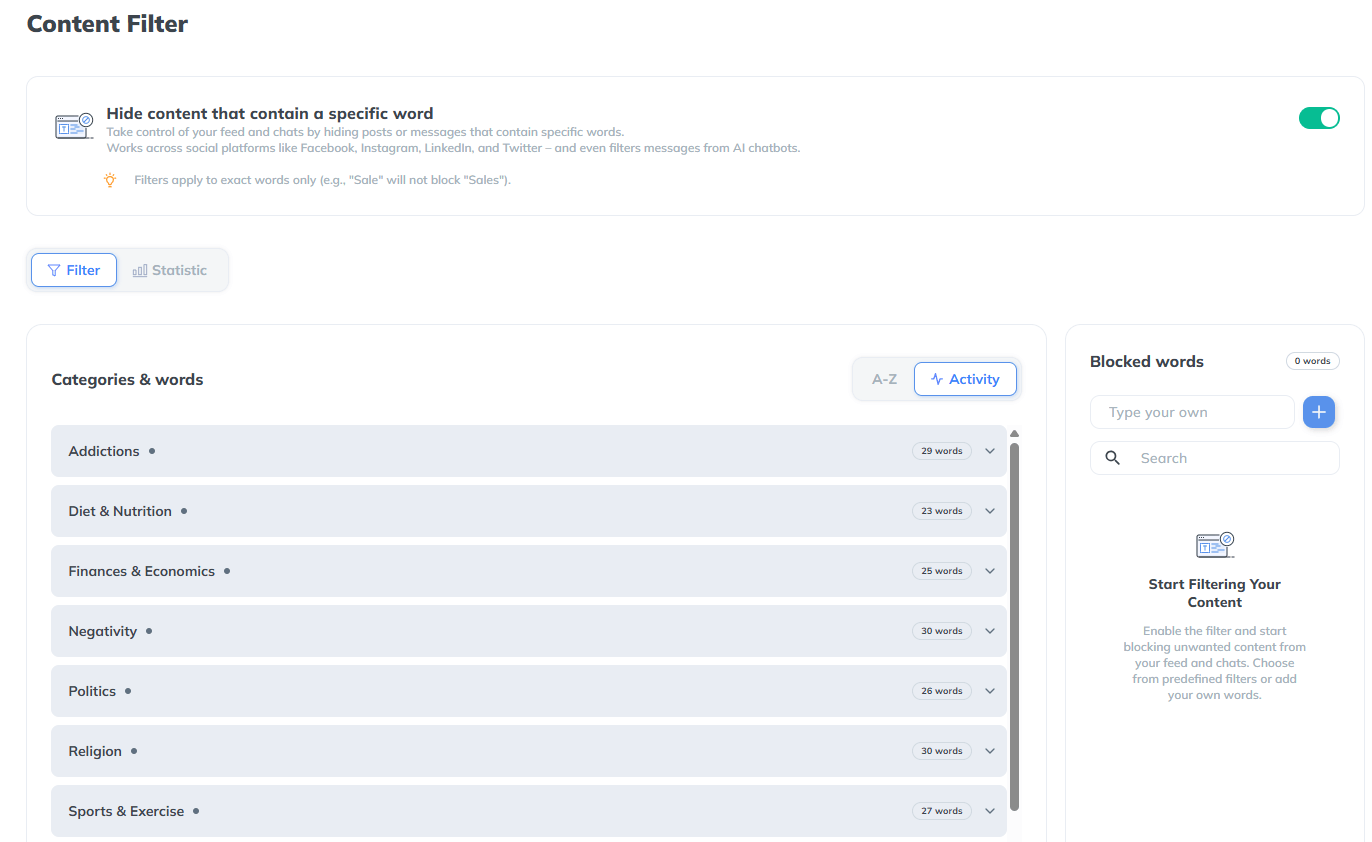
This works across major platforms:
Cross-platform support
Poper Blocker is available on Chrome and Edge on desktop, with the Android app providing cross-browser coverage on mobile. That means you can keep the same protection when you switch between popular browsers.
Works on desktop, Android and iOS
If you move between laptop, phone, and tablet, the general advice stays the same. Use the desktop extension where it is supported, install the Android app on compatible phones, and rely on built-in browser tools on iOS to cut down on popups and redirects while you surf.
Fast, lightweight, user-friendly
Behind the scenes, Poper Blocker leans on a large user community. More than 2 million people send reports every day, and that stream of feedback helps the extension keep pace with new popup tricks on popular sites.
No configuration headaches, installs in seconds
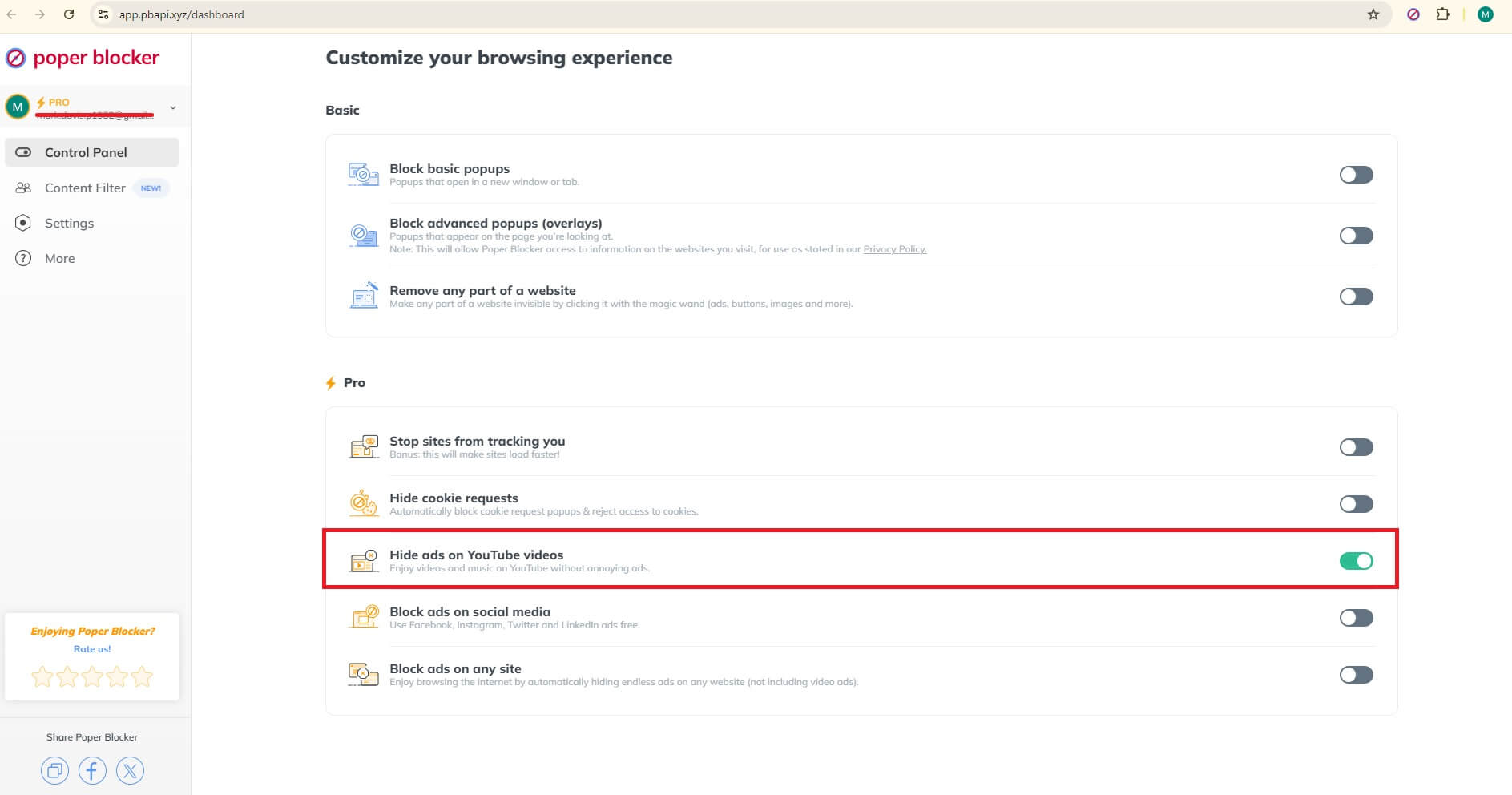
Installation is quick and the everyday controls stay simple. For streaming and other popup-heavy sites, the extension menu offers clear toggles such as “Block basic popups” and “Block advanced popups (overlays).” Set those once, close the menu, and let the tool stay quiet in the background while you watch or browse.
Ready for a quieter web? Try Poper Blocker
Tired of feeling ambushed every time you open a new tab? Pop ups, auto-playing clips, and mid-video interruptions turn simple tasks into little battles. The problem is not just annoying, it eats into your time, attention, and energy in ways you can actually measure.
If you want calmer sessions for work, school, social media, or streaming, install Poper Blocker. It cuts out those annoying overlays and surprise windows so pages load cleaner and video sessions feel smoother. Browsing becomes less draining and more predictable. Start on desktop, then add it on Android if you watch a lot on your phone, and keep your browser settings aligned on your other devices. If you want to move quickly, begin with the place that bothers you most – YouTube, your go-to social feed, or that streaming site you use every night – then roll it out everywhere else.
FAQs
Why do some sites feel “heavier” than others?
Some pages carry more baggage than they let on. Extra ad scripts, tracking pixels, autoplay video players all fire at once. Each one adds another request, more memory usage, and extra CPU work in the background. On slower connections, that pileup causes visible pauses. Stack multiple ad placements together and the slowdown becomes hard to miss. On mobile, it also chews through data faster than most people expect.
How do I know if pop-ups are coming from a site or from my device?
If pop-ups only show up on one site, the source is usually that site’s configuration. When they appear everywhere, across unrelated pages, the problem is closer to home. Adware, a questionable extension, or a permission you forgot about are common causes. Remove extensions you do not recognize, scan the device, review notification permissions, and reset browser settings. Still happening? Update the browser and test with a fresh profile to narrow it down.
What is the best way to support creators without watching every ad?
Ads are only one revenue stream. Many creators rely on memberships, merch, Patreon, tips, and affiliate links. Interaction helps too. Likes, comments, and shares improve visibility and discovery. If ads are acceptable in moderation, whitelist a few channels or sites you trust. A paid subscription also goes a long way. The idea is simple: support where you choose, limit the rest, and keep your attention where it matters.
Why do video platforms keep inserting more ad breaks?
Ad breaks equal revenue. Longer watch time means more inventory to sell. Short-form viewing habits push platforms to monetize every minute they can. At the same time, privacy changes reduce tracking precision, so platforms compensate with additional slots. For viewers, that translates into more interruptions during the same session. For heavy watchers, the effect compounds quickly.
What should I do if an overlay blocks the article until I click something?
Ignore the big, flashy buttons. Look for a small close icon, a subtle “continue” link, or the visible page underneath the overlay. If it keeps reappearing, clear site data for that domain and reload. When a site stays aggressive, close the tab and move on to another source. Poper Blocker can stop recurring overlays so the problem does not repeat next time.