Chrome Web Extension
 Edge Web Extension
 Android App
 iOS App


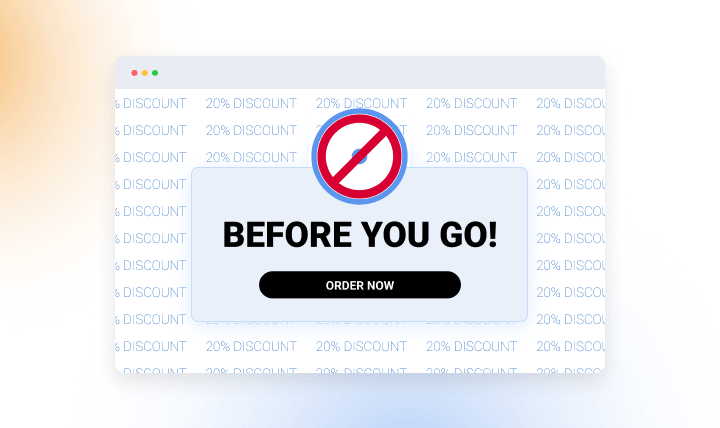
You are done reading. Your mouse drifts toward the close button. Then it happens. A full-screen overlay slides into view, offering a discount, a newsletter signup, or a final request to stay just a little longer. If you browse the web regularly, this moment probably feels very familiar. And more often than not, it feels annoying.
What you just encountered is an exit intent pop-up. It is designed to appear the exact second a website thinks you are about to leave. From a marketer’s point of view, this is a last opportunity to capture attention that might otherwise be lost. Data from Wisepops backs this up. On average, exit intent popups convert around 2.81% of website visitors. But from a user’s point of view, it can feel abrupt, disruptive, and oddly aggressive.
That mismatch explains why exit-based popups create such mixed reactions. Some visitors accept them as part of modern browsing. Others look for ways to shut them down entirely.
From this post, you will learn what these popups really are, how websites trigger them, and why they so often interrupt the experience. We will also look at why the exit intent pop-up has spread across so many sites and what options exist if you prefer browsing without constant interruptions competing for your attention.
What is an exit-intent pop-up?
An exit-intent pop-up is a dynamic on-page message designed to appear the moment a website thinks you are about to leave. The aim is very simple: stop the exit and squeeze in one last interaction, whether that is an email signup, a discount reminder, or a nudge toward checkout (source: Shopify).
On desktop, the trigger is usually mouse movement. When your cursor accelerates toward the close button, tab bar, or address field, the software reads this as exit behavior and fires the pop-up immediately. It is a timing play, hitting just before the page disappears.
Mobile works differently. There is no cursor, so platforms rely on behavioral signals instead. These can include tapping the back button, switching browser tabs, scrolling upward at speed, or pausing interactions for a short stretch. Once the pattern fits, the overlay appears.
Marketers use exit-intent popups for a few common reasons:
- Capturing emails
- Recovering abandoned carts
- Promoting limited-time offers
You have probably seen the classics: “Wait! Get 10 percent off,” free shipping reminders, or newsletter signup boxes that block the screen at the last second.
The thinking is simple. If someone is already leaving, there is nothing to lose.
From the user side, though, the experience often feels different. After encountering the same exit pop-up across dozens of sites, the moment stops feeling helpful. It becomes expected. And frequently ignored.
Why exit-intent popups can be annoying for visitors
From a user’s point of view, exit-based overlays tend to show up at exactly the wrong moment. You have made up your mind. You move the cursor to close the tab or hit the back button. Then the screen freezes for a second while an overlay jumps in front of you. Now you are stuck hunting for a tiny X icon and waiting for the page to react. What should have been a clean exit turns into an inconvenience.
That irritation increases fast when sites lean too heavily on the tactic. Some trigger an overlay almost immediately. Others repeat it on every page or recycle the same message, no matter who you are or how often you have seen it before. Oversized designs that block the entire screen, or hide the close button in a corner, make things worse.
After a while, visitors stop seeing these messages as helpful. They start lumping them in with spam pop-ups. The reaction becomes automatic. Close it. Leave the site. Sometimes, close the browser altogether. Even if the offer is legitimate, the timing works against it.
Trust is another casualty. Pushy language, fake urgency, and countdown timers can feel manipulative. In extreme cases, poor design edges into pop-up scams territory, especially when visuals mimic alerts or system warnings.
It is no surprise that many users actively seek ways to eliminate pop-up ads entirely.
Use Poper Blocker to block exit-intent popups
If you are fed up with pages throwing one last interruption at you just as you try to leave, Poper Blocker makes things simple. It is a lightweight browser extension built to stop intrusive overlays, banners, and scripted interruptions before they ever reach your screen.
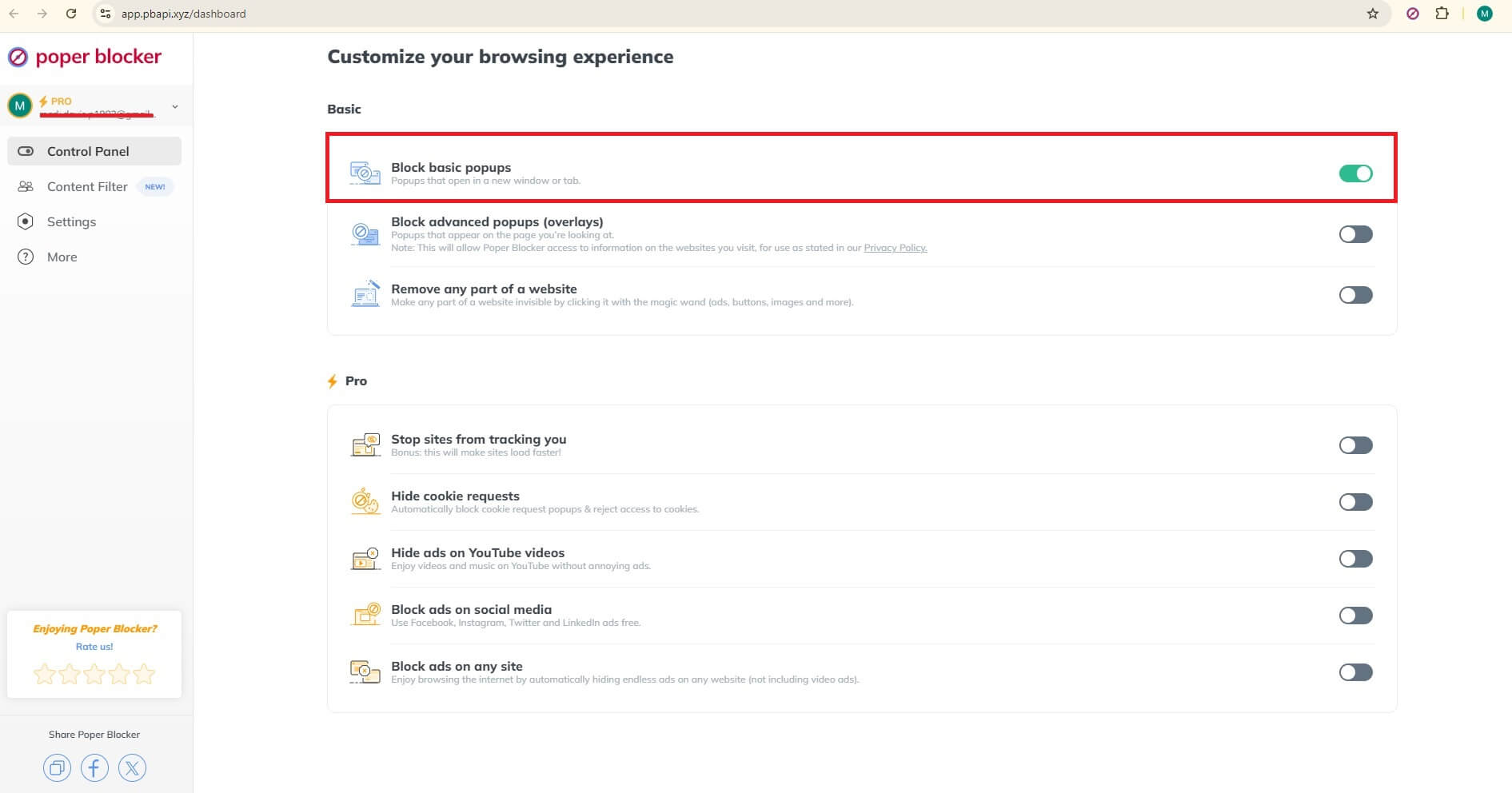
Once installed, Poper Blocker runs quietly in the background. It works on both Chrome and Edge, so it fits neatly into most desktop browsing setups. From the moment it is active, it starts identifying common pop-up behaviors, including exit-based triggers that fire when your mouse moves toward the back button or tab bar.
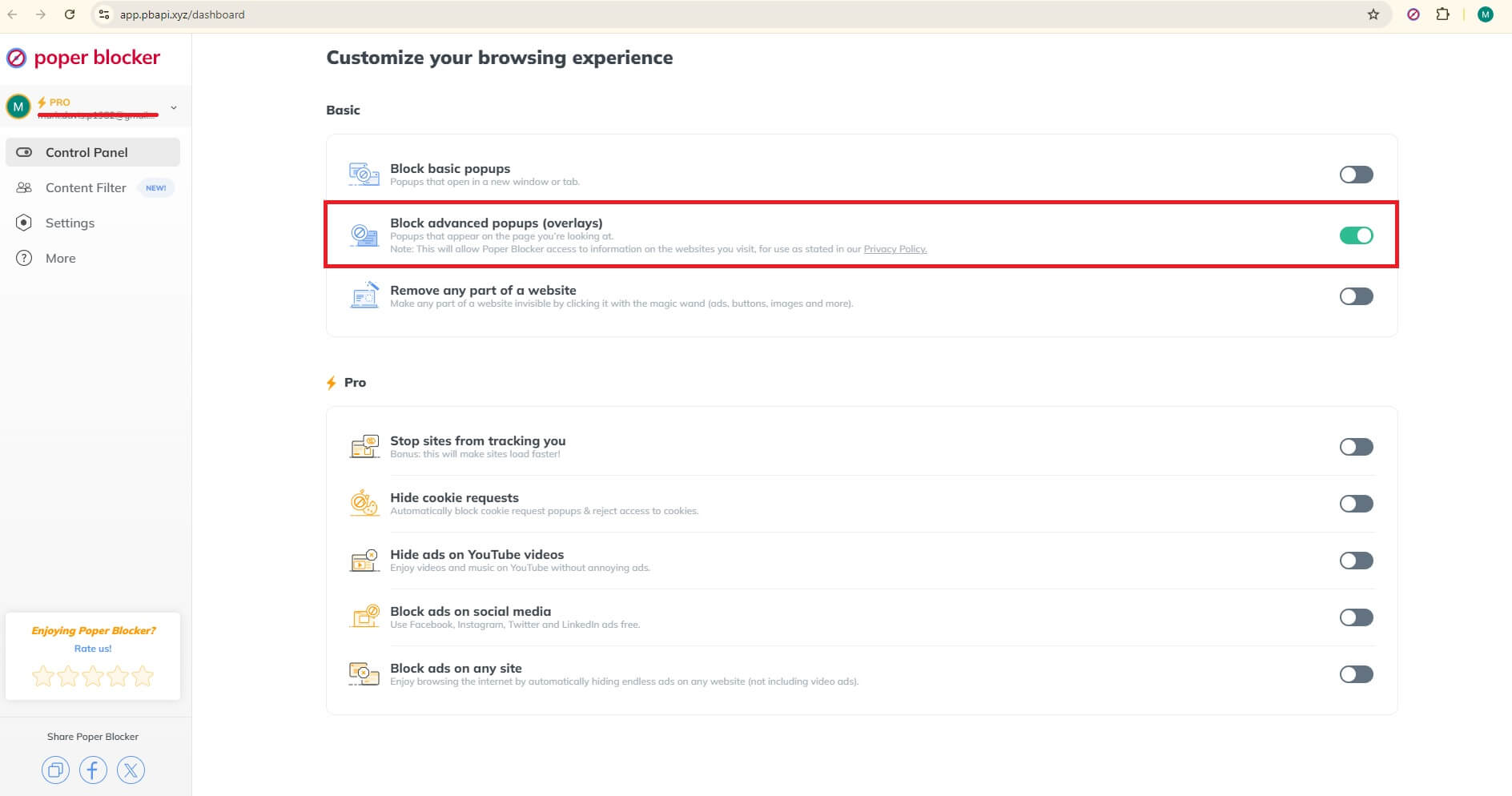
What makes the built-in pop-up blocker effective is its focus on scripted overlays rather than standard page elements. It does not strip out content or break layouts. Instead, it filters out exit-intent designs, email gates, and forced overlays that interrupt reading or navigation. Whether you are scanning a news article, comparing products, or skimming a blog post, pages remain accessible and easy to move through.
If you are looking for a dependable pop-up blocker for Chrome or a practical pop-up blocker for Edge, the setup is refreshingly minimal. There is no configuration maze to deal with. Pages load as intended, text stays visible, and the decision of when to leave a site stays with you.
Another benefit is peace of mind. Instead of reacting to aggressive overlays or wondering whether a suspicious alert could lead to a ransomware pop-up, you can browse with confidence. Unnecessary interruptions are handled quietly, leaving you free to focus on the content you came for and move on when you are ready.
A quieter way to leave a page
Exit-based overlays exist for a reason. Site owners use them to grab attention at the last second or pull visitors back into a funnel. From a user’s point of view, the experience often feels very different. When the same prompts appear again and again, frustration builds fast. It is no surprise that ongoing debates around pop-ups and SEO point to declining trust and weaker user interaction when these tactics are pushed too far.
There is a simpler option if you prefer a cleaner browsing experience. Poper Blocker removes exit-triggered overlays and similar interruptions, while letting the page itself work as expected. No broken layouts or any missing content.
Install the extension, browse as usual, and notice the difference. Leaving a page becomes uneventful again. Fewer interruptions mean smoother navigation, and a browsing routine that feels steady instead of reactive.
FAQs
Will Poper Blocker block all types of popups, including exit-intent popups?
Short answer: mostly, yes. Poper Blocker focuses on intrusive overlays that interrupt browsing using scripts and behavior-based triggers. That includes exit-based overlays, full-screen modals, and many common types of pop-up ads that appear when you move your cursor toward the back button. In some cases, site elements tied directly to checkout flows or login steps may still show. But forced interruptions designed purely to stop you from leaving are usually filtered out.
Do exit-intent popups still work in 2026?
They do, at least from a marketer’s point of view. Conversion studies continue to show that carefully timed exit overlays can recover abandoned sessions or capture emails. Industry reports often cite conversion lifts in the 3% to 10% range when offers are relevant, and frequency stays under control. The problem is execution. Many sites overuse them, which is why users go looking for a way to block them.
Does blocking exit pop-ups harm website functionality?
Generally, no. Blocking these overlays does not interfere with navigation, content loading, or basic site features. Promotions, surveys, or newsletter prompts might disappear, but the underlying pages continue to work as intended. For most users, the browsing experience feels cleaner rather than broken.
Are exit-intent popups related to security risks?
Most are legitimate marketing tools. Still, some designs look suspiciously like system alerts or fake virus warning messages. This overlap is why users sometimes mistake them for deceptive pop-up scams or malicious redirects. Using a blocker limits exposure to interfaces that imitate security threats and pressure clicks.