Chrome Web Extension
 Edge Web Extension
 Android App
 iOS App


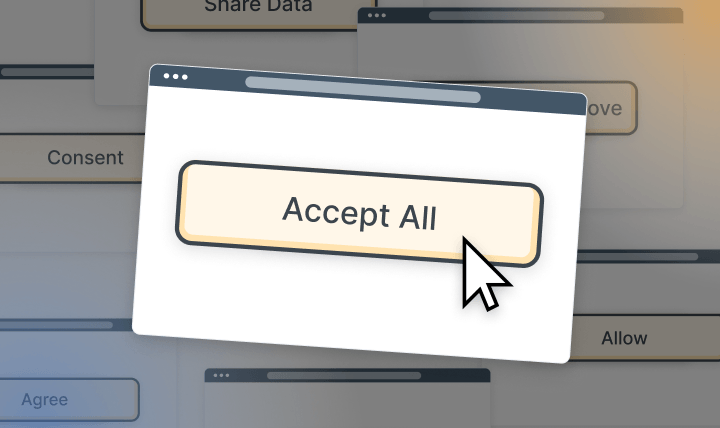
If you browse the web daily, you already know how this goes. You open a page, start reading, and then it happens. A banner slides in. Buttons everywhere. Accept all, reject some, manage settings. You click something just to make it disappear and move on.
This repeats across news sites, online stores, blogs, and forums. Over and over. Researchers at Carnegie Mellon University once estimated that reading every privacy policy you encounter could take hundreds of hours each year. Most people do not have that kind of time. So they skim. Or they do not read at all.
What started as a compliance measure has slowly turned into a daily browsing roadblock. In regions with strict privacy laws, these prompts appear on almost every visit. The result is mental overload. Too many choices and interruptions, yet too little patience.
That frustration has a name: consent fatigue. It describes what happens when constant requests to approve data settings wear people down. Instead of making thoughtful decisions, users click whatever gets them back to the content fastest.
Let’s look at why this problem keeps growing and what practical steps you can take to reduce interruptions and regain control of your browsing experience.
The problem: understanding consent fatigue
Consent fatigue describes what happens when people are asked, again and again, to approve, reject, or customize data settings. After a while, it stops feeling like a choice and starts feeling like noise. In plain terms, consent fatigue comes down to mental burnout caused by constant interruptions during routine browsing.
So what is consent fatigue in real life?
It is opening a page and instantly scanning for the fastest way to make the banner disappear. It is skipping the text, ignoring the options, and clicking whatever clears the screen. Not once or twice. Every day. On almost every site.
Have a look at this banner:
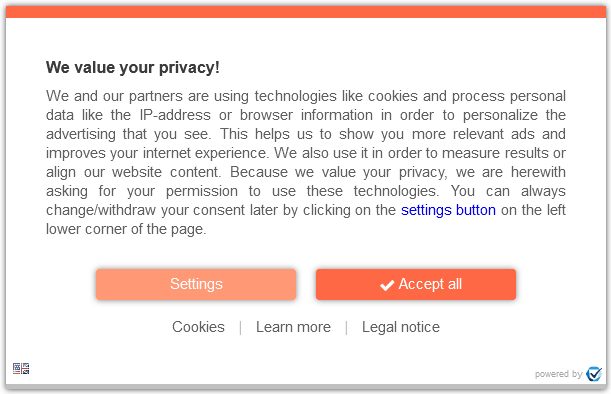
You don’t have a “Reject all” button, and if a user wants the site not to track them, you need to go into “Settings” and switch cookies off. It seems much easier just to accept all cookies and get on with it, no?
Over time, this becomes a habit. Decisions shift from intentional to reflexive. The banner appears, and the response is automatic.
Why consent fatigue keeps growing
Expanding privacy rules
Privacy laws across the EU, UK, and other regions require explicit permission before data collection. On paper, that protects users. In practice, it means nearly every website shows a consent banner on the first visit. The result is a web saturated with pop-ups that block content before users even read the headline.
Overcomplicated consent design
Design choices make the problem worse. Many banners offer one-click acceptance but bury rejection behind extra screens. Users are asked to manage long lists of toggles and dense explanations covering different types of cookies. Faced with friction, most people opt out of the process entirely and accept everything just to move on.
What this does to users
Frustration and shortcut behavior
Constant interruptions wear people down. Clicking “Accept All” becomes the default response, not a considered decision.
Less engagement with privacy controls
Repeated exposure leads users to disengage. Instead of managing preferences, they stop interacting with settings altogether.
Erosion of trust
When banners feel manipulative or excessive, users stop seeing them as protection. They become obstacles to content, not safeguards.
Why consent fatigue matters
Consent fatigue goes further than mild irritation. It changes how people read, think, and make decisions online. Every banner, prompt, and settings panel pulls attention away from the task at hand. What should be a quick visit turns into a stop-start experience filled with interruptions. Over time, patience wears thin.
There is also a quiet change in behavior. After seeing the same prompts again and again, many users click through without reading. Others stop trying to manage settings entirely. Some assume their choices no longer matter. That reaction defeats the entire point of consent frameworks, which depend on informed decisions. When consent becomes routine, it loses meaning.
You can see the effect in everyday browsing patterns:
Time wasted on repetitive prompts
A few seconds here and there does not sound like much. But across dozens of pages, those seconds pile up. Closing banners, scanning options, or hunting for a reject button turns into lost time every single session.
Interrupted focus and broken tasks
Reading an article. Comparing products. Filling out a form. Each interruption breaks concentration. Restarting that mental flow takes effort, and the experience starts to feel disjointed rather than smooth.
Reduced control over personal data
Quick clicks replace deliberate choices. Settings are accepted by default. Over time, users trade control for convenience, often without realizing it.
This leads to a feedback loop. As engagement drops, sites test louder designs and more intrusive prompts. Frustration increases on both sides.
For people who care about browsing without friction and protecting their data, the current approach falls short. Limiting repeated prompts is often the only way to restore focus, clarity, and a sense of control online.
Use Poper Blocker to stop consent fatigue
One of the easiest ways to deal with consent fatigue is to remove what causes it in the first place. If cookie banners never appear, there is no decision to make and no interruption to deal with. Poper Blocker’s cookie consent blocker handles these prompts automatically, before they interrupt your browsing flow.
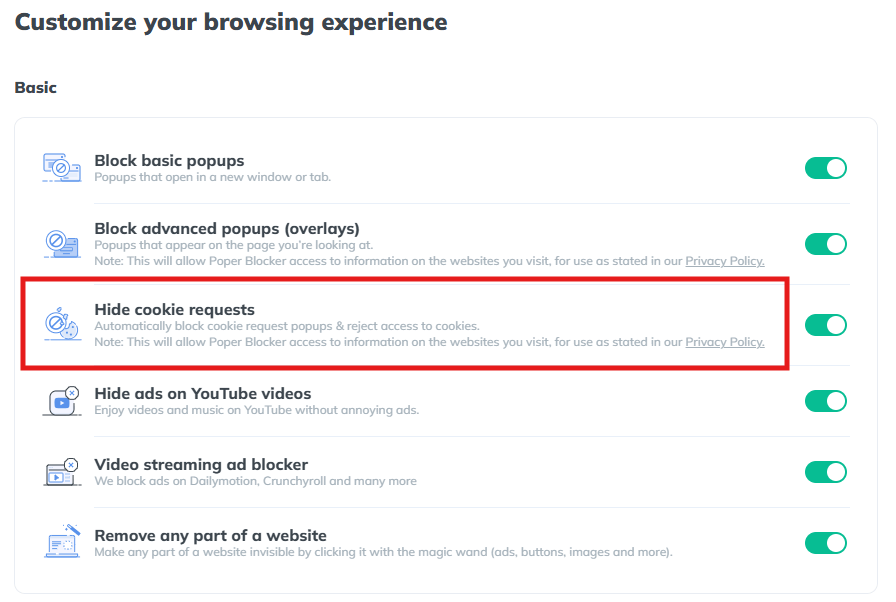
Instead of forcing you to interact with banners on every site, the tool works quietly in the background. You load a page. It does the rest.
Automatic detection of cookie banners
The moment a page loads, Poper Blocker scans it for cookie consent requests. This process runs automatically. There is nothing to configure, nothing to click, and no learning curve. You do not need to whitelist sites or adjust preferences for each domain you visit.
It simply recognizes consent banners as they appear.
Instant removal of cookie prompts
Once a banner is detected, it is removed from view. Cookie pop-ups disappear without changing the page layout or breaking site content. Text stays readable. Buttons remain usable. The site looks the way it should have from the start.
This removes visual clutter and keeps your attention on what you came to read or do.
Automatic rejection of tracking cookies
Poper Blocker goes beyond hiding banners. In the background, it automatically rejects tracking cookies by setting permissions to off. This prevents sites from collecting unnecessary data and helps users block cookies they never meant to allow in the first place.
It also removes the pressure that leads to rushed clicks on Accept All buttons.
Reduced tracking and fewer targeted ads
With tracking disabled, advertisers receive less behavioral data. Over time, this reduces the number of hyper-targeted ads that follow users from site to site. Browsing feels less monitored and more predictable.
Cleaner and uninterrupted browsing
The overall effect is simple. Fewer interruptions. No repeated choices. No constant reminders about any types of cookies. For people experiencing consent fatigue meaning real frustration, removing the prompts often solves the problem faster than managing settings on every site.
Works across Chrome, Edge, and Android
Poper Blocker works across Chrome, Edge, and Android, delivering the same uncluttered experience on desktop and mobile. Whether you browse at work or on your phone, cookie pop-ups stop getting in the way.
Escape the interruptions that drain your browsing experience
Consent fatigue has become a routine part of using the modern web, especially in regions with strict privacy rules. Every visit comes with banners to read, boxes to click, and decisions to rush through just to reach the content you came for. It slows you down, breaks concentration, and often leads to blanket consent simply to move on.
The good news is that there’s a simpler way forward. Poper Blocker removes cookie consent banners at the source and automatically rejects tracking requests in the background. You are no longer pulled into repeated prompts or forced to manage privacy choices site by site. Pages load cleanly, attention stays where it should, and data collection is reduced without extra effort.
If smoother browsing and fewer distractions matter to you, installing Poper Blocker on Chrome, Edge, or Android is a logical next step. It brings back a calmer web experience that feels usable again.
FAQs
Is blocking cookie consent banners legal?
Yes. Blocking consent banners on your own device is both legal and safe. You are simply deciding how your browser behaves and which scripts are allowed to load locally. Privacy regulations apply to websites and how they request consent, not to individuals managing their own browsing setup. In practice, you are exercising personal control, not bypassing laws.
Does Poper Blocker stop essential cookies?
No. Essential cookies remain untouched. These include cookies required for core functions like logging in, saving language preferences, or keeping items in a shopping cart. The blocker targets non-essential elements tied to tracking, analytics, and advertising, leaving site functionality intact.
Will rejecting tracking cookies affect website performance?
Usually, the opposite happens. Pages often load faster and feel less cluttered. Since tracking cookies are not required for displaying content or running basic site features, most websites continue to work exactly as expected.
How do I whitelist a site?
You can whitelist any site directly through the extension settings. This allows you to permit banners or cookies on specific domains where you prefer full access or customized behavior.
Can I still manage privacy manually if I want to?
Absolutely. You stay in control at all times. The blocker can be paused, adjusted, or disabled whenever you choose, giving you flexibility based on your browsing preferences.