
 Chrome Web Extension
 Edge Web Extension
 Android App


Here’s a scenario that you can definitely relate to: You’re deeply engrossed in an online article or eagerly watching a video when suddenly, an ad pops up, shattering your focus. Frustrating, isn’t it?
These unexpected interruptions not only break the rhythm of your engagement but also raise concerns about how your browsing data is being used. Ads often track your online behavior, collecting data to target you more effectively. It’s a cycle that invades your privacy and disrupts your online experience.
Ads are not just annoying; they can also compromise your online privacy. This brings us to a pivotal question: Can VPNs, known for their privacy and security prowess, also block these intrusive ads?
The Ad Nuisance: A Statistical Overview
| Statistic | Detail | Source |
| Percentage of Internet Users Annoyed by Social Media Ads | 74% | SurveyMonkey |
| Percent of Internet Users Worldwide Using Ad Blockers | 42.7% | Backlinko |
These statistics highlight a growing trend of ad aversion among internet users, underscoring the need for effective ad-blocking solutions.
The core issue here is twofold: privacy invasion and disrupted user experience. Ads not only intrude on your online activities but also track your browsing habits, raising significant privacy concerns.
Do VPNs Work to Block Ads?
VPNs, primarily designed for online privacy and security, are often perceived as tools that might also block ads. It’s important to understand that their main role is to encrypt your data and conceal your IP address, creating a secure and anonymous online environment. This function is crucial in safeguarding your personal information from prying eyes and cyber threats. However, the question of whether VPNs can effectively block ads is more nuanced.
Ad-Blocking Capabilities of VPNs
While not their primary purpose, some VPNs do offer ad-blocking capabilities as an additional feature. These VPNs go beyond their standard role of encryption and IP masking to provide users with a cleaner browsing experience. They do this by integrating ad-blocking technologies within their service. This integration can filter out a variety of ads, from pop-ups to banners, reducing the amount of unwanted content that appears during your internet sessions.
However, it’s essential to recognize that the ad-blocking ability of VPNs can vary significantly. Some may offer basic ad-blocking features, which can reduce the visibility of ads to a certain extent. Others might be more advanced, capable of filtering out a wider range of ads and even blocking trackers that collect your browsing data for targeted advertising.
Despite these features, VPNs are not a complete solution for ad blocking. They might struggle to block ads that are more deeply integrated into websites or those that are served by sophisticated ad servers, such as the ones used by video streaming platforms. In these cases, ads might still appear, as they are not solely based on the user’s IP address but are also embedded in the content itself.
How to Block Ads with a VPN?
By following these steps, you can effectively navigate the online world with minimal interruptions, ensuring a cleaner and more focused internet experience.
1. Select a VPN with Ad-Blocking Features
Begin your ad-free journey by choosing a VPN that offers more than just privacy. Look for one that boasts ad-blocking capabilities. This is similar to selecting a shield in your digital arsenal, not just for defense but also for a proactive strike against ads.
2. Dive into the VPN Settings
Once your VPN is installed, navigate to its settings. Here lies the key to unleashing its ad-blocking power. Look for options or toggles labeled something similar to ‘Ad Blocker’ or ‘Content Filters’. Activating these settings is like flipping a switch that starts filtering out the digital noise, clearing your path for cleaner browsing.
3. Understand the Limitations of VPN Ad-Blocking
Be aware that while VPNs can block many ads, they might not catch them all, especially those embedded in videos or on platforms like YouTube and Twitch. It’s important to recognize that a VPN is not an all-encompassing ad blocker but rather a significant first line of defense.
4. Integrate a Dedicated Ad Blocker like Poper Blocker
For a more robust defense against ads, pair your VPN with a dedicated ad blocker. Poper Blocker specializes in targeting and eliminating various types of ads, including those that a VPN might miss. This integration ensures a more comprehensive ad-blocking strategy, enhancing your overall browsing experience.
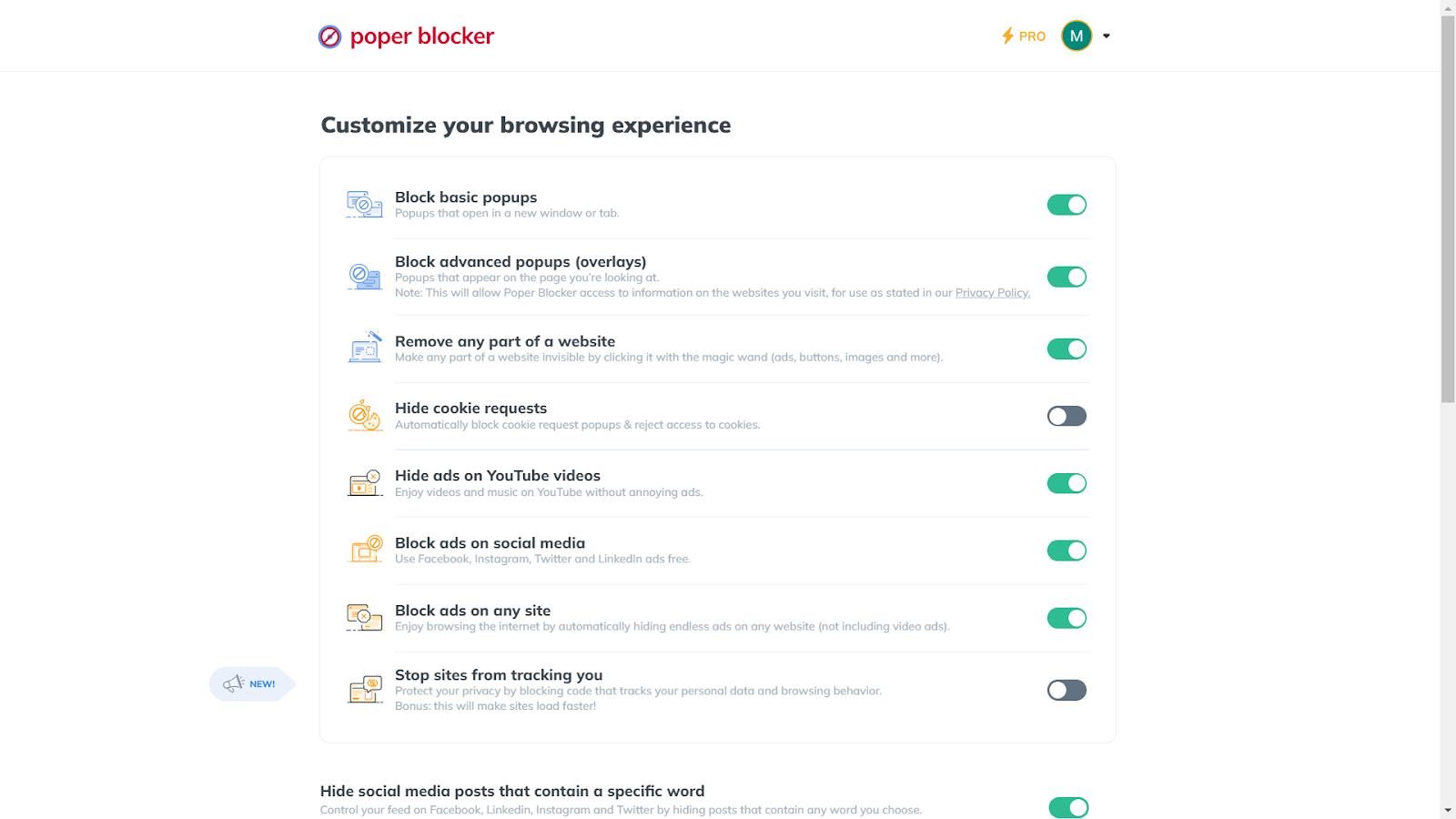
Poper Blocker stands out in the ad-blocking arena with features that surpass those of a typical VPN:
- Wide Array of Ad Blocking: Poper Blocker excels in blocking various types of ads, including pop-ups, banners, and video ads.
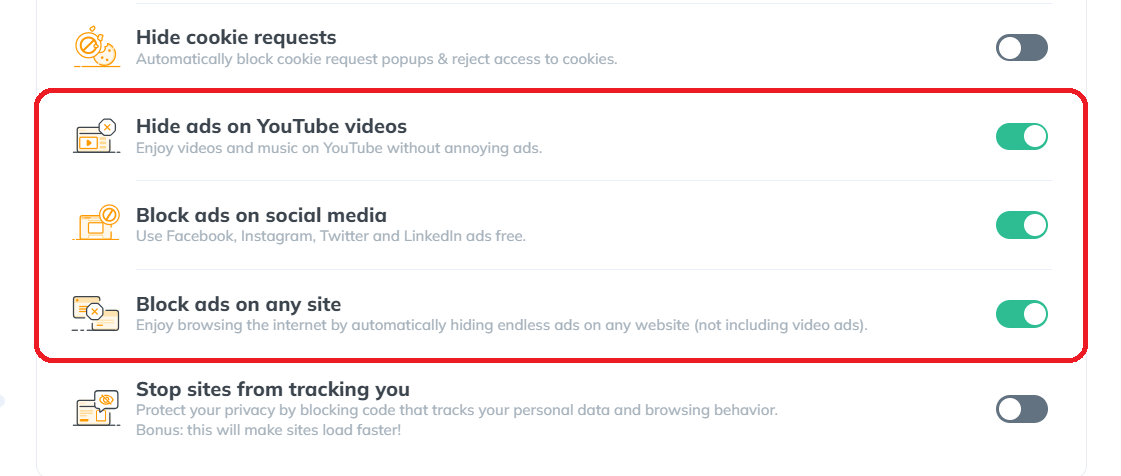
- Targeted Ad Elimination: Designed specifically for ad removal, this tool efficiently targets and eliminates ads directly, unlike VPNs whose primary focus is on privacy.
- Precision in Blocking Stubborn Ads: It demonstrates superior accuracy in identifying and blocking embedded ads within websites, a task that often challenges VPNs.
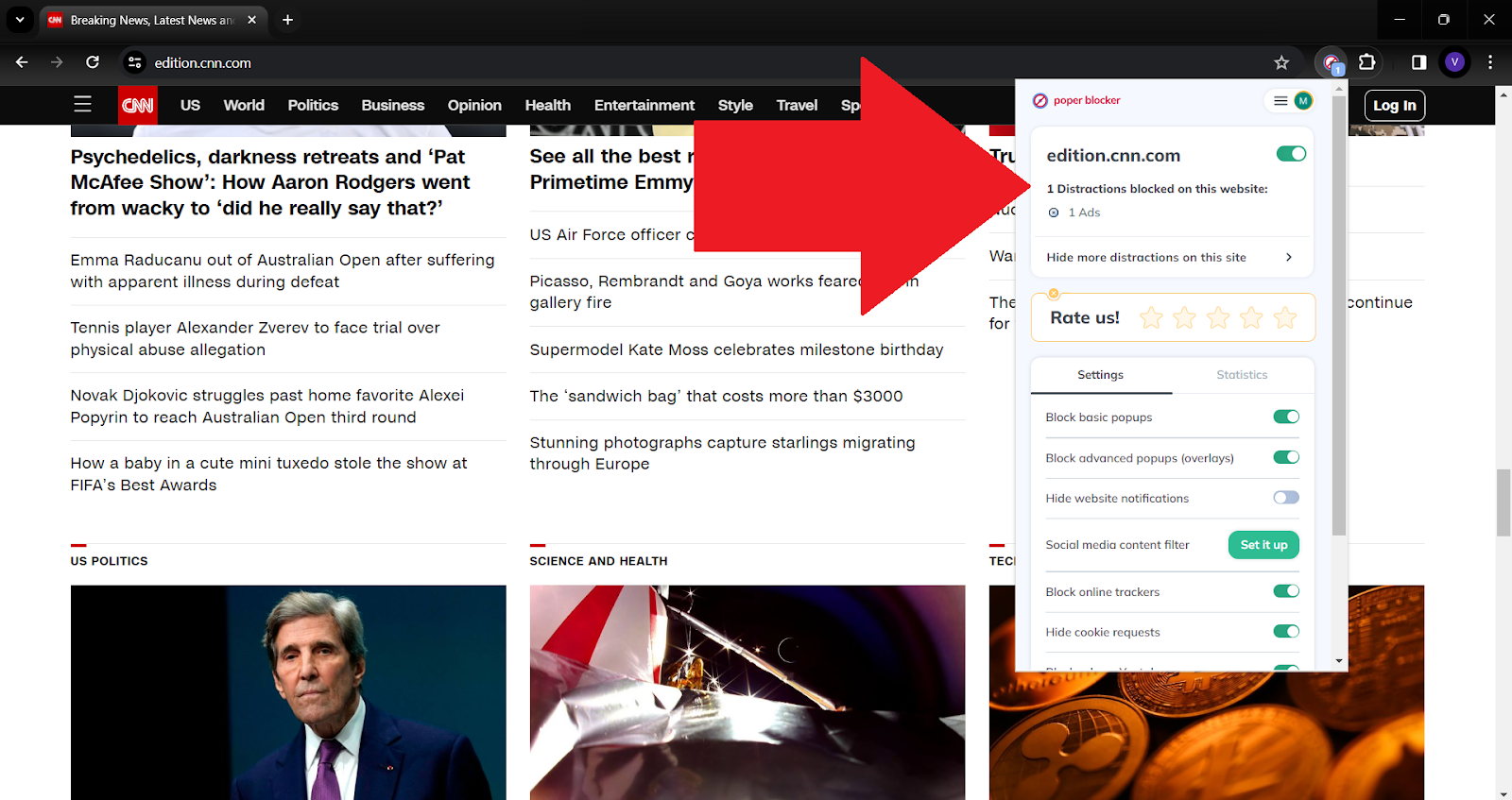
- Enhanced Browsing Speed: By reducing the load of unwanted ad content, this blocker not only cleans your browsing space but also significantly speeds up your online experience.
5. Enjoy a Synergistic Ad-Blocking Experience
With both a VPN and Poper Blocker at your service, you’re now equipped with a dynamic duo. This combination ensures a smoother, faster, and more enjoyable browsing experience. It’s like having both a shield and a sword in your digital journey, offering protection and proactive ad elimination.
Enjoy an Ad-Free Online World
Embarking on an ad-free journey online transforms your browsing into a seamless, uninterrupted experience. Imagine clicking on a video and diving straight into the content, no pre-roll ads to skip. Picture reading an article without pop-ups obscuring your view. This isn’t just a dream; it’s a reality within reach.
By combining the strengths of a VPN with a dedicated ad blocker like Poper Blocker, you’re not just avoiding annoyance; you’re reclaiming your online space. It’s about enjoying purity in your digital interactions, where content flows uninterrupted, and your privacy remains intact. Welcome to a cleaner, faster, and more enjoyable online world.
Say goodbye to annoying ads – Install Poper Blocker today!
FAQs
Do VPNs Block Personalized Ads?
While VPNs are adept at enhancing your online privacy, their ability to block personalized ads is limited. By masking your IP address, VPNs can prevent advertisers from tailoring ads based on your location. However, many ads are designed to adapt based on your browsing behavior, which VPNs do not directly influence. For a more comprehensive solution to block personalized ads, integrating a dedicated ad blocker like Poper Blocker is recommended. This tool specifically targets and blocks various forms of advertising, ensuring a more private and uninterrupted browsing experience.
Do VPNs Block YouTube Ads?
The question of whether VPNs can block YouTube ads is a common one. Generally, VPNs are not effective in blocking these types of ads because these are served directly from YouTube’s servers and are an integral part of the platform. YouTube ads are sophisticated and often bypass the traditional ad-blocking methods used by VPNs. For a more effective solution, using a specialized ad blocker that can handle the complexity of YouTube’s advertising system is advisable.
Do VPNs Block Ads on Twitch?
When it comes to Twitch, a platform known for its streaming content and accompanying ads, VPNs face a similar challenge as with YouTube. The ads on Twitch are integrated into the streams, making them difficult for VPNs to block. While a VPN can provide some level of privacy and security, it does not specifically target the ads that appear on Twitch streams. For users looking to enhance their viewing experience by eliminating these ads, turning to a dedicated ad blocker would be a more effective approach.
Do VPNs Block Viruses from Downloads?
VPNs play a crucial role in securing your online activities and protecting your data from interception. However, their primary function does not extend to scanning or protecting against viruses that may be present in downloads. While a VPN can secure your connection and keep your activities private, it is not a substitute for antivirus software. To safeguard your device from viruses, especially those that might accompany downloads, it is essential to use reliable antivirus software alongside your VPN.
Do VPNs Block iPad Ads?
Using a VPN on an iPad can offer a certain level of ad blocking, primarily by hiding your IP address and thus reducing location-based ads. However, many ads are not dependent on your IP address and will still appear. To effectively block ads on an iPad, it is advisable to use a dedicated ad blocker. These tools are designed to work seamlessly with mobile devices and browsers, providing a more comprehensive ad-blocking solution that enhances your browsing experience on the iPad.
Twitter (also known as X), a bustling hub of global conversations, can sometimes feel overwhelming with its unfiltered stream of content. Whether it’s spoilers from your favorite show, political debates, or topics that trigger discomfort, the need for a more controlled and personalized browsing experience is evident. This is where the power of muting words on Twitter comes into play.
Take a look at these alarming statistics:
| Key Statistic | Focus Area | Source |
| A sharp increase in hate speech and problematic content | Hate Speech | New York Times |
| Black women are 84% more likely to be targeted in abusive tweets | Online Abuse Against Women | Amnesty International |
| Impact of alarming vs reassuring messages during COVID-19 | Public Health Communication | PMC – NCBI |
| Teens spending 5–7 hours on social media are twice as likely to have mental health problems | Social Media Addiction | The Lanier Law Firm |
| High rate of COVID-19 misinformation spread | Misinformation | PMC – NCBI |
Why Would You Want to Mute Words on Twitter?
Twitter users often encounter unwanted content that can range from mild annoyances to deeply upsetting topics. Here are some common reasons why blocking words on Twitter is essential:
- Adult Themes: For those who prefer a more family-friendly feed, muting adult-themed content is necessary.
- Politics: Escaping the often polarizing world of political debates can create a more peaceful online experience.
- Inappropriate or Offensive Content: Steering clear of content that may be disrespectful or offensive is crucial for many users.
- Spoilers: Avoiding spoilers for movies, TV shows, or books is a top priority for many.
- Overwhelming News: In times of crisis or overwhelming news cycles, learning how to block certain words on Twitter, or topics more specifically, can help manage anxiety.
- Marketing Overload: Muting aggressive marketing or specific product promotions can declutter your feed.
- Personal Triggers: Everyone has specific words or topics that can trigger negative emotions or memories.
How to Block Words on Twitter With Poper Blocker: Your Social Media Content Guardian
While Twitter offers built-in features to mute words, Poper Blocker elevates this functionality, especially for those seeking a more robust solution. Here’s how to leverage this tool:
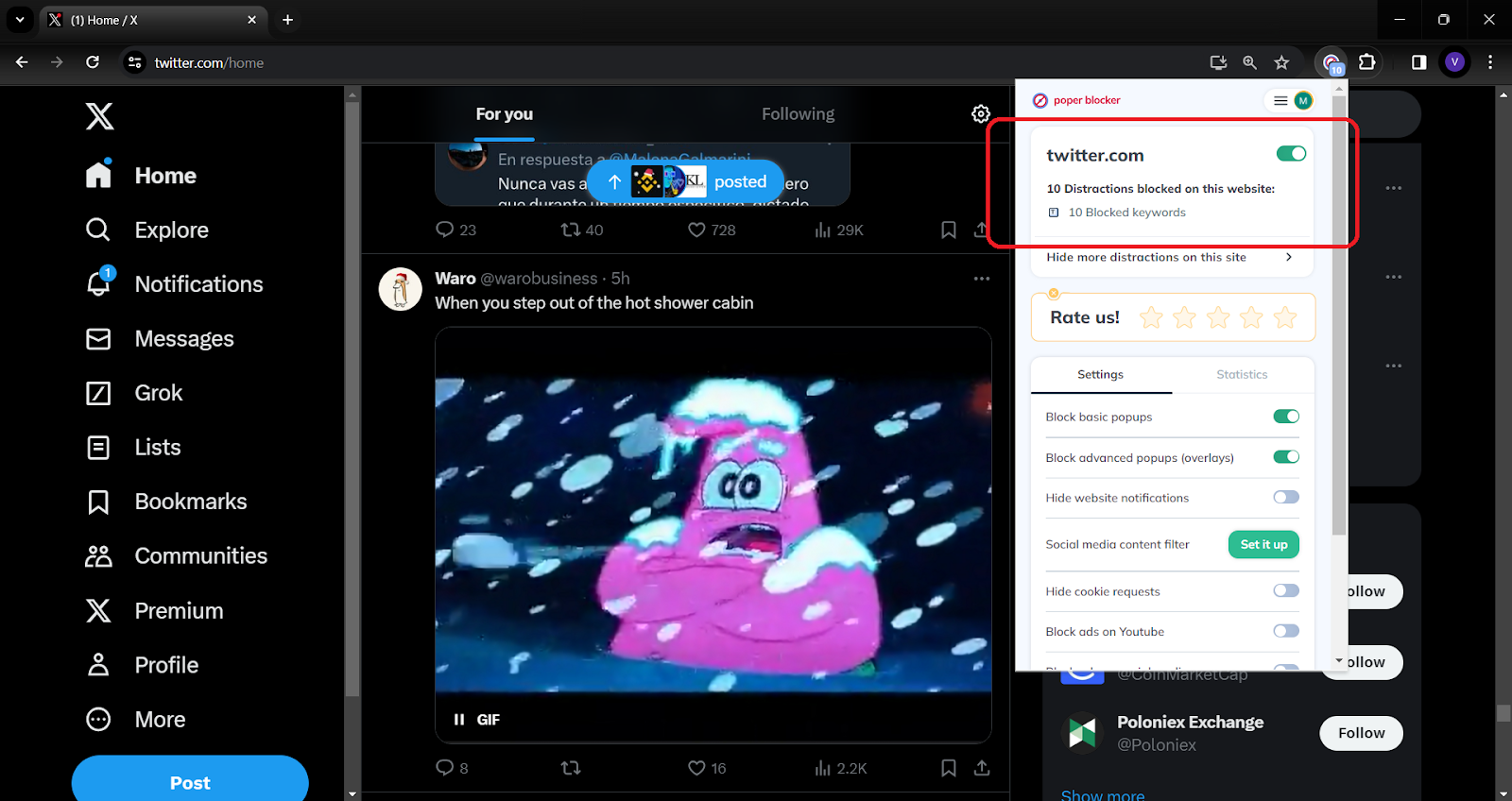
1. Launch Poper Blocker: Begin by accessing the Poper Blocker extension, a tool designed to refine your Twitter experience.
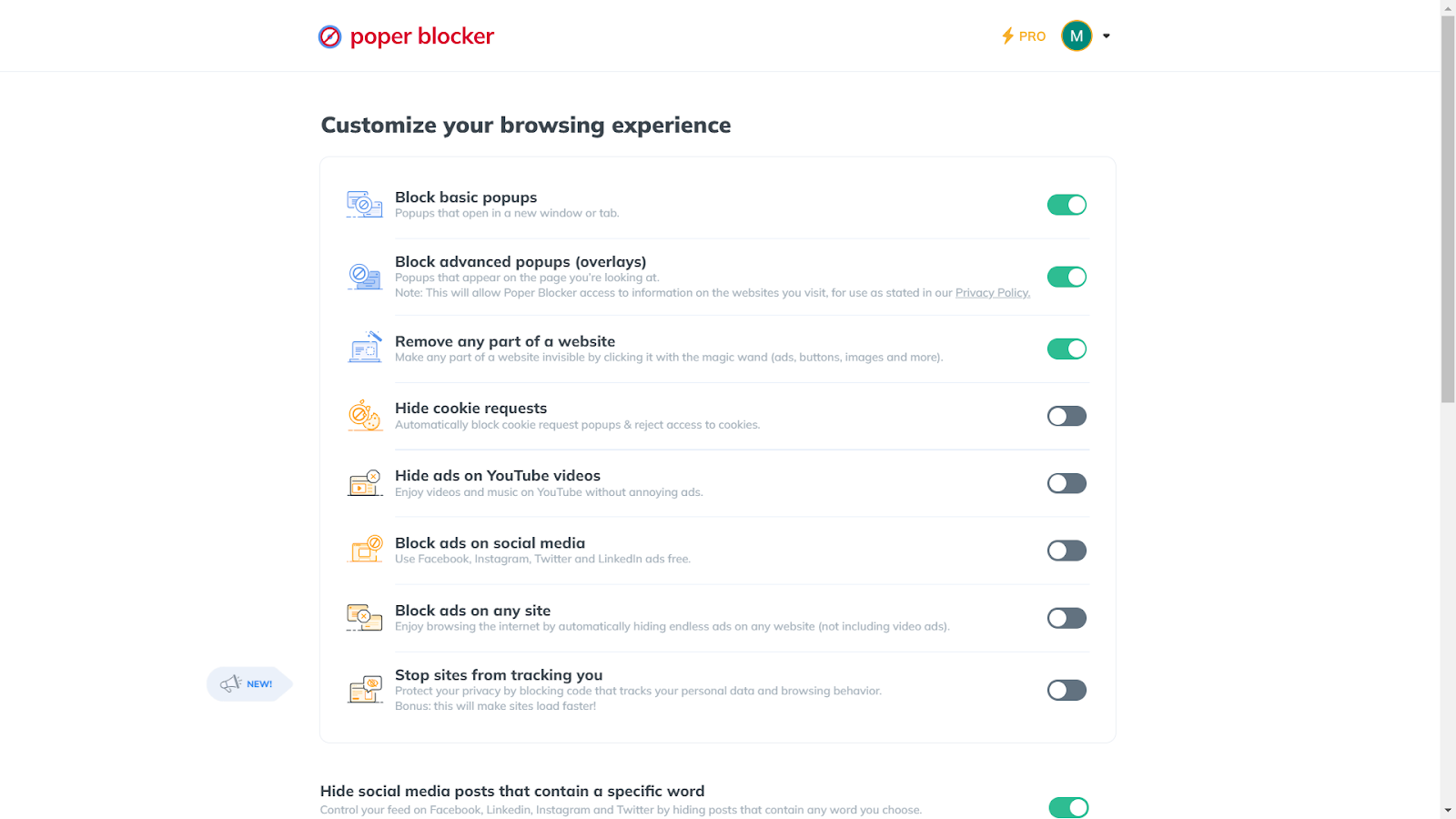
2. Activate the Feature: Within Poper Blocker, find and activate the “Hide social media posts that contain a specific word” feature.
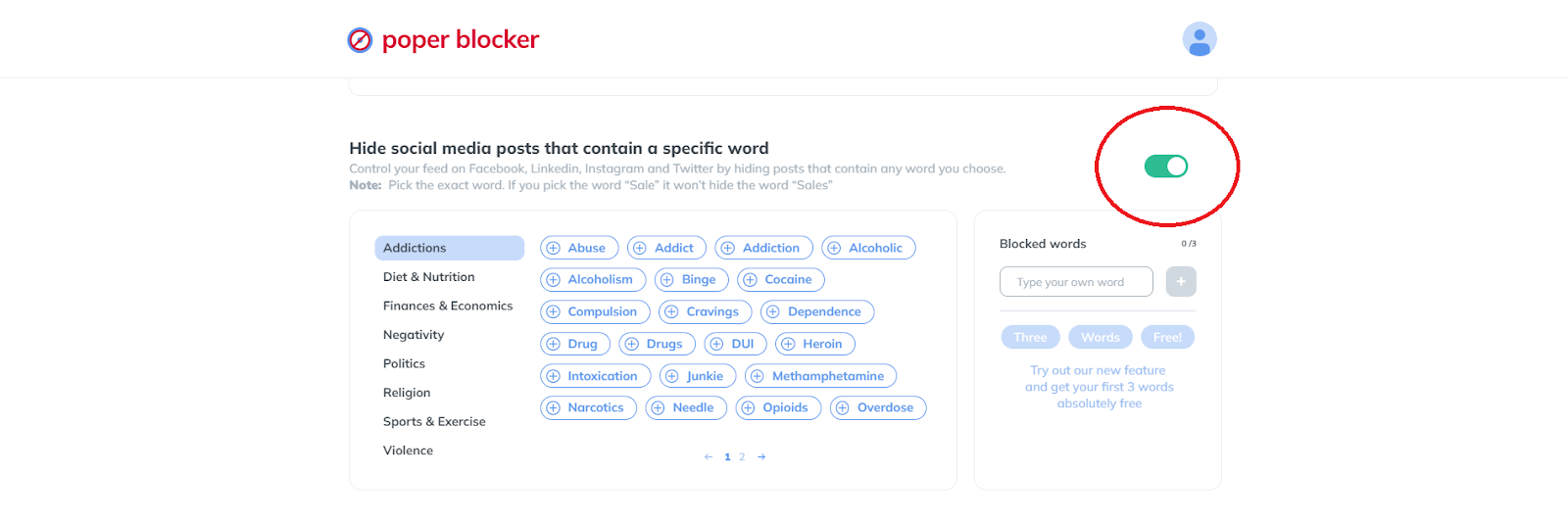
3. Customize Your Mute List: So how do you mute words on Twitter? Choose words to mute from a suggested list or add your own. The Pro version offers an unlimited word list for unparalleled control.
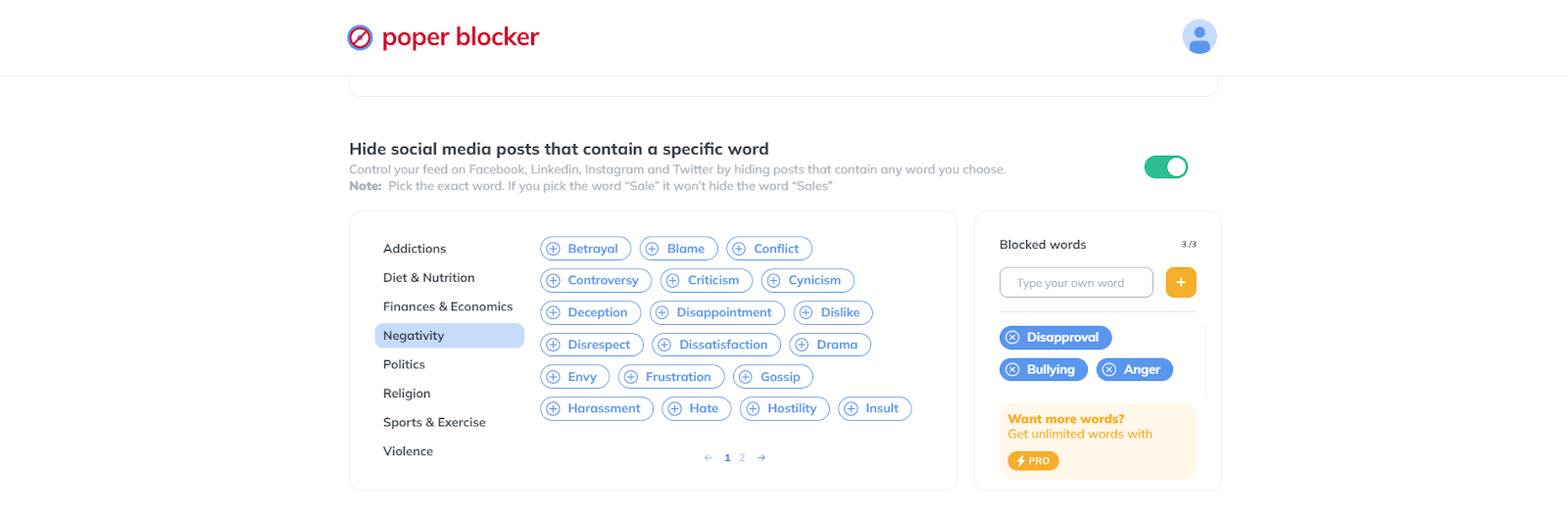
4. Transform Your Twitter Feed: With your preferences set, your Twitter feed becomes a curated space, free from unwanted content.

Seize Control of Your Twitter Feed
The dynamic world of Twitter, with each scroll bringing a new wave of information, offers the power to mute words – a feature that is truly a gateway to tranquility and relevance. By carefully selecting the words, phrases, and hashtags to mute, you transform your Twitter feed into a personalized oasis, a reflection of your interests and values.
The journey through Twitter’s vast landscape can often be overwhelming, but with tools like Poper Blocker, you’re equipped with the power of social media filtering so you can focus on what truly matters to you. Whether it’s avoiding spoilers, sidestepping political debates, or creating a safe space free from triggering content, the ability to mute words is your shield against the unwanted.
So, take the reins and tailor your Twitter experience. With each word you mute, you’re not just filtering content; you’re crafting a space that speaks to you and you alone. Embrace this power, and watch as your Twitter world transforms into a realm that aligns perfectly with your unique perspective.
Read More:
- How to Mute Words on Instagram
- How to Mute Words on Facebook
- Can You Mute Words on LinkedIn?
- How to Block Ads on Twitter?
FAQs
How does muting words on Twitter improve my experience?
Muting specific words, phrases, or hashtags on Twitter significantly enhances your browsing experience by filtering out content that you find irrelevant, disturbing, or simply uninteresting. This feature allows you to tailor your feed to your interests and comfort, creating a more enjoyable and personalized social media environment. Whether it’s avoiding spoilers for a much-anticipated movie or steering clear of sensitive topics, muting ensures that your Twitter feed aligns with your preferences, contributing to a more positive online experience.
Can I mute phrases and hashtags on Twitter?
Absolutely! Twitter’s muting feature isn’t limited to single words. You have the flexibility to mute entire phrases and hashtags. This is particularly useful for avoiding broader topics or specific campaigns that you might not want to engage with. For instance, if a particular event or topic becomes too overwhelming or pervasive on your feed, muting its associated hashtag can provide immediate relief.
Will muting words on Twitter also affect my notifications?
Yes, when you mute words on Twitter, it not only affects your main feed but also your notifications. This means that tweets containing the muted words or phrases will not appear in your timeline or trigger notifications, providing a more serene Twitter experience and ensuring that you’re not alerted about the content you prefer to avoid.
How does Poper Blocker complement Twitter’s mute feature?
While Twitter’s mute feature offers control over your feed and notifications, Poper Blocker can provide an additional layer of customization. It allows for more nuanced control over the content you see, making your social media experience even more tailored to your preferences.
Does muting words on Twitter affect my visibility to others?
Muting words on Twitter is a personal content preference and does not impact how others view your profile or interact with your tweets. It’s a user-specific setting that alters only your feed and has no bearing on your visibility or engagement with other Twitter users. This means you can freely mute any content without worrying about altering your social media presence or interactions.
Streamline your feed – Poper Blocker mutes words on Twitter. Use it now!
