Chrome Web Extension
 Edge Web Extension
 Android App
 iOS App


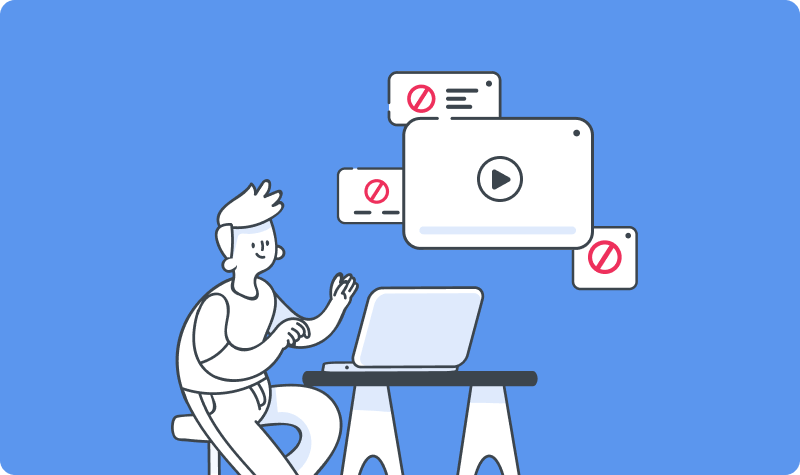
Streaming movies online should be simple. You hit play, lean back, and let the movie run. Instead, a new tab pops up. A banner covers the screen. Another site loads out of nowhere. If you are looking up how to block pop-ups on movie websites, you are not the only one. Free and semi-free streaming platforms rely heavily on interruptions that push clicks, not comfort.
A lot of people try to block pop-ups from movie sites using basic browser settings. That helps a little, but not for long. Autoplay ads, stacked overlays, and forced redirects add up fast. Latest reports suggest that the average person sees between 6,000 to 10,000 online ads each day, which explains why streaming rarely feels smooth anymore.
Here, we’re going to explain how to block pop-ups on streaming sites without overcomplicating things. We will cover why these ads show up, where browsers fall short, and how Poper Blocker fits in as the best option built for movie and TV streaming.
Why do movie and streaming sites have so many ads and pop-ups
If a movie or streaming site lets you watch without paying, advertising is mainly behind it.
Most of these platforms have no real subscription model. That means every visit needs to generate revenue somehow. The easiest way is ads. Lots of them.
Not the polite banner kind either.
To squeeze out clicks, many sites rely on aggressive formats that push far past what most people expect. A single click can trigger classic pop-ups. Another opens a pop-under, hiding behind your active tab. Start a video, and an overlay may drop straight on top of the player. Auto-play video ads fire up without warning. Some sites send you through redirect chains that bounce you across several pages before landing you somewhere completely unrelated.
All of this falls under the wider mix of types of online ads that dominate free streaming platforms.
The problem is not limited to irritation.
These ads interrupt playback, slow your browser, and can trigger fake virus warnings designed to panic users into clicking. Many of these pop-up scams mimic security alerts, update notices, or download prompts. One wrong click and you are off to a risky site you never intended to visit.
But why is it so hard to escape?
Many free movie sites run scripts designed to slip past standard browser protections. Built-in blockers struggle to keep up. That explains why people searching for how to stop pop-ups on streaming sites often feel stuck. Without a real fix, the same cycle repeats every time you press play.
What built-in browser blocking can (and can’t) do
Chrome and Edge both ship with a basic pop-up blocker and some light ad filtering. In theory, that should help clean things up. In practice, it only goes so far.
Yes, these tools can stop the most obvious pop-ups. The cheap ones. The single new tab that opens out of nowhere. For everyday browsing, that is usually enough. Once you hit streaming sites, the limits show up fast.
Built-in blockers focus on simple triggers. They are not built to deal with the layered tactics used by movie platforms. Things like rapid tab launches, background redirects, and ads injected directly into video players often slip straight through. That is why people still search for how to stop pop-ups on movie sites, even when browser protection is switched on.
Overlays are another weak point. Floating banners, sticky video frames, and click-based redirects usually survive default settings. You can tweak site permissions or block pages one by one, but that gets tedious quickly. Miss one rule and the ads are back.
Browser tools help at a surface level. They were never built to block overlays or control player-level ad behavior that dominates modern streaming sites.
Use Poper Blocker to block streaming pop-ups & video ads
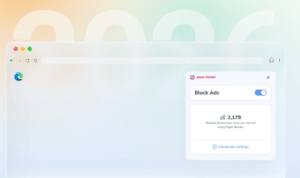
Poper Blocker is built for various jobs, and one very specific job is stopping the ads that ruin streaming. It is a focused extension made for Chrome and Edge users who spend a lot of time watching movies and TV shows online. Instead of trying to catch every ad on the internet, it targets the behaviors that interrupt playback and break the viewing experience.
That focus matters. Streaming sites use aggressive formats that behave differently from standard display ads. They trigger on clicks, load in layers, and often hide behind the player itself. Poper Blocker is designed around those patterns, which makes it behave less like a generic tool and more like a purpose-built solution for video-heavy pages.
Video streaming ad blocker
Once installed, the video streaming ad blocker starts working automatically. It blocks video ads that cut into movies and episodes mid-play. It removes floating overlays that sit on top of the player and steal clicks. It stops pop-unders that quietly open behind your browser window. It also prevents tab redirects that fire when you hit play, pause, or full screen. The result is a cleaner player that stays focused on the video.
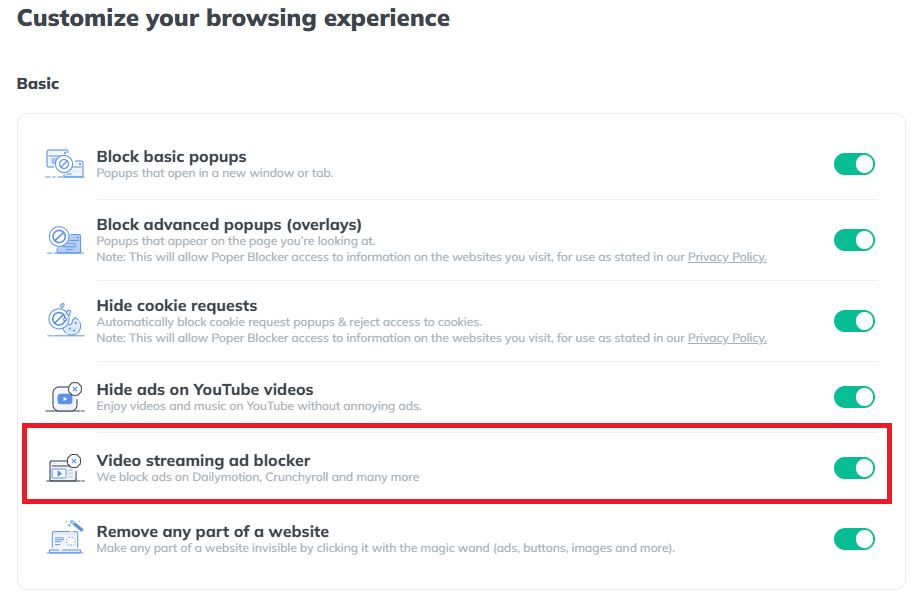
This is also where Poper Blocker tends to succeed when other extensions fall short. It can block ads on Crunchyroll, block ads on Dailymotion, and get rid of ads on Tubi, along with many similar platforms that rely on stacked scripts and deceptive triggers. These sites are known for slipping past standard blockers, but Poper Blocker is tuned to recognize and stop those specific behaviors.
The setup is pretty straightforward. There are no filter lists to manage and no advanced settings to adjust. You install the extension, turn it on, and continue streaming normally. It does not require constant tweaking or testing across different sites.
If you are searching for how to stop pop-ups on streaming sites without causing playback issues or browser slowdowns, this is the best technique. It focuses on the ads that matter most during streaming and leaves the rest of your browsing untouched.
Try Poper Blocker and watch movies without constant pop-ups
Watch without Interruptions: block streaming ads for good
Streaming should be simple. Click play, sit back, and enjoy the show. Instead, pop-ups, sketchy redirects, and loud autoplay videos pull you out of the moment. Built-in browser blockers help a bit, but anyone who streams regularly knows they barely scratch the surface.
That’s where Poper Blocker shines. It targets the ad formats that actually disrupt movie and TV sites. Overlays, pop-unders, and video ads are blocked automatically, with no tuning or tech work required.
Add Poper Blocker to Chrome or Edge. Then stream without interruptions so you can put your full attention on what you came to watch.
Install Poper Blocker on Chrome or Edge now
FAQs
What’s the best ad blocker for streaming sites?
When it comes to streaming, generic ad blockers usually fall short. They do a decent job with banners, but streaming pages play by different rules. Video players load their own overlays, pop-unders, and redirects that standard extensions often miss. That’s where a tool built specifically for streaming pages makes a difference. Poper Blocker is designed to deal with player-level ads, fake buttons, and annoying layers that show up right when you hit play.
Does Poper Blocker work on every streaming site?
No blocker can promise full coverage across the entire web. Streaming sites change layouts constantly, and new domains appear all the time. That said, Poper Blocker handles the most popular free and semi-free movie platforms very well. It looks at the patterns that are used by ad-heavy streaming pages, which means fewer interruptions on the sites people actually use.
Will it slow down my browser or affect video quality?
Short answer: no. Poper Blocker is lightweight and tuned for streaming environments. It doesn’t mess with the video player itself, and it doesn’t interfere with playback speed or resolution. You watch the same video, just without the noise around it.