Chrome Web Extension
 Edge Web Extension
 Android App
 iOS App


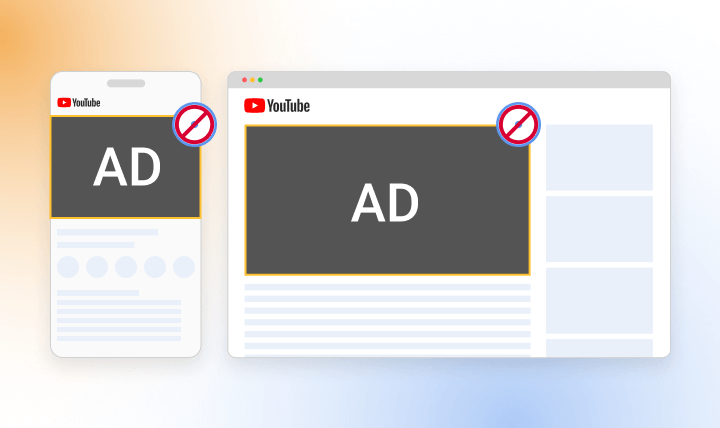
If you watch YouTube regularly, you’re not alone. The average person in the U.S. spends 48.7 minutes a day on the platform. And lately, a lot of that time feels like… ads. Videos open with longer pre-rolls, content gets interrupted mid-sentence, and the breaks keep coming. What used to be a quick pause now feels like an ad overload, especially in longer videos. No matter the device, many viewers feel the same: it’s just too much.
It usually starts with frustration. You hit play, the ads pile up, and before long, you are searching for how to block YouTube ads. Most people are not trying to hack the system or do anything complicated. They just want videos to play without constant pauses, countdowns, or buttons telling them to skip, wait, or tap. This guide explains how to block YouTube ads on Chrome, Edge, Android, and iPhone with simple steps and no technical detours.
Why you’re seeing so many YouTube ads
Open YouTube to watch a five-minute clip, and it can feel like you are signing up for a commercial marathon. That is not an accident.
YouTube runs on an ad-supported model. Creators earn money when ads play. Advertisers pay to reach viewers. YouTube takes a cut in the middle. As watch time grows across TVs, phones, tablets, and computers, ads become the fuel that keeps everything running. Add rising competition and higher content costs, and the outcome is easy to guess: more ads, longer ads, and more frequent interruptions.
If it’s desktops, laptops or mobile phones, ads usually sit inside the video player. You see skippable ads, unskippable ads, and visual overlays competing for attention around the video.
Then there are the formats. Pre-roll ads play before your video even starts. Mid-roll ads interrupt the content you are already watching, often right in the middle of a sentence. Post-roll ads show up after the video ends, pushing more promotions before you can close the page or move on.
When ads stop feeling occasional and start feeling constant, patience wears thin. Back-to-back interruptions push people toward tools that block video ads entirely instead of hoping the next one will be shorter.
Should YouTube Premium be your solution?
At first glance, YouTube Premium seems like a simple fix. You pay the fee, and the ads disappear. Videos play straight through with no mid-play interruptions and no waiting for a skip button to appear.
For some viewers, that kind of simplicity is appealing.
But Premium comes with a monthly charge, and that is where many people hesitate. If your main goal is fewer interruptions, paying every month can feel like a lot. This is even more true if you drop into YouTube occasionally rather than using it every day. For casual viewing, the cost can outweigh the benefit pretty fast.
Premium does include extras like background play and offline downloads. Those features can be useful. But if you do not save videos often or you already watch while multitasking, they may not change much about your experience.
This is why many users start searching for ways to remove ads on YouTube without adding another subscription to their monthly list. For most people, the real frustration is the number of ads, not the lack of bonus features. If interruptions are the issue, there are practical alternatives that deal with ads directly and avoid another recurring payment.
Read more:
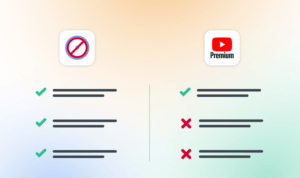
Poper Blocker vs. YouTube Premium
Use Poper Blocker to block YouTube ads everywhere
If you want a simplified way to cut down YouTube ads without paying a monthly fee, tweaking settings, or babysitting a blocker, Poper Blocker keeps things simple. It works across desktop and mobile, and it stays out of your way once it’s set up.
Block YouTube Ads on desktop
On desktop, Poper Blocker functions as a true YouTube ad blocker rather than a cosmetic fix. Instead of hiding banners or muting sections of the screen, it actively skips ads before they play. That includes pre-roll ads and mid-video interruptions.
When you press play, the extension detects ads and moves past them entirely. There is no countdown, no skip button, and no awkward pause in the middle of someone’s sentence. The video just starts. Or continues.
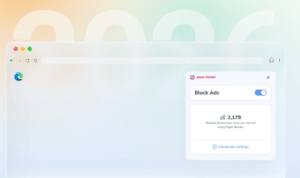
It runs automatically on Chrome and Edge, and there’s nothing to configure. Install the extension once, open YouTube, and play a video as usual. From that point on, ads are skipped without any extra steps.
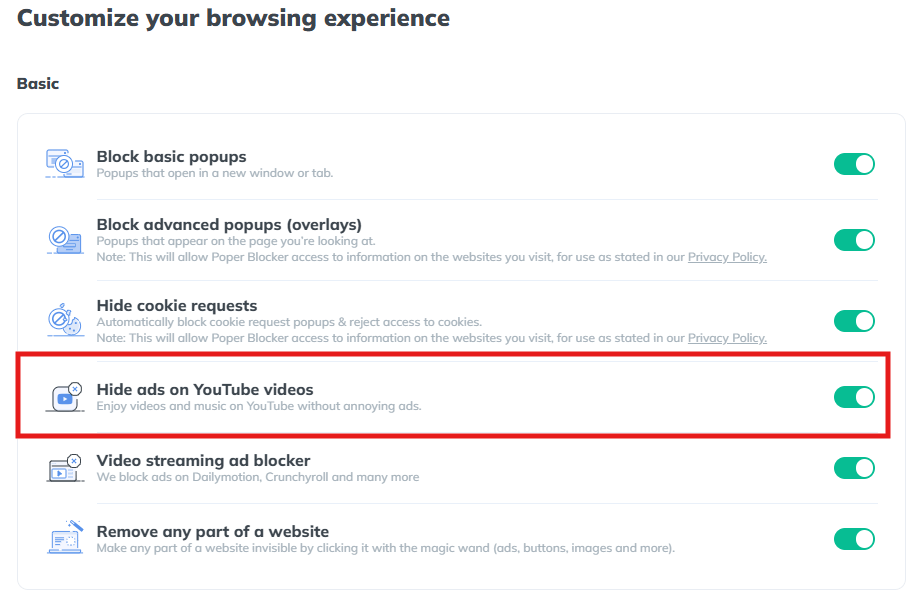
The process is deliberately boring in a good way. Install. Open YouTube. Click play. Ads disappear. You are not tapping buttons, refreshing pages, or adjusting filters every few days. The viewing experience feels closer to ad-free playback instead of a constant tug-of-war with interruptions.
Block YouTube ads on mobile
Mobile ad blocking often feels clunky, but the setup here is straightforward.
Poper Blocker is available on Google Play, the Samsung Galaxy Store, and on iOS.
To block YouTube ads on Android or iPhone, you use the built-in ad-free YouTube Player. Open the YouTube app, tap the Share button under a video, and choose Poper Blocker from the list. The video opens inside its own player, where most ads are removed automatically.
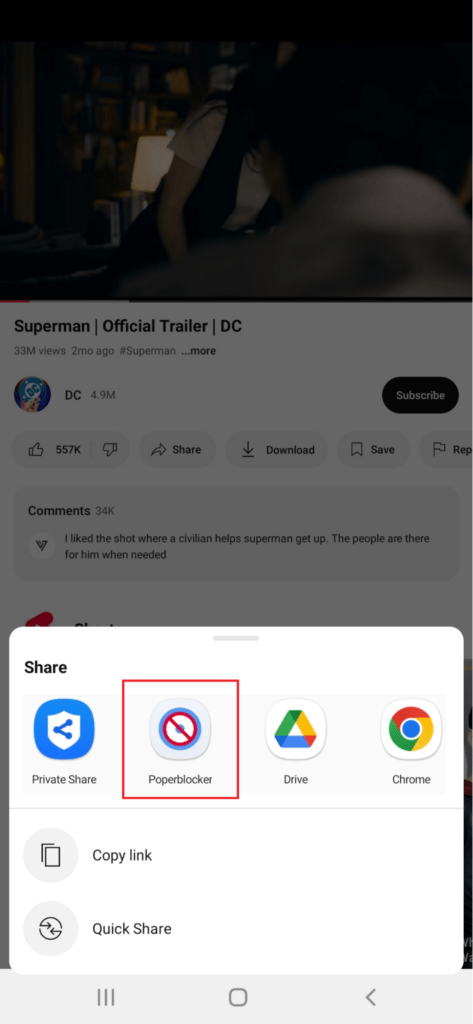
This method limits interruptions during playback and adds a few extras that standard YouTube does not always allow. You can keep audio playing in the background or continue listening with the screen off.
The main benefits are clear. Fewer breaks, smoother playback, background play, and screen-off listening. For anyone worn down by constant ad interruptions on mobile, this setup feels much closer to uninterrupted viewing than the default YouTube experience.
Watch YouTube without constant interruptions
YouTube ads are not going away anytime soon. If anything, there are more of them, they are longer, and they appear exactly when you do not want them. The good news is that you now know how to block YouTube ads across desktop and mobile without turning it into a technical project.
Whether you watch on Chrome, Edge, Android, or iPhone, there are effective but simple ways to cut interruptions down to a minimum. No complicated setup and no endless tweaking.
Install Poper Blocker and see how different YouTube feels when ads stop jumping in every few minutes.
FAQs
How do I stop ads on YouTube?
The most reliable way is to use a dedicated ad blocker that skips video ads during playback. On desktop, this usually runs in the background through a browser extension. On mobile, the experience is handled through a built-in player that cuts down interruptions, so videos play with far fewer breaks.
Why do I still see some ads occasionally?
YouTube changes how ads are delivered on a regular basis. Because of that, no tool or app catches every single format in real time. You might still see sponsored segments, creator shout-outs, or platform prompts that are baked into the video itself.
Does Poper Blocker block all types of YouTube ads?
It skips most video ads, including pre-roll, mid-roll, and post-roll formats. Promotions that are part of the video content, such as spoken sponsorships, sit outside the player and cannot be removed by any blocker.
Does this work on Chrome, Edge, Android, and iPhone?
Yes. On Chrome and Edge, it works through a browser extension. On Android and iOS, it uses an in-app YouTube player designed to reduce ad interruptions while watching.
Is it safe to use an ad blocker on YouTube?
Well-known blockers focus on skipping ads only. They do not read personal data, messages, or browsing history. Versions distributed through official app stores must also follow platform rules.
Will YouTube keep adding more ads?
Most signs point in that direction. As YouTube grows, ad placements tend to increase, which is why many viewers start looking for longer-term ways to watch without constant interruptions.