
 Chrome Web Extension
 Edge Web Extension
 Android App
 iOS App


What Is a Digital Footprint?
A digital footprint is similar to a virtual shadow, cast by the trail of data we leave online. It encompasses every interaction, transaction, and activity you engage in on the internet.
From social media posts and comments to online shopping habits and website visits, each action contributes to this ever-growing repository of personal data. This trail is not just a record of online activities; it’s a reflection of your personal and professional persona in the virtual world.
Check out these startling data:
- A significant 86% of individuals in the US have made efforts to remove or reduce their digital footprint on the internet (source: DataProt)
- A survey involving 2,000 individuals reveals that an average person shares 36% of their life online, content that remains accessible, potentially for decades after their passing (source: StudyFinds)
This footprint can impact privacy, security, and even job prospects. How can you effectively erase it?
The Challenge of Leaving No Trace Online
Today’s online environment ensures that our actions leave a lasting mark. Every tweet, every photo upload, and every online comment becomes a part of this footprint, painting a picture of who you are to anyone who might search for you online.
For those concerned about privacy and security, managing this footprint is essential. This guide provides a comprehensive approach to reducing your online presence, with a special focus on the Poper Blocker browser extension, a vital tool in this process.
Benefits of Having a Clean Digital Footprint
Enhanced Online Privacy
A clean digital footprint significantly boosts your online privacy. By limiting the information available about you online, you reduce the risk of identity theft and cyber fraud. This careful management of personal data ensures that sensitive information remains secure from unauthorized access.
Positive Professional Impression
Your online presence often serves as the first impression for potential employers. A clean digital footprint, devoid of inappropriate content, can enhance your job prospects. It reflects a professional image, increasing your attractiveness as a candidate and potentially opening doors to new career opportunities.
Improved Mental Well-being
Maintaining a minimal digital footprint can lead to better mental health. It alleviates the stress and anxiety associated with constant online exposure and social media pressures. This approach fosters a healthier balance between your digital interactions and real-life experiences, contributing to overall well-being.
Control Over Personal Narrative
A well-managed digital footprint allows you to control how you are perceived online. It ensures that the information available is current, accurate, and truly reflective of your present self. This control is crucial in shaping your personal and professional identity in a way that aligns with your goals and values.
Can Our Digital Footprint Really Be Removed?
Completely erasing your online presence is a daunting task, but significant reduction and management are achievable goals. Proactive and consistent efforts are key to maintaining a minimal digital footprint. Regularly reviewing and managing your online data helps keep your online presence under control.
How to Remove Your Digital Footprint
Managing your online presence effectively requires a strategic approach. Here’s a detailed breakdown of each step on how to erase your internet footprint:
1. Find Places You Are Mentioned Online
The first step in controlling your online footprint is to understand its current state. Conduct a thorough search of your name on various search engines. This will reveal where your information is publicly available, be it on:
- Social media platforms
- Forums
- Other websites
Pay close attention to the information displayed and note down the URLs where your personal data appears. This step is crucial for identifying areas that need attention.
2. Delete and Deactivate Social and Any Other Accounts You Opened Online
Over the years, you likely have created accounts on various platforms that you no longer use. These dormant accounts can be a source of personal data leakage. To remove digital footprints, start by listing all the accounts you remember creating, then use your email to search for sign-up confirmations or welcome messages for any you might have forgotten.
Once identified, visit each site and follow the process to deactivate or delete your account. Remember, deactivation might not remove your data permanently, so opt for deletion where possible.
3. Adjust Your Browser’s Privacy Settings
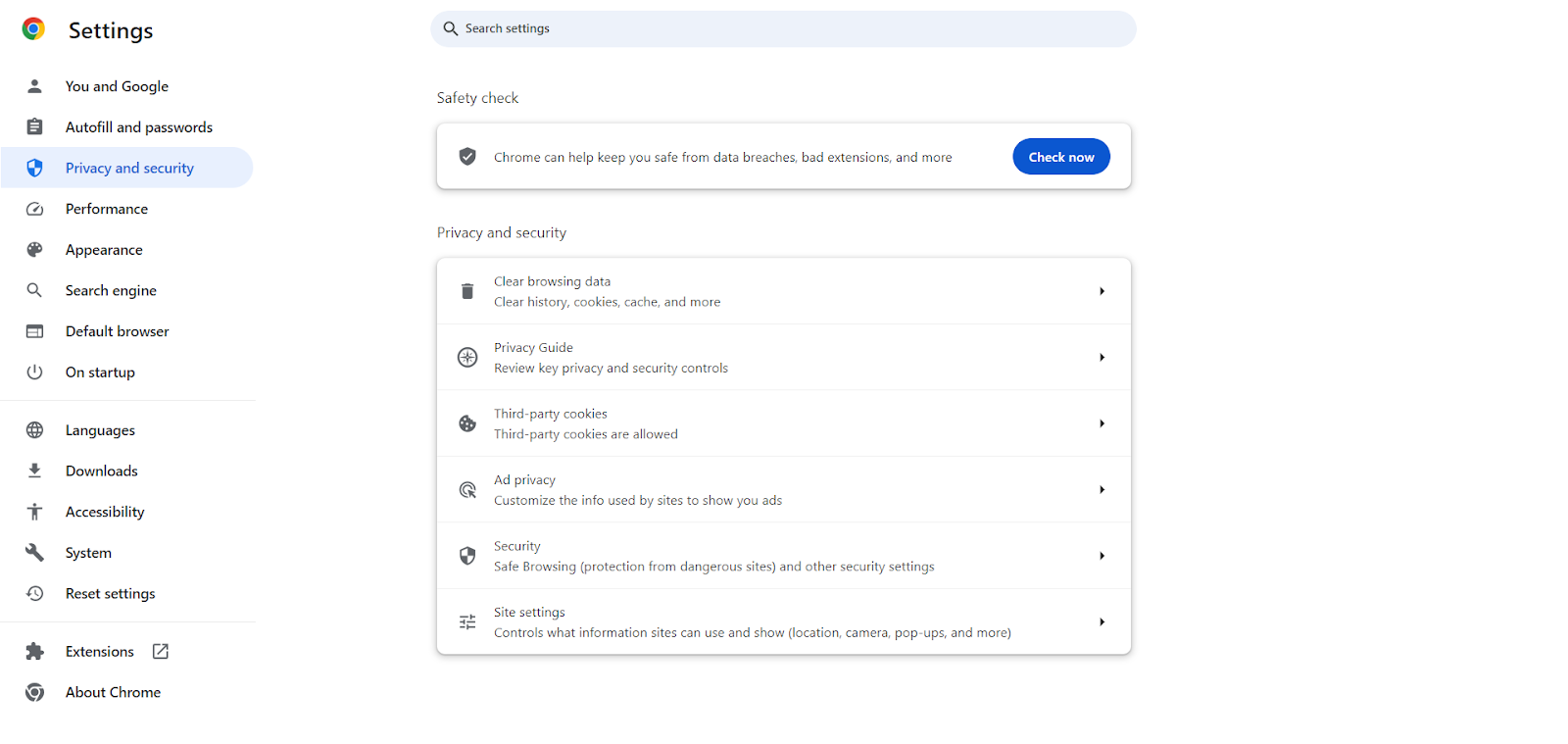
Your web browser is a gateway to your online activities, and it often collects a significant amount of information about you. Adjusting your browser’s privacy settings is a critical step in minimizing and erasing your digital footprint.
On Chrome, enable ‘Do Not Track’ requests, disable third-party cookies, and regularly clear your browsing history and cache. Consider using privacy-focused browsers or extensions that offer enhanced features to protect your privacy online.
4. Ask Google to Remove Search Results About You (Right to Be Forgotten)
When pondering the question “what does Google know about me?”, you might be astonished at the extent of information it holds, especially evident when you search for yourself online. In certain regions, you possess the legal right to ask for the removal of your personal data from search engine results, a privilege commonly referred to as the Right to be Forgotten.
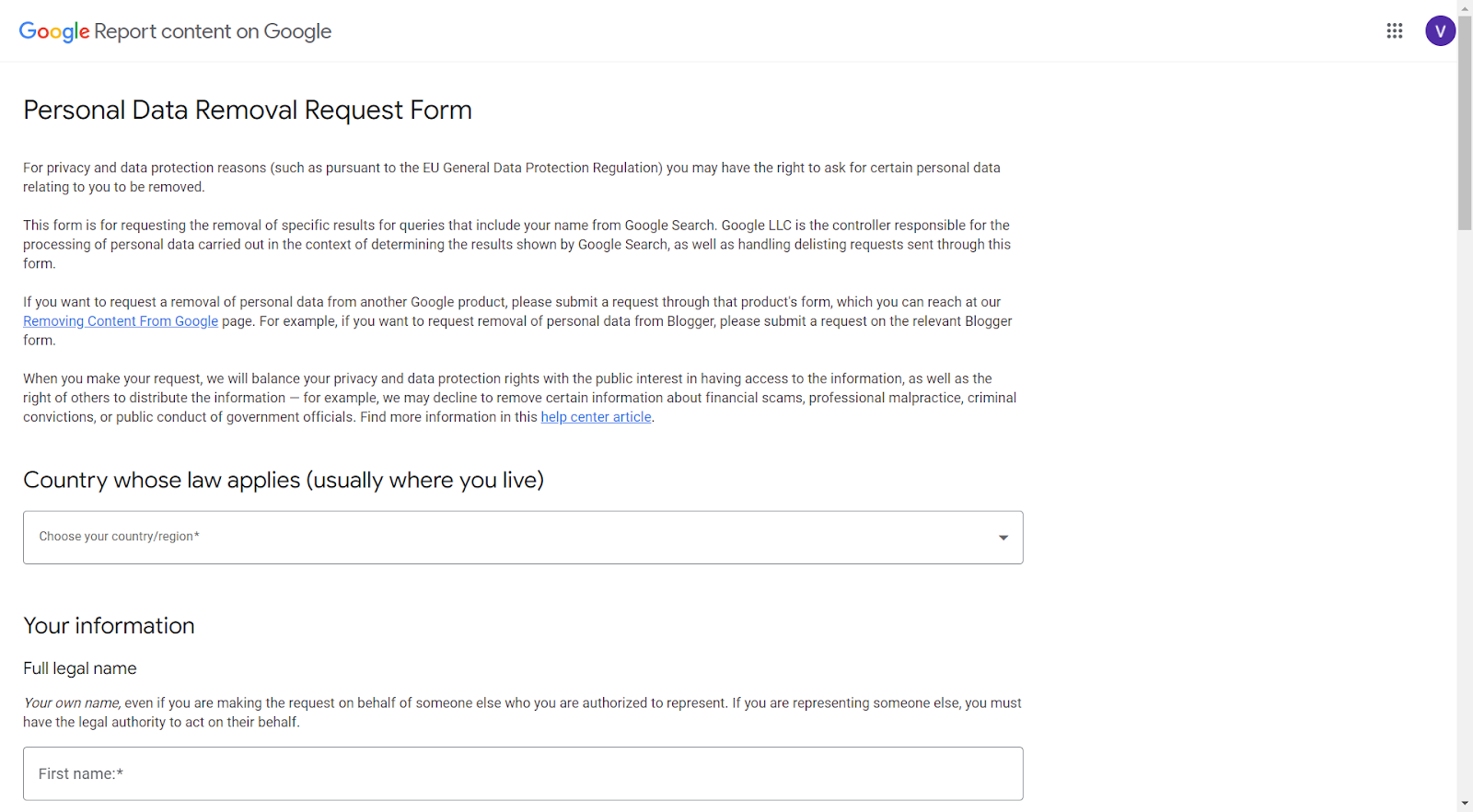
If outdated or irrelevant information about you appears in search results, you can file a request with the search engine provider to have it removed. While this process doesn’t erase the information from the internet, it makes it less accessible.
To request the removal of specific search results associated with your name from Google, you need to complete the Personal Data Removal Request Form. Here’s what you should include in your request:
- URL(s) of the Content: List the exact URL(s) of the content you wish to have removed from Google’s search results.
- Content Description and Relation to You: Provide a detailed explanation of the content at each URL and how it pertains to you. Explain why this content should be removed from Google’s search listings.
- Specific Search Query: Mention the search term, such as your full name, under which this content appears. If applicable, you can also request the removal of content that appears under alternate names or nicknames.
- Contact Email Address: Include an email address where Google can contact you for any follow-up or clarification regarding your request.
5. Manage the Location Settings on Your Phone
Smartphones constantly collect and transmit location data. To minimize this aspect of your digital footprint, scrutinize the location settings on your phone. Review the permissions for each app and disable location access for those that don’t need it to function. Also, consider turning off location services when they are not in use.
6. Use a VPN
A Virtual Private Network (VPN) is a powerful tool for maintaining anonymity online. It masks your IP address and encrypts your internet connection, making your online activities more private. Use a VPN whenever you are online, especially when connected to public Wi-Fi networks, to protect your data from prying eyes.
Read More: Do VPNs Block Ads?
7. Block Trackers via Poper Blocker
Trackers collect data about your online behavior, compromising your privacy. Poper Blocker can protect your privacy with its tracker blocker feature. This not only enhances your privacy but also contributes to faster website loading times.
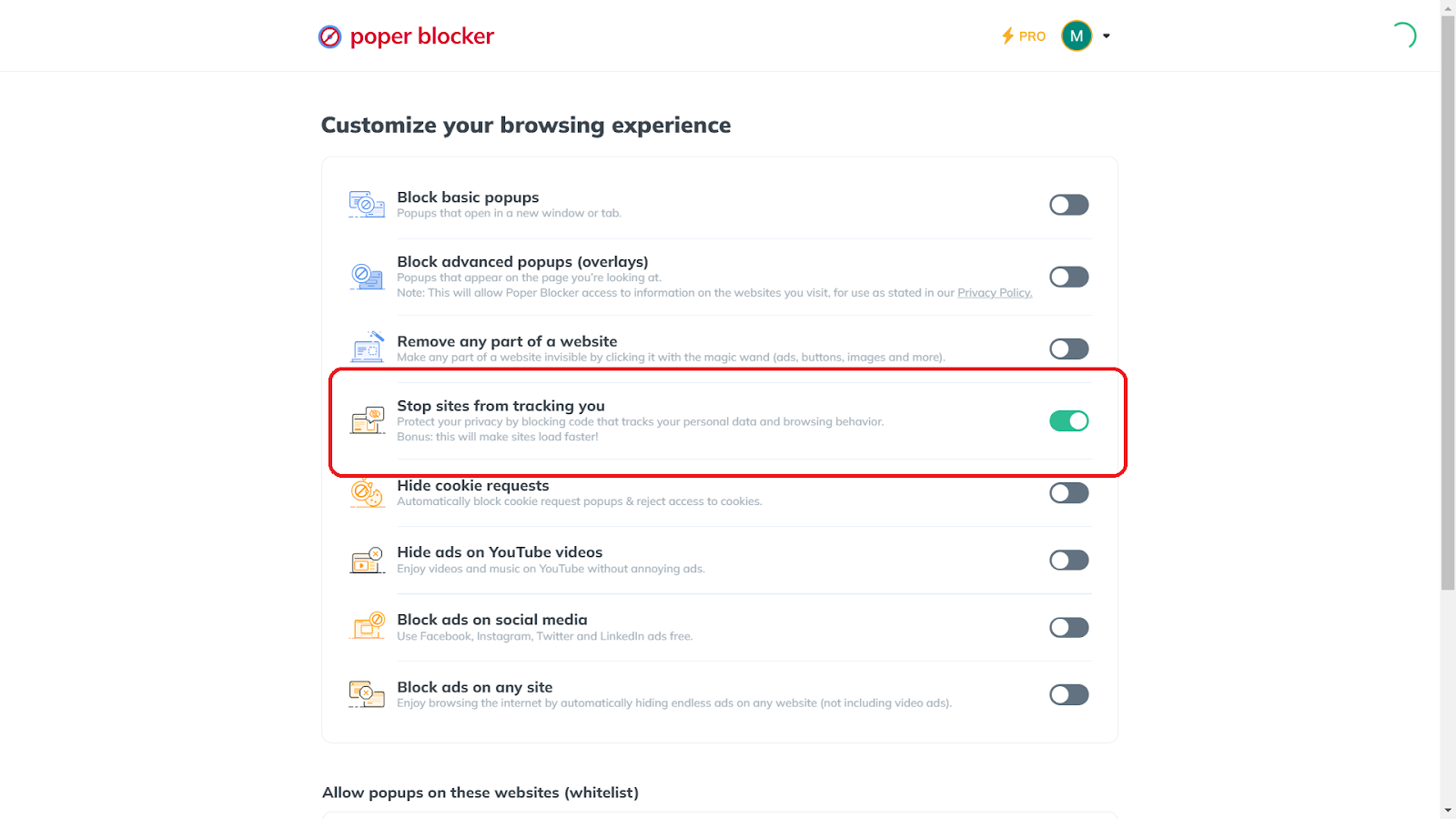
To activate this feature, open Poper Blocker, go to Advanced Settings, and enable “Stop sites from tracking you.”
8. Block Cookie Consent Messages with Poper Blocker
Websites use various types of cookies to track your online activities and preferences. Poper Blocker can automatically block cookie consent popups and reject access to cookies, further safeguarding your online privacy.
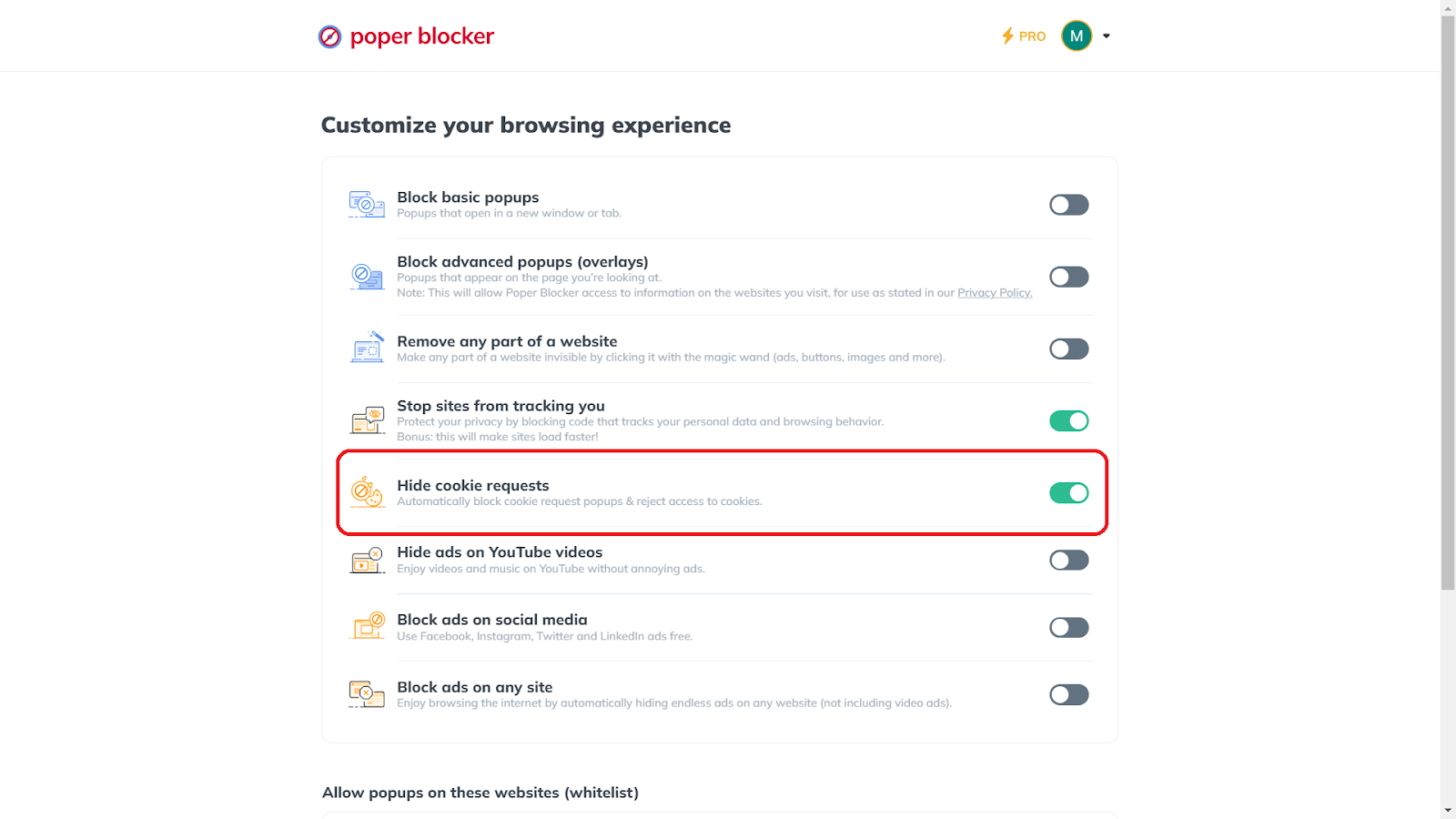
To use this cookie-blocking feature, open Poper Blocker, navigate to Advanced Settings, and turn on “Hide cookie requests.”
9. Block Ads and Pop-Ups Using Poper Blocker
Ads and pop-ups are not only annoying but can also be a source of web tracking and malware. Poper Blocker efficiently blocks these ad-tracking tactics, enhancing both your privacy and browsing experience. It has the power to block pop-ups, which can be in basic and advanced forms.
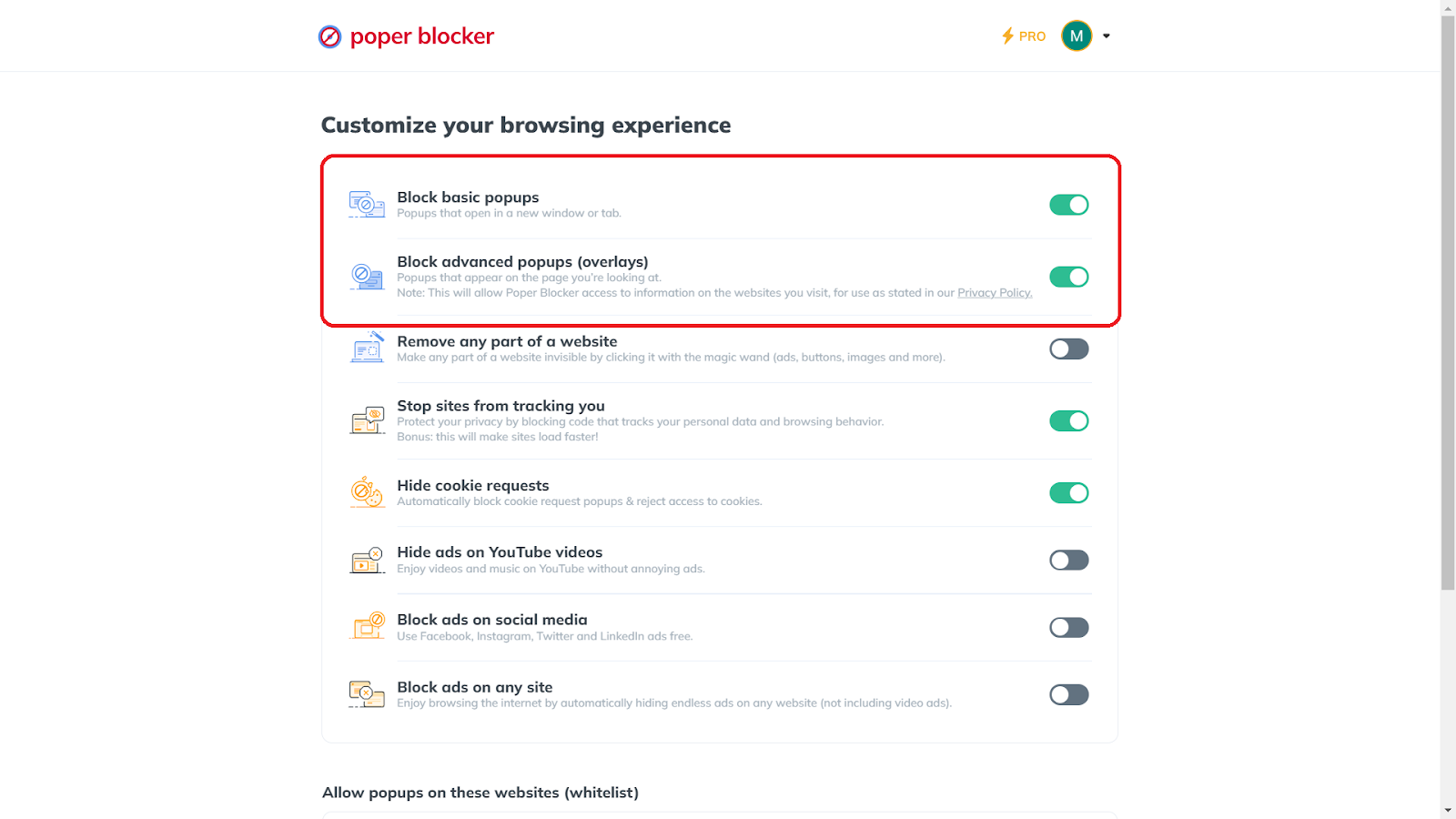
To activate this ad blocker feature, open the app, click on Advanced Settings, and enable “Block basic popups” and “Block advanced popups (overlays)” for comprehensive protection.
Erase your tracks online – Make Poper Blocker your browsing partner
Mastering Your Digital Footprint: A Final Word
Managing your digital footprint is an ongoing process that demands vigilance and proactive steps. By regularly auditing your online presence, utilizing tools like Poper Blocker, and being mindful of your online activities, you can significantly reduce your footprint. This not only safeguards your personal information but also shapes how you are perceived in the virtual world.
Remember: The key to a secure online experience lies in your hands. Every action you take towards minimizing your digital footprint is a step towards a safer, more private online life. Take control of your online narrative today, ensuring it reflects the best version of yourself.
Reduce your online footprint effortlessly – Poper Blocker is the solution
FAQs
What is the impact of a digital footprint on personal security?
Your digital footprint can significantly impact your personal security. Every piece of information you leave online can potentially be accessed by cybercriminals. This data can be used for identity theft, phishing scams, or even physical threats. By managing your digital footprint, you reduce the risk of your personal information being misused.
How often should I audit my digital footprint?
Regular audits of your digital footprint are crucial. Ideally, conduct a thorough check every three to six months. This includes reviewing your social media posts, checking privacy settings, and ensuring that no sensitive personal information is publicly available. Frequent audits help you stay on top of any changes and address potential privacy concerns promptly.
Can deleting social media posts retroactively improve my digital footprint?
Yes, deleting old social media posts can positively impact your digital footprint. It helps in removing outdated or potentially harmful content that doesn’t represent your current views or status. However, remember that some content might have been shared or saved by others, so it’s best to be cautious about what you post online from the start.
What are the risks of not managing my digital footprint?
Neglecting your digital footprint can lead to several risks, including compromised privacy, increased susceptibility to cyberattacks, and potential damage to your reputation. Unmanaged footprints can also affect your professional opportunities, as many employers review online profiles as part of their hiring process.
How effective are browser extensions like Poper Blocker in maintaining digital privacy?
Browser extensions like Poper Blocker play a significant role in enhancing digital privacy. They help by blocking unwanted ads, preventing trackers from monitoring your online activities, and automatically rejecting cookie requests. These features contribute to minimizing your online presence and protecting your personal data from being collected and misused.
Start your journey to digital anonymity – Install Poper Blocker now
The Ad-Free Edge Experience: Why It Matters
On the web, ads are everywhere. They can be distracting, intrusive, and sometimes, a gateway to malware. But what if you could browse the web on Microsoft Edge without these annoyances?
Imagine an ad-free experience where your focus remains undisturbed, and your online journey is safer. Isn’t that an internet experience worth striving for?
Why Microsoft Edge?
1. A Growing Force in the Browser Market
Microsoft Edge has quickly risen as a major player in the browser market, achieving a significant global market share. Recent browser market share data from Similarweb places it right after Chrome, surpassing browsers like Safari, Firefox, and Opera in popularity.
Furthermore, with its integration into the widely-used Windows platform, the Microsoft Edge browser has amassed nearly 286 million users, as reported by MSPoweruser.
This rise in prominence reflects its growing appeal among users who prioritize quick, secure, and efficient web browsing. The expanding community of Edge users highlights the browser’s dependability and the favorable response it garners from those who use it.
2. Enhanced User Experience
Edge is recognized for its user-friendly interface, featuring a clean and intuitive design complemented by a range of features that enhance user interaction. The browser’s layout is designed for simplicity and efficiency, facilitating easy navigation for all users, regardless of their technical expertise.
This emphasis on a seamless user experience is key to Edge’s appeal, as it effectively caters to a diverse audience with varying technological skills.
3. High-Performance Browsing
Performance is a key factor in Edge’s popularity. Built on the Chromium engine, it offers fast loading times and smooth performance, even with multiple tabs open. This efficiency is crucial for users who multitask or require a browser capable of handling extensive browsing activities without lag or slowdowns.
4. Advanced Security Features
Security is paramount in today’s online environment, and Edge addresses this with robust security features. It includes enhanced protection against phishing and malware, safeguarding users’ data and privacy. These security measures are continuously updated to combat new threats, providing users with peace of mind as they navigate the web.
5. Compatibility and Extension Support
Edge’s compatibility with a wide range of web standards and its support for Chrome extensions make it a versatile choice for users. This compatibility ensures that websites and applications run smoothly, and the extensive library of available extensions allows users to customize their browsing experience to suit their individual needs and preferences.
Built-in Ad & Pop-up Blocking Features of Microsoft Edge
Microsoft Edge, with its built-in ad and pop-up blocking capabilities, offers users an initial layer of defense against intrusive online advertisements. These native features are designed to enhance user experience by having the ability to block distractions and minimize potential security risks posed by unwanted ads and pop-ups.
1. Activate the Pop-up Blocker
Edge’s popup blocker is a fundamental tool in the fight against intrusive ads. To activate it, navigate to the browser settings, specifically under “Privacy, search, and services”. Here, you’ll find the option to toggle on the pop-up blocker.
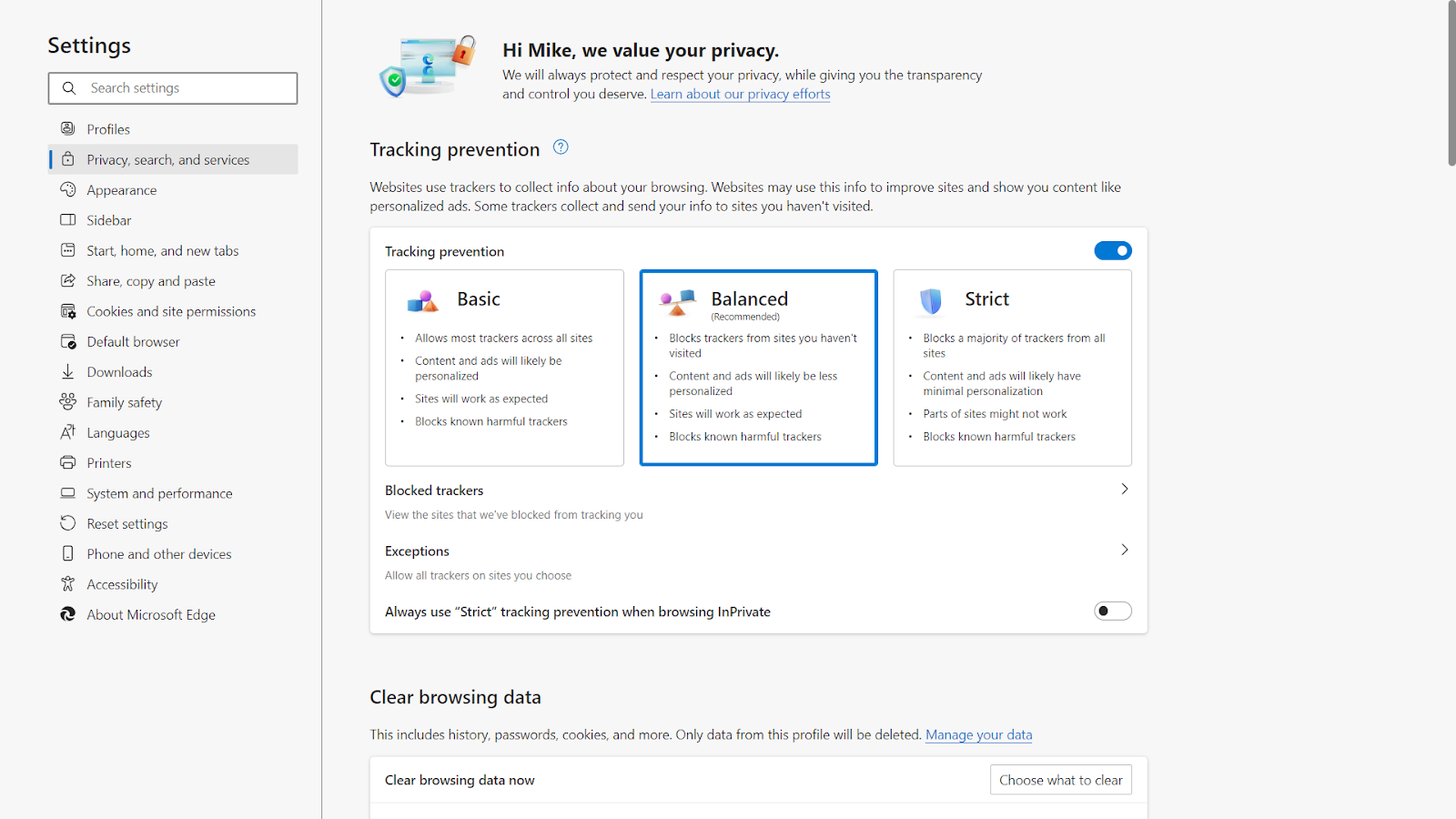
This feature prevents new windows or tabs from opening automatically, which are often used by advertisers to display pop-ups. It’s a straightforward yet effective way to maintain a cleaner browsing space.
2. Adjust the Tracking Prevention
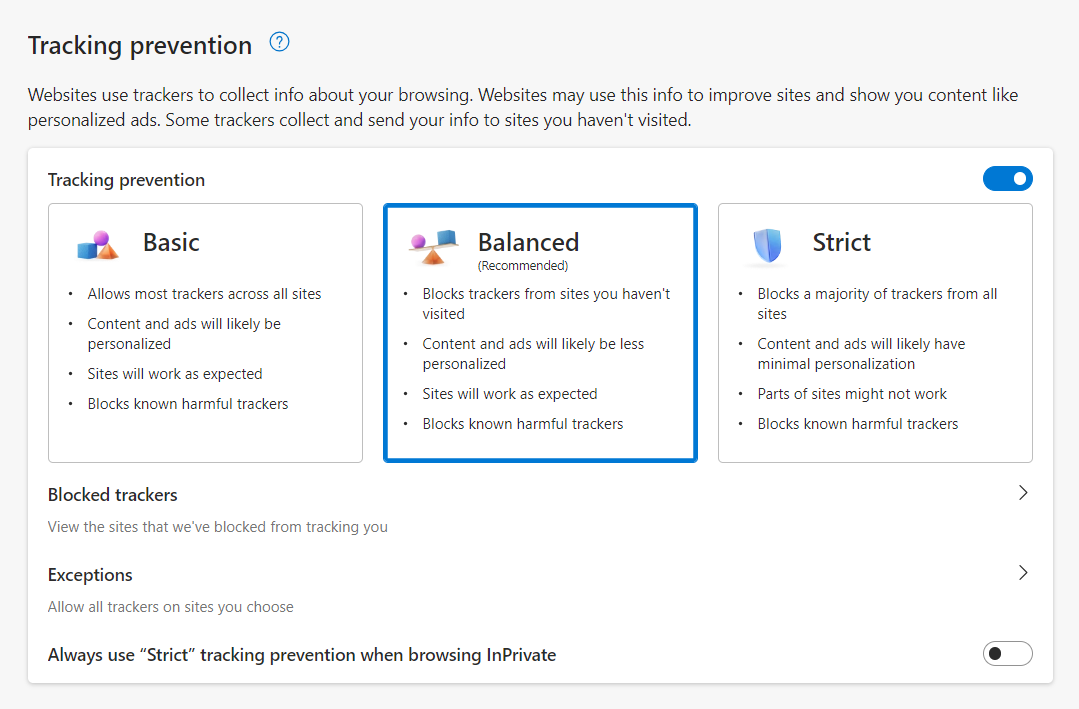
Another significant feature of Edge is its tracking prevention capability. This function not only blocks certain types of ads but also prevents trackers from monitoring your online activities. By default, Edge offers different levels of tracking prevention:
- Basic
- Balanced
- Strict
Each level provides a varying degree of protection against trackers, with the Strict setting offering the most comprehensive defense. Users can customize this setting based on their privacy preferences and browsing needs.
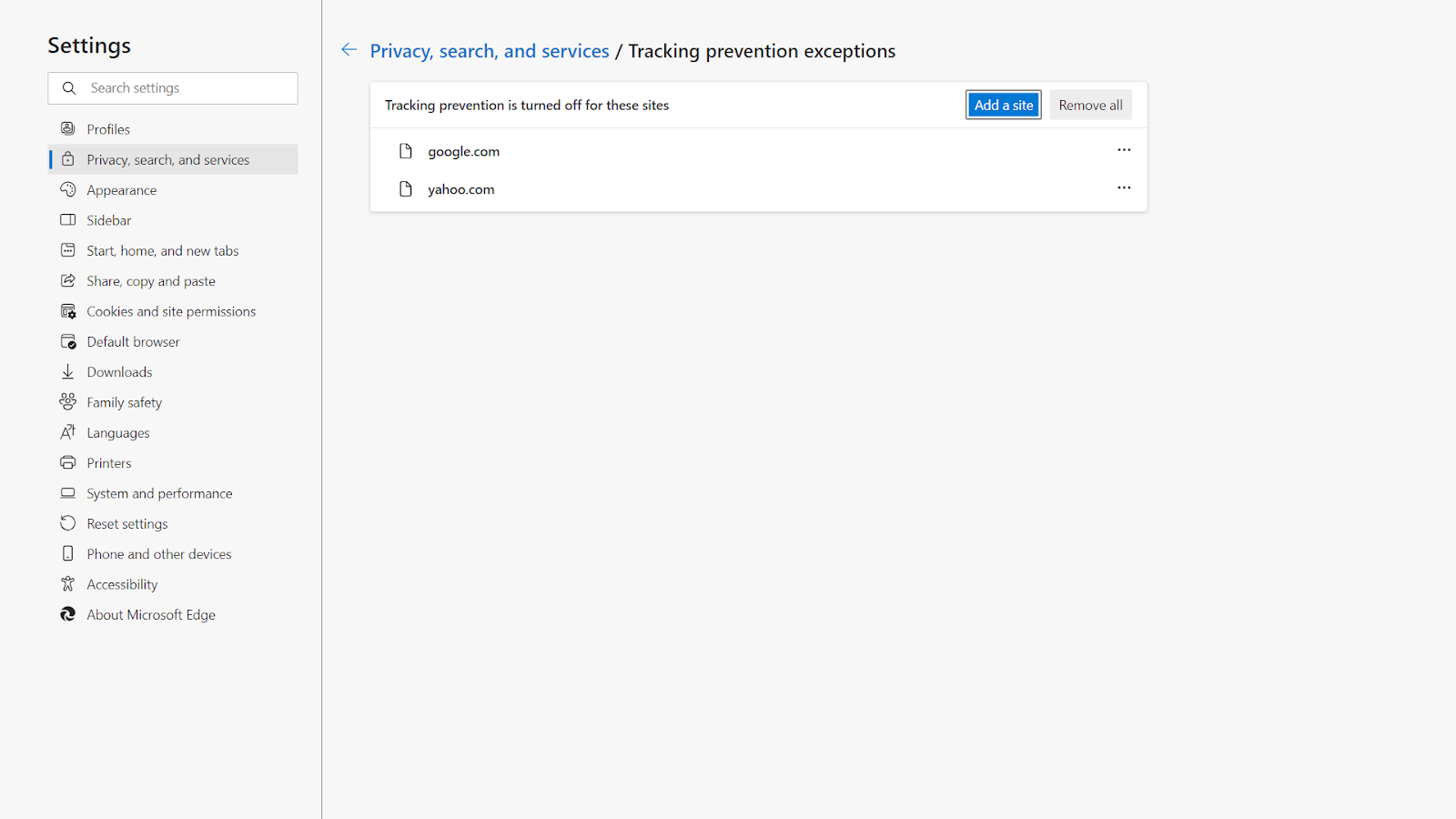
3. Manage the Exceptions
Edge allows users to manage exceptions in ad blocking. This means you can choose to allow ads and pop-ups on specific websites that you trust or require them for full functionality. This feature is particularly useful for sites that rely on pop-ups for essential services or user interactions.
4. Configure the Site Permissions
Within the browser settings, Edge provides a section dedicated to site permissions. This area allows users to fine-tune their control over what content is allowed or blocked on specific websites.
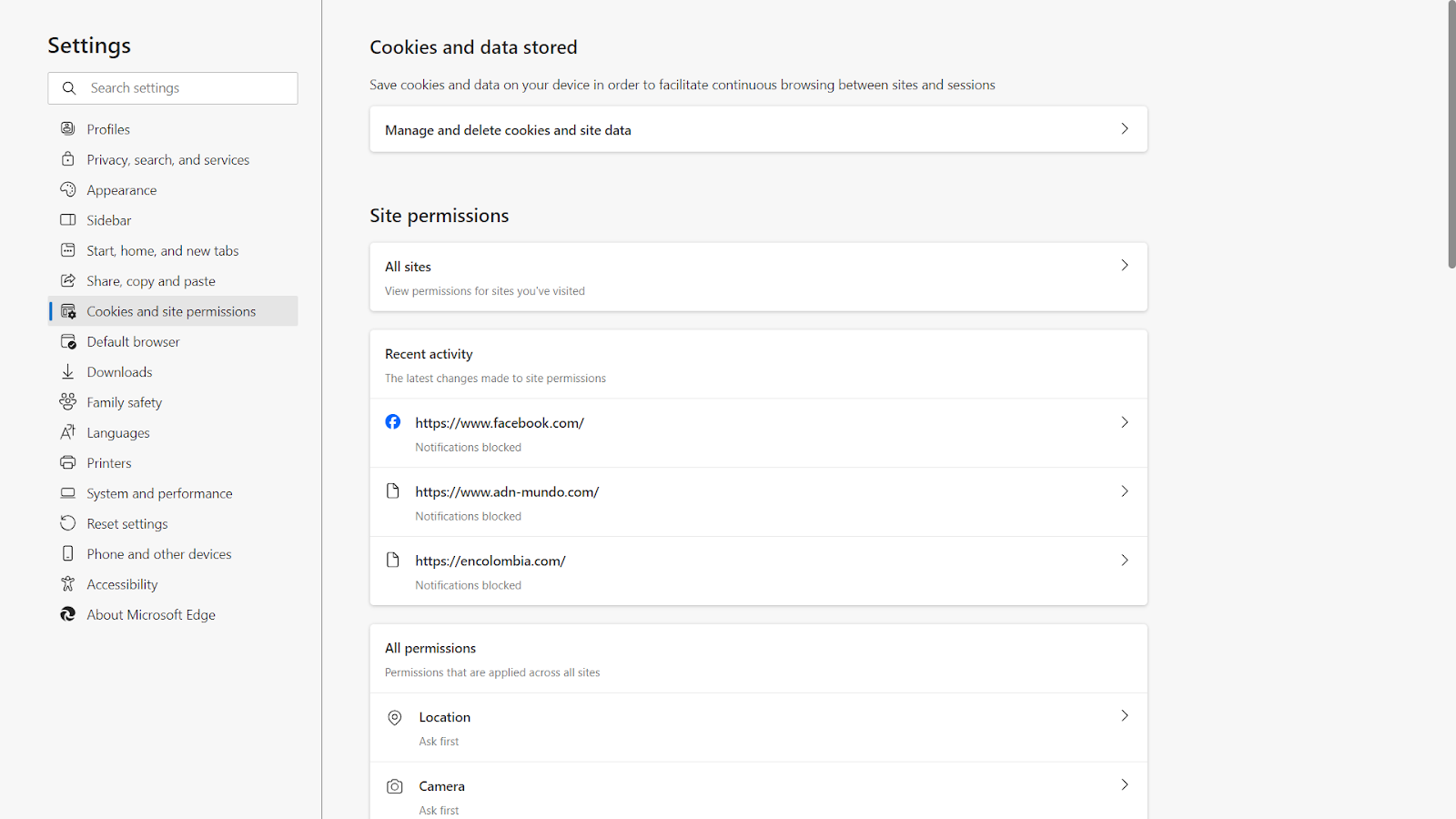
Users can set permissions for cookies, images, JavaScript, and more, giving them a higher degree of control over their browsing experience.
How to Block Pop-up Ads on Edge Browser Using Poper Blocker
1. Install Poper Blocker
The first step in transforming your Microsoft Edge browsing experience is to install Poper Blocker. This process is straightforward and user-friendly. Simply visit the Poper Blocker website or the Microsoft Edge Add-ons store.
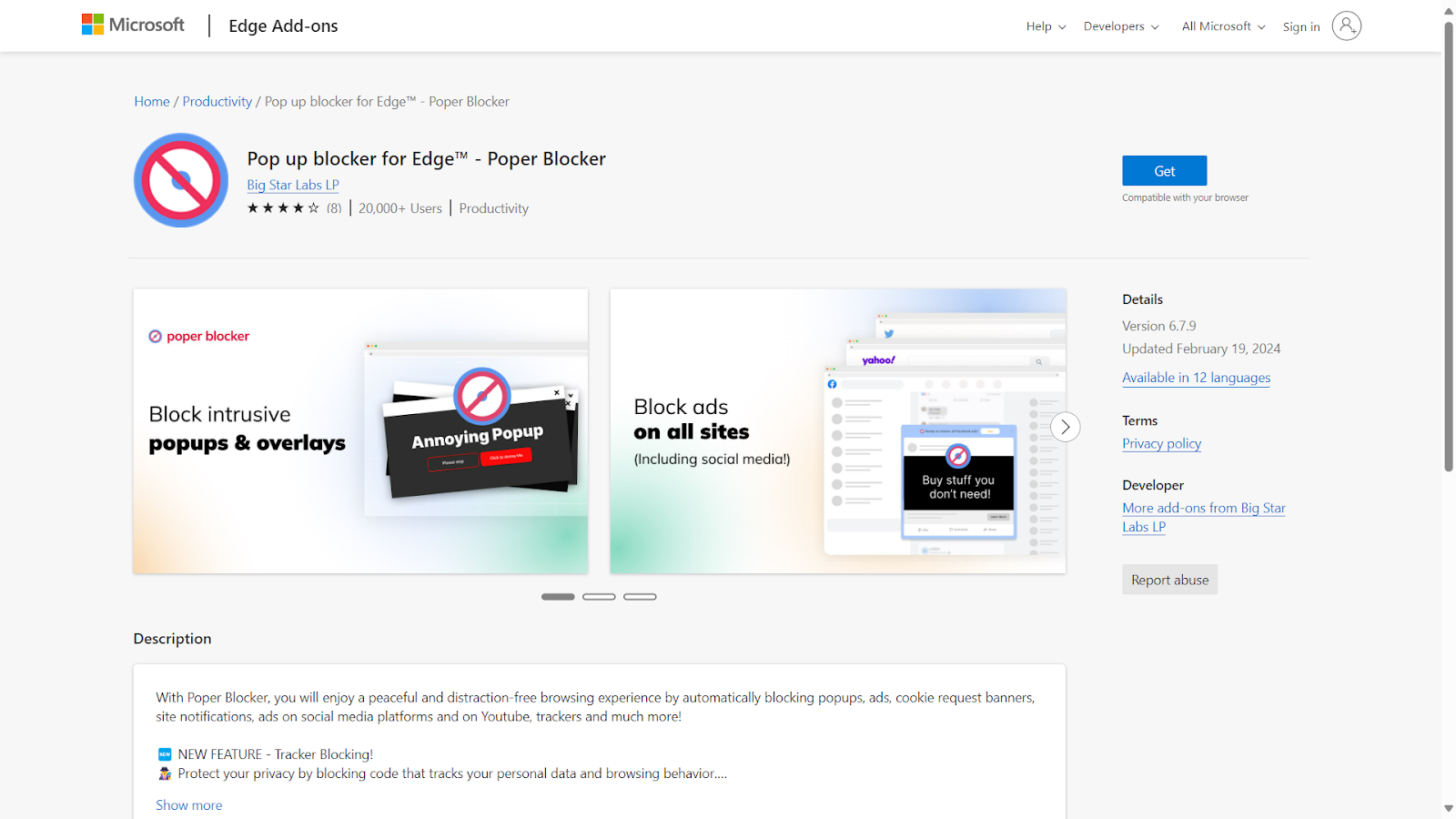
Click on the ‘Get’ or ‘Add to Edge’ button, and the extension will seamlessly integrate with your browser. This initial step is crucial as it lays the foundation for an enhanced, ad-free browsing environment.
2. Create an Account with Poper Blocker
Once Poper Blocker is installed, the next step is to create an account. This is a quick process that unlocks the full potential of this popup blocker. By creating an account, you gain access to advanced features and customization options.
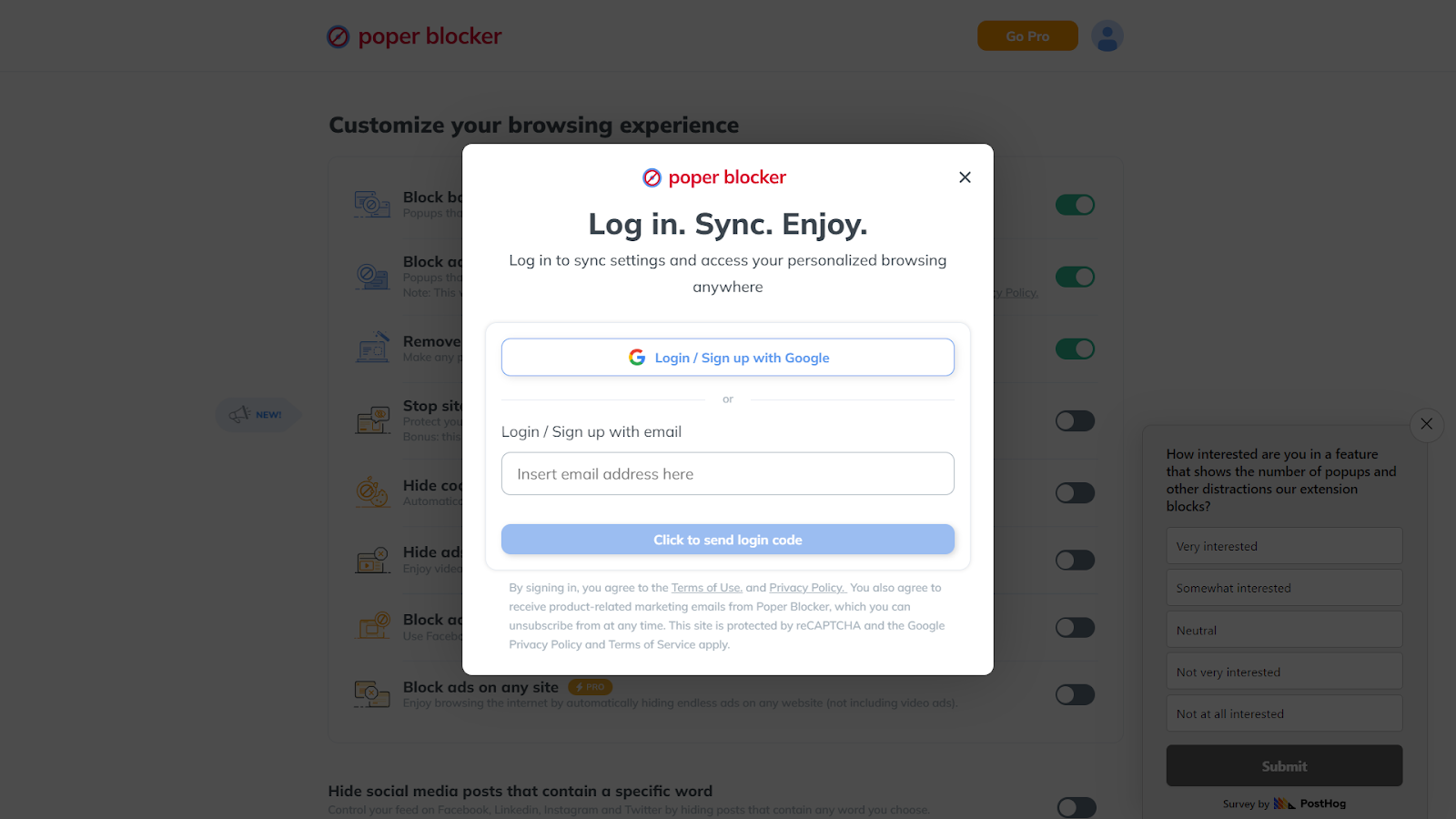
This personalization allows you to tailor the ad-blocking experience to your specific needs and preferences, ensuring that your browsing is as efficient and enjoyable as possible.
3. Launch the App and Navigating to Advanced Settings
After setting up your account, open the Poper Blocker app within Edge. Here, you’ll find a user-friendly interface where you can navigate to the ‘Advanced Settings.’
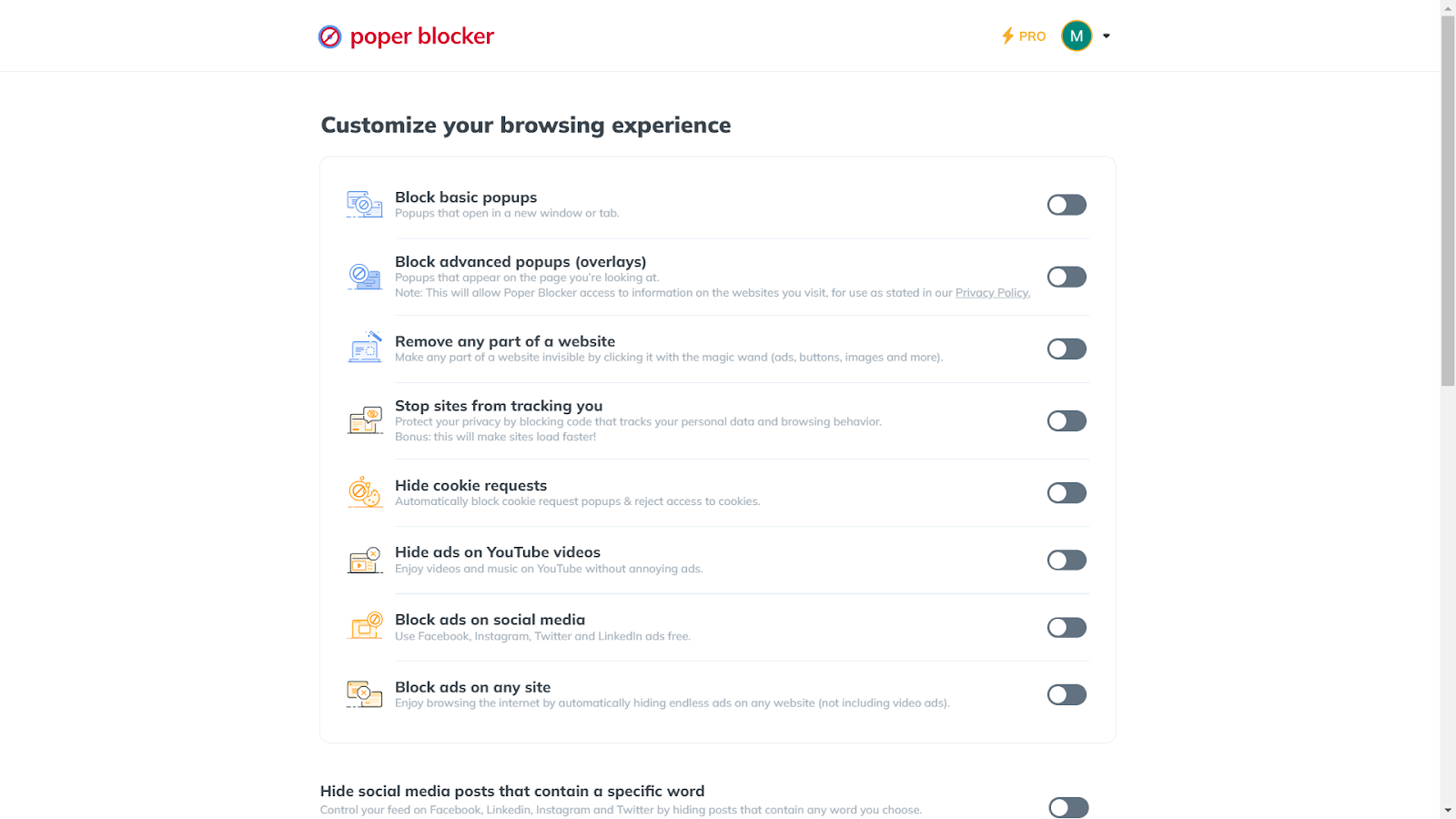
This section is where the magic happens. You have the power to adjust the settings of the ad blocker to suit your browsing habits, giving you control over what gets blocked and what doesn’t.
4. Activate the Ad Blocking Features
In the Advanced Settings, you’ll find options to enable different levels of ad blocking. The ‘Block basic popups’ feature is essential for stopping pop-ups that open in new windows or tabs. For a more comprehensive blocking experience, turn on ‘Block advanced popups (overlays).’
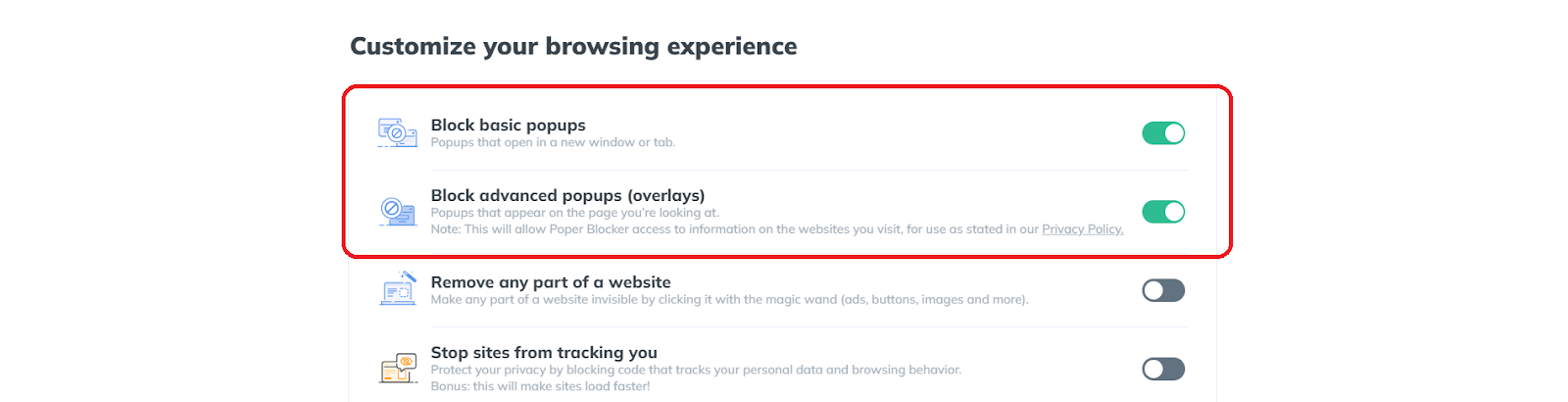
This feature is particularly effective at blocking those pesky pop-ups that appear over the page you’re currently viewing, providing a cleaner and more uninterrupted browsing experience.
5. Tailor Your Experience
Poper Blocker’s strength lies in its flexibility. You can choose to block all ads and pop-ups or customize the settings to allow certain types of content.

This means that if there are websites where you don’t mind seeing ads or require pop-ups for functionality, you can easily adjust the settings to accommodate these preferences. In fact, you can even block pop-up ads on streaming sites and social media as well.
A New Chapter in Browsing with Microsoft Edge
Adopting the ad-free capabilities of Microsoft Edge, enhanced by tools like Poper Blocker, signifies a major change in your online interactions. This move goes beyond just avoiding the irritation of pop-ups and banners; it’s a deliberate choice for a more focused and streamlined web experience. With the power to block unwanted ads and pop-ups, you gain not only speed and clarity but also an additional layer of privacy and security.
The path to a cleaner, more efficient browsing environment is both simple and rewarding. By enhancing Microsoft Edge with these effective ad-blocking tools, you’re not merely customizing a browser; you’re elevating your entire online experience. It’s a decision that underscores a commitment to quality, safety, and an uninterrupted digital lifestyle.
Looking to block ads on Chrome?
Read – How to Block Ads on Chrome: Effective Strategies
Transform Edge into an ad-free zone – Get Poper Blocker now!
FAQs
Can ad blockers speed up my browsing on Edge?
Absolutely! Ad blockers play a crucial role in enhancing browsing speed. By filtering out ads, these tools reduce the amount of data loaded on each page, resulting in quicker load times and a smoother browsing experience. This efficiency is particularly noticeable on websites heavy with advertisements, where ad blockers can significantly cut down on digital clutter and loading delays.
Are there any risks to using ad blockers on Edge?
Generally, ad blockers are safe, especially when sourced from reputable providers. However, caution is advised. A small number of them might have security vulnerabilities or privacy concerns. It’s essential to research and choose an ad blocker known for its reliability and commitment to user safety. Reading user reviews and checking the credibility of the developer can guide you in selecting a secure ad blocker.
Can I customize ad-blocking settings on Edge?
Yes, customization is a key feature of most ad blockers for Edge. These tools often allow you to tailor their functionality to your browsing habits. You can choose to block all ads or select specific types of ads to filter. Additionally, one of the benefits of using an ad blocker is that you’ll have the option to whitelist your favorite websites, ensuring that you continue to support the sites you trust and enjoy while blocking ads elsewhere.
Do ad blockers on Edge block all types of ads?
Most ad blockers like Popoer Blocker are quite effective at filtering a wide range of advertisements, including pop-ups, banners, and video ads. However, some sophisticated or non-standard ads might occasionally bypass these filters. Ad blockers are continually updated to address new types of ads, ensuring a high level of effectiveness over time.
Will using an ad blocker on Edge affect website functionality?
In some instances, ad blockers may inadvertently block elements that are crucial for website functionality. This can lead to issues like broken web pages or disabled features. However, this is not a common occurrence and can often be resolved by adjusting the settings of your extension or app. Most ad blockers allow you to disable blocking for specific sites, ensuring that you can fully access and enjoy websites that might have compatibility issues with ad blocking.
According to a HubSpot study, a significant 73% of consumers express a dislike for online pop-up ads. While this sentiment may not be surprising, the persistence of these ads in the digital landscape is noteworthy. As reported by OptiMonk, pop-up ads maintain an average conversion rate of 11%, with the most effective ones achieving a remarkable 42% conversion rate.
This stark contrast highlights the ongoing relevance and impact of pop-up advertising in the online world. These unexpected digital guests often disrupt our online activities, leading to frustration and decreased productivity. So how can you stop pop-up ads, and can they truly be blocked? Continue reading to discover the answer.
Why Block Pop-up Ads?
1. Eliminating Unwanted Interruptions
Pop-up ads are more than a minor annoyance; they are a significant disruption to your online activities. These ads can appear unexpectedly, interrupting your workflow or leisurely browsing. They often cover essential content on the screen, forcing you to pause and find a way to close them. This constant interruption not only hampers productivity but also detracts from the overall enjoyment of your online experience.
2. Safeguarding Against Security Risks
Beyond being a source of irritation, pop-up ads can pose serious security risks. Some of these ads are designed to mislead users into downloading malware or falling victim to phishing scams. Clicking on a seemingly harmless pop-up could inadvertently lead to the installation of harmful software that compromises your device’s security and your personal information. Blocking pop-ups is a proactive step in safeguarding your online security.
3. Improved Page Loading Speed
Pop-up ads consume additional data and can slow down page loading times. This is particularly noticeable on websites with multiple pop-ups or devices with limited processing power. By blocking these ads, you can enjoy faster browsing speeds, making your online experience smoother and more efficient.
4. Enhanced User Experience
Websites cluttered with pop-up ads can be visually overwhelming and detract from the content you’re trying to access. Blocking distractions brought by these ads leads to a cleaner, more organized display of information, allowing you to focus on the content that matters to you without constant annoyances.
5. Reduced Data Usage
For users with limited data plans, pop-up ads can be a hidden drain on data resources. These ads, especially those with multimedia elements, can consume a significant amount of data. Blocking them helps conserve your data usage, which is particularly beneficial when browsing on mobile devices or in areas with limited connectivity.
6. Protecting Children from Inappropriate Content
Pop-up ads don’t discriminate in their audience. When children are using the internet, they can be exposed to inappropriate or harmful content through these ads. Blocking pop-ups helps create a safer online environment for children, ensuring that they are not exposed to content that is not age-appropriate.
How Do I Stop Pop-up Ads with Poper Blocker?
Poper Blocker is an exceptional solution for those wondering how to stop pop-up adverts. This browser extension, effortlessly downloadable and installable, empowers you to swiftly block those pesky ads. Here’s a quick guide on how to harness the capabilities of this popup blocker:
1. Install the Poper Blocker Browser Extension
Initiating your journey towards a pop-up-free browsing experience begins with a simple installation of the Poper Blocker extension. This process is straightforward and user-friendly, ensuring that even those not tech-savvy can easily enhance their browsing experience.
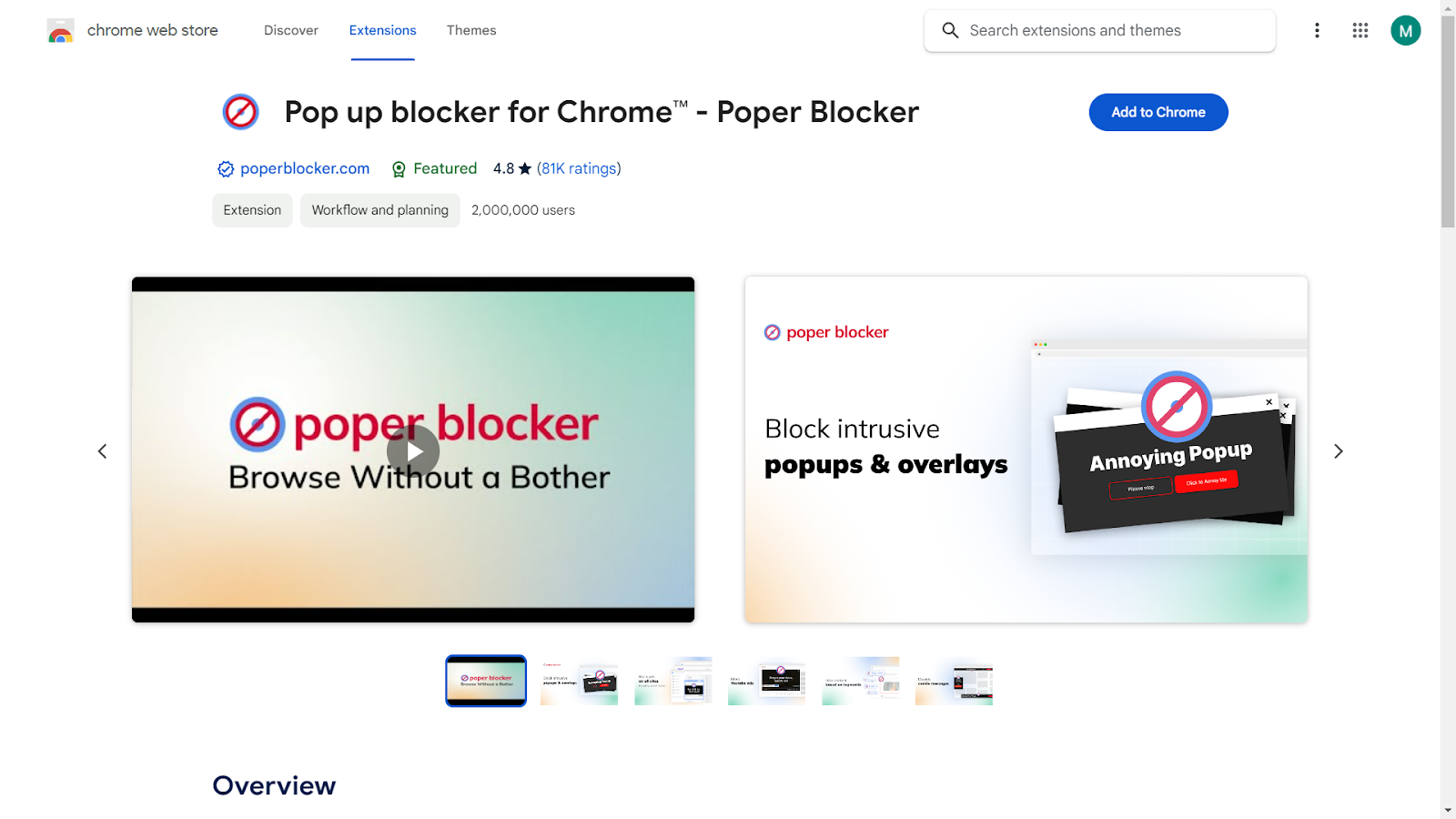
Start by visiting your browser’s extension store and searching for Poper Blocker. With a single click, you can add this powerful tool to your browser. Once installed, the extension integrates seamlessly, requiring no complex setup or configuration.
2. Access the Advanced Settings
Poper Blocker stands out with its customizable features, allowing you to tailor your browsing experience according to your preferences. Upon opening the app, you’ll find the ‘Advanced Settings’ section, a control center for managing pop-ups.
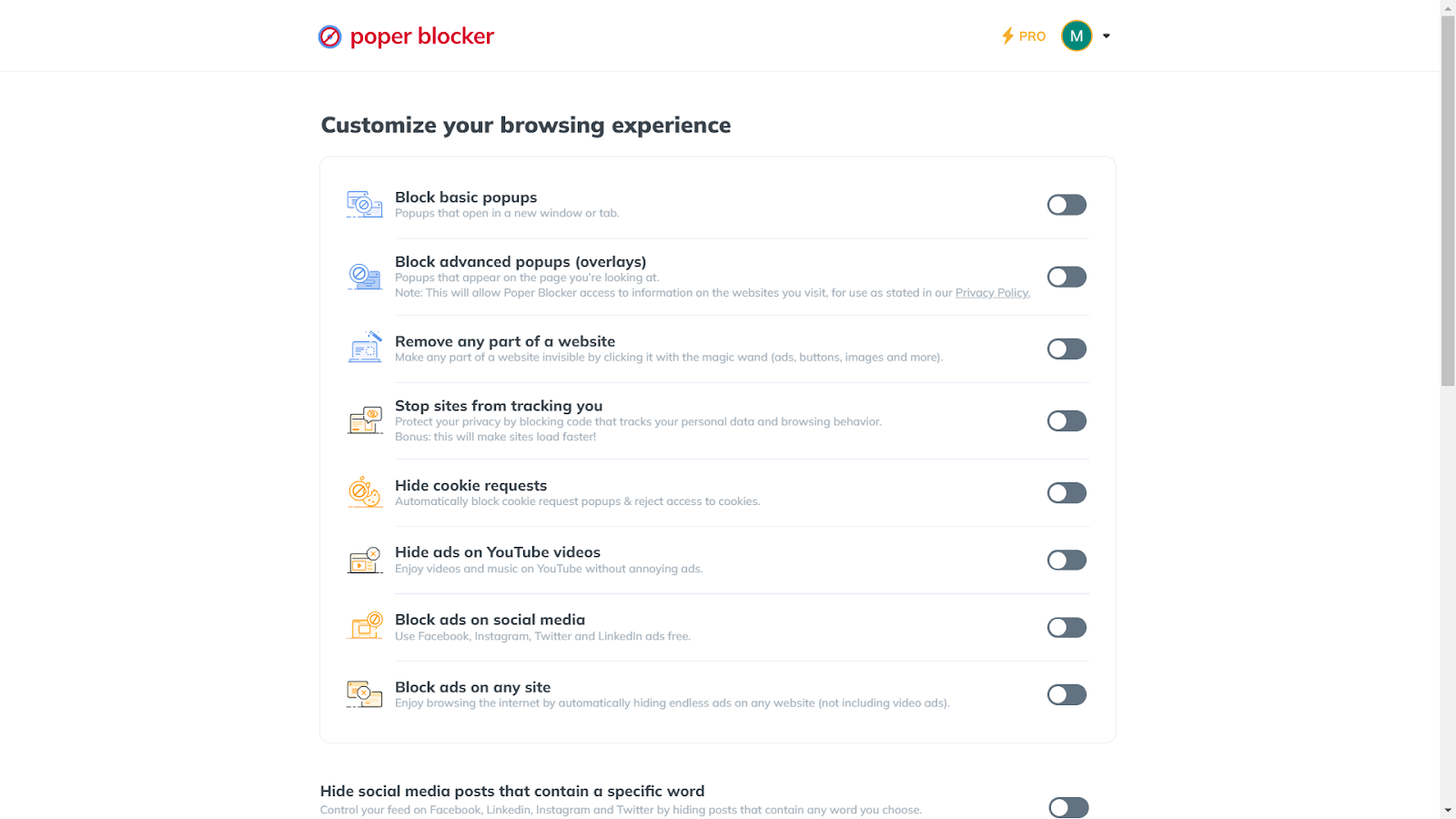
3. Turn on “Block basic popups”
Here, you can activate ‘Block basic popups’, which stops pop-ups that open in new windows or tabs. This feature is crucial for maintaining focus and avoiding disruptive advertising tactics.
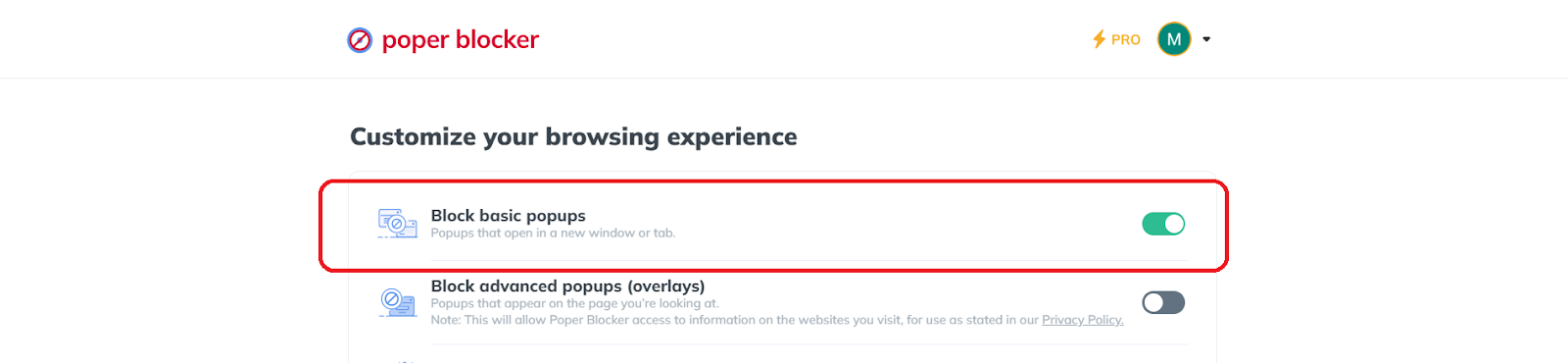
4. Turn on “Block advanced popups (overlays)” for a more refined blocking
For those seeking an even more robust solution, turning on ‘Block advanced popups (overlays)‘ is the way to go. This feature targets pop-ups that appear directly on the page you’re viewing, providing an additional layer of protection.
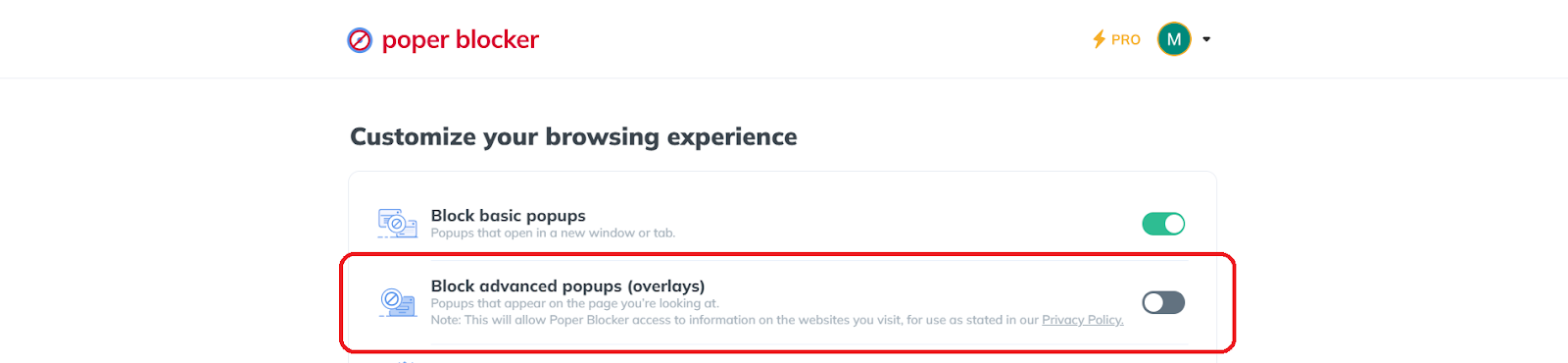
It’s particularly useful for blocking those pesky overlays that can hinder your reading or shopping experience on websites.
Tip: Incognito Browsing with Poper Blocker
Poper Blocker’s versatility extends to incognito mode, offering the same level of protection even when browsing privately. To enable this feature, navigate to your browser’s ‘Manage Extensions’ section. Locate Poper Blocker, click on ‘Details’, and then select ‘Allow in incognito’.

Here’s a trick: Via Poper Blocker’s dashboard, there’s an “Enabling Poper Blocker in incognito” section. This is a shortcut to access this setting and all you need to do is click the “Take me there” button.
In addition to its primary function, this extension offers a range of valuable features. Notably, you can block pop-up ads on streaming sites such as YouTube, effectively hide ads on social media platforms, and much more, enhancing your overall online experience.
A Cleaner, Safer Browsing Journey Awaits
Stepping into a world free from the annoyance of pop-up ads is not just about enhancing your browsing experience; it’s about embracing a safer and more focused online environment. With tools like Poper Blocker, you gain control over what appears on your screen, ensuring that your online activities remain uninterrupted and your personal information stays secure. This proactive approach to managing online content not only minimizes distractions but also fortifies your defense against potential cyber threats hidden in pop-ups.
As you utilize these powerful tools and enjoy the benefits of using an ad blocker, remember that the key to a cleaner, more enjoyable online experience lies in the choices you make about how you interact with the digital world. By choosing to block unwanted pop-ups, you’re not just avoiding annoyance; you’re taking a significant step towards a more efficient and secure online presence.
Ready for an ad-free journey? Install Poper Blocker today!
FAQs
What are the risks of disabling pop-up blockers?
Disabling pop-up blockers can significantly increase your exposure to intrusive advertisements and potentially harmful content. Without these blockers, your browsing experience can be disrupted by frequent and unwanted ads. More importantly, some pop-ups may contain malicious software or phishing attempts, which can compromise your personal information and computer security. It’s crucial to weigh the need for certain site functionalities against these potential risks when considering disabling your popup blocker.
Can pop-up blockers affect website functionality?
Yes, in some cases, pop-up blockers can interfere with the functionality of websites that legitimately use pop-ups for essential features. This includes scenarios like logging into a site, completing web forms, or accessing interactive content. If you trust the website and require these functionalities, you may need to disable the ad blocker temporarily or add the site to an exceptions list. However, it’s important to do this selectively and only for websites you trust completely.
Are all pop-ups harmful or malicious?
Not all pop-ups are designed with harmful intent. Many websites use pop-ups for legitimate purposes, such as displaying login forms, providing additional information, or even alerting users to important updates. It’s the context and source of the pop-up that often determines its safety. Pop-ups from reputable and trusted websites are generally safe, whereas those from unknown or suspicious sources should be treated with caution.
How do I differentiate between safe and unsafe pop-ups?
Identifying the safety of a pop-up often comes down to recognizing a few key indicators. Safe pop-ups typically originate from trusted sources and are relevant to the content or activity on the website. They don’t ask for personal information or prompt you to download unknown software. Unsafe pop-ups, on the other hand, may feature aggressive advertising, request sensitive information, or warn of a nonexistent virus on your device. They might also appear randomly and not be related to your current web activity.
Can pop-up blockers block all types of pop-ups?
While modern pop-up blockers like Poper Blocker are highly effective, some sophisticated pop-ups might still slip through. These blockers are designed to stop most types of pop-ups, including those that open in new windows or tabs and overlays that appear on the current page. However, some pop-ups, especially those intricately embedded in website scripts or triggered by complex user interactions, might not be consistently blocked. Regular updates to pop-up blocking software and browsers can help in addressing these evolving challenges.
Are you tired of relentless ads disrupting your online experience? Many share this frustration. With the digital landscape bombarded by advertisements, finding peace while browsing can seem like a distant dream.
Here’s the latest:
- According to a report from Economy Middle East News, Google Chrome has initiated a block on third-party cookies, but this is currently limited to just 1% of its users across both desktop and Android platforms.
- Wired reports that an estimated 20 to 60 percent of internet users employ ad blockers while browsing online.
Given these concerning statistics, you might be wondering, how do you block ads on Chrome? Rest assured, this guide is designed to show you exactly how to reclaim your online space from intrusive ads on Chrome.
Why Block Ads in Chrome?
Ad blocking in Chrome has emerged as a vital method for enhancing the online browsing experience, effectively tackling numerous critical issues that users encounter daily. Here are some compelling reasons why blocking these annoying ads is important:
1. Improved Browsing Speed and Efficiency
One of the most immediate benefits of ad blocking is the noticeable improvement in browsing speed. Ads, especially those that are media-rich or animated, consume significant bandwidth and processing power. This can lead to slower page loading times, affecting the overall efficiency of browsing. By blocking these ads, users enjoy faster and more streamlined access to content, making their online activities more productive and less frustrating.
2. Enhanced Online Privacy
Ads are not just visual clutter; they are often embedded with trackers that monitor user behavior across the web. This tracking can lead to privacy concerns, as it involves the collection and analysis of:
- Personal data
- Browsing habits
- Preferences
Ad blockers play a crucial role in safeguarding privacy by preventing these trackers from collecting data, thus giving users more control over their personal information and digital footprint.
3. A Cleaner and More Focused Browsing Experience
Ads can be distracting, pulling attention away from the actual content. They can disrupt the aesthetic and functional flow of a website, making it difficult to focus on the information or entertainment being sought. Useful tools should clean up web pages and effectively block distractions, allowing for a more focused and enjoyable browsing experience.
4. Protection Against Malware and Security Threats
Some ads can be malicious, containing malware or leading to phishing sites. This poses a significant security risk to users. Ad blockers provide an additional layer of protection by blocking these potentially harmful ads, thereby reducing the risk of encountering online security threats.
The necessity of ad blocking in Chrome is underscored by its multifaceted benefits. It not only enhances the speed and efficiency of browsing but also plays a vital role in protecting user privacy, ensuring a focused browsing experience, and safeguarding against online security threats.
Does Chrome Have a Built-in Ad-Blocker?
While Chrome’s built-in ad blocker marks a significant step towards a cleaner browsing experience, it often falls short of user expectations in several key areas.
Limited Blocking Capabilities
The primary limitation of Chrome’s built-in ad blocker is its scope. It targets only those ads deemed overly intrusive or misleading, as defined by the Better Ads Standards. This means many ads can still appear during your browsing sessions, including the following:
Users often find that ads slip through this filter, resulting in a browsing experience still cluttered with unwanted content. Additionally, there’s a possibility that using this method may not effectively block notifications on Chrome.
Lack of Comprehensive Privacy Protection
Another aspect where Chrome’s ad blocker could be more robust is in privacy protection. While it does block certain types of ads, it doesn’t offer the same level of tracker blocking that dedicated ad blockers provide. This means that while some ads are blocked, your online activity might still be tracked by other means used by advertisers, such as:
- Cookies
- Digital fingerprinting techniques
Minimal Customization Options
Chrome’s ad blocker provides limited customization options. In contrast to third-party ad blockers, it doesn’t allow users to personalize their ad-blocking experience according to their preferences. The inability to whitelist specific sites or ad types can be a notable limitation for those seeking greater control over their browsing.
While Chrome’s built-in ad blocker is a step in the right direction, it often doesn’t meet the comprehensive needs of users looking for a completely ad-free and private browsing experience. This limitation highlights the benefits of using an ad blocker, offering a more tailored and controlled online experience.
Block Ads on Chrome with Poper Blocker
Poper Blocker emerges as a top-tier solution for those searching for an effective method on how to stop ads in Chrome. This browser extension goes beyond merely eliminating unwanted advertisements; it’s about enhancing and transforming your entire online experience.
Effortless User Experience
Poper Blocker stands out for its user-friendly approach. Installation is a breeze, appealing to both tech-savvy users and novices alike.
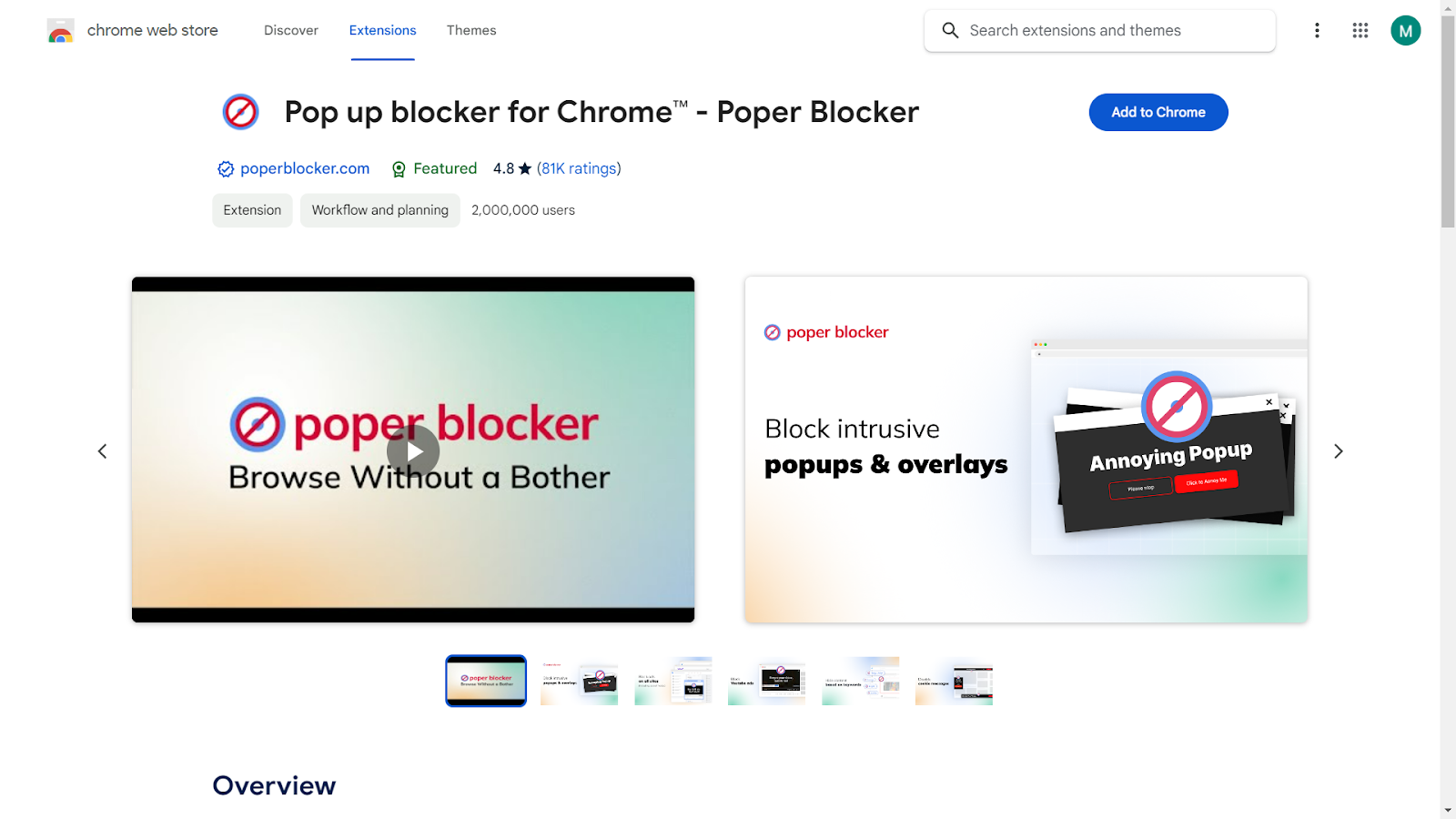
Once added to Chrome, it blends seamlessly into your browsing experience, functioning quietly and efficiently without any need for constant interaction or management.
Comprehensive Ad Blocking
The core strength of Poper Blocker lies in its ability to block a wide array of ads. For annoying pop-ups, it has an effective popup blocker solution. In fact, it can even block pop-up ads on streaming sites or data-consuming banner ads. This tool handles them effortlessly.
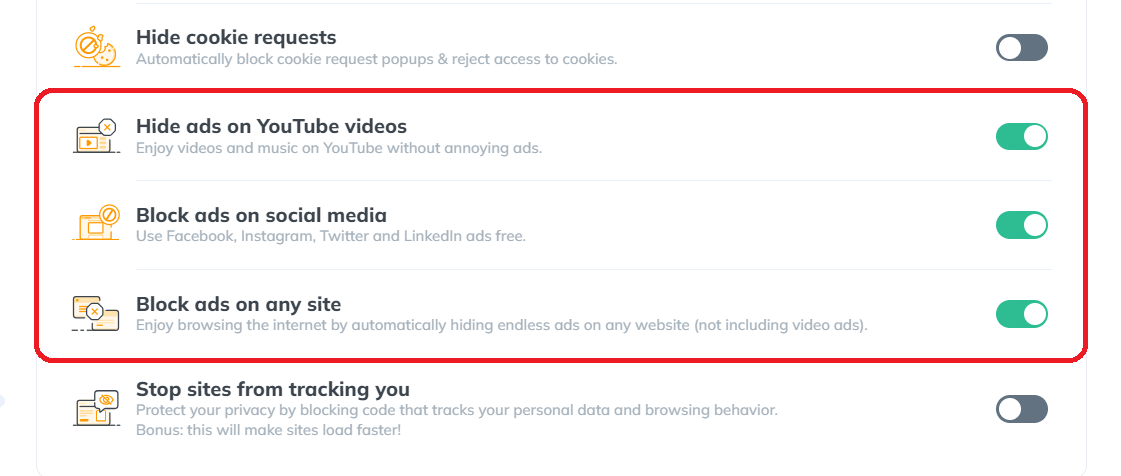
This not only cleans up your browsing experience but also enhances the speed and efficiency of your internet usage.
Privacy Protection
Online privacy concerns are increasingly prevalent, and Poper Blocker addresses this by blocking trackers in ads. This tool not only assists you in learning how to stop the ads in Chrome but also ensures that your browsing habits and personal data stay private, protecting you from unwanted digital tracking and data collection.
Read More: What Does Google Know About Me?
Customizable Control
Poper Blocker doesn’t adopt a one-size-fits-all approach. It allows you to tailor your browsing experience according to your preferences.
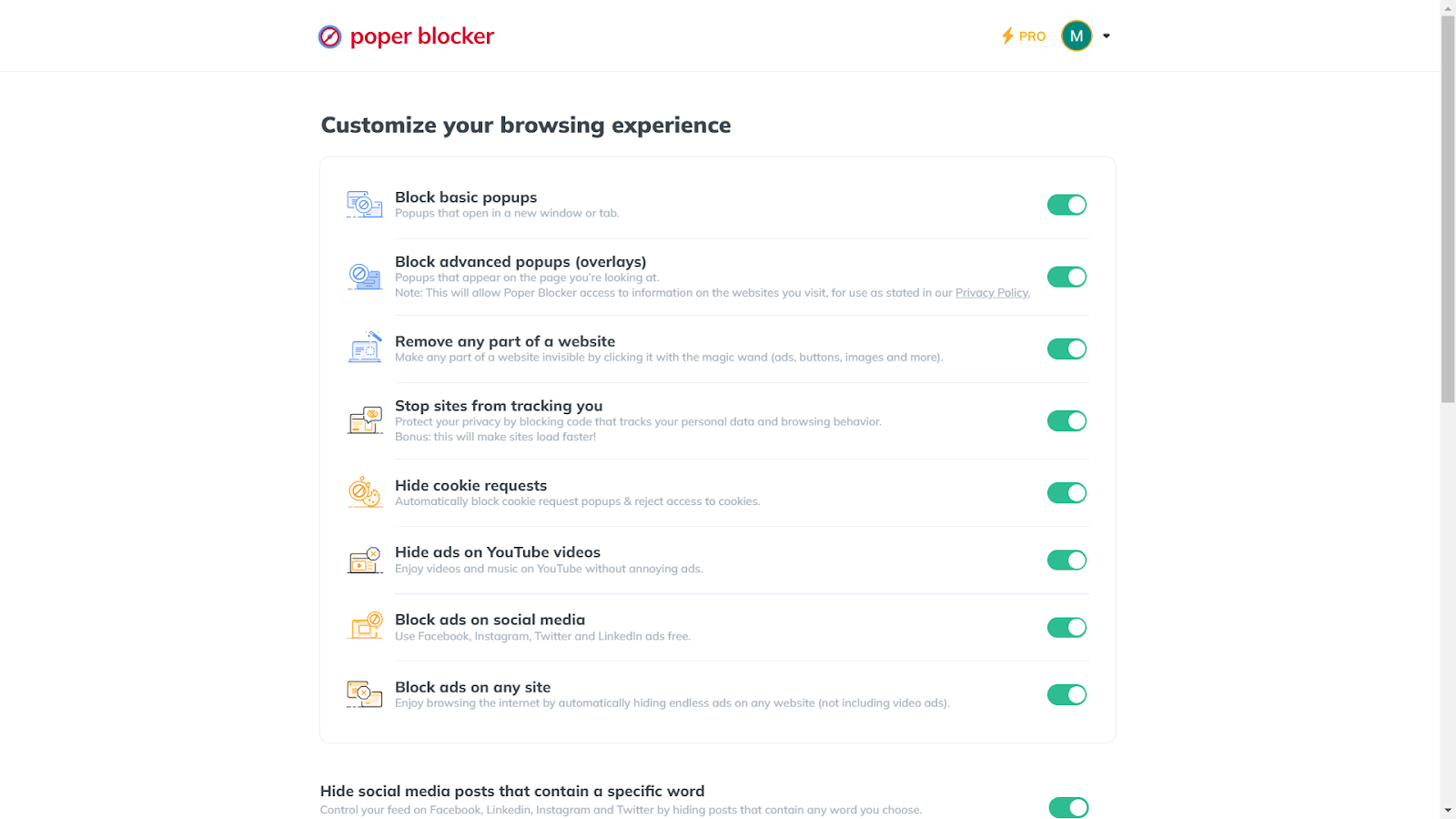
With its customization options, you can whitelist sites you support or specific ads you find acceptable, striking the perfect balance between a clean browsing experience and supporting your favorite websites.
Upgrade your Chrome experience – Get Poper Blocker today!
A World Without Ads: The Ultimate Browsing Utopia
Imagine a world where your online journey is uninterrupted by annoying pop-ups and intrusive banners. That’s the world Poper Blocker promises. With its user-friendly interface and efficient ad-blocking capabilities, it transforms your Chrome browsing experience into a seamless and enjoyable adventure.
This tool not only eliminates the digital clutter of unwanted ads but also enhances your browsing speed and protects your online privacy. It’s more than just an ad blocker; it’s a gateway to a cleaner, faster, and safer digital environment. By choosing Poper Blocker, you’re not just blocking ads; you’re taking a stand for a more enjoyable and secure online experience. Welcome this change and step into a cleaner, ad-free virtual world where your browsing is uninterrupted and your focus is undivided.
Read more:
FAQs
Can ad blockers speed up my browsing?
Absolutely! Ad blockers like Poper Blocker can significantly speed up your browsing. By blocking ads, they reduce the amount of data your browser needs to load. This means web pages open faster, providing a smoother online experience. Poper Blocker efficiently handles various ad formats, ensuring that your browsing isn’t just ad-free but also faster.
Are ad blockers safe to use?
Yes, using reputable ad blockers like Poper Blocker is safe. They enhance your online security by blocking potentially harmful ads that might contain malware or phishing attempts. Poper Blocker prioritizes your safety, ensuring that the ads it blocks don’t compromise your device’s security or your personal information.
Will ad blockers affect website functionality?
Sometimes, ad blockers might inadvertently block elements that are crucial for a website’s functionality. However, Poper Blocker offers a nuanced approach. It allows you to easily whitelist sites where you want to support ads or need full functionality, giving you control over your browsing experience without compromising website usability.
Can I customize my ad-blocking preferences?
Customization is a key feature of Poper Blocker. You can tailor your ad-blocking preferences to suit your specific needs. Whether it’s allowing certain types of ads or whitelisting your favorite websites, Poper Blocker provides flexibility and control, making it a user-friendly choice for diverse browsing preferences.
Do ad blockers block all types of ads?
Most ad blockers, including Poper Blocker, are designed to block a wide range of ads. This includes pop-ups, banners, and video ads. Poper Blocker stands out for its ability to tackle even the most stubborn ads, ensuring that your browsing experience remains uninterrupted and enjoyable.
Are you aware that a vast majority of websites around the world employ web tracking tools? Astonishingly, a study reveals that 90% of websites incorporate at least one tracking script. Have you ever considered the implications these tools have on your online privacy?
The Unseen Observer in Your Online World
Imagine browsing for a new book on a website, and then, as you visit other sites, ads for similar books start appearing everywhere. It’s like someone’s watching your every move online. This is web tracking in action, a common yet often misunderstood aspect of our digital lives.
These statistics provide a glimpse into the prevalence and impact of web tracking in the digital landscape:
| Statistic | Source |
| Over 90% of websites include at least one tracking script | All About Cookies |
| Google trackers are present on 74% of the web traffic | WhoTracks.me |
What is Website Tracking?
Web tracking is a method used by websites to collect data about your online behavior. This data helps in understanding user preferences and tailoring online experiences. Here are the key types of web tracking:
- Cookies: Small data files stored on your device to remember your website visits and preferences. Take note that there are various types of web cookies.
- IP Address Tracking: Identifies your location and internet usage patterns based on your device’s IP address.
- Browser Fingerprinting: Compiles a unique profile using your browser and device settings.
- Pixel Tracking: Uses tiny, invisible images to track your interactions, especially in emails and online ads.
- Behavioral Tracking: Monitors and analyzes your actions on a website, like clicks and page views, to understand user behavior.
How Do Websites Track User Activity?
Websites employ various kinds of techniques to monitor and understand how users interact with their content. These techniques offer websites a different lens through which to view and understand user activity, helping them tailor their content and services more effectively.
Why Are Websites Tracking You?
Understanding the motives behind web tracking can be eye-opening. Here’s a breakdown of the primary reasons websites keep tabs on your online activities:
- Personalized Advertising: By tracking your browsing habits, websites gather data to show you ads tailored to your interests. It’s like a billboard that changes based on who’s looking at it.
- Enhancing User Experience: Websites analyze your interactions to improve their layout and content, aiming to make your visit as seamless and enjoyable as possible.
- Analyzing Website Performance: Tracking helps websites understand how visitors use their site, which pages are popular, and how to optimize their performance.
- Market Research: Websites collect data to understand market trends and user preferences, helping them stay competitive and relevant in their industry.
- Customized Content: Based on your past interactions, websites present content that aligns with your interests, creating a more engaging and relevant browsing experience.
How to Stop Websites Tracking You?
Protecting your online privacy from web tracking involves several strategies:
1. Poper Blocker’s Cookie Blocker: Your Privacy Guardian
Maintaining your privacy online can often feel like an uphill battle. Poper Blocker’s Cookie Blocker emerges as a steadfast guardian of your online privacy. This browser extension is a powerful tool designed to put you back in control of your browsing experience.
To enhance your privacy with Poper Blocker, simply follow these steps:
Install the Poper Blocker Extension: Begin by adding the Poper Blocker extension to your browser. This can be done quickly and easily through your browser’s extension store (Chrome or Edge).
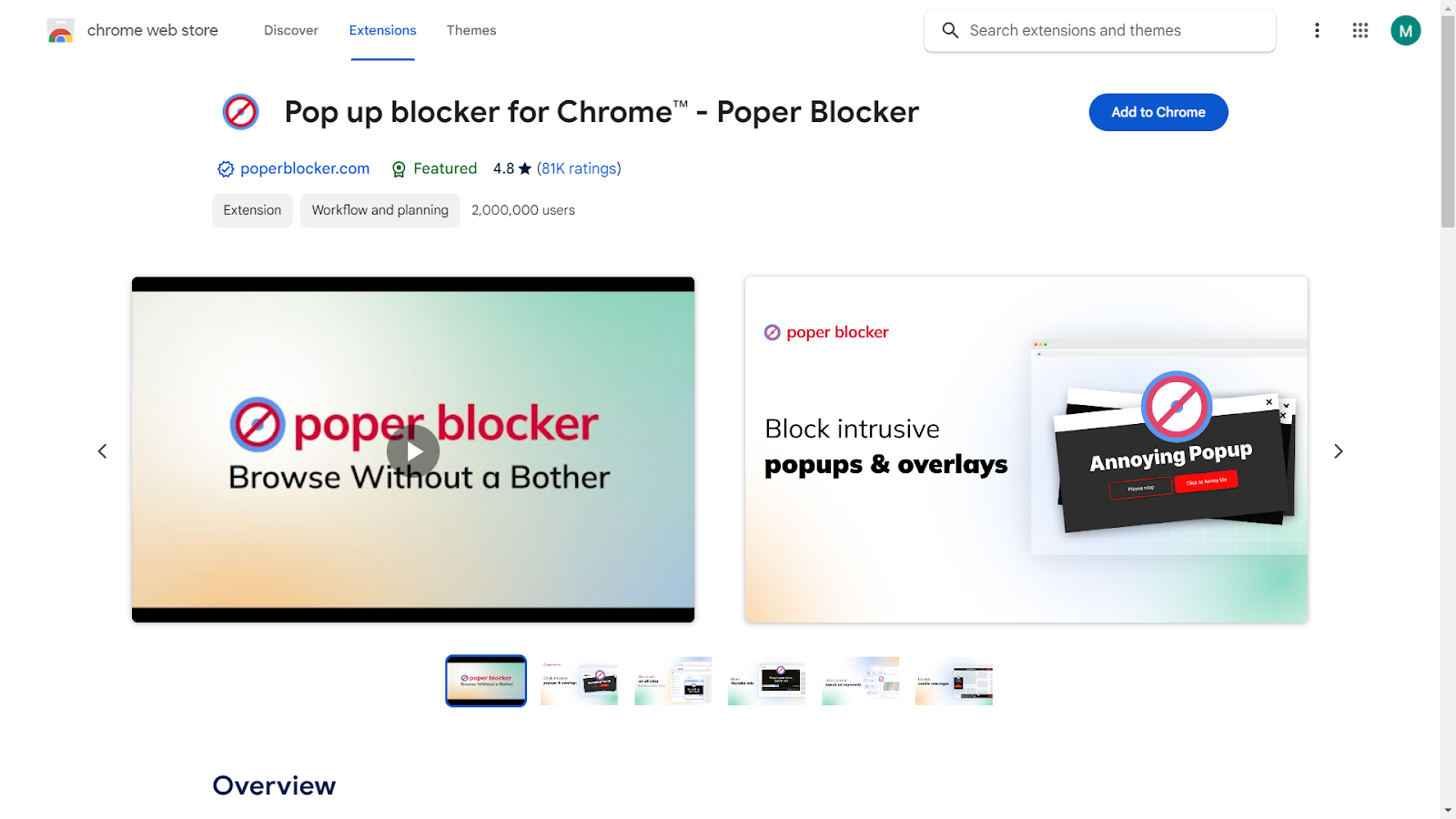
Navigate to Settings: Once the extension is installed, click on the Poper Blocker icon in your browser’s toolbar to access its settings.
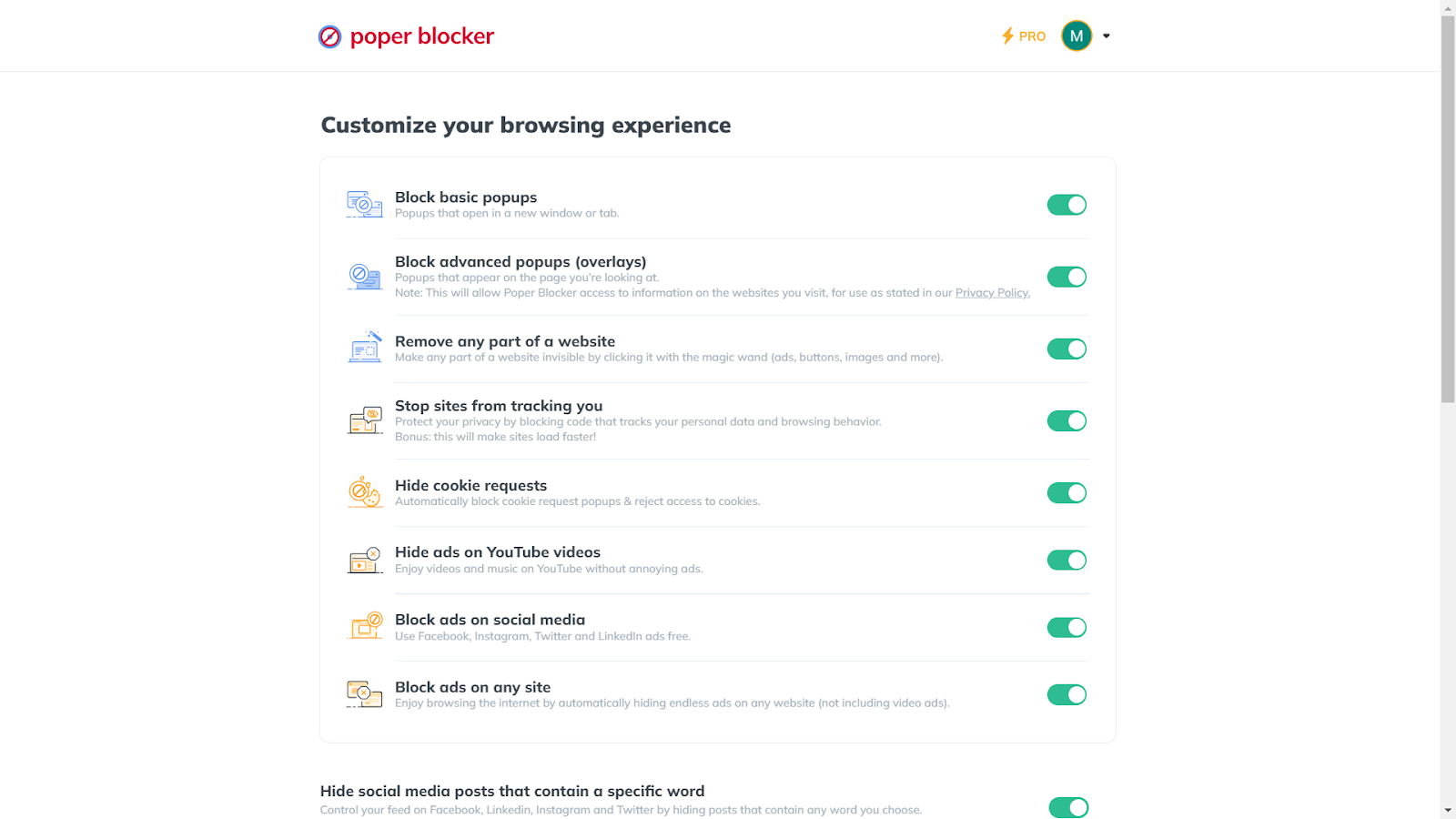
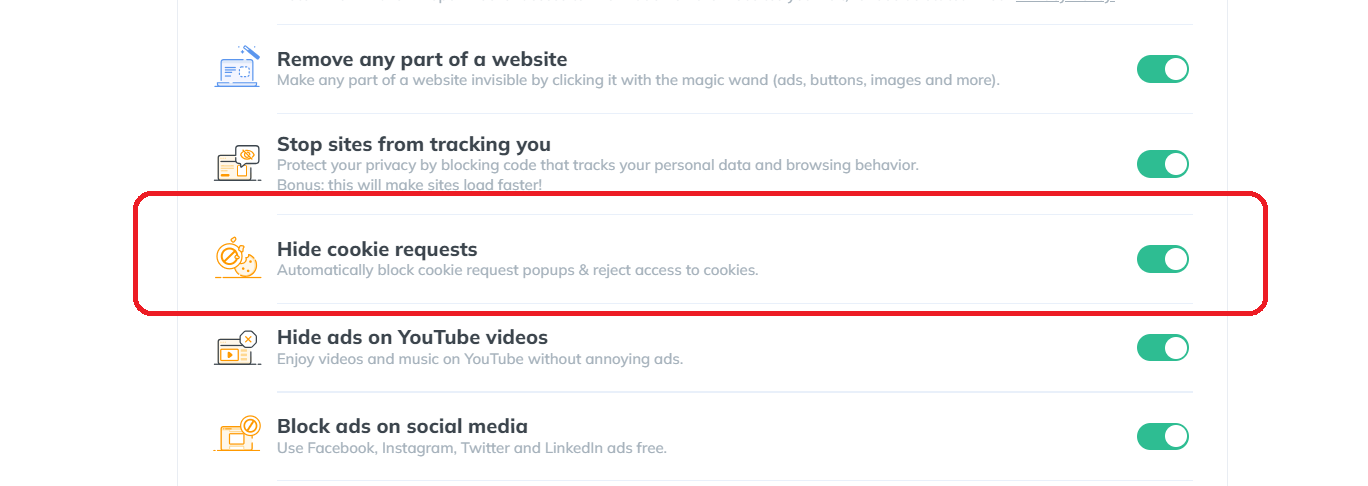
Enable ‘Hide Cookie Requests’: In the settings menu, look for the option labeled “Hide cookie requests.” Click to turn this feature on.
Start Browsing: With “Hide cookie requests” enabled, you’re all set. Enjoy a browsing experience that’s free from intrusive cookie popups and automatic tracking.
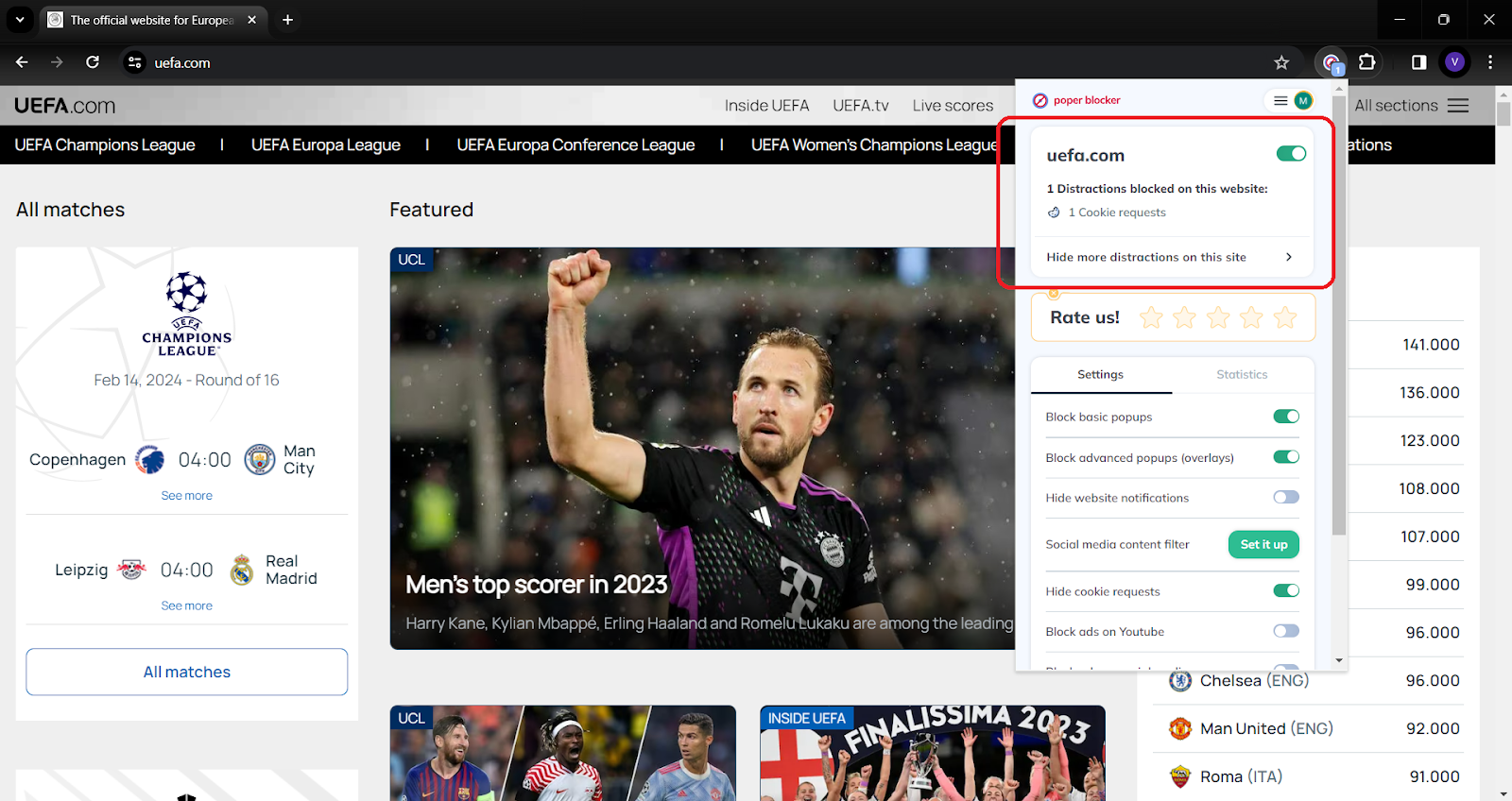
With Poper Blocker activated, you can start browsing with confidence, knowing that your online activities are shielded from unwanted tracking. It’s a simple yet effective solution for anyone looking to protect their online data and enjoy a more secure internet experience.
Don’t let trackers win – empower your browsing with Poper Blocker!
2. Use a VPN to Mask Your IP Address
A Virtual Private Network (VPN) is like a cloak for your online identity. It hides your IP address, making your online actions less traceable. By routing your internet connection through a remote server, a VPN masks your actual location, offering an added layer of privacy. This is especially useful when using public Wi-Fi networks, where your online activities could be more vulnerable to snooping.
3. Regularly Clear Your Browser History and Cookies
Think of this as a digital cleanup. Regularly clearing your browser history and cookies wipes away the trails you leave behind on the internet. It’s like erasing your footprints in the sand.
Did you know? This simple habit prevents accumulation of data that websites use to learn about your preferences, ensuring that your past online activities don’t influence your future browsing.
4. Utilize Privacy-Focused Browsers
Switching to a browser that prioritizes privacy can significantly reduce your online visibility. These browsers often come with built-in features like tracker blocking and automatic cookie deletion. They are designed to minimize data collection, ensuring that your browsing habits remain your own business. It’s like choosing a path less traveled, away from the prying eyes of data collectors.
Here are the top browsers known for their strong privacy features:
- Mozilla Firefox: Known for its strong privacy controls, Firefox offers tracking protection, regular privacy updates, and a range of customizable settings to enhance user security.
- Brave: Brave is designed with privacy as a primary feature, automatically blocking trackers and ads. It also offers features like private browsing with Tor for enhanced anonymity.
- Tor Browser: Tor is focused on anonymous browsing. It routes your web traffic through multiple servers to obscure your location and usage from surveillance and tracking.
- DuckDuckGo Privacy Browser: While primarily known as a search engine that respects privacy, DuckDuckGo also offers a mobile browser app focused on keeping your browsing history and personal information private.
5. Adjust Your Social Media Privacy Settings
Social media platforms can be a goldmine of personal information. You can take control by diving into your privacy settings and this can be done by customizing the following:
- Who can see your posts
- Who can tag you
- How your data is used for advertising purposes
It’s like setting boundaries in your digital social circle, allowing you to share moments with friends and family while keeping your personal information under wraps.
Take Charge of Your Online Privacy
Your online privacy is a valuable asset in today’s interconnected world. Every click, search, and website visit contributes to the digital footprint that defines your virtual identity. While web tracking can offer personalized experiences, it often comes at the cost of your privacy. It’s essential to be proactive and take steps to safeguard your personal information.
Tools like Poper Blocker’s cookie blocker are instrumental in this fight, offering a straightforward and effective solution to keep your browsing habits private. Remember, the power to control your online presence is in your hands. By utilizing the right tools and staying informed about web tracking practices, you can enjoy the vast resources of the internet while maintaining control over your personal data.
Embrace these strategies and tools to ensure that your online adventures are secure, private, and tailored to your comfort and safety.
FAQs
What is web tracking?
Web tracking is a technique websites use to gather information about your online behavior. This includes the pages you visit, the time you spend on specific content, and your interactions with various site elements. It’s a widespread practice aimed at understanding user preferences and habits for various purposes, including marketing and website optimization.
How do websites track user activity?
Websites employ several methods to monitor your online activities. The most common include cookies, which are small data files stored on your device. IP tracking is another method, where websites identify your location and internet usage based on your IP address. Browser fingerprinting compiles a unique profile based on your device and browser settings. Lastly, pixel tracking uses tiny images to track your interactions, especially in emails and online advertising.
Why do websites track users?
The primary reason for web tracking is to personalize user experience and advertising. By understanding your preferences and browsing habits, websites can tailor their content, suggest relevant products, and show ads that align with your interests. Additionally, tracking helps websites gather valuable analytics to improve their services and understand user engagement patterns.
How can I stop websites from tracking me?
To reduce web tracking, consider using privacy tools like Poper Blocker’s cookie blocker, which effectively blocks cookie requests and denies access to tracking cookies. Additionally, using a VPN can mask your IP address, making it harder for websites to track your location. Regularly clearing your browser history and cookies, adjusting privacy settings on social media, and using browsers focused on privacy can also significantly reduce tracking.
Is web tracking legal?
Web tracking is legal in many parts of the world, but there are growing concerns and regulations regarding user privacy. Laws like the GDPR in Europe and CCPA in California provide guidelines and restrictions on how personal data can be collected and used. These regulations require websites to obtain user consent for tracking and ensure transparency about data collection practices. However, the legality and extent of web tracking vary by region, and it’s crucial for users to stay informed about their rights and the privacy policies of the websites they visit.
Say goodbye to unwanted tracking – install Poper Blocker in just one click!
Did you know that Google processes over 8.5 billion searches per day? (Source: HubSpot) But what implications does this have for your personal data? Exactly how much does Google know about you?
In this guide, we’ll explore in detail what this search engine can track from your online activities and offer insights on how to secure your online data and privacy.
How Does Google Collect Data on Me?
Google employs the data it gathers in a multifaceted manner, focusing on both user experience enhancement and its strategic business objectives:
- Targeted Advertising: Utilizing your data to tailor ads that match your interests and online activities.
- Personalizing Services: Customizing search results and recommendations, particularly on platforms like YouTube, based on your preferences and behavior.
- Service Improvement: Analyzing user behavior and preferences to enhance existing services and develop new, user-centric features.
- Security Measures: Using the data to identify and protect against potential security threats, fraud, and other malicious activities.
How Much Data Does Google Collect on Me?
Curious about how much data Google collects on you? It’s a comprehensive process, covering a broad spectrum of information that often remains unknown to many users. This data is integral to how Google tailors its services and advertising to individual users.
Here’s a closer look at the types of data Google collects:
| Type of Data | Description |
| Personal Information | Basic details such as your name, email address, and phone number, are typically gathered when you sign up for Google services. |
| Search Queries | Every search you perform on Google is logged, including the time of the search and the links you click on. |
| Location Data | If you use Google Maps or have location services enabled on your device, Google tracks and stores your location history. |
| Device Information | Data about the devices you use, including model, operating system, and unique identifiers, to optimize its services for different devices. |
| Usage Data | How you interact with Google’s products and services, such as the apps you use, the duration of usage, and your interactions with content. |
| Cookies and Tracking Data | Google employs cookies and similar technologies to understand your online behavior, primarily used for targeted advertising. |
| Email Data | If you use Gmail, Google has access to your email content and metadata, including information about your email interactions. |
| Voice and Video Data | Interactions with Google Assistant and your YouTube viewing history, including likes and comments, are tracked. |
| Ad Interaction Data | Google monitors how you interact with ads across its network, including which ads you click on and your engagement with them. |
How to Stop Google from Tracking Me
1. Use Poper Blocker’s Cookie Blocker
Poper Blocker’s Cookie Blocker stands as a robust line of defense in your quest for online privacy. This tool, available as a browser extension for Chrome and Edge, is specifically designed to tackle the ubiquitous cookie requests that track your online activities. By automatically blocking these cookie requests and rejecting access to any types of internet cookies, it ensures a more private and uninterrupted browsing experience.
Here’s how to set it up:
A. Install the Extension: Begin by adding Poper Blocker to your browser. It’s a straightforward process similar to adding any other extension or add-on.
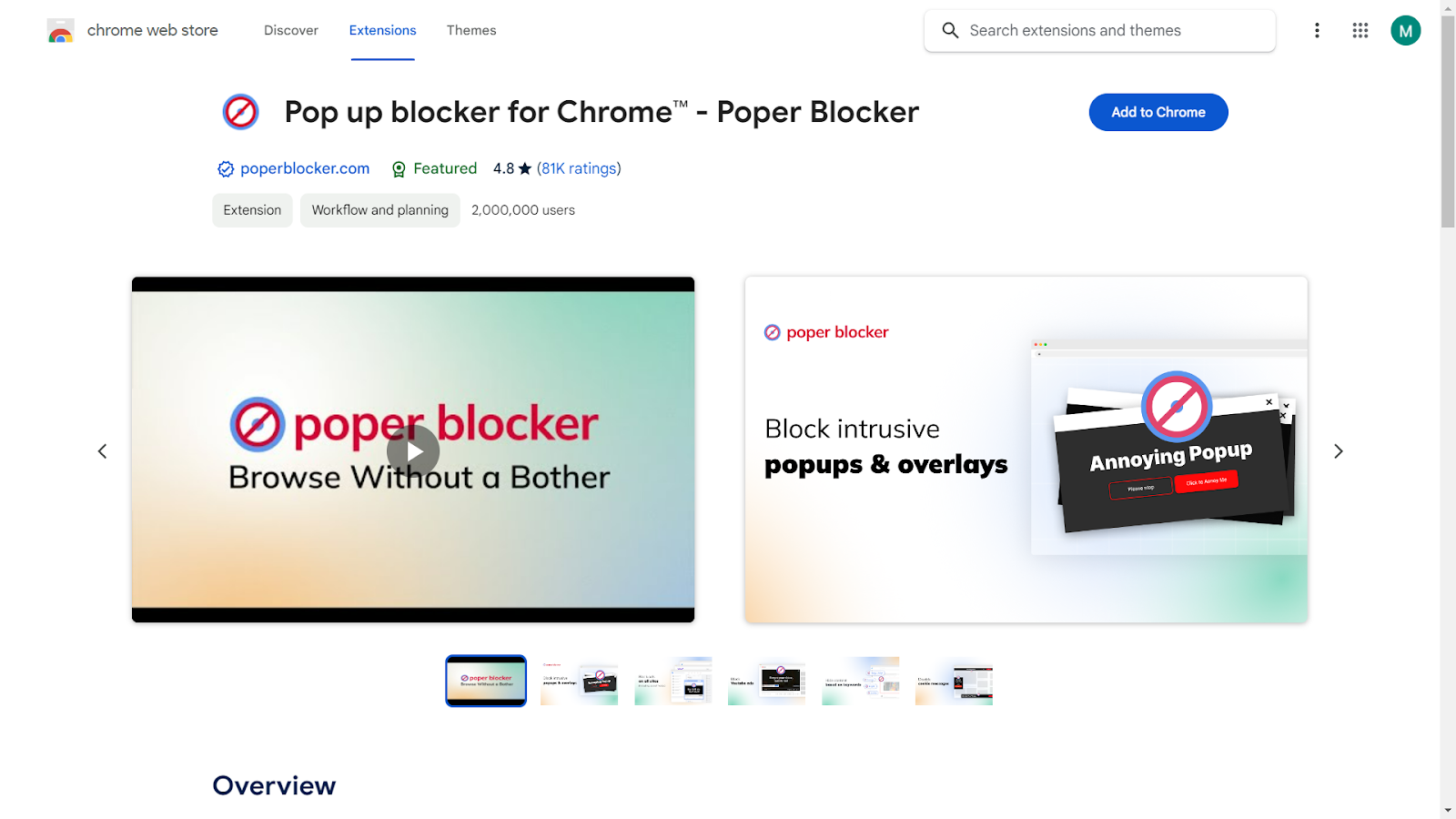
B. Access Settings: Once installed, click on the Poper Blocker icon in your browser’s toolbar to open the settings menu.
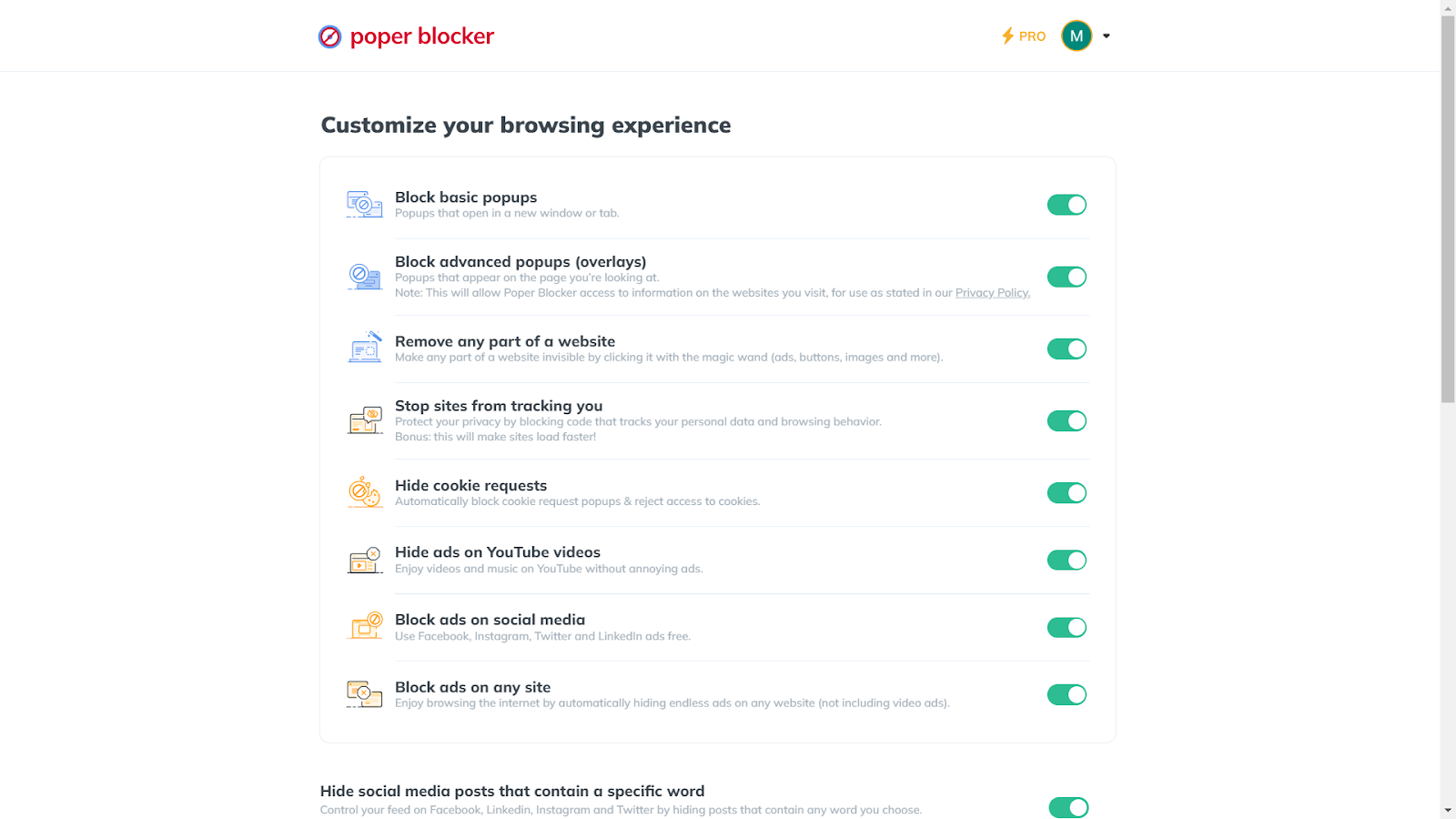
C. Enable ‘Hide Cookie Requests’: In the settings menu, find and turn on the “Hide cookie requests” option. This action activates the cookie blocking feature.
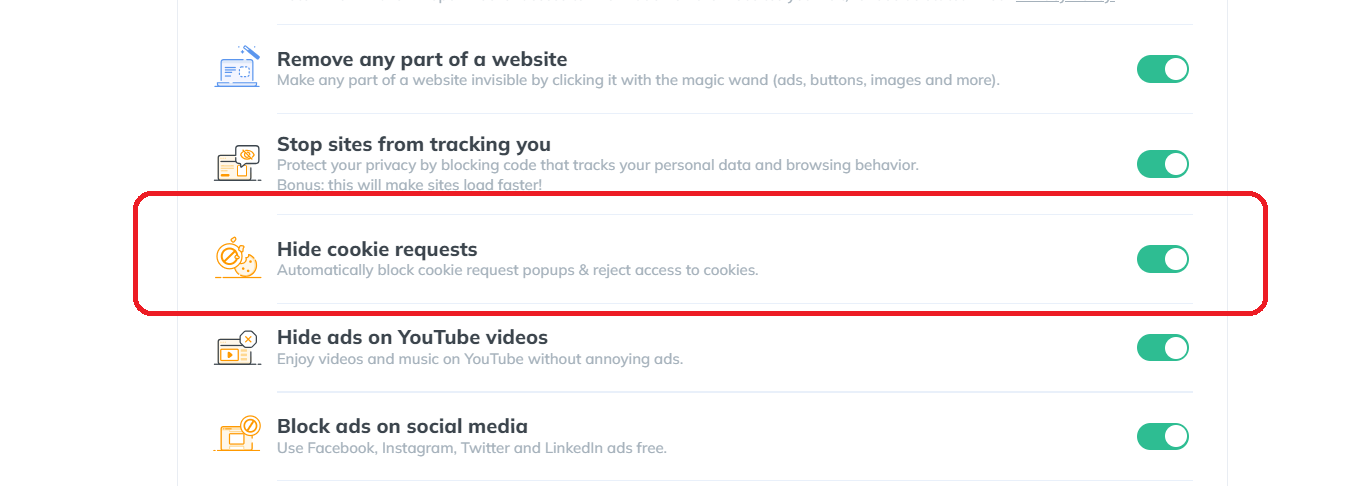
D. Start Browsing: With Poper Blocker active, you can now browse the web with an added layer of privacy. The tool works in the background, seamlessly blocking cookie requests and protecting your data from trackers.
Enhance your privacy – Get Poper Blocker and hide from Google’s gaze.
2. Adjust Your Google Account Settings
To further safeguard your privacy, adjusting your Google Account settings is a key step. Here’s how to do it:
A. Access Your Account: Log into your Google Account.
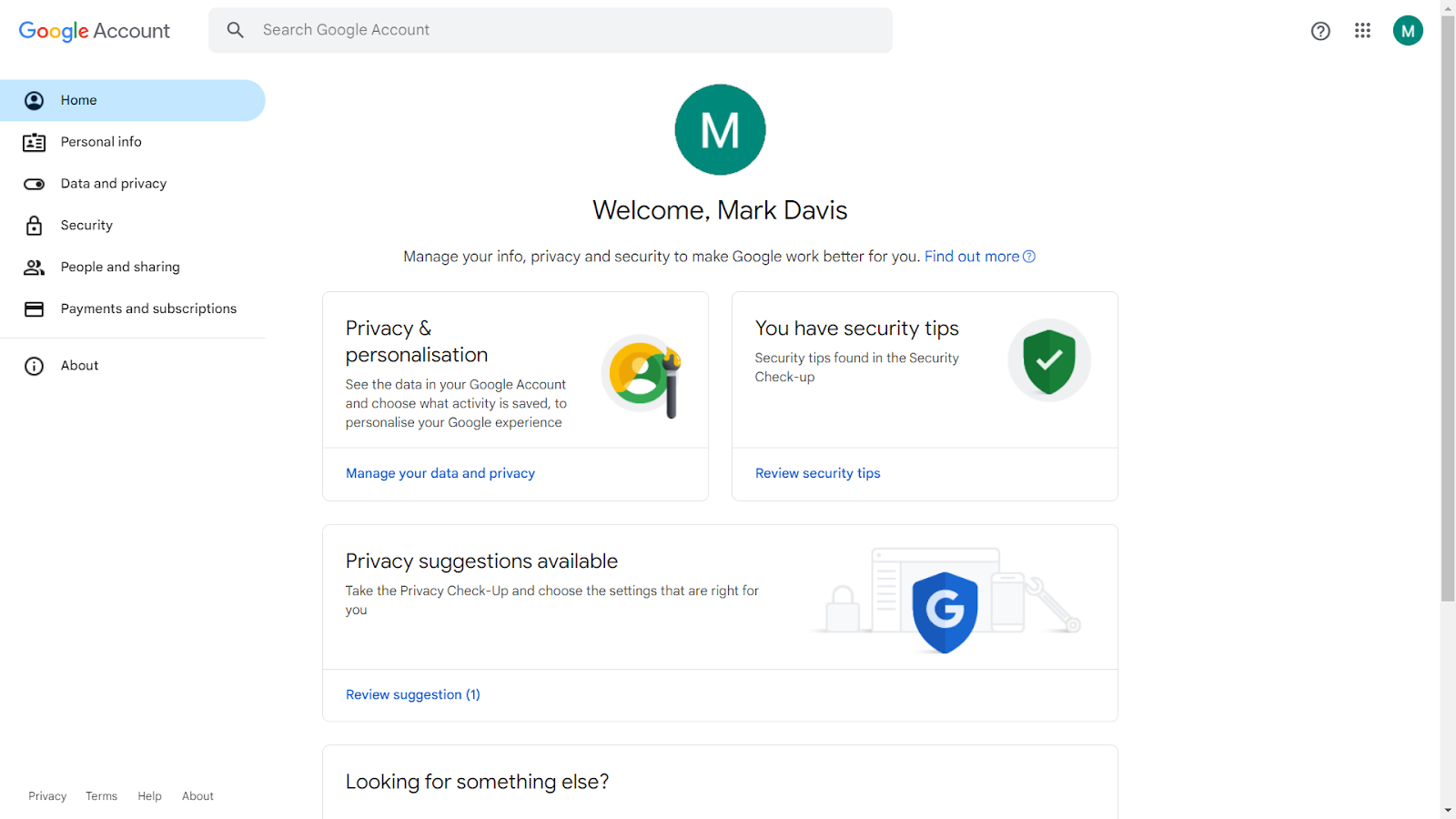
B. Navigate to Privacy Settings: Go to the ‘Data & Privacy’ tab.
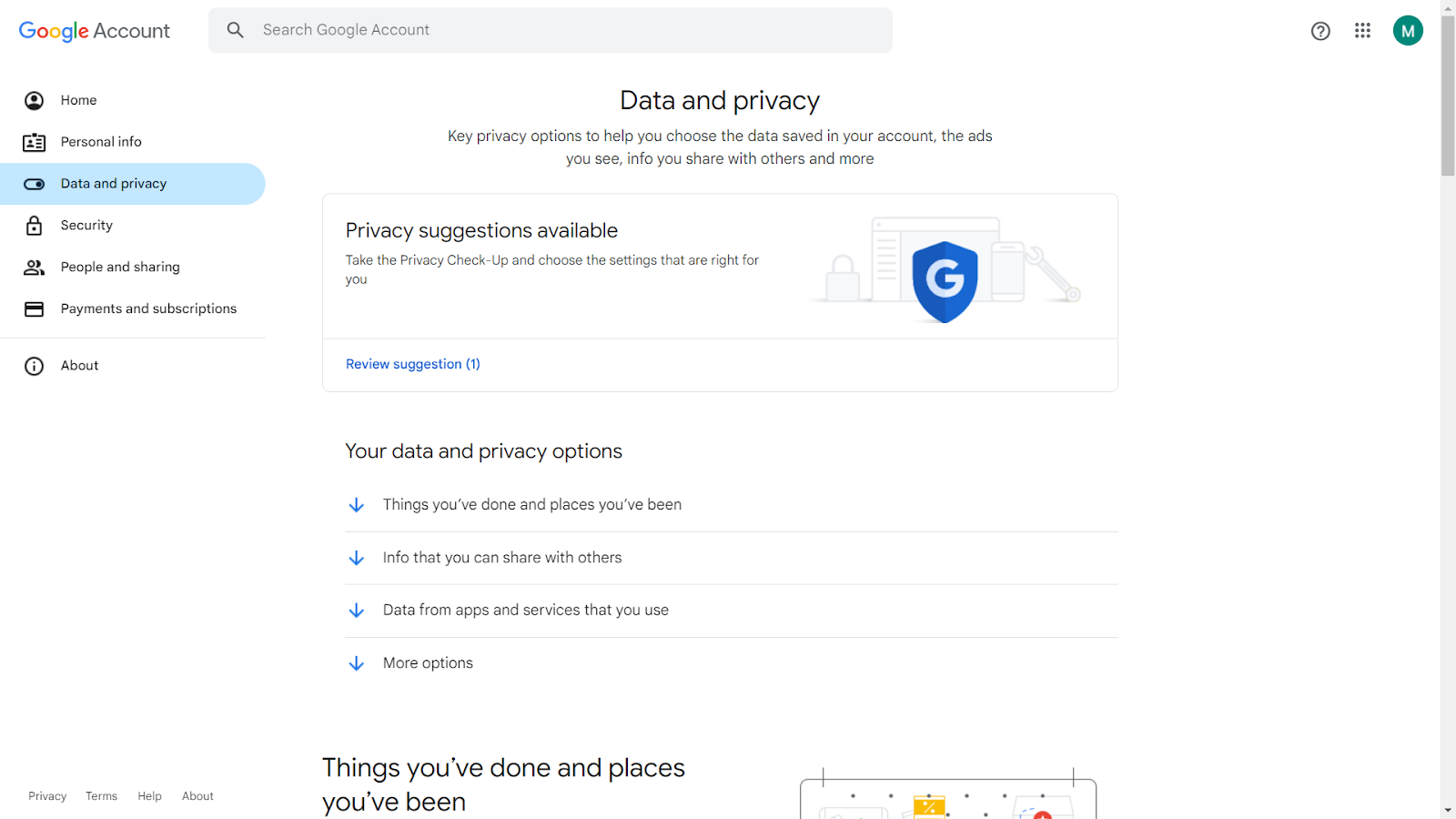
C. Review Activity Controls: Here, you can manage settings for web and app activity, location history, and ad personalization.
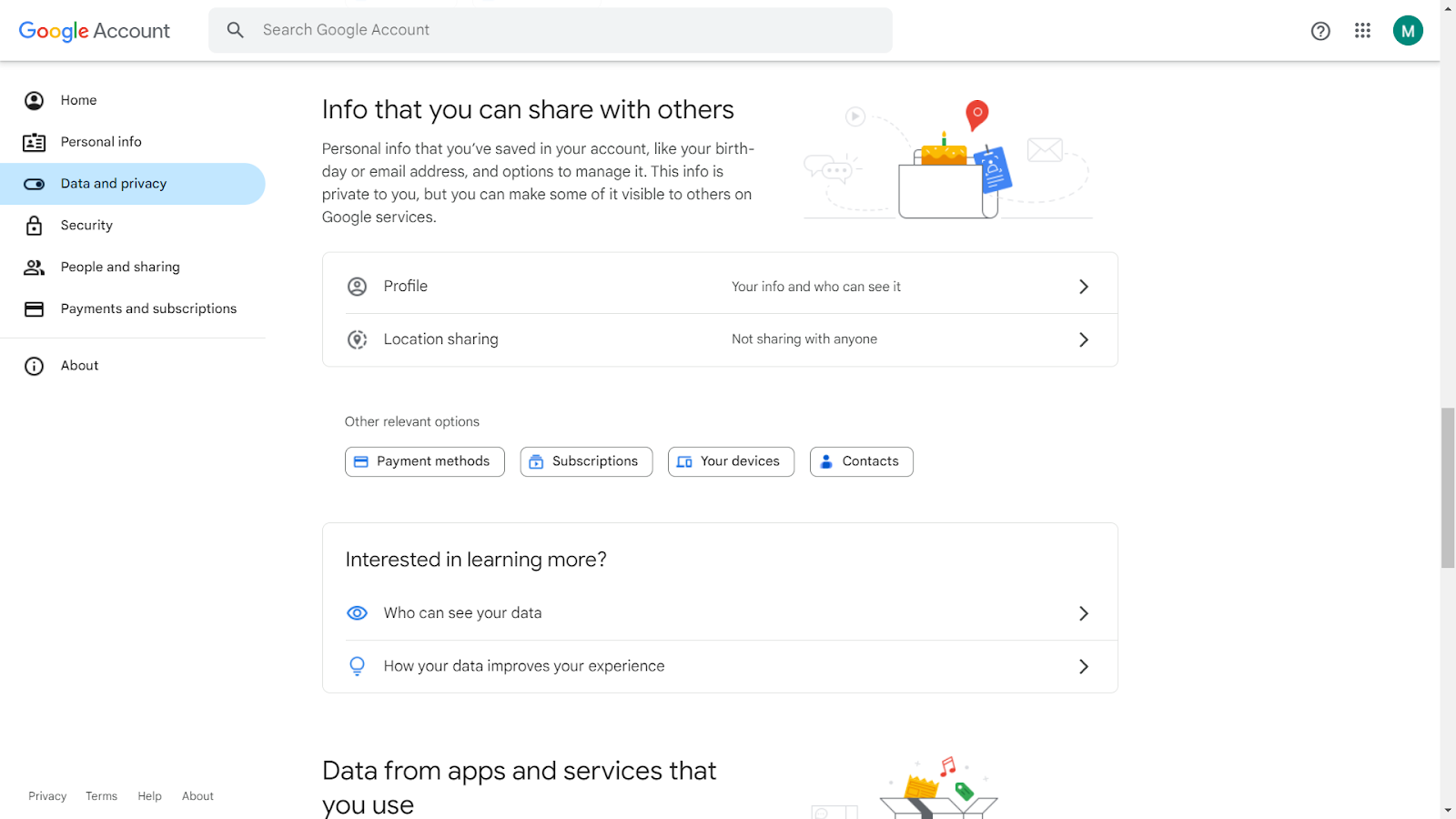
D. Make Necessary Adjustments: Turn off or pause settings that you are not comfortable with to limit data collection.
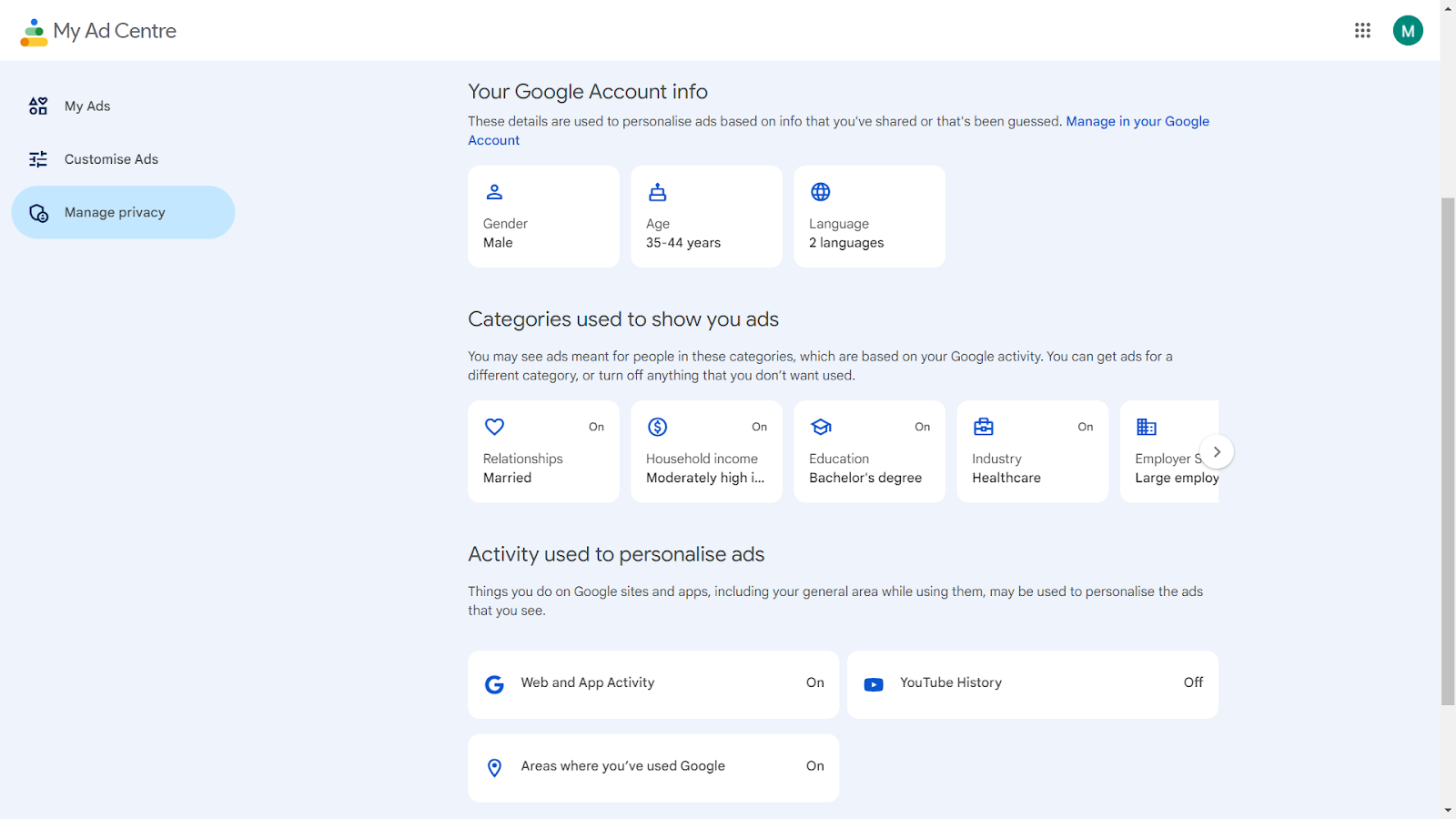
3. Browse in Incognito Mode
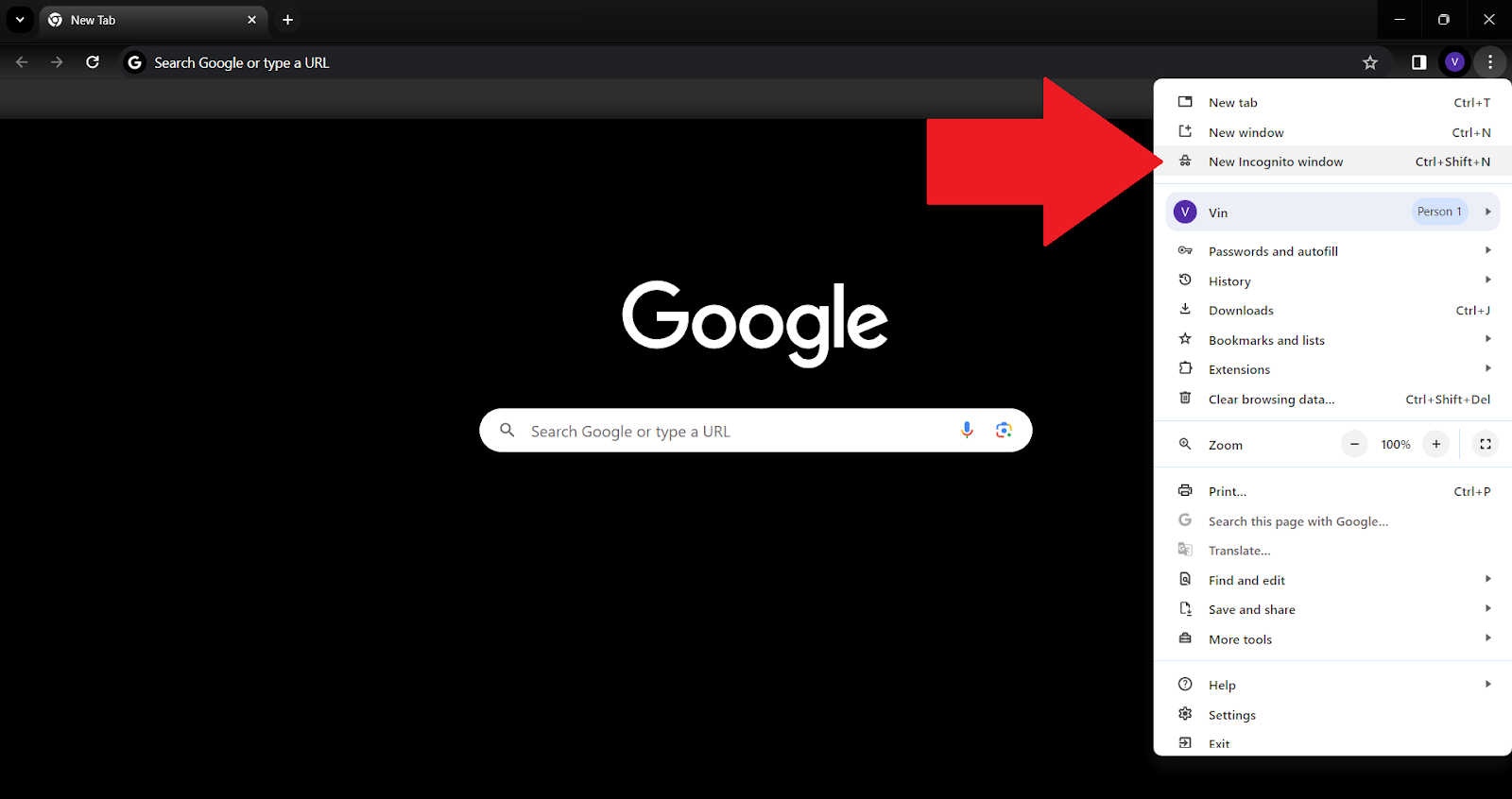
Browsing in Incognito Mode is a simple yet effective way to enhance your online privacy. When you open an incognito window, your browsing history, cookies, and site data are not saved. This means that your activities during that session are not recorded, offering a layer of privacy.
To use this feature, simply follow these basic steps:
A. Open your browser.
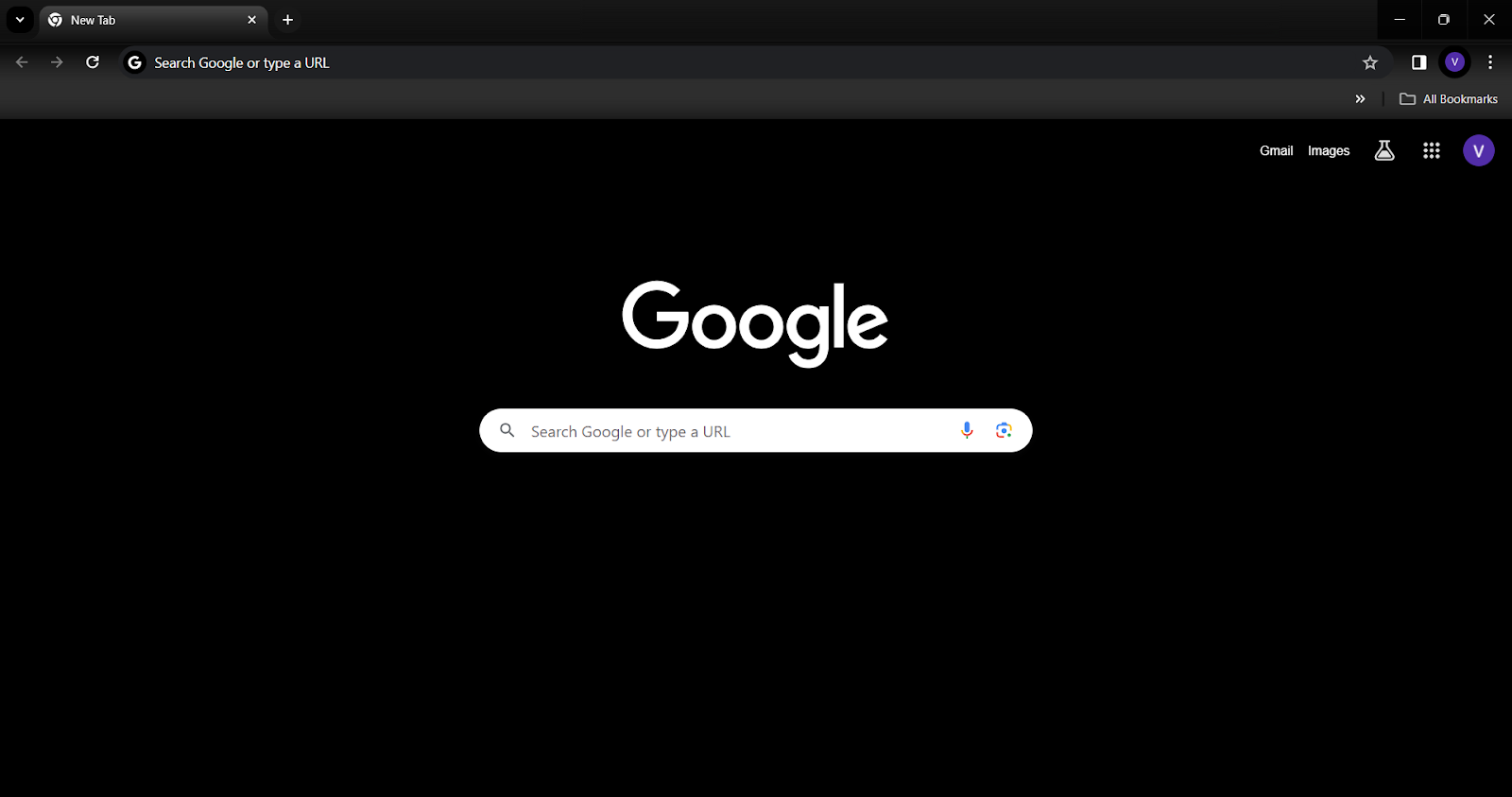
B. Select the menu.
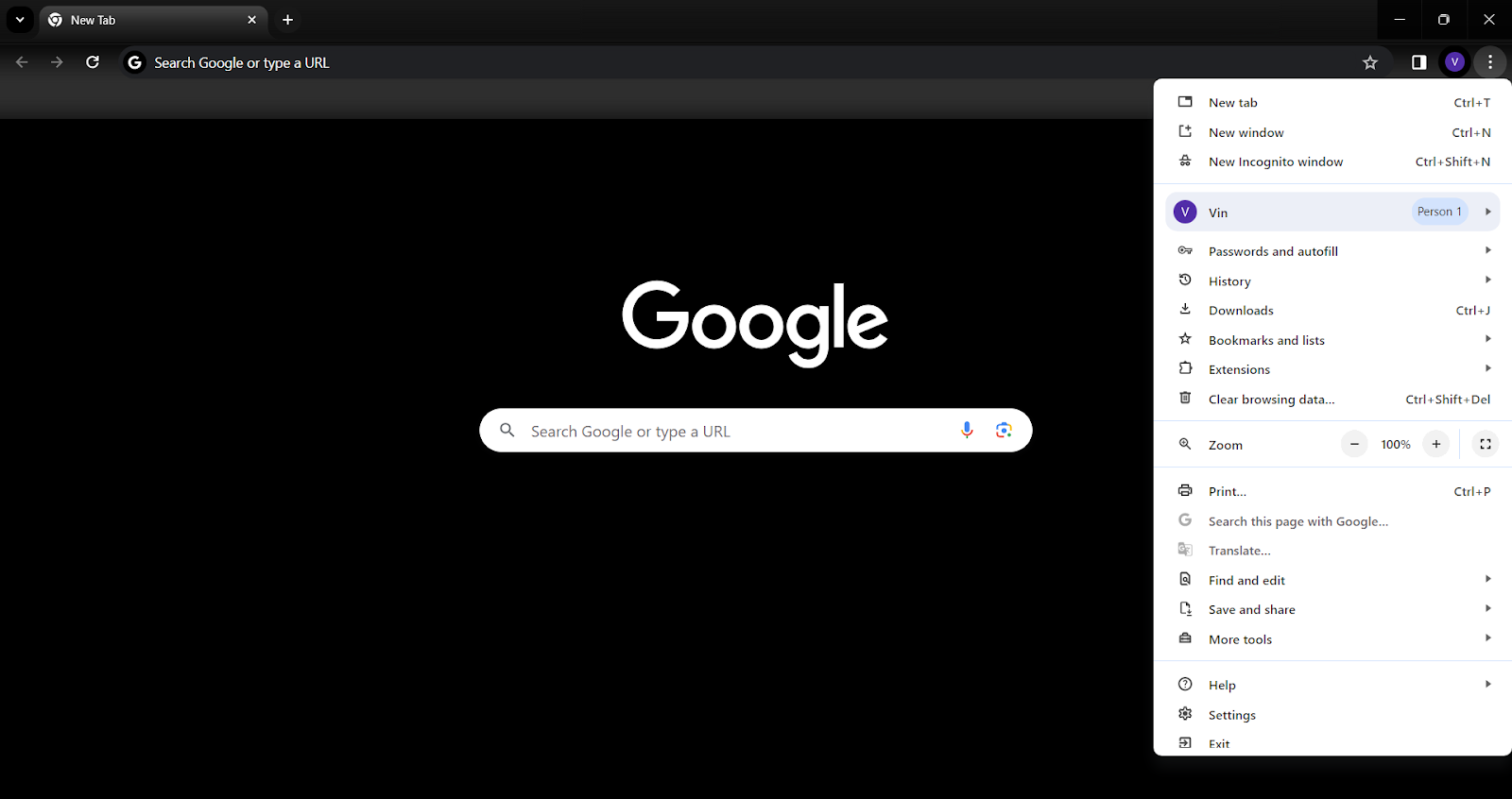
C. Choose ‘New Incognito Window’.
4. Regularly Clear Your Browser History and Cookies
Regular maintenance of your browser is crucial for privacy. Clearing your history and cookies prevents the accumulation of data that can be used to track your online behavior. Doing this regularly helps in minimizing the digital traces left behind from your internet sessions.
To do this, follow these steps:
A. Go to your browser settings.
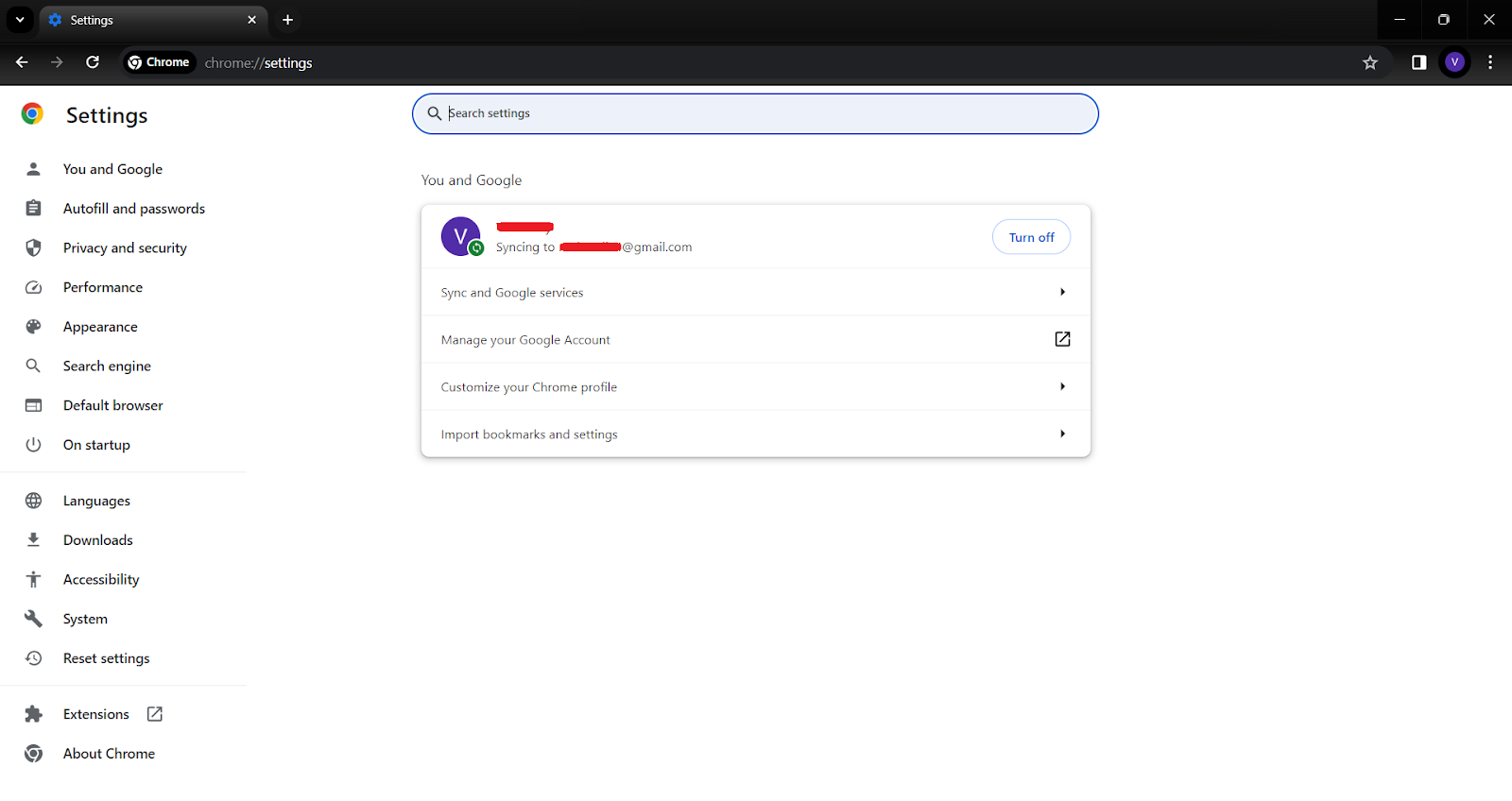
B. Find the privacy or history section.
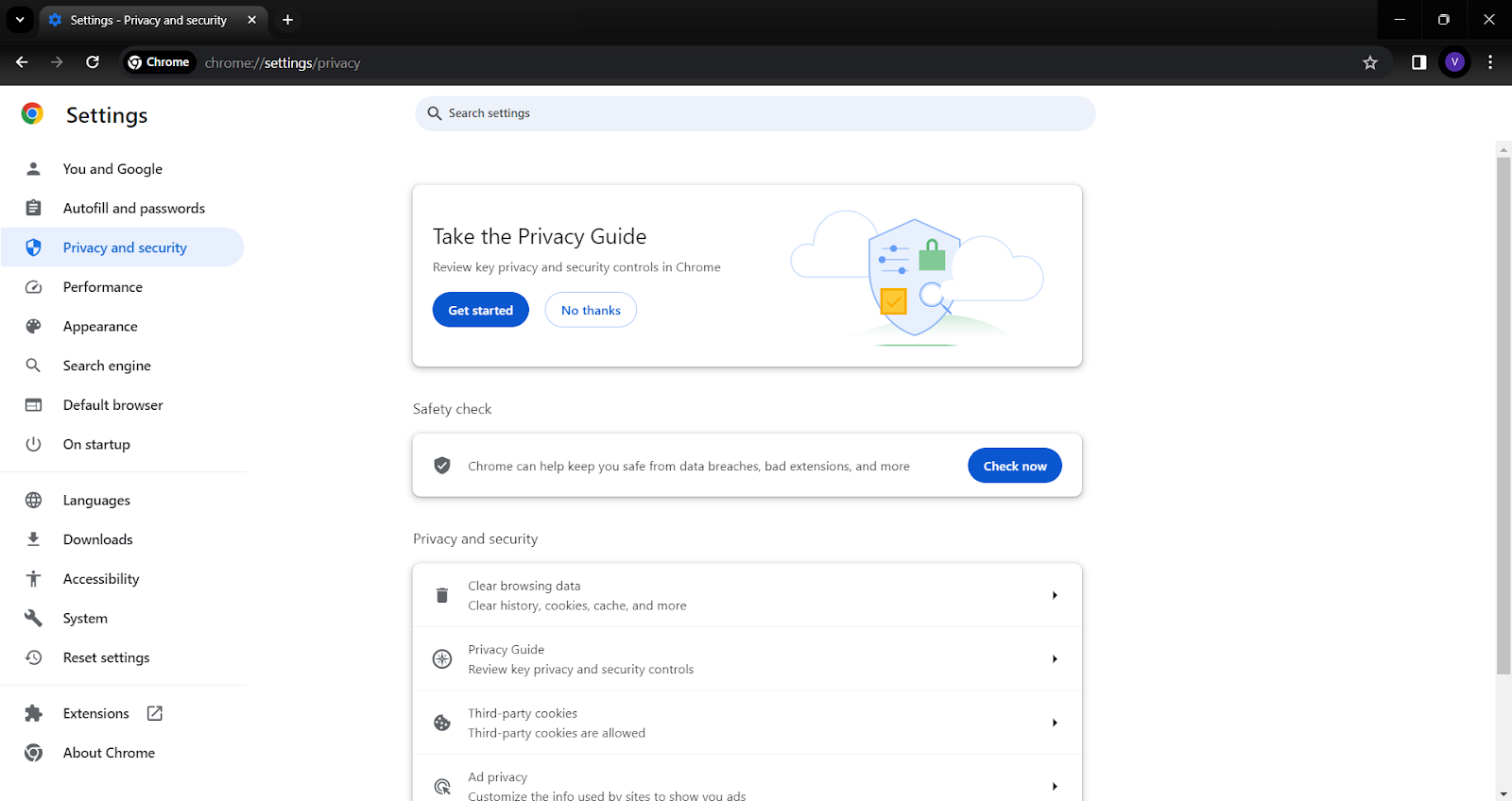
C. Choose the option to clear browsing data. You can select what data to clear, including cookies, cached images, and files.
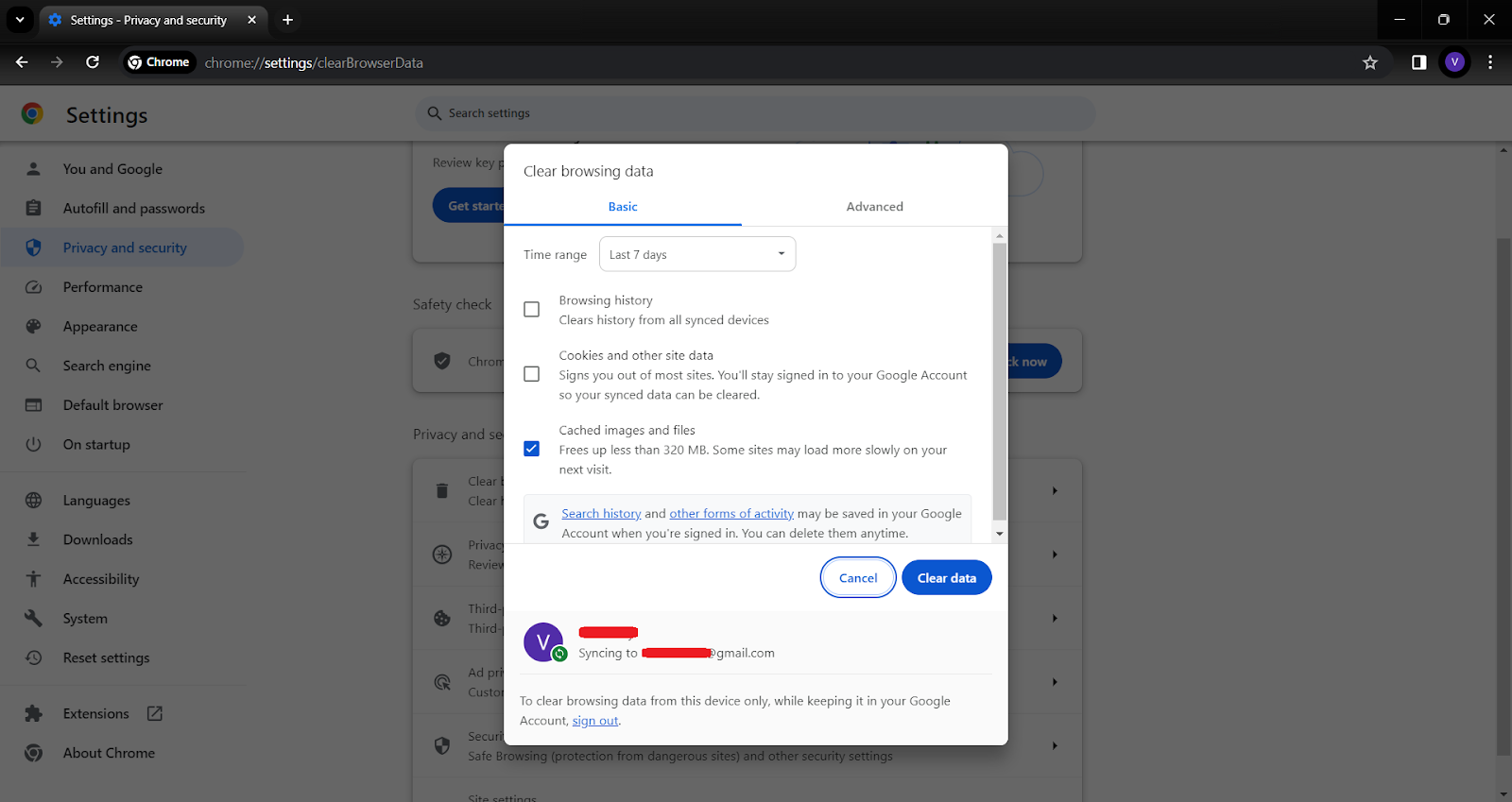
Read more on our guide: How to Delete Cookies from your Browser
5. Use Alternative Services
Opting for alternative services that prioritize privacy can significantly reduce your digital footprint:
- For search engines, consider using DuckDuckGo or Startpage, which don’t track your searches.
- For browsing, Firefox and Brave are excellent choices, offering enhanced privacy features.
- When it comes to email, providers like ProtonMail and Tutanota offer encrypted email services.
These alternatives often have privacy as a core feature, ensuring that your data isn’t used for advertising or other purposes without your consent.
Take Control of Your Digital Footprint
Securing your digital footprint in the vast landscape of the internet is more crucial now than ever. While Google’s services offer convenience and efficiency, they come with the cost of extensive data collection. Understanding what data Google collects and how it’s used is the first step in reclaiming your online privacy.
Tools like Poper Blocker play a pivotal role in this endeavor, offering a straightforward solution to block cookie requests and limit tracking. By adjusting your Google account settings, using privacy-focused browsers, and being mindful of your online activities, you can significantly reduce the amount of data you share.
And we can’t emphasize this enough: Every small step towards enhancing your privacy contributes to a larger impact on protecting your personal information. Embrace these practices and tools to ensure your online activities remain yours and yours alone.
FAQs
What Kind of Data Does Google Collect?
Google’s data collection is extensive, encompassing various aspects of your online and offline activities. This includes personal details like your name, email, and phone number, which are collected when you sign up for Google services. Your search queries, the videos you watch on YouTube, and your interactions with Google Assistant are also tracked. Google Maps monitors your location history, providing insights into your travel patterns. Additionally, Google gathers information about the devices you use, including hardware models and operating systems, as well as your behavior on websites that use Google services, like ads clicked and websites visited.
Can I See What Data Google Has About Me?
Yes, Google provides transparency and control over the data it collects. You can view this data by accessing your Google Account settings. Here, you can find detailed information under the ‘Data & Personalization’ tab. This section allows you to review various types of data that Google has collected, including your search history, location history, and information from other Google services like YouTube and Gmail.
How Can I Stop Google from Tracking Me?
To reduce Google’s tracking, start by adjusting the privacy settings in your Google Account. You can turn off web and app activity tracking, disable location history, and opt-out of ad personalization. Using privacy-focused tools like Poper Blocker can also help, as it blocks cookie requests and denies access to cookies. Additionally, consider using browsers with enhanced privacy features and search engines that do not track your online activities.
Is It Possible to Completely Stop Google from Collecting My Data?
Completely stopping Google from collecting your data is challenging, especially if you continue to use its services. However, you can significantly minimize the amount of data collected. Using tools like Poper Blocker, employing privacy-focused browsers and search engines, and regularly clearing your browser history and cookies are effective strategies. Be mindful of the permissions you grant to Google apps and services on your devices.
Does Google Use My Data for Anything Other than Advertising?
Apart from advertising, Google uses your data to enhance its services and personalize your experience. This includes improving search algorithms, recommending videos on YouTube, and providing traffic updates on Google Maps. Google also uses this data for security purposes, like protecting against fraud and abuse, and for developing new services. Understanding these uses can help you make informed decisions about the data you share with Google.
Don’t let Google watch you – Download Poper Blocker for ultimate online privacy.
Instagram, boasting over a billion monthly active users, has transformed into a prime destination for advertisers. The following data highlights how this social media platform serves as a lucrative opportunity for marketers, while simultaneously posing as a potential source of annoyance for its users.
| Statistic | Source |
| Monthly Advertisers on Instagram: 2 million | ClearVoice |
| Estimated Advertising Reach on Instagram: 1.60 billion users | We Are Social |
Why Should I Block Instagram Ads?
The influx of ads on platforms like Instagram can be overwhelming. Here are several compelling reasons why blocking these ads can significantly enhance your online experience:
- Enhanced User Experience: Ads can disrupt the flow of your social media browsing. By blocking them, you ensure a smoother, more enjoyable scrolling experience, focusing solely on content that genuinely interests you.
- Time Efficiency: Ads not only interrupt but also prolong your time on the app. Removing them means you spend less time sifting through irrelevant content and more time engaging with posts that matter to you.
- Data Privacy Concerns: Many ads are tailored based on your online behavior and personal data. Blocking ads adds a layer of privacy, reducing the amount of data collected about your browsing habits.
- Mental Well-being: Constant exposure to ads, especially those promoting unrealistic standards or lifestyles, can impact mental health. Limiting this exposure can lead to a healthier, more positive social media experience.
- Avoidance of Misleading Content: Not all ads uphold the highest standards of truthfulness. Blocking ads reduces the risk of encountering scams or misleading information.
So, are you curious about how to block adverts on Instagram? In this comprehensive guide, we’ll look into the most effective methods you can employ to achieve this.
How Do I Stop Ads on Instagram?
The great news is that there are several effective strategies available to block these intrusive ads on Instagram. Below are some of the most efficient methods you should consider implementing:
1. Utilize Poper Blocker
Poper Blocker emerges as a formidable solution in your pursuit of an ad-free Instagram experience. This tool is available as a browser extension for Chrome and Edge.
Let’s dive into what makes it a game-changer and learn how to stop Instagram ads using this method:
- Seamless Integration: This add-on effortlessly blends into your browsing experience. Once installed, it operates quietly in the background, ensuring that your Instagram feed remains free of ads without any manual intervention from you. This seamless integration means you can continue enjoying Instagram just as you always have, but with a significant enhancement – no more disruptive ads.
- Advanced Blocking Technology: At the heart of Poper Blocker is its advanced technology designed to identify and block a wide range of ads. Whether it’s a sponsored post in your feed or an ad in your stories, Poper Blocker works diligently to filter these out. This technology is continually updated to keep pace with new advertising strategies, ensuring that your Instagram experience remains uninterrupted.
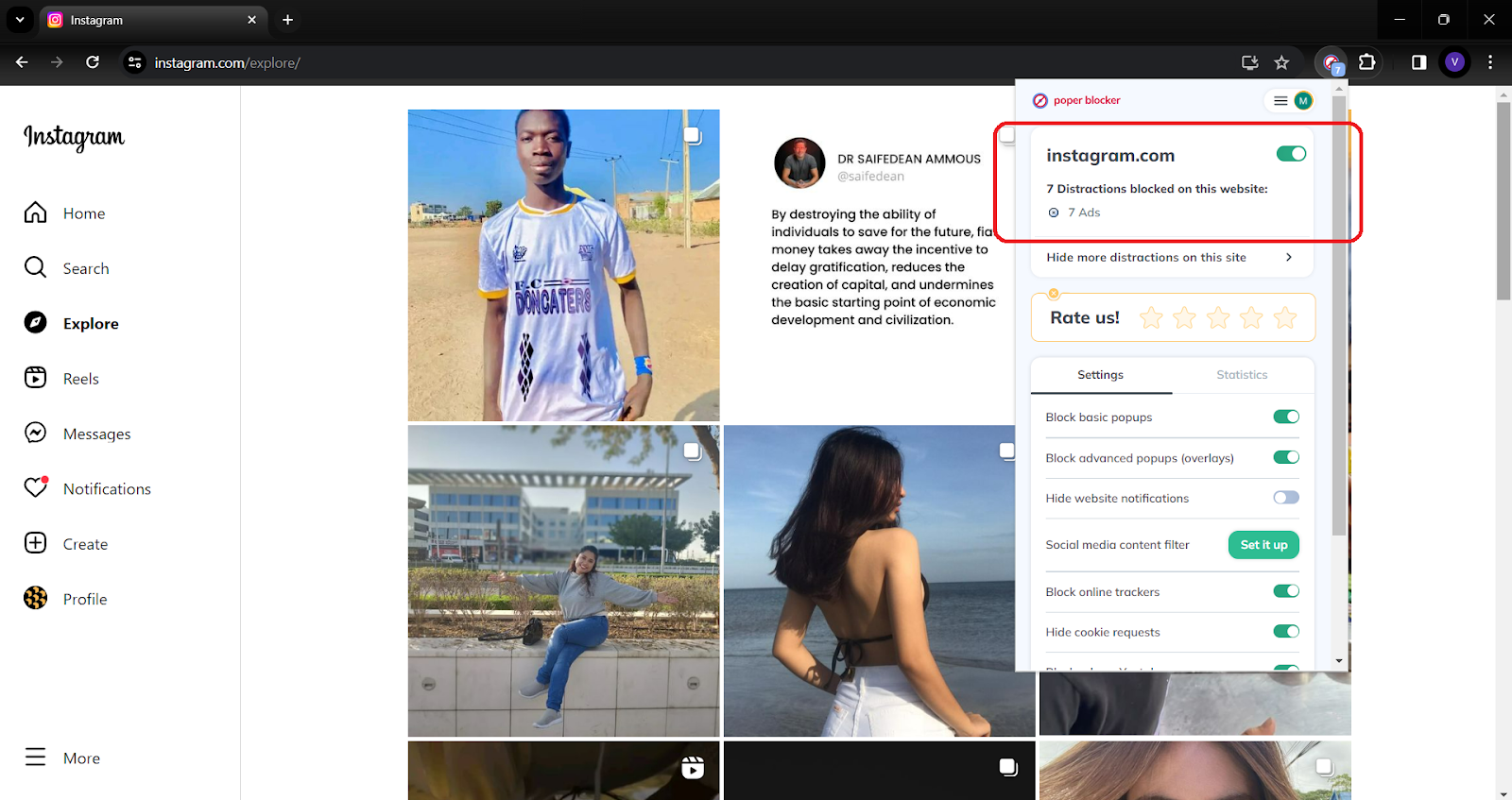
- User-Centric Customization: What sets this tool apart is its customizable nature. You have the power to tailor the ad-blocking experience to your preferences. If there are certain types of content you don’t mind seeing, Poper Blocker allows you to adjust its settings accordingly, giving you complete control over what gets blocked and what doesn’t.
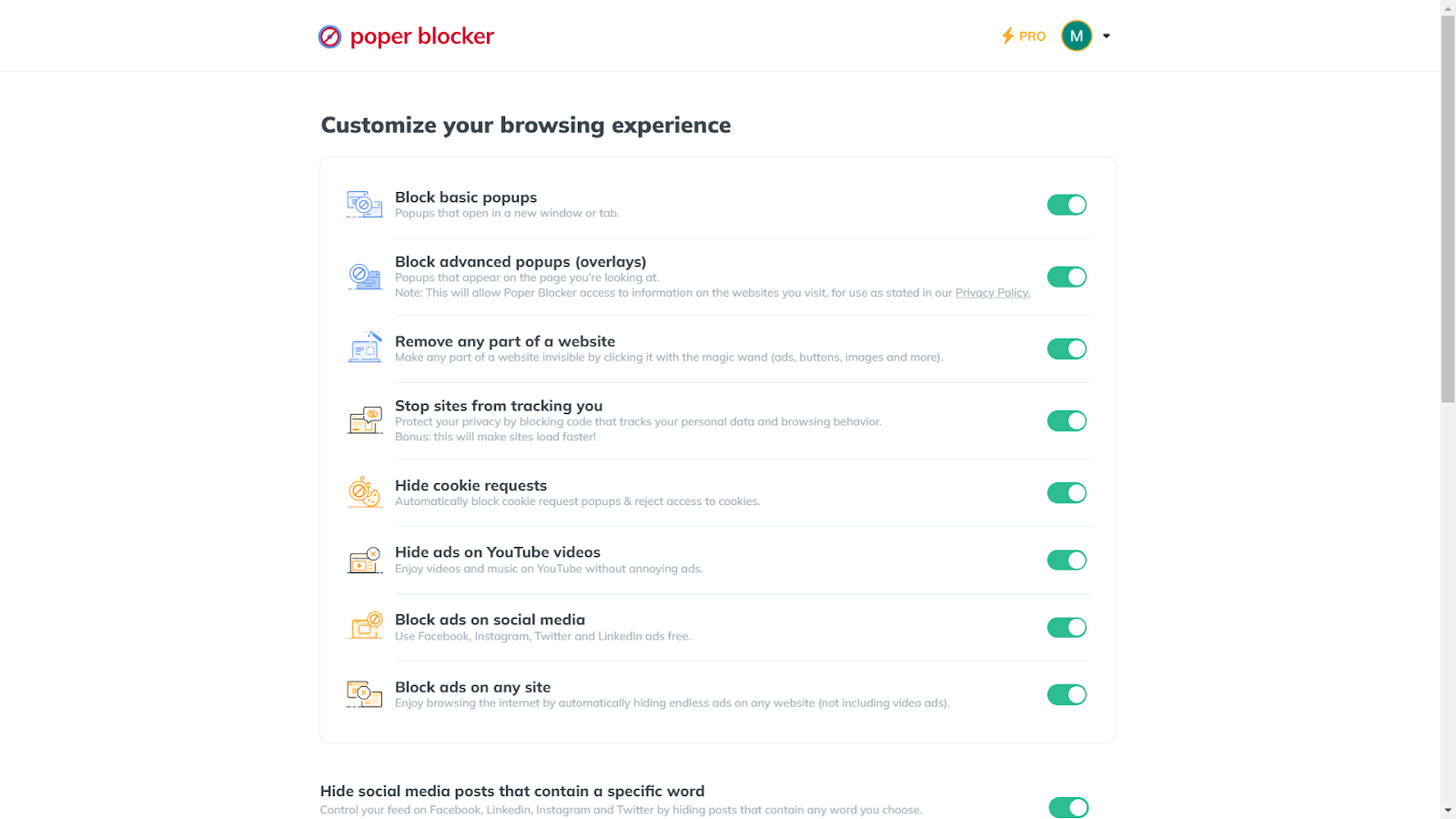
- Enhanced Privacy Protection: When you’re online, your data is often used to target ads, and the good news is that Poper Blocker offers an added layer of privacy. By blocking ads, it also limits the amount of data advertisers can collect about you, offering peace of mind and an extra layer of protection against intrusive data collection practices.
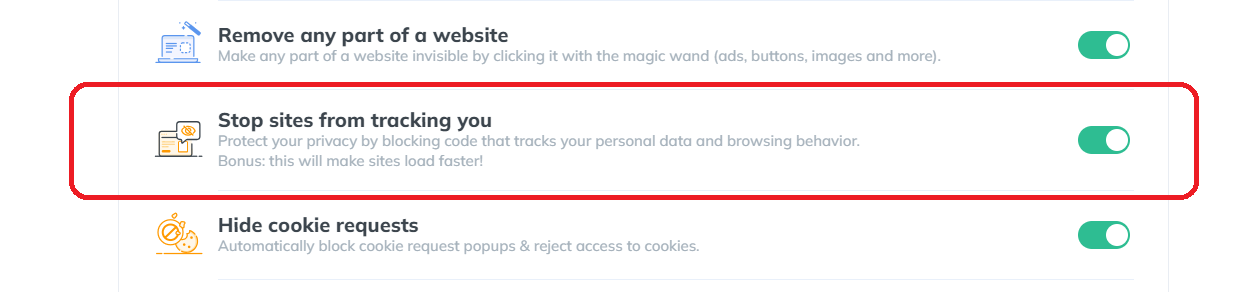
- Effortless User Experience: The beauty of Poper Blocker lies in its simplicity. Installation is a breeze, and once it’s up and running, it requires little to no maintenance. This ease of use makes it an ideal choice for anyone, regardless of their technical expertise.
Ready for an ad-free Instagram? Grab the Poper Blocker browser extension now!
2. Configure Instagram’s Features
While external tools like Poper Blocker are effective, leveraging Instagram’s own features can also significantly reduce ad intrusion. Here’s how you can take control:
Personalized Ad Experience
Instagram allows you to hide specific ads that don’t resonate with you. By tapping the three dots on an ad and selecting ‘Hide ad’, you inform Instagram about your preferences.
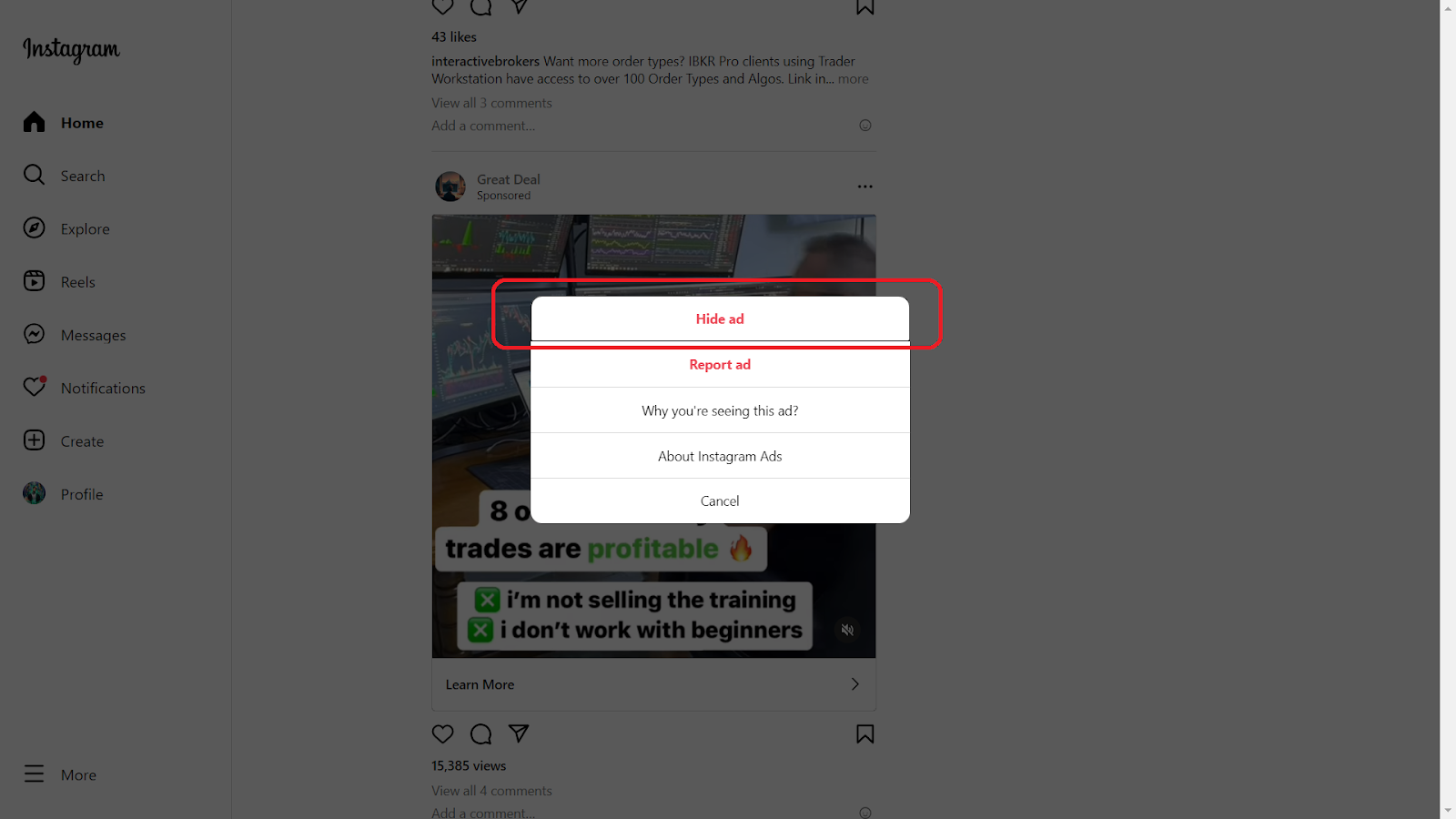
This action sends a signal to the algorithm, gradually tailoring the ad content to better suit your interests. It’s a proactive step towards curating a feed that aligns more closely with your tastes and dislikes.
Reporting Inappropriate Ads
Instagram is a diverse platform, and not all ads adhere to community standards or personal ethics. If you come across an ad that feels inappropriate, misleading, or offensive, you have the power to report it.
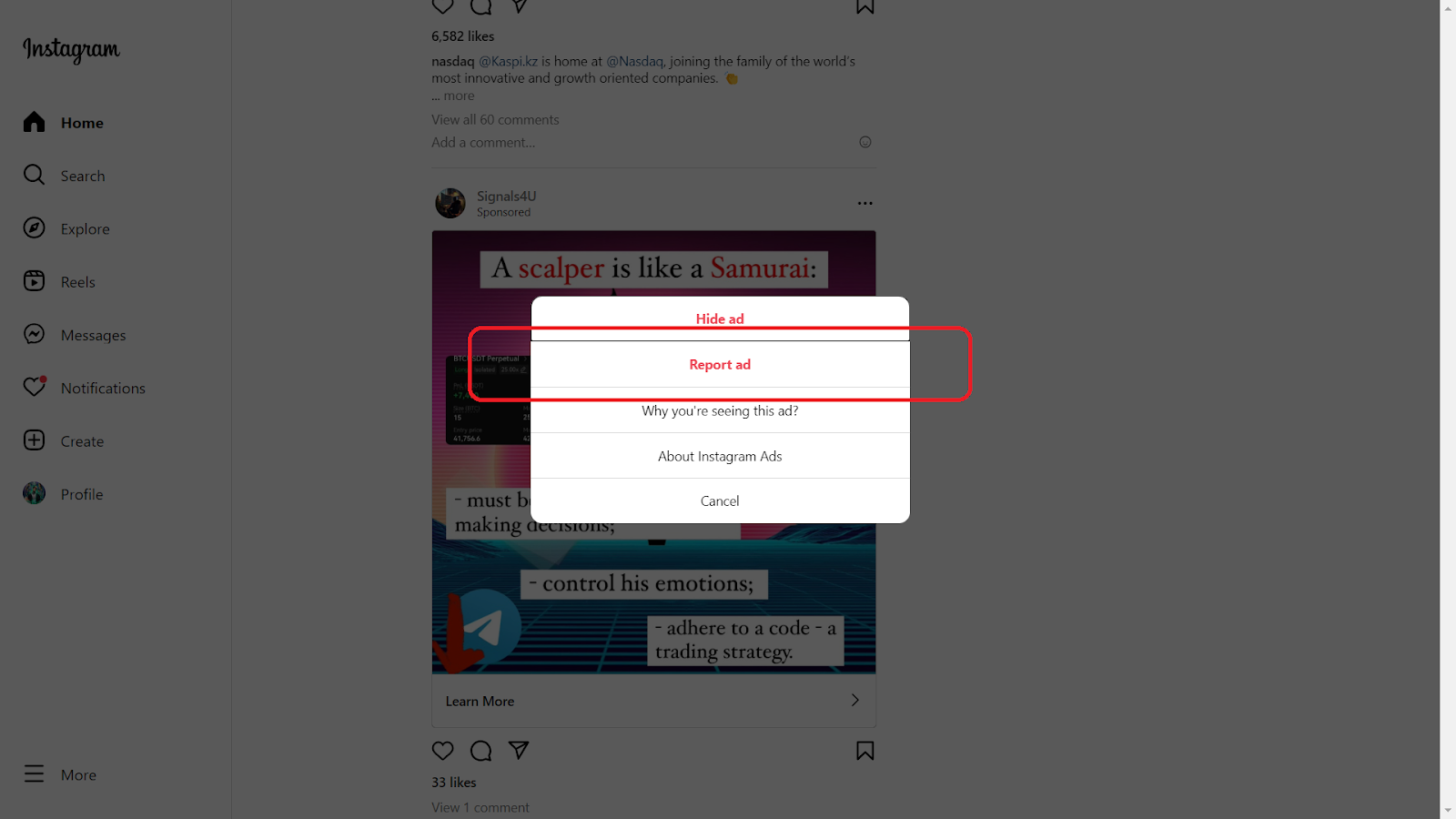
This not only removes the ad from your feed but also helps Instagram improve the quality of ads shown to the community. Reporting is a simple yet impactful way to contribute to a healthier online environment.
Blocking Ad Accounts
Sometimes, the best way to deal with persistent advertisers is to block their accounts. If you notice recurring ads from the same source that don’t interest you, go to the advertiser’s profile and block them.
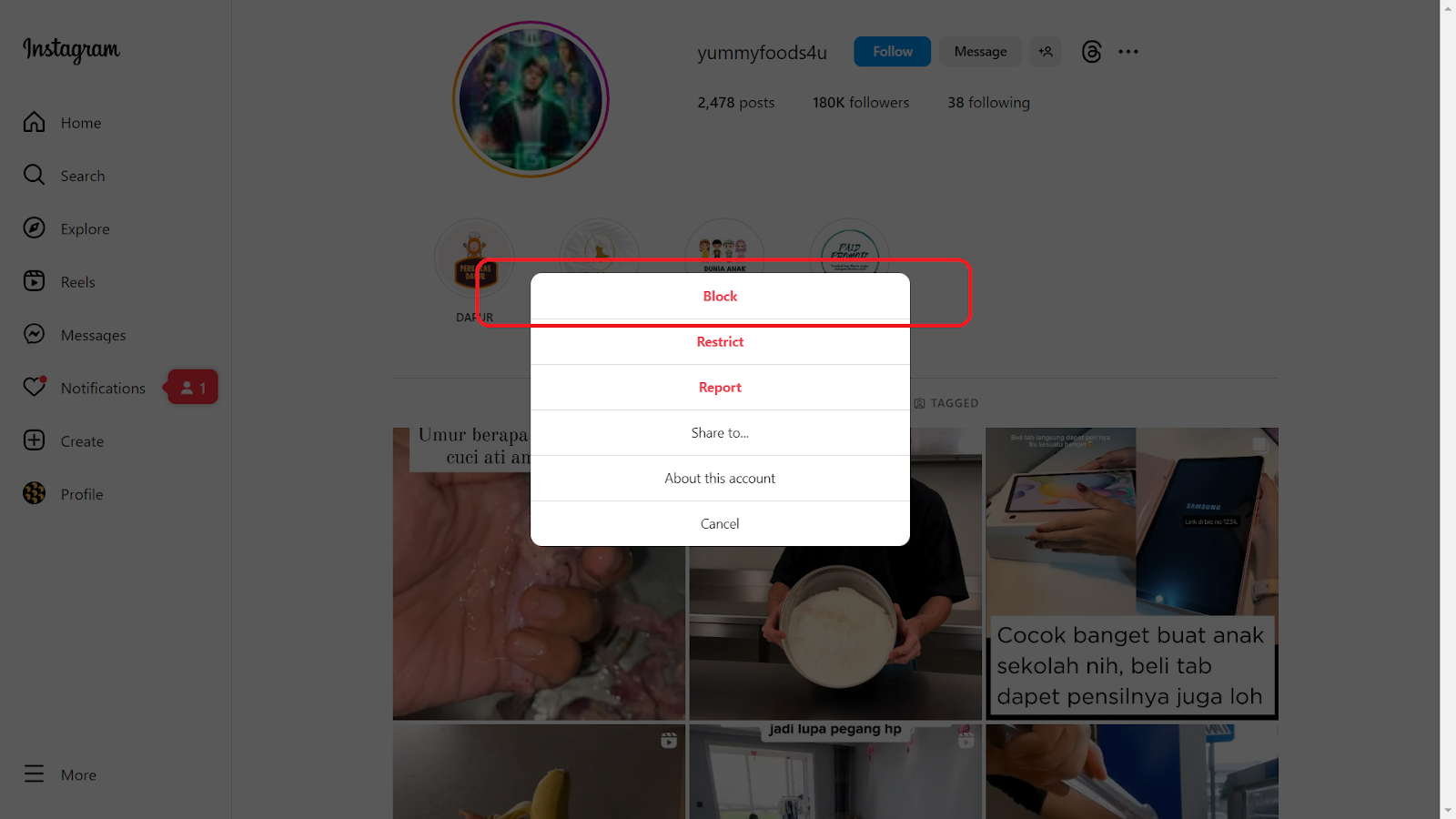
This action ensures that their content, including ads, no longer appears in your feed. It’s a straightforward yet effective method to cleanse your Instagram experience.
Adjusting Ad Preferences
Dive into the settings section of your Instagram account to fine-tune your ad preferences. Here, you can view and adjust the information Instagram uses to show you ads. This includes data from your activity on Instagram and its partner websites and apps.
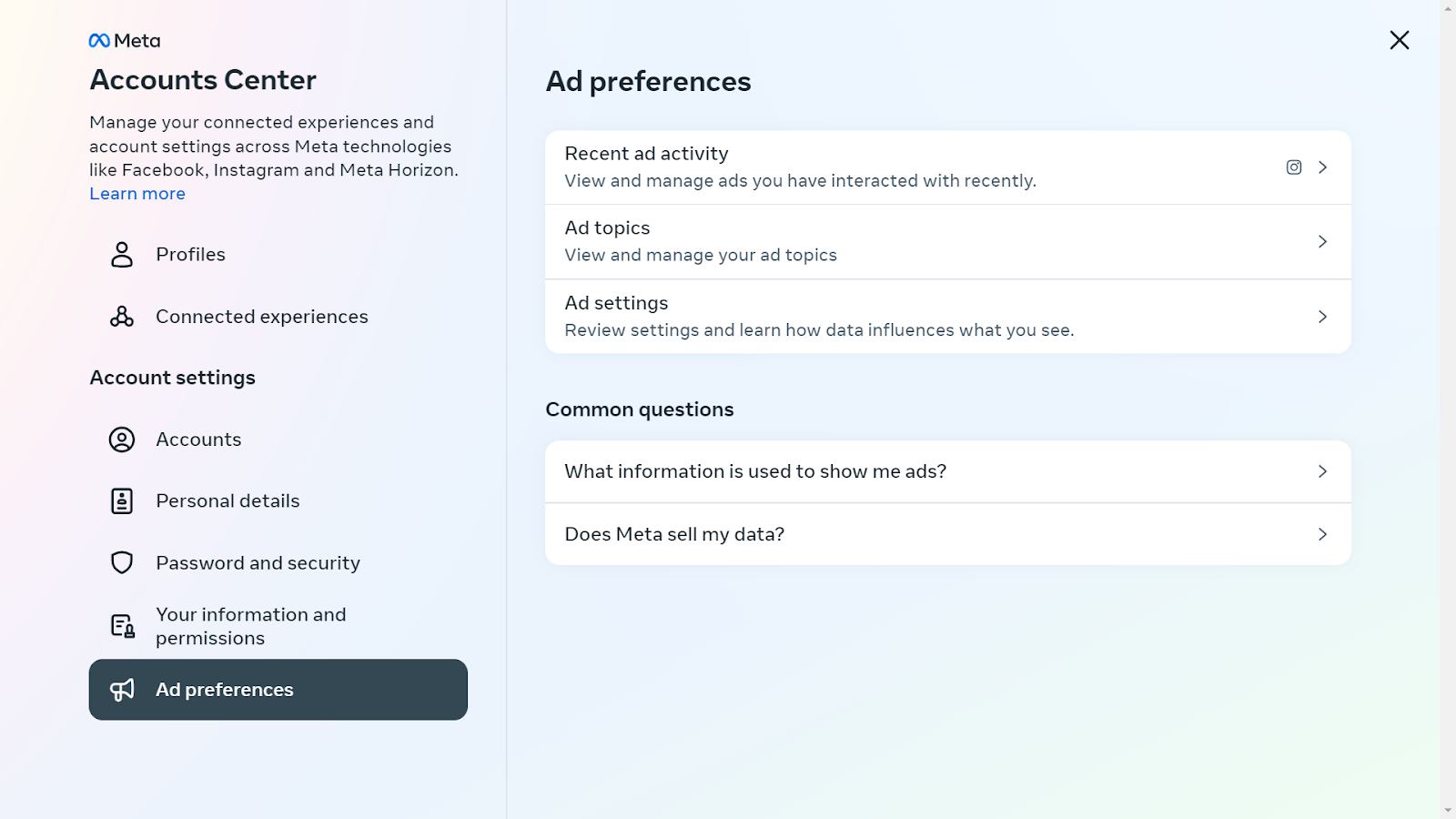
By customizing these settings, you gain more control over the types of ads that appear in your feed.
A Breath of Fresh Air on Instagram
In Instagram’s platform where online ads are increasingly pervasive, finding a sanctuary free from the constant bombardment of marketing messages is a breath of fresh air. Poper Blocker offers just that – a haven within Instagram where you can enjoy your social media experience without the incessant interruption of ads.
Alongside this powerful tool, configuring Instagram’s own features to manage ad preferences plays a crucial role. By hiding specific ads, reporting inappropriate ones, and blocking ad accounts, you gain more control over the content that appears in your feed. This dual approach, combining Poper Blocker with Instagram’s settings, empowers you to tailor your browsing experience to your liking.
So, why wait? Embrace the tranquility of an ad-free Instagram, where every scroll brings you closer to the content you truly care about. Let Poper Blocker and Instagram’s configurable features transform your social media interactions into uninterrupted moments of connection and discovery.
FAQs
Can I completely block all ads on Instagram?
While Poper Blocker significantly reduces the presence of ads on Instagram, it’s important to understand that completely eliminating all ads might not be feasible. Instagram, as a platform, integrates certain sponsored content directly into its feed and stories, which are harder to filter out. However, Poper Blocker does an excellent job at minimizing the majority of these interruptions, providing a much cleaner and more enjoyable browsing experience.
Is Poper Blocker safe to use?
Absolutely. Poper Blocker is designed with user safety and data privacy as top priorities. It operates by blocking unwanted content without compromising the security of your personal information. Users can trust that their browsing habits and data are not being tracked or misused. This assurance of safety and privacy is one of the key reasons why many choose Poper Blocker as their go-to ad-blocking solution.
How does hiding an ad affect my feed?
When you choose to hide an ad on Instagram, you’re essentially communicating your preferences to the platform. Instagram’s algorithm takes note of these actions. Over time, this feedback helps the platform tailor the types of ads and sponsored content you see, making them more relevant to your interests. While this doesn’t stop ads altogether, it does ensure that the ads you do encounter are more likely to align with your preferences, making them less intrusive.
Can I block ads on the Instagram mobile app?
Direct ad-blocking within the Instagram mobile app is limited. The app itself doesn’t provide a built-in feature to block ads completely. However, users can manage their ad preferences through the app’s settings by hiding specific ads, reporting inappropriate ones, and blocking ad accounts. These actions can help reduce the frequency and relevance of the ads shown.
Does Poper Blocker work on all browsers?
Poper Blocker is specifically designed for Chrome and Edge browsers. This focus allows for a more tailored and effective ad-blocking experience on these platforms. While it is not available for all browsers, users of Chrome and Edge can easily integrate Poper Blocker into their browsing experience to enjoy an ad-free journey on websites like Instagram.
Say goodbye to annoying IG ads – Install Poper Blocker today!
Simple fact: Twitter, a platform with over 330 million monthly active users, displays a variety of ads including promoted tweets and targeted advertisements.
Twitter, now known as X, has become a central hub for news, entertainment, and social interaction. However, the influx of ads on the platform can be overwhelming, leading to a cluttered and frustrating user experience.
Just take a look at these numbers:
| Statistic | Value | Source |
| Amount invested by Twitter on advertising | $167.1 million | Statista |
| Twitter’s advertising revenue | $2.5 billion | Bloomberg |
The social media company generated a substantial $2.5 billion in ad revenue, further investing millions into this sector, underscoring its significant dependence on advertising.
The problem with these adverts is that it can often disrupt the user experience. Are you looking for effective ways to block these ads?
Why Should I Block Twitter Ads?
Blocking Twitter ads can significantly enhance your social media experience. Here are key reasons to consider:
- Improved Focus: Without ads, your feed remains dedicated to content you choose, fostering better engagement.
- Enhanced Privacy: Blocking ads reduces the tracking of your online activities, protecting your personal data.
- Reduced Digital Clutter: An ad-free timeline means a cleaner, more streamlined interface, free from visual distractions.
- Better Control: You regain control over your feed, seeing only posts from people and organizations you follow.
- Increased Efficiency: With fewer interruptions, your browsing becomes more efficient, saving you time and frustration.
How Do I Stop Ads on Twitter?
There are several effective methods on how to block Twitter ads, each offering its own unique advantages. Let’s explore some of the top options or tools available to enhance your browsing experience by minimizing unwanted advertisements:
1. Install the Poper Blocker Browser Extension
Installing the Poper Blocker browser extension is a game-changer for those seeking a serene and ad-free Twitter experience. This can be installed as a browser extension for Chrome and Edge.
Here’s a breakdown of its standout features:
- Robust Ad Blocking: At its core, Poper Blocker excels in efficiently blocking a wide range of ads on Twitter. From intrusive promoted tweets to subtle sidebar advertisements, it ensures your feed remains clean and focused on the content you value.
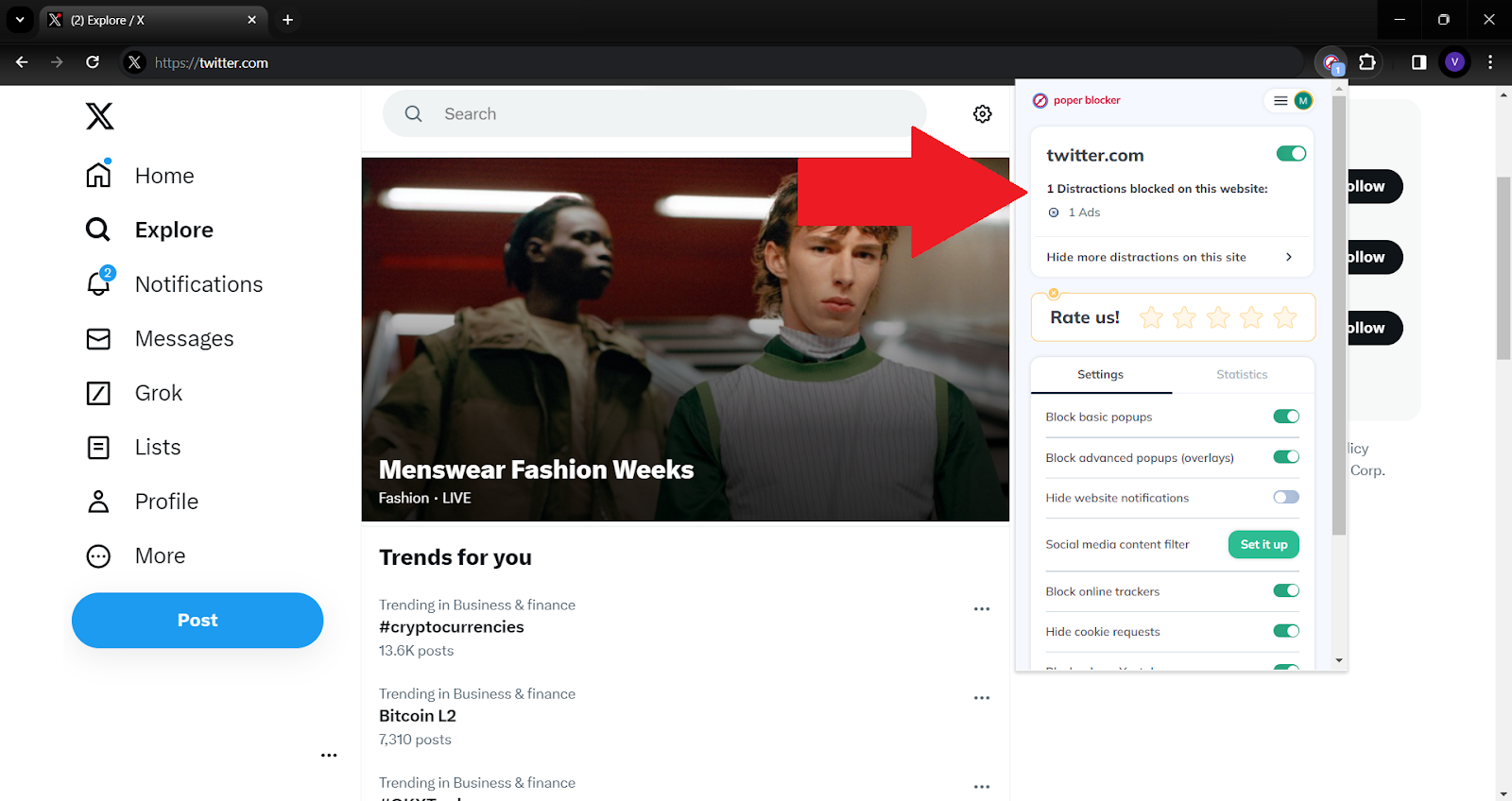
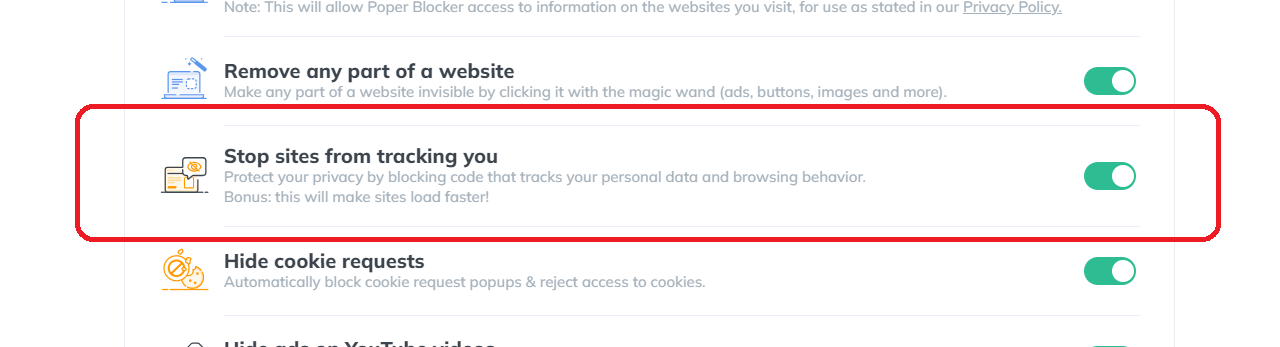
- Advanced Tracker Blocking: Beyond just ads, it also targets and blocks trackers. This feature is crucial for maintaining your online privacy, as it prevents advertisers from collecting data about your browsing habits and preferences.
- Customizable Blocking Options: One of the most user-friendly aspects of this ad blocker is its customizable nature. Users have the flexibility to tailor their ad-blocking preferences, choosing to block specific types of ads or adjust settings to better suit their individual browsing experience.
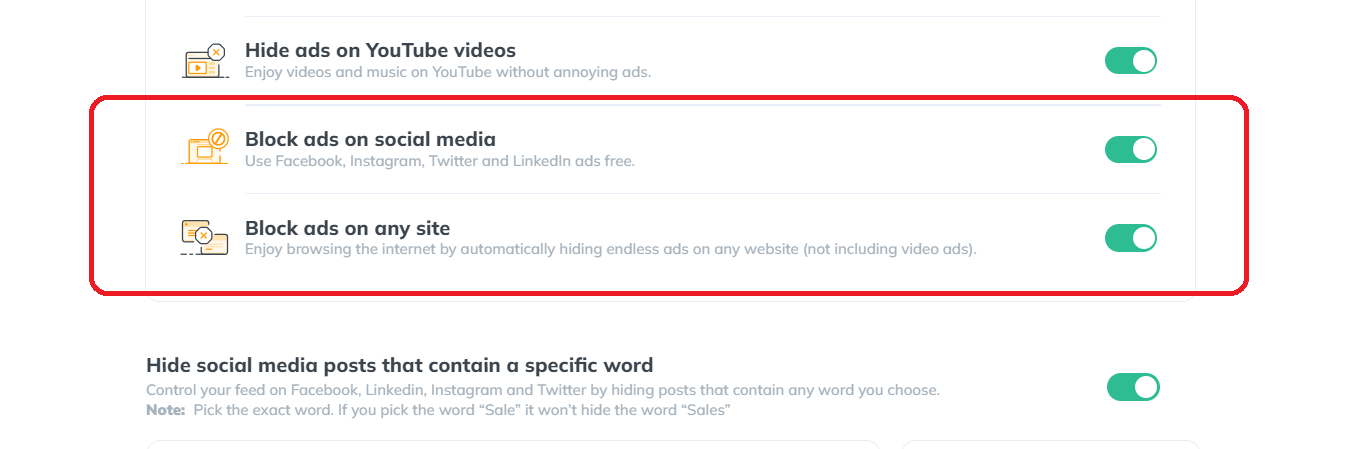
- Seamless Integration: The tool integrates seamlessly into your browser, working quietly in the background. This ensures that your Twitter usage remains uninterrupted and fluid, without the need for constant adjustments or interference.
- Regular Updates: The digital landscape is always evolving, and so are the strategies of advertisers. Poper Blocker stays ahead of the curve with regular updates, ensuring that even the newest ad formats and tracking techniques are effectively blocked.
Transform your X journey – Grab Poper Blocker and block ads effortlessly!
2. Configure X (Twitter) Ad Settings
Configuring your Twitter ad settings is a strategic move to reduce the influx of ads and tailor your online experience. Here’s how you can take control:
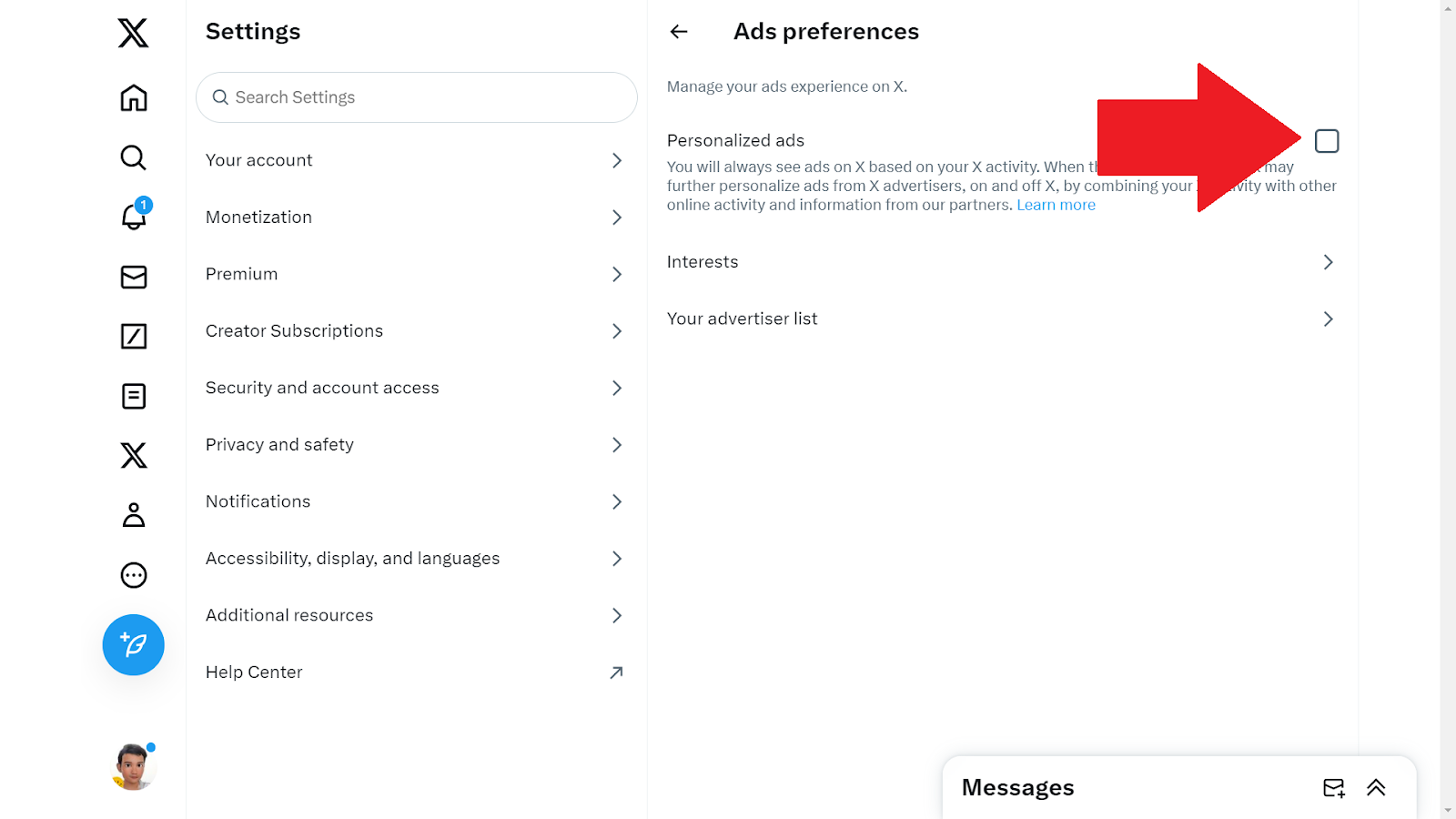
Accessing Ad Preferences: Start by diving into your Twitter account settings. Here, you’ll find the ‘Ad Preferences’ section, a control center for managing how ads are served to you.
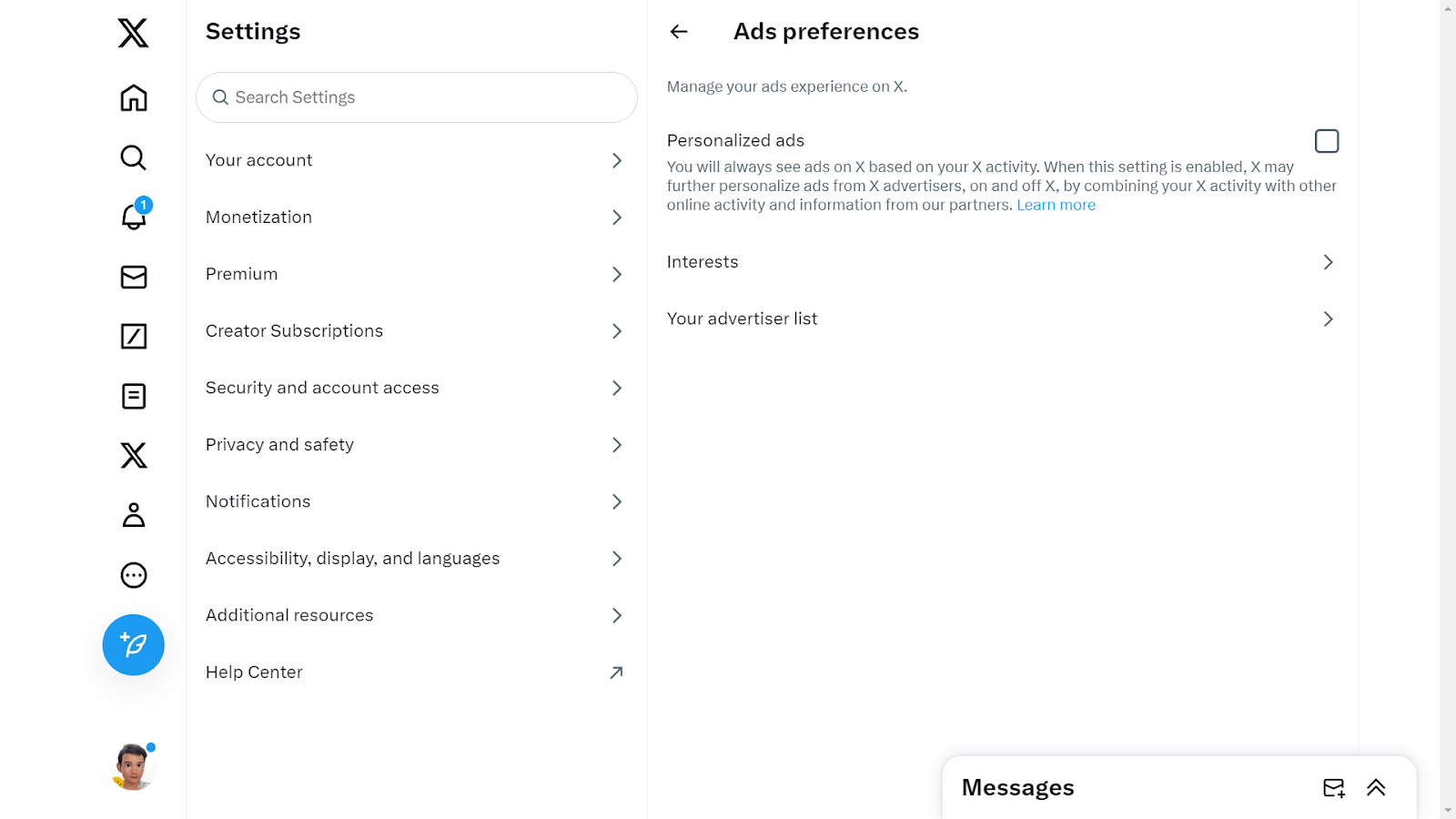
- Opting Out of Personalized Ads: One of the key features in this section is the ability to opt-out of personalized ads. This means Twitter will limit its use of your data to tailor ads, resulting in a less targeted ad experience.
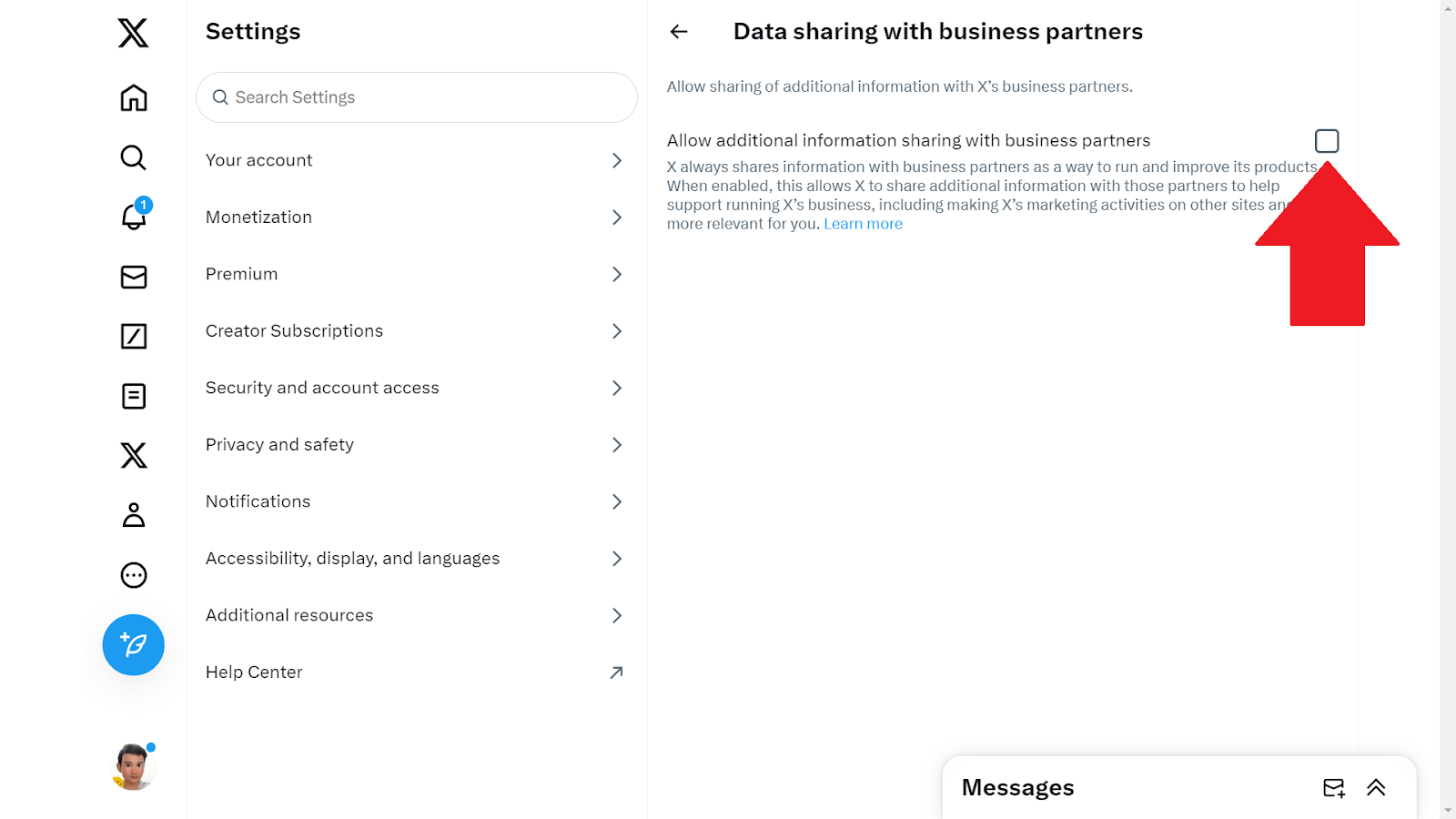
- Reviewing Data Sharing Options: Take a moment to explore the data sharing settings. Twitter uses your data to enhance ad relevance, but you have the power to restrict this data sharing, further reducing ad personalization.
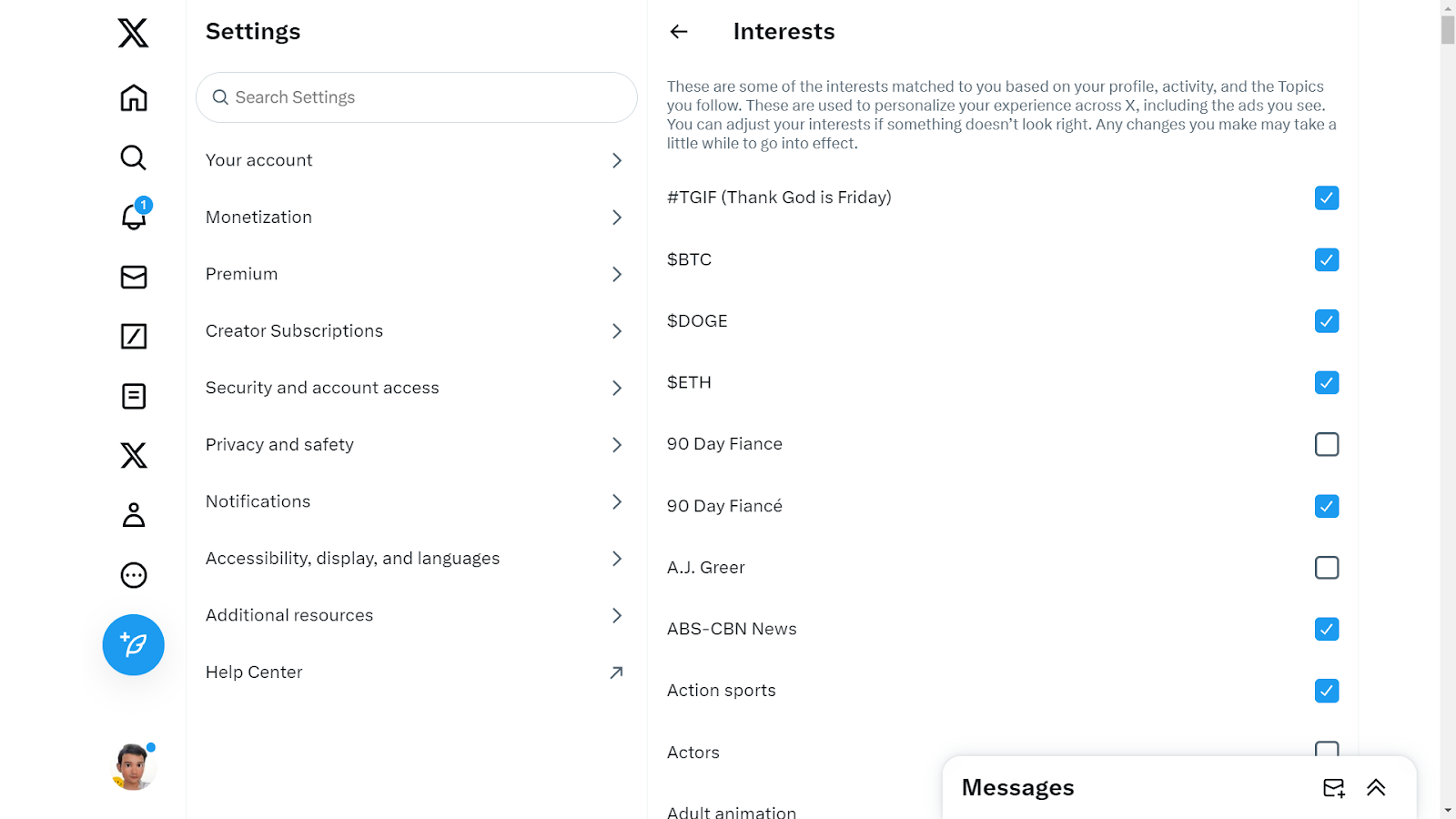
- Adjusting Interest Settings: Twitter curates ads based on your perceived interests. Dive into the ‘Interests’ section to uncheck topics that don’t resonate with you, thereby reducing irrelevant ad content.
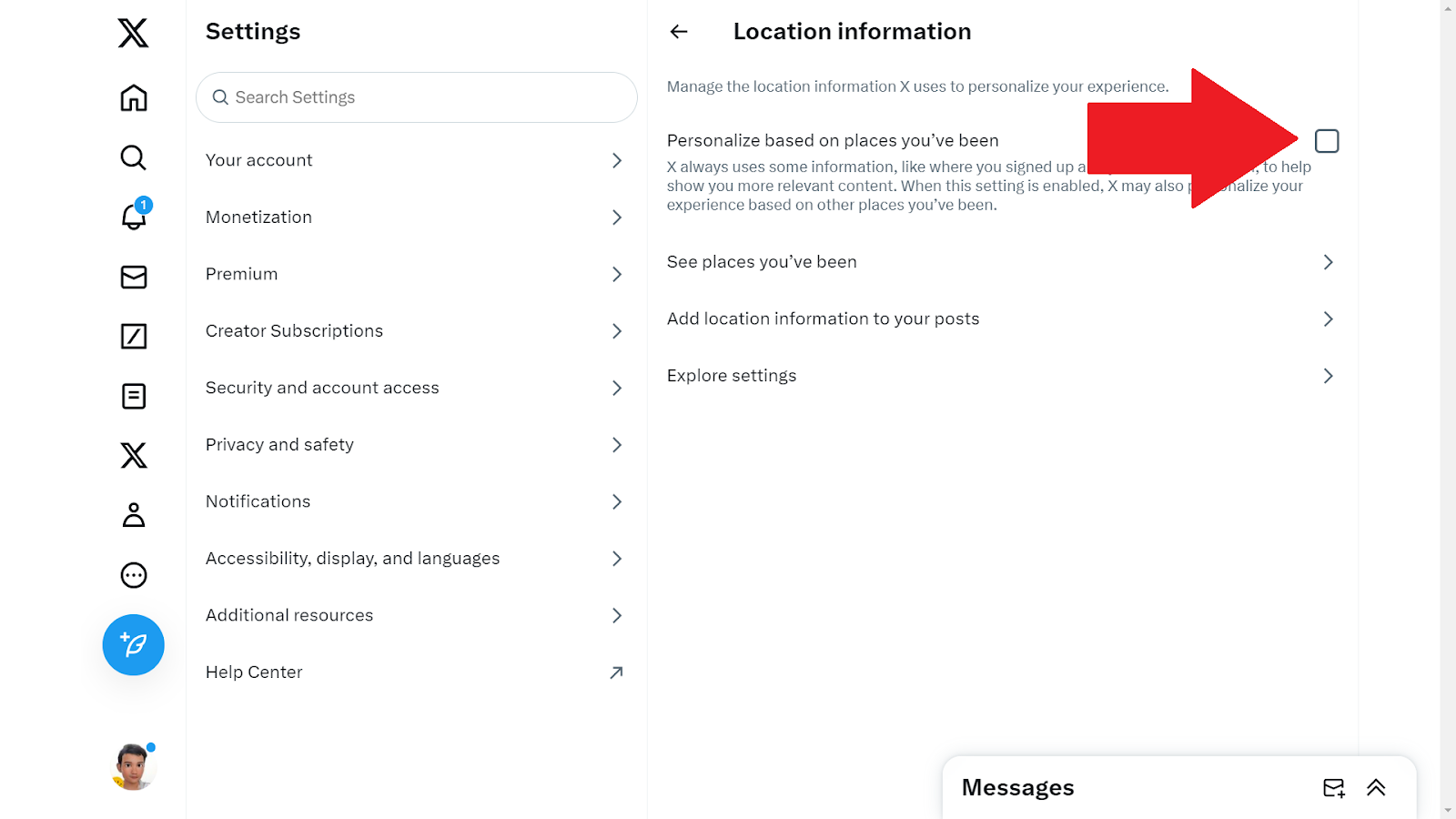
- Controlling Location-Based Ads: Location data can significantly influence the ads you see. If you prefer not to receive location-specific ads, you can turn off location-based ad targeting in your settings.
- Regular Review and Adjustment: Your interests and preferences may change over time, so it’s beneficial to periodically revisit these settings. Regular adjustments ensure that your ad experience remains as relevant and unobtrusive as possible.
3. Explore Other Ad Blocking Tools
In addition to specific browser extensions like Poper Blocker, there are several other tools available that can enhance your Twitter experience by minimizing or eliminating ads. Here’s a look at some types of tools you might consider:
- Privacy-Focused Web Browsers: Certain web browsers are designed with privacy as a priority, inherently blocking ads and trackers. These browsers offer an integrated solution for those who want a more secure and ad-free online experience. When you use such a browser to access Twitter, it automatically filters out most of the ads and tracking scripts.
- Mobile Apps for Ad Blocking: For those who primarily use Twitter on mobile devices, there are apps available that can block ads across different applications, including Twitter. These apps work by setting up a VPN or a local DNS proxy on your device to filter out ad traffic, thereby reducing the number of ads displayed in your Twitter feed.
- Custom Script Blockers: For the more tech-savvy users, custom script blockers offer a more hands-on approach. These tools allow you to create and implement custom rules for blocking content, including ads on Twitter. This method requires a bit more effort but offers a high degree of customization in controlling what content you see on your feed.
Enjoy a Cleaner, Ad-Free Twitter Experience
Embracing an ad-free experience on Twitter is not just about eliminating distractions; it’s about reclaiming control over your online environment. By effectively blocking ads, you can transform your Twitter feed into a space that’s solely focused on the content you care about, free from the clutter of unwanted promotions.
Tools like Poper Blocker not only enhance your browsing experience but also fortify your online privacy, shielding you from the relentless tracking often associated with digital advertising. This shift towards a cleaner, more streamlined Twitter experience allows for deeper engagement with the platform, ensuring that your time spent online is both enjoyable and meaningful.
Remember: Your online space is yours to curate, and with the right tools, you can ensure it remains a reflection of your interests, free from the intrusion of unwanted ads.
Tired of annoying ads on Twitter? Try the Poper Blocker extension for instant relief!
FAQs
Can I completely block all ads on Twitter?
Absolutely. Tools like Poper Blocker are designed to significantly reduce, if not entirely eliminate, the visibility of ads on Twitter. By using such tools, you can enjoy an ad-free experience on the platform. However, it’s important to note that while most ads can be blocked, occasional promotional content might still appear due to the evolving nature of ad technologies.
Will blocking ads affect my Twitter functionality?
No, using ad blockers like Poper Blocker won’t impact your ability to enjoy Twitter’s main features. These tools are designed to work seamlessly in the background, targeting only the ads and leaving the rest of your Twitter experience untouched. You’ll still be able to tweet, retweet, follow, and engage with content just as you did before, but without the constant interruption of ads.
Is it safe to use ad blockers like Poper Blocker?
Yes, Poper Blocker is a reputable and reliable tool for blocking ads. It prioritizes user safety and privacy, ensuring that your browsing experience is not only ad-free but also secure from potential online threats. The tool is regularly updated to maintain its effectiveness and to safeguard against any new types of adware or malicious ads that might emerge.
Can I customize what ads I block on Twitter?
Many ad blockers, including Poper Blocker, offer customization options. This means you can choose to block specific types of ads or adjust settings to suit your browsing preferences. Whether you want to completely eliminate all forms of advertising or just certain types of promotional content, these tools provide the flexibility to tailor your ad-blocking experience.
Do ad blockers also stop trackers?
A significant advantage of using ad blockers like Poper Blocker is their ability to block trackers as well. Trackers are used by websites and advertisers to collect data about your online behavior. By blocking these trackers, ad blockers enhance your privacy online, preventing advertisers from gathering personal data and targeting you with ads based on your browsing history and preferences. This dual functionality makes ad blockers an effective tool for both enhancing your browsing experience and protecting your online privacy.
Say goodbye to Twitter ads – Get Poper Blocker for a cleaner feed now!
Did you know that the average Facebook user clicks on 11 ads per month? (Source: DataReportal) With over 2 billion people targeted by Facebook ads, it’s no wonder many are seeking ways to reduce this digital clutter. But how do you effectively block these ads?
What are Facebook Ads?
Facebook ads are tailored advertisements that typically appear in your:
- News feed
- Stories
- Videos
These ads are based on your online behavior, interests, and demographics. They are designed to capture your attention and often lead to impulsive online shopping.
Why is it Important to Block Facebook Ads?
Blocking Facebook ads isn’t just about removing a minor annoyance; it has several significant benefits. Here’s why it’s crucial:
Enhanced Focus
Ads can be a major distraction, interrupting your flow as you scroll through your feed. Removing them helps maintain your focus on what matters – connecting with friends and family, and enjoying meaningful content.
Improved Mental Well-being
Constant exposure to ads, especially those promoting unrealistic standards or unnecessary products, can impact mental health. Limiting this exposure can lead to a more positive online experience.
Data Privacy
Many ads use tracking technology to gather data about your online behavior. Blocking these ads can help protect your personal information from being collected and used without your consent.
Reduced Bandwidth Usage
Ads consume data. By blocking them, you can save on bandwidth, which is particularly beneficial if you’re on a limited data plan or using a slower internet connection.
Faster Browsing Speed
Did you know that Facebook Reels currently represents 3.3% of the platform’s ad impressions? (Source: Emarketer) Given the growing trend of user engagement with Reels, it’s likely that the frequency of ads in this format will increase in the future. Such ads can slow down page loading times. Without them, your Facebook experience becomes smoother and more efficient, enhancing overall usability and enjoyment.
How Do I Get Rid of Ads on Facebook?
So how do you stop ads on Facebook? By utilizing these features, you can significantly enhance your Facebook browsing experience, making it more tailored to your preferences and less cluttered with unwanted ads.
1. Use Poper Blocker
Poper Blocker, a renowned ad-blocking tool, offers robust features to block ads on Facebook. It’s designed to enhance your browsing experience by eliminating unwanted ads and pop-ups.
Here’s why it’s a game-changer:
- Efficient Ad Blocking: Poper Blocker is engineered to target and eliminate a wide array of ads on Facebook. From those pesky sidebar adverts to the interruptive video ads that pop up mid-stream, Poper Blocker handles them all with ease. This means a cleaner, more streamlined Facebook experience, free from distractions.
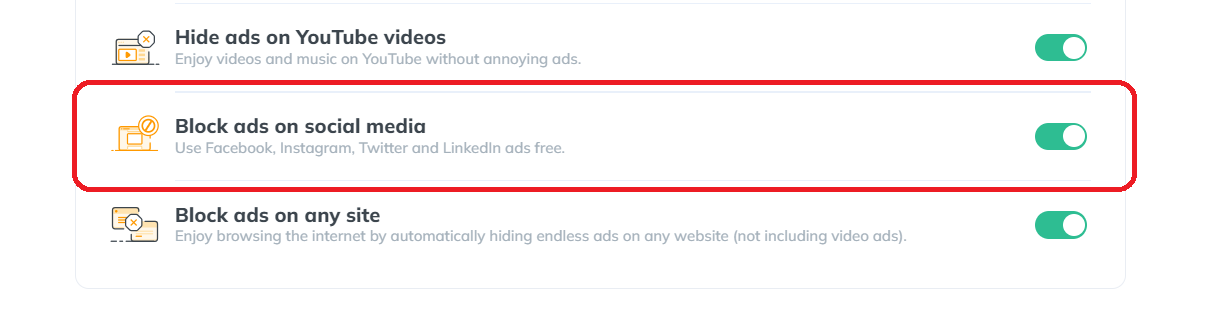
- User-Friendly Interface: One of the standout features of Poper Blocker is its simplicity and ease of use. You don’t need to be tech-savvy to navigate its interface. With just a few clicks, you can install the extension and watch it seamlessly integrate into your browser, working quietly in the background.
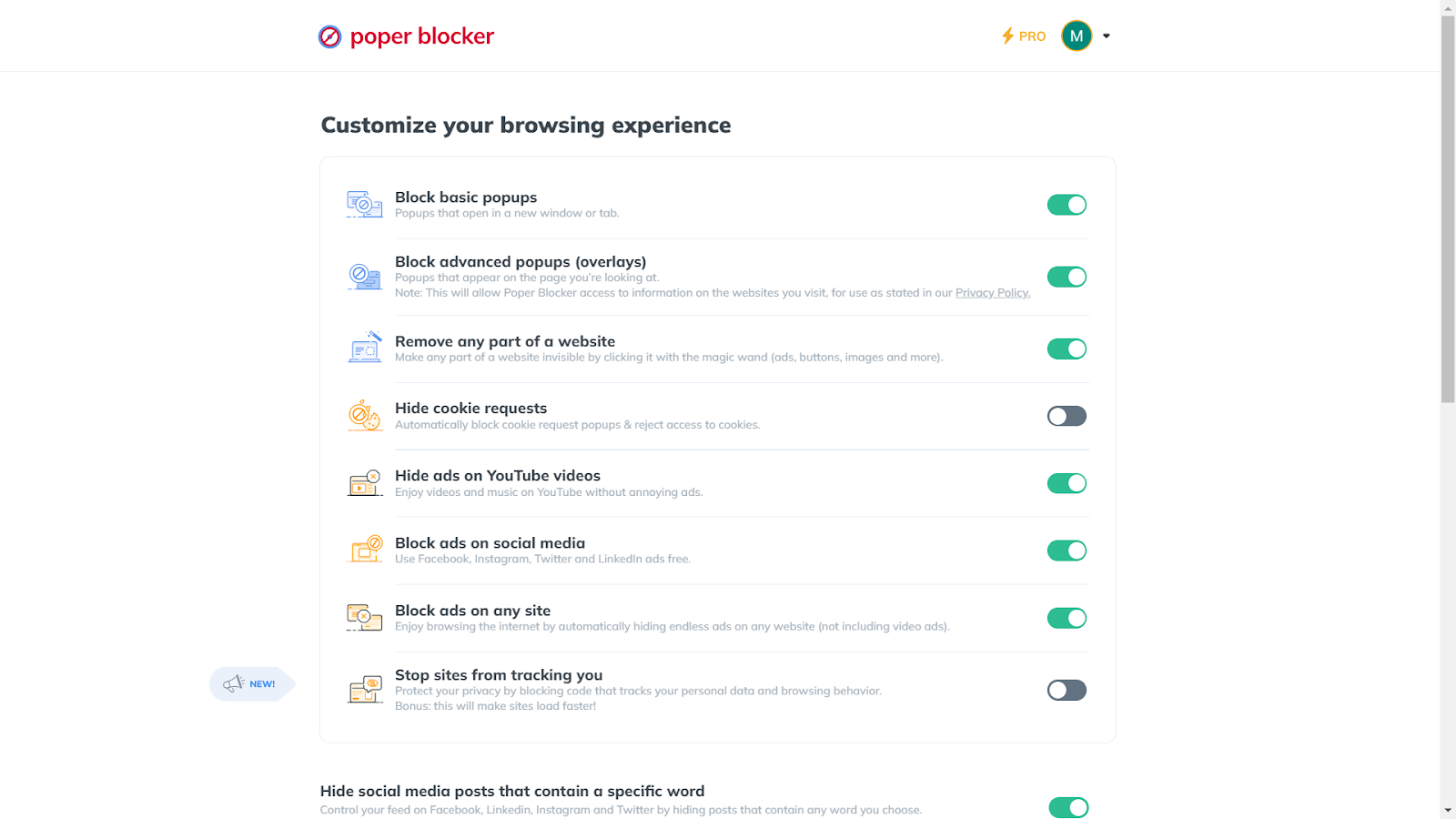
- Customizable Controls: Flexibility is key with this browser extension. You have the power to customize your ad-blocking experience. Whether you want to block adverts on Facebook or just specific types, Poper Blocker gives you the control to tailor your browsing experience according to your preferences.
- Privacy Protection: In an online world where privacy is paramount, Poper Blocker ensures that your browsing habits and data stay private. It blocks trackers that often accompany ads, safeguarding your digital footprint from prying eyes.
- Enhanced Browsing Speed: By eliminating the load of unnecessary ads, Poper Blocker can significantly improve your browsing speed on Facebook. This not only makes for a more enjoyable experience but also benefits those with limited bandwidth or slower internet connections.
Transform your Facebook feed – Try Poper Blocker for seamless browsing!
2. Utilize Facebook’s Features
Harnessing Facebook’s own features to control ad exposure is an effective strategy. Here’s how you can make the most of these options:
- Adjusting Ad Preferences: Facebook allows you to dive into your settings and tweak your ad preferences. This is a proactive way to influence the types of ads you see. You can limit ads based on your activity on other apps and websites, making them more relevant to your interests. It’s like telling Facebook, “Show me what I like, not just anything.”
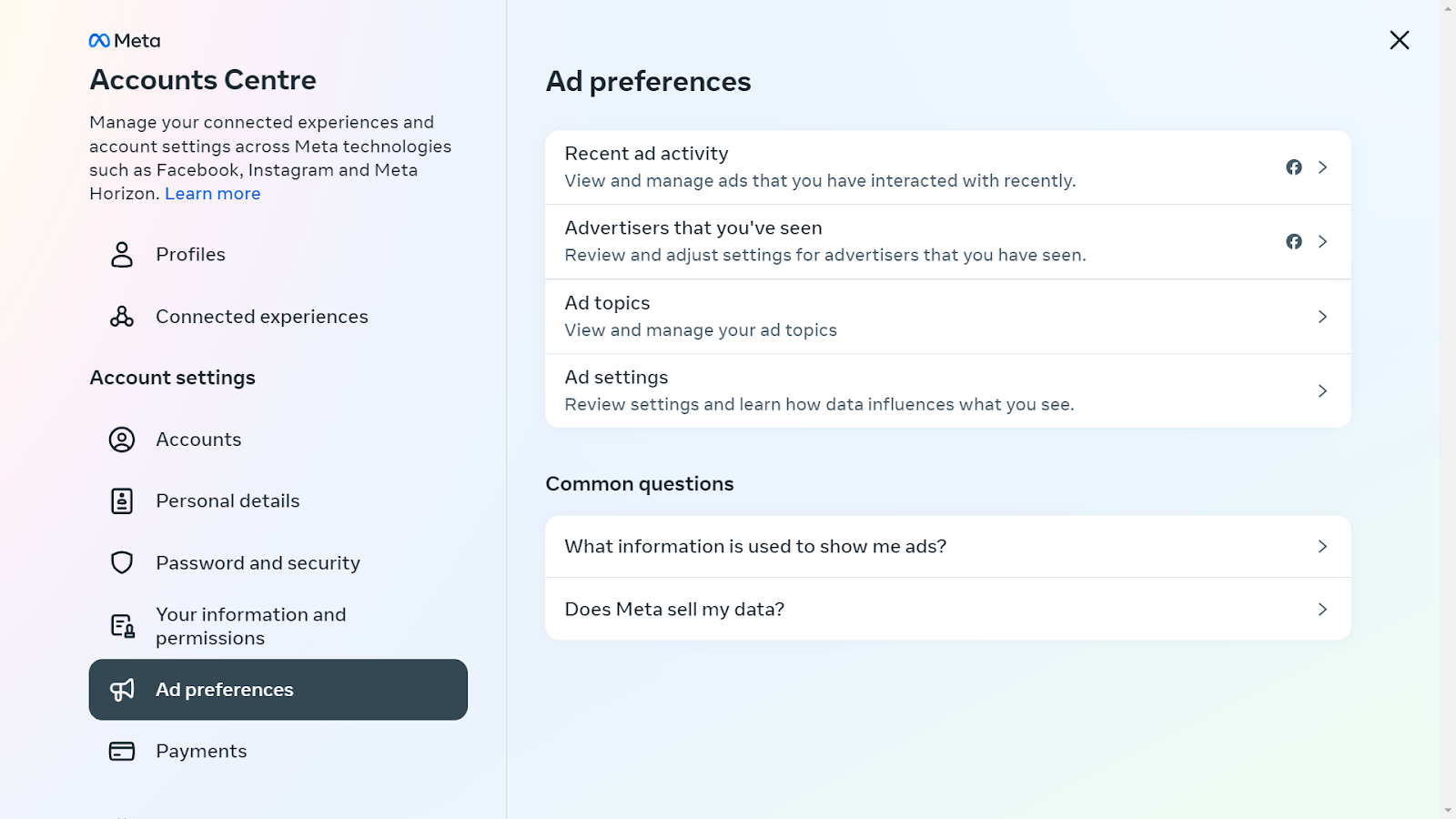
- Hiding Specific Ads: Ever seen an ad that just doesn’t resonate with you? Facebook gives you the power to hide it. With a simple click on the three dots in the ad’s corner, you can choose to hide it and similar ones in the future. It’s a quick fix to remove those one-off annoyances.
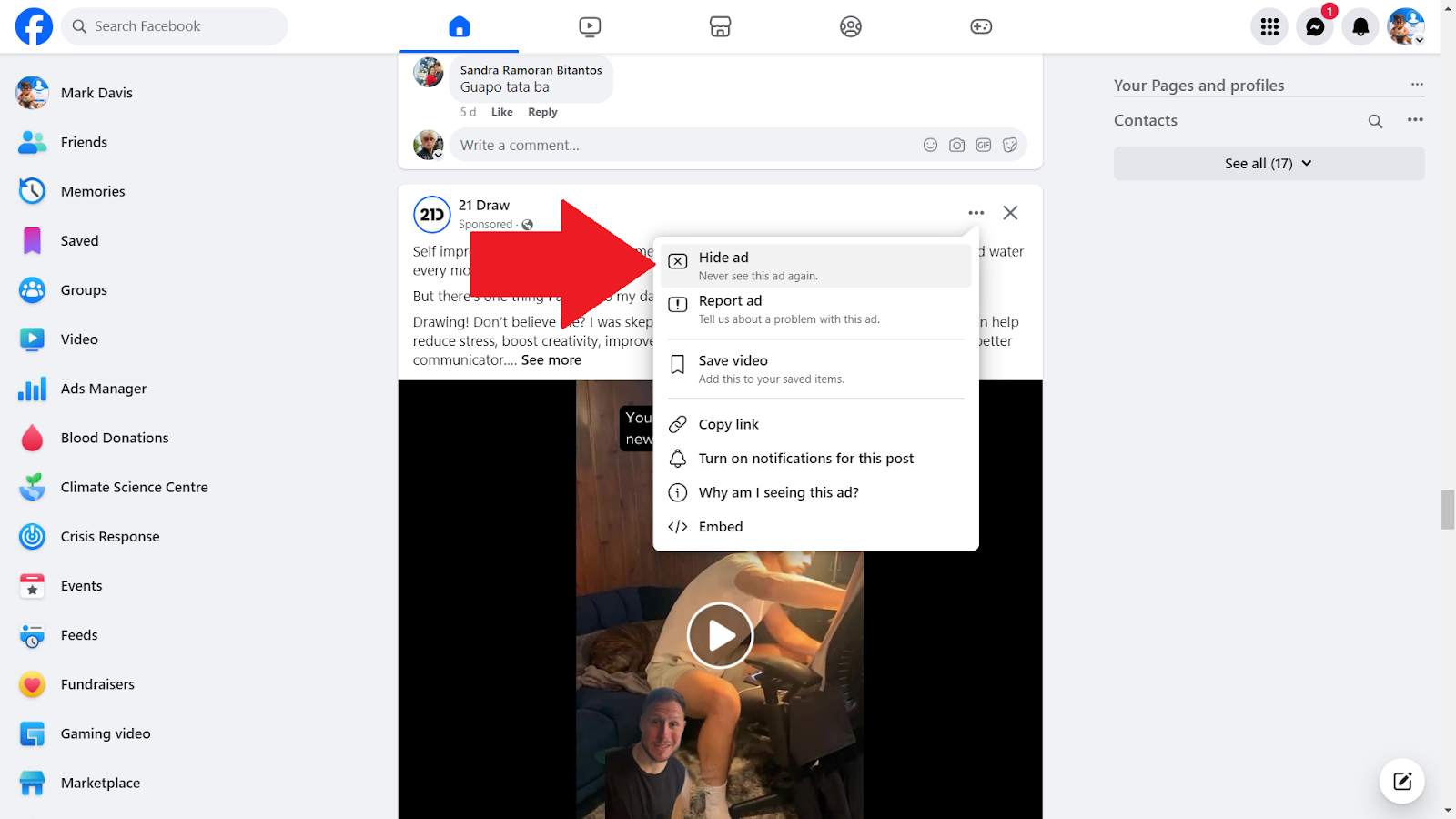
- Opting Out of Personalized Ads: If you’re not a fan of ads that feel a bit too personal, Facebook lets you opt out of this targeting. By adjusting this setting, you can stop Facebook from using your profile data to tailor ads, giving you a sense of privacy and control over your data.
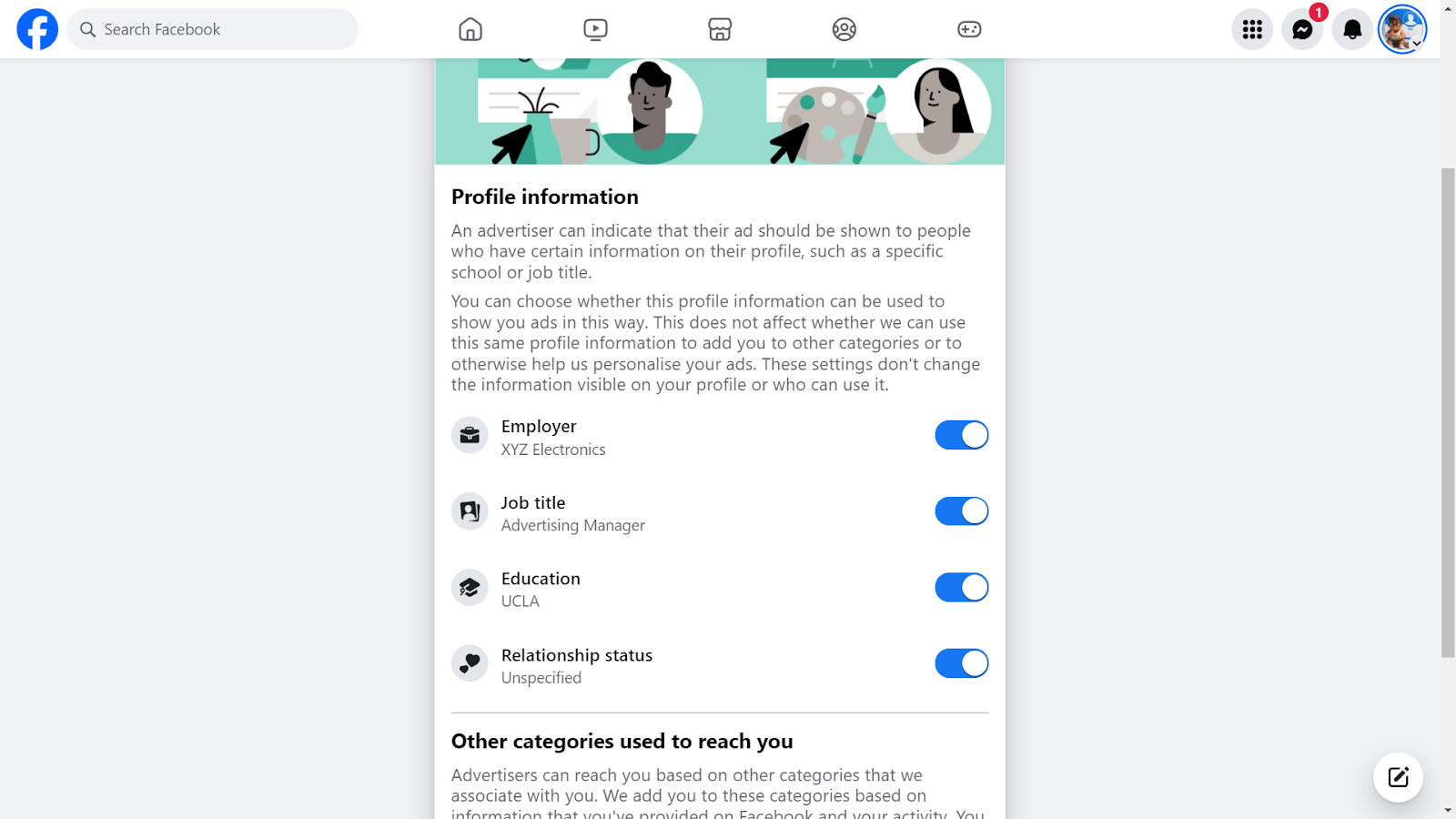
- Blocking Categories of Ads: Facebook understands that some topics are sensitive or irrelevant. That’s why it allows you to block entire categories of ads. Whether it’s politics, alcohol, or something else, you can tailor your feed to exclude these topics.
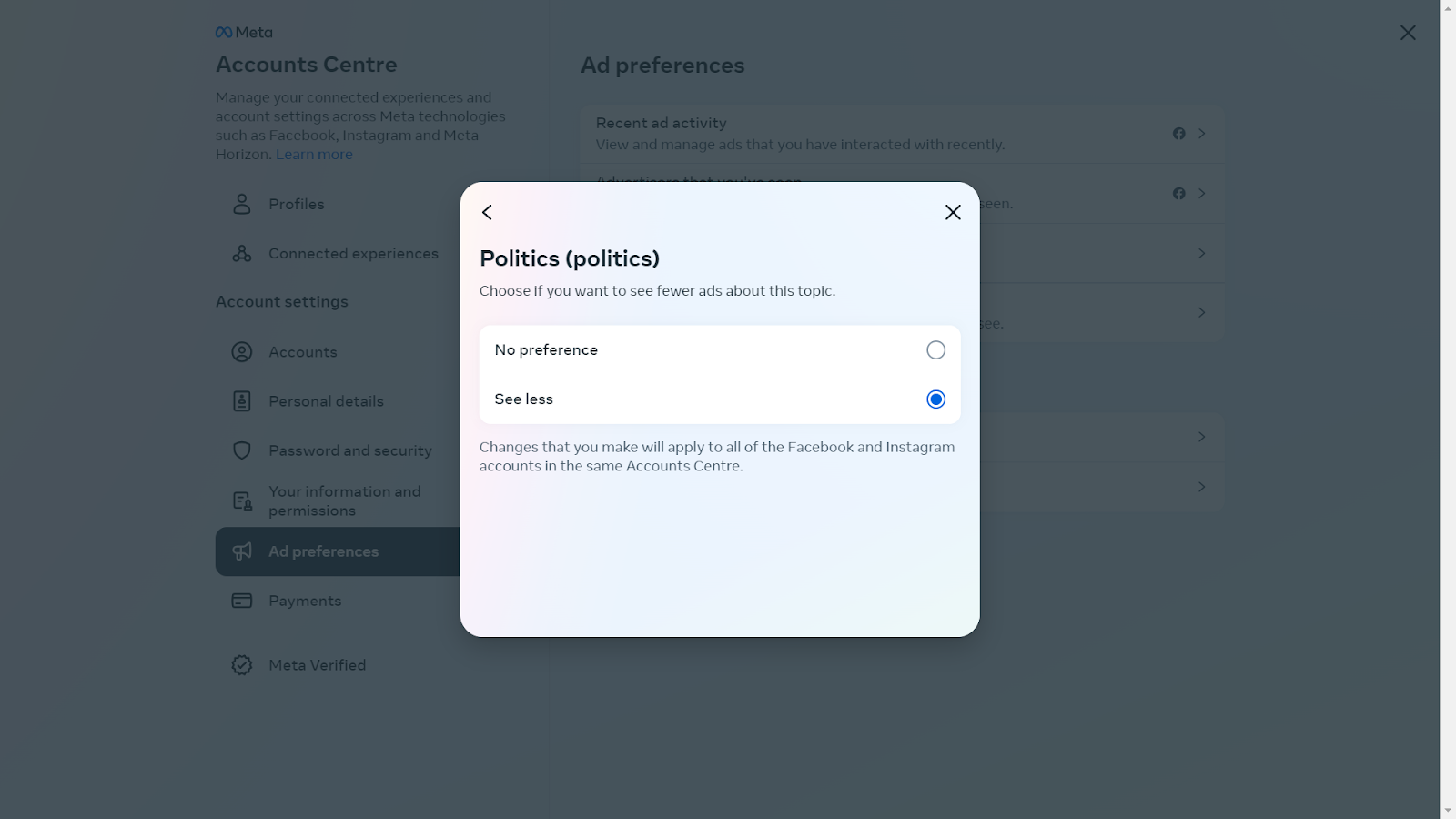
- Reporting Inappropriate Ads: Lastly, if you come across ads that are misleading, inappropriate, or just plain spammy, Facebook empowers you to report them. This not only cleans up your feed but also helps improve the ad experience for everyone.
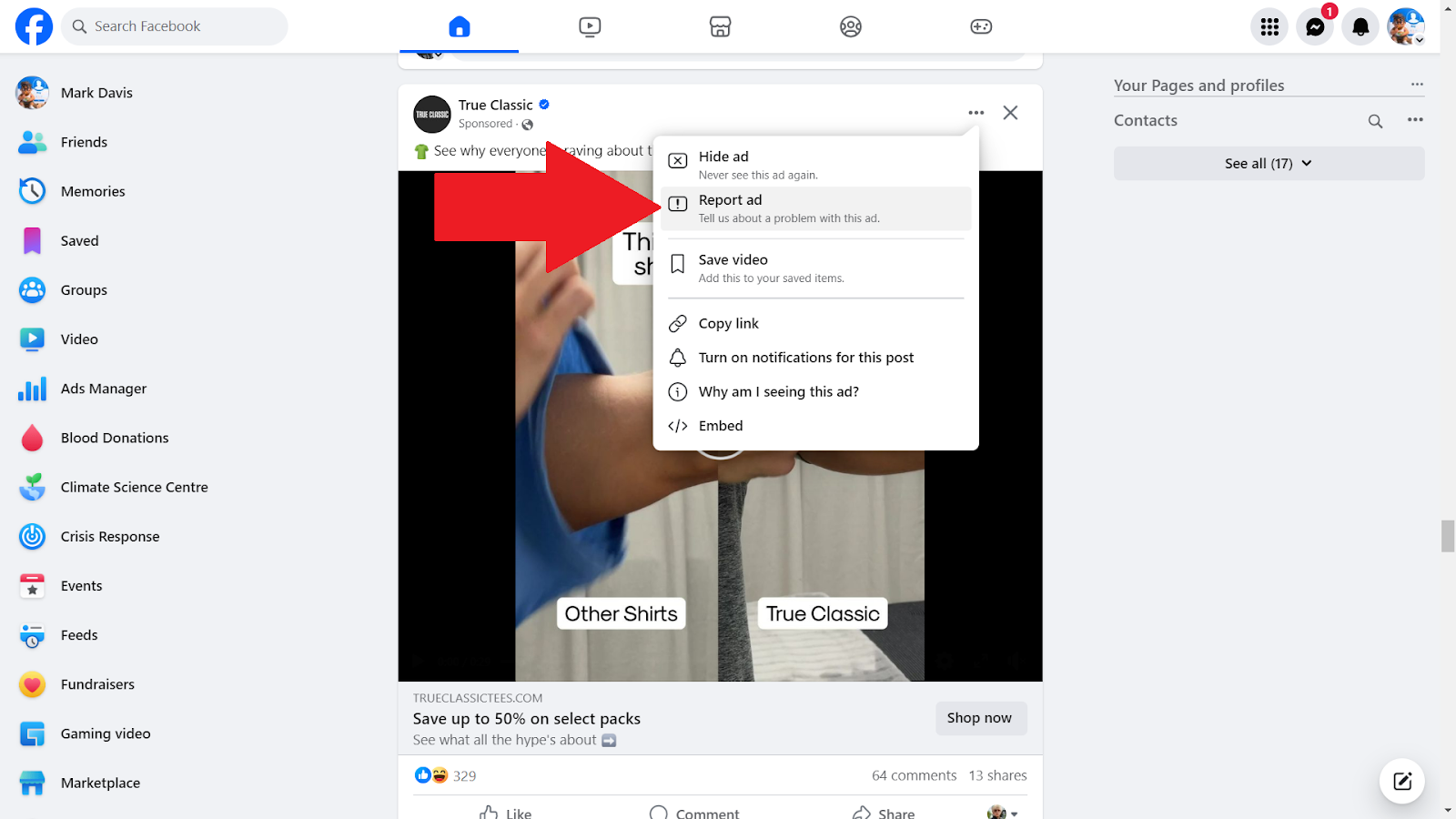
3. Other Tools
Apart from Poper Blocker and Facebook’s in-built features, there are several other tools at your disposal to enhance your ad-free experience. Let’s explore these options:
- Browsers with Built-In Ad Blocking: Some modern browsers come equipped with their own ad-blocking capabilities. For instance, Brave and Opera are not just regular browsers; they offer an integrated solution to block ads and trackers. This means less hassle in managing extensions and a smoother browsing experience.
- Antivirus Software with Ad-Blocking: Many antivirus programs now include ad-blocking features. This dual functionality not only keeps your device safe from malware but also enhances your browsing by eliminating ads. It’s a two-in-one solution for security-conscious users who also value a clean online experience.
Take Control of Your Facebook Online Space
Facebook, with its targeted ad strategies, can often lead to a cluttered and distracting experience. This is where tools like Poper Blocker become invaluable. By effectively blocking unwanted ads on Facebook, this adverts Blocker not only enhances your browsing experience but also ensures that your online interactions are more about meaningful content and less about sifting through endless advertisements. It’s about creating a more focused, personalized, and enjoyable online environment, where you are in control of what you see and how you engage with content.
Online advertising is highly pervasive on Facebook, which is why taking control of your digital space is more important than ever. So, if you’re seeking a more streamlined and ad-free Facebook experience, it’s time to consider Poper Blocker. Embrace this change and enjoy a cleaner, more efficient, and more enjoyable time on one of the world’s most popular social platforms.
FAQs
Can I completely eliminate ads on Facebook?
Absolutely. By using ad blockers like Poper Blocker, you can significantly reduce or even completely eliminate ads on Facebook. These tools work by filtering out ad content, giving you a cleaner and more streamlined browsing experience. It’s important to note, however, that some ads might occasionally slip through, as ad technologies constantly evolve.
Are there any risks to using ad blockers?
Generally, there are no significant risks associated with using reputable ad blockers. These tools are designed to enhance your browsing experience by removing unwanted content. However, it’s crucial to choose ad blockers that are well-reviewed and trusted, as some lesser-known ad blockers might pose privacy concerns or interfere with the normal functioning of websites.
Will blocking ads affect my Facebook experience?
Blocking ads will primarily affect the visual aspect of your Facebook experience. It will declutter your social media feed, leading to a more focused and enjoyable browsing experience. You’ll notice fewer distractions, which can make your time on the platform more about connecting with friends and less about sifting through a barrage of ads. However, some site functionalities that rely on ad content might be impacted.
Can I customize what ads I see on Facebook?
Yes, Facebook allows you to customize your ad preferences. This means you can control the types of ads you see based on your interests, past interactions, and more. While this doesn’t stop ads entirely, it does ensure that the ads you encounter are more relevant to your preferences, making them less intrusive and potentially more useful.
Is Poper Blocker easy to use?
Poper Blocker is renowned for its user-friendly interface. It’s designed to be intuitive, making it easy for anyone, regardless of their technical expertise, to use. Installation is straightforward, and once it’s set up, the blocker runs seamlessly in the background, requiring minimal input from the user. You can also customize settings to suit your browsing preferences, giving you control over what gets blocked and what doesn’t.
Let’s face it, your Facebook feed can sometimes feel overwhelming. From spoilers to political rants, certain words or topics can disrupt your online experience. But what if you had the power to filter out the noise? This comprehensive guide will show you how to tailor your Facebook experience to your preferences, ensuring a more enjoyable and personalized social media journey.
Why Mute Words on Facebook?
Imagine scrolling through your Facebook feed, only to have a long-awaited movie spoiled or to be bombarded with aggressive political debates. These instances are not just annoying but can significantly impact your online experience. The need to block words on Facebook stems from various pain points:
- Spoilers: Avoiding unwanted plot reveals from movies, TV shows, or books.
- Politics: Steering clear of often divisive and heated political discussions.
- Inappropriate or Offensive Content: Filtering out content that may be disrespectful or harmful.
- Adult Themes: Keeping your feed family-friendly or suitable for all audiences.
- Personal Triggers: Removing words or topics that may be emotionally distressing.
How to Mute Words on Facebook Comments
While Facebook doesn’t offer a native feature to mute specific words in your news feed, you can control the comments on your posts. Here’s how:
- Access Your Settings: Log into Facebook, click the down arrow or your profile icon, and select “Settings & Privacy” > “Settings”.
- Profile and Tagging Options: Choose “Profile and Tagging” on the left.
- Hide Specific Comments: Select “Hide comments containing certain words from your profile”.
- Customize Your List: Enter up to 1,000 words or phrases you wish to mute, separated by commas.
- Save Your Preferences: Click “Save” to apply these changes.
This feature ensures that your posts remain a safe space, free from unwanted words or phrases.
How to Block Posts with Specific Words on Your Facebook Feed
For a more comprehensive solution, Poper Blocker’s content blocker for social media steps in, offering a user-friendly tool designed to filter and block certain words on Facebook and even across various social media platforms, like Instagram, Twitter and LinkedIn.
While Facebook allows users to hide comments containing certain keywords through its settings, Poper Blocker takes this a significant step further. It empowers users with the ability to hide entire posts that contain specific keywords. This feature offers a more comprehensive solution for those seeking to tailor their social media experience, ensuring that their feed is not just free from unwanted comments, but also from any posts that might disrupt their online browsing experience.
Here’s how to use this tool:
1. Open Poper Blocker: Start by accessing the Poper Blocker tool.
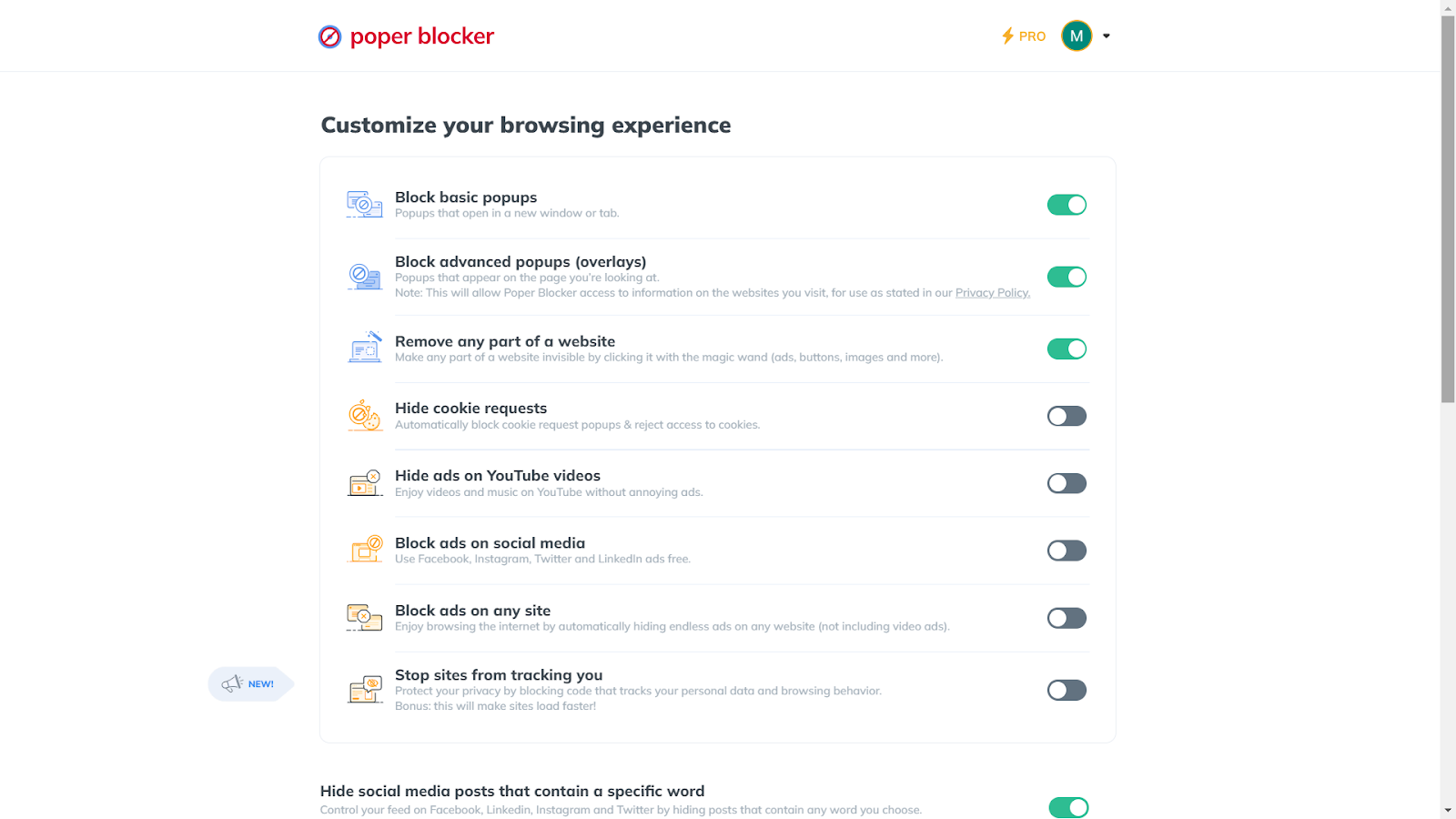
2. Activate the Feature: Go to “Hide social media posts that contain a specific word” and toggle it on.
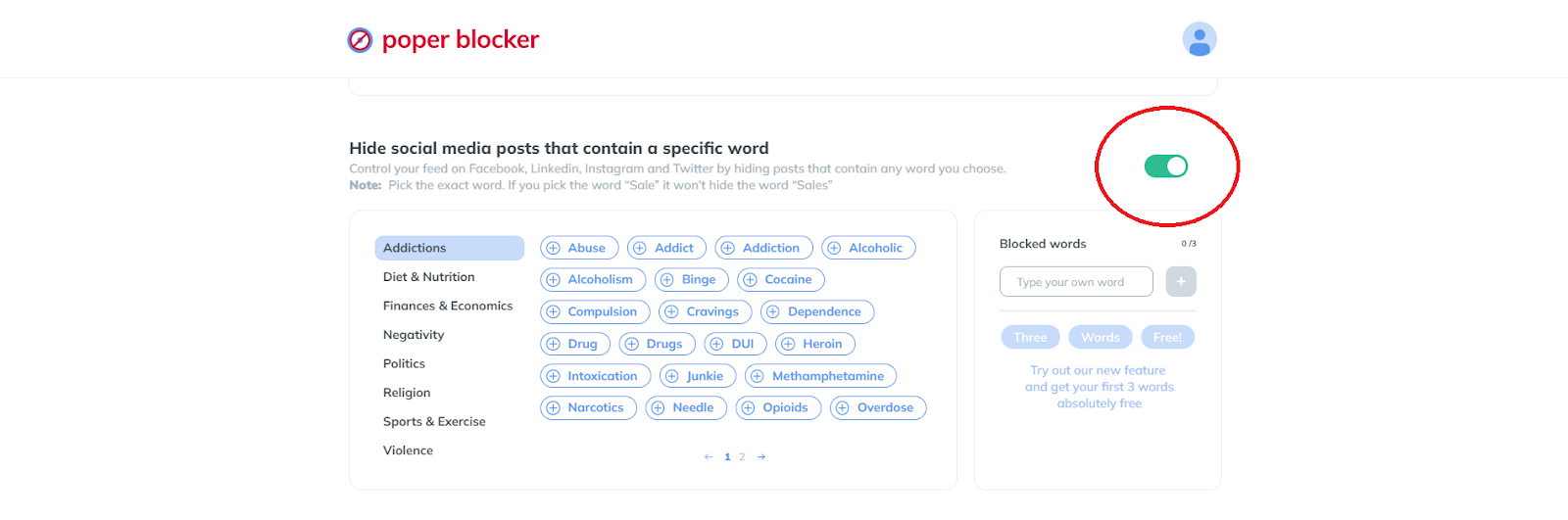
3. Select Your Words: This is how to block keywords on Facebook. Choose from a suggested list or enter your own words. Remember, the Pro version allows for an unlimited number of words.
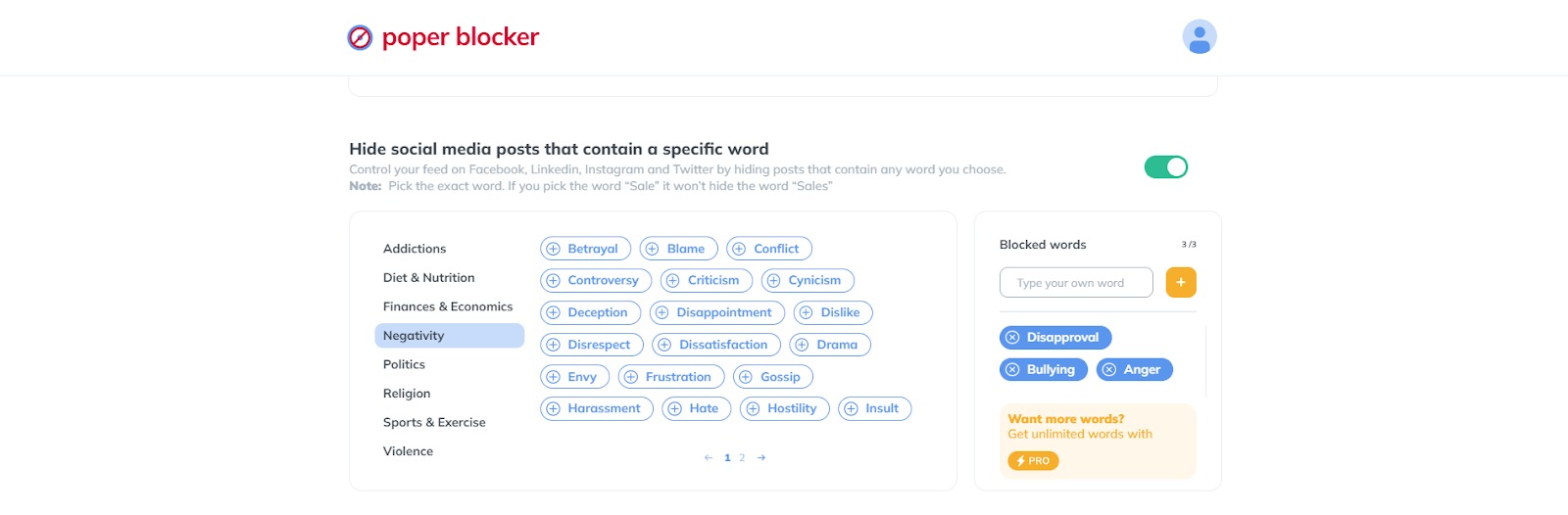
4. Apply and Enjoy: With these settings, your feed will now be free from your specified triggers.
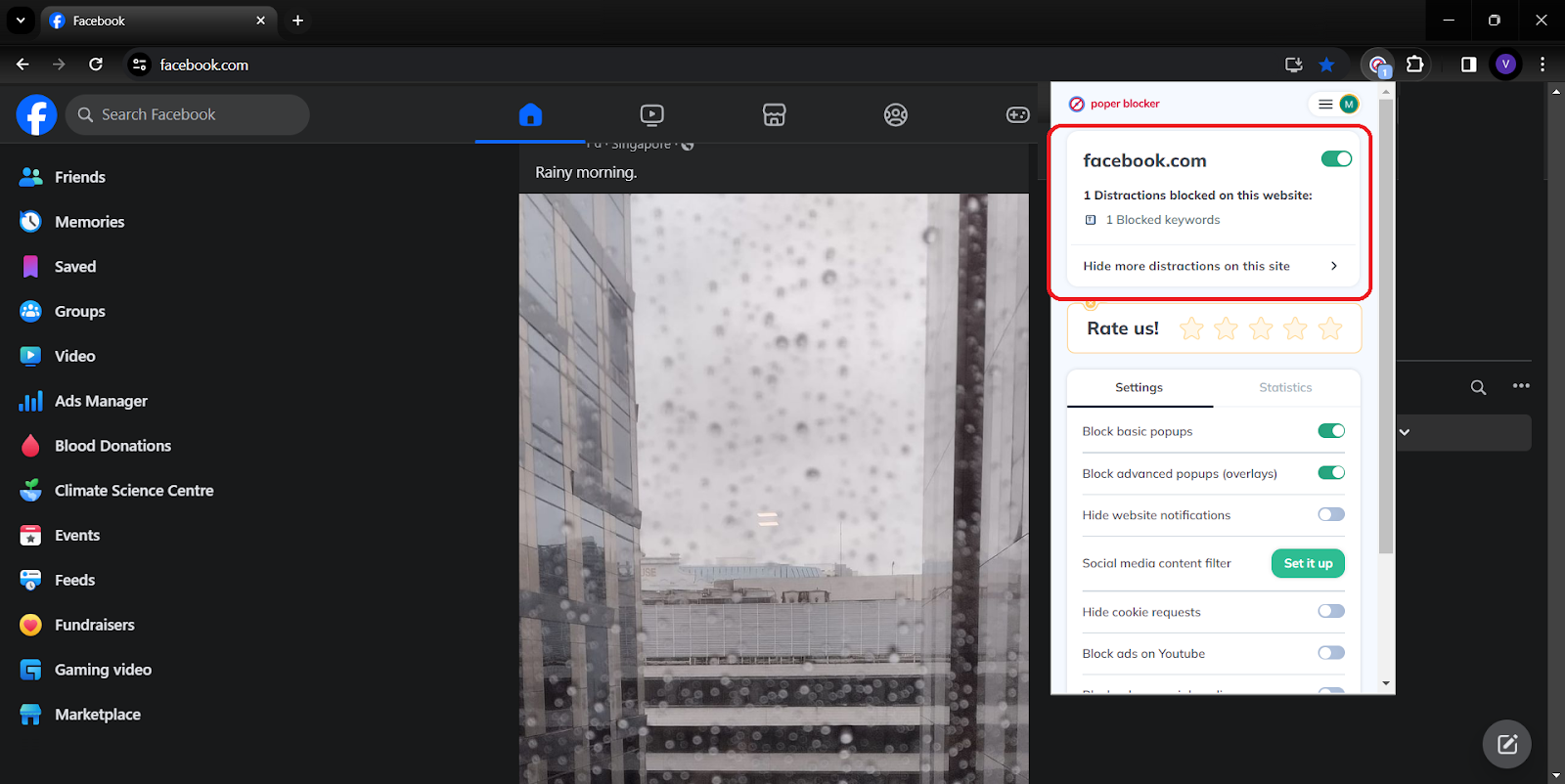
This tool is a game-changer for those seeking a more controlled and pleasant Facebook experience.
Empowering Your Social Media Journey: A Final Reflection
Your true power in the expansive world of social media lies in the ability to tailor your experience to your own preferences. The ability to mute words on Facebook and utilize tools like Poper Blocker transforms your online experience from a passive scroll to an empowered journey. This guide has not only shown you the steps to tailor your Facebook environment but also highlighted the importance of curating content that aligns with your values and mental well-being.
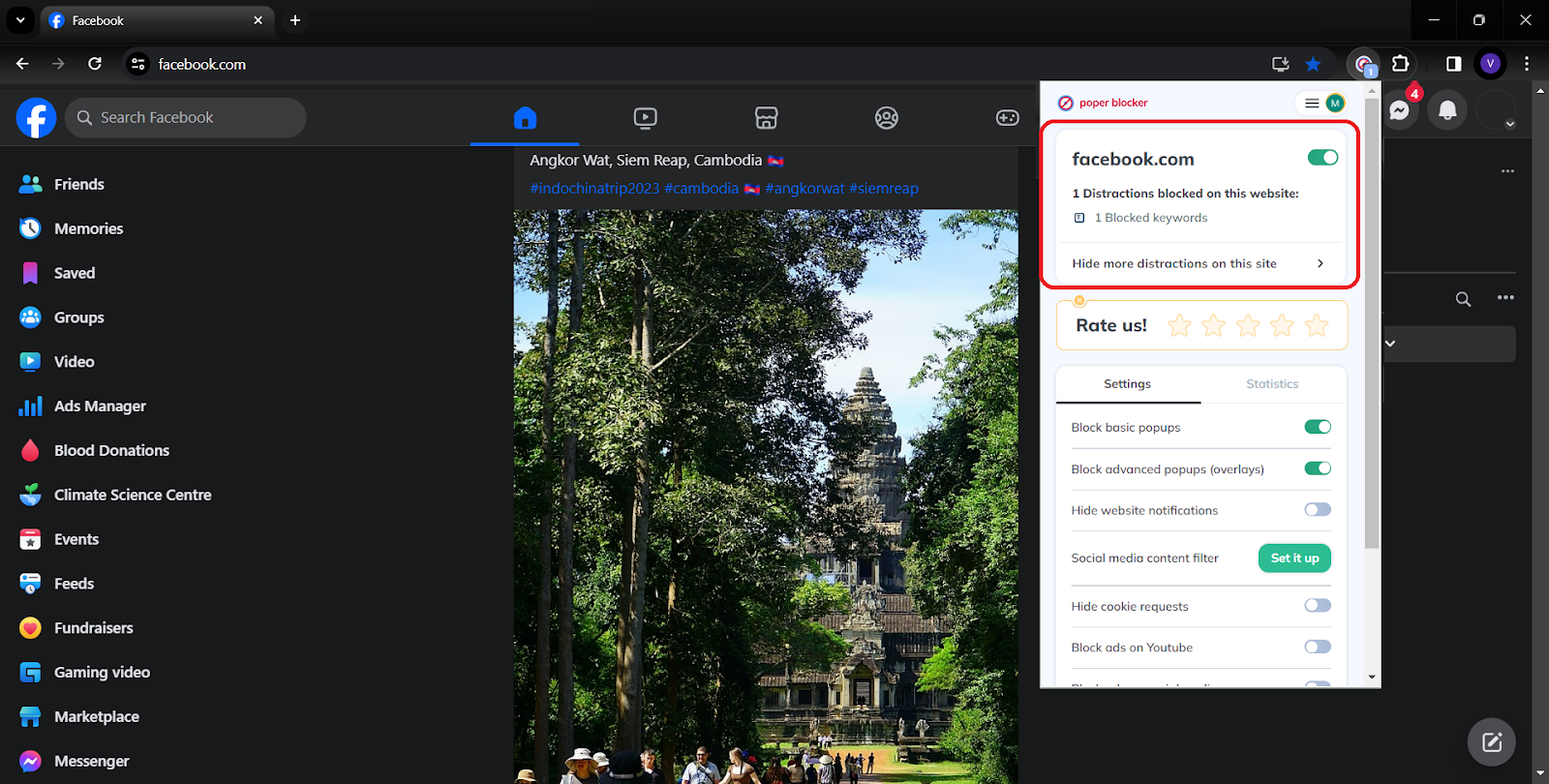
By filtering out unwanted words and topics, you reclaim control over your digital interactions. Remember, your online world is yours to shape. With these tools at your disposal, you are well-equipped to create a space that is uniquely yours, free from the noise and clutter of unwanted digital content.
Read more:
- How to Mute Words on Twitter
- How to Mute Words on Instagram
- Can You Mute Words on LinkedIn?
- How to Stop Ads on Facebook?
FAQs
Can I Mute Words in Facebook Groups?
Currently, Facebook does not provide a direct feature to mute specific words within groups or on your main news feed. This limitation means that while you can control the environment on your personal profile to a certain extent, groups remain outside this sphere of influence. However, remember that group administrators have the power to set certain moderation rules, which can indirectly help in maintaining a certain standard of conversation within these communities.
Will Muted Words Affect My Entire Facebook Experience?
Muting words on your profile specifically targets the comments on your posts. This means that the main content of your feed, including posts from friends and pages you follow, will not be affected by these settings. It’s a targeted approach, focusing on creating a safer and more comfortable space in the areas you can control – your personal posts.
Is Poper Blocker Effective on Other Social Media Platforms?
Poper Blocker is designed to be a versatile tool, extending its functionality beyond Facebook. It can be an effective solution for various social media platforms where content control is vital for a positive user experience. Whether you’re browsing Twitter, LinkedIn, or other platforms, Poper Blocker can assist in social media filtering, making your social media browsing more pleasant and aligned with your preferences.
Can I Temporarily Mute Words?
With Poper Blocker, flexibility is key. You have the option to toggle your settings on and off as needed. This feature is particularly useful for temporary events or topics you wish to avoid for a short period. For instance, if you’re avoiding spoilers for a newly released TV series, you can mute relevant words until you’ve caught up, then easily revert your settings to enjoy the full spectrum of your social media content once more.
Is There a Limit to the Number of Words I Can Mute with Poper Blocker?
The standard version of Poper Blocker offers a generous capacity for word filtering, but for those who require a more extensive range, the Pro version is the way to go. It allows for an unlimited number of words, giving you complete control over your social media content. This feature is particularly beneficial for users who have a wide range of topics they wish to avoid, or for those who manage pages or profiles with a high volume of diverse interactions.
Control Your Feed – Mute with Poper Blocker Now!
